
Email marketing software is one of the most effective tools for building customer relationships, increasing engagement, and driving sales. Whether you’re a small business owner, ecommerce retailer, content creator, or enterprise marketer, the right platform can help you automate campaigns, personalize emails, and measure your results with ease.
With so many email marketing platforms available, choosing the best one can be challenging. Each solution offers different pricing, automation capabilities, AI features, integrations, and reporting tools, making it important to compare your options before making a decision.
In this guide, we’ve reviewed and compared the best email marketing software based on the features that matter most, including pricing, ease of use, automation, deliverability, analytics, customer support, security, and ecommerce functionality. By the end of this article, you’ll have everything you need to choose the email marketing software that best fits your business and budget.
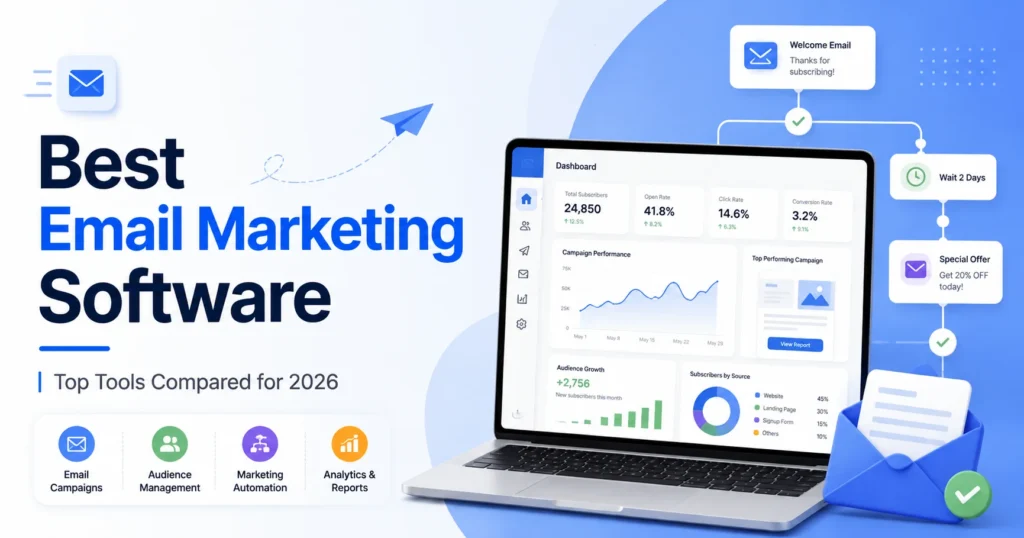
Table of Contents
What Makes Email Marketing Software Easy to Use?
Not every email marketing platform is built with the same user in mind. Some tools feel intuitive the moment you log in, while others bury essential features beneath layers of menus, settings, and technical jargon. If you’re spending more time trying to figure out the software than actually building campaigns, it’s probably the wrong fit.
The best email marketing software removes unnecessary friction. It lets you focus on connecting with your audience instead of wrestling with a complicated interface. Whether you’re launching your very first newsletter or managing campaigns for a growing business, an intuitive platform can save hours of work and significantly reduce costly mistakes.
Here are the features that make an email marketing platform genuinely easy to use.
Clean and Organized Dashboard
Your dashboard should act as a command center—not a maze. A thoughtfully designed interface allows you to view campaign performance, subscriber growth, automation workflows, and key metrics without hunting through endless menus.
When everything is organized logically, everyday tasks become faster, and even new users can find their way around with little effort.
Drag-and-Drop Email Builder
Designing professional emails shouldn’t require coding skills. A drag-and-drop editor lets you build attractive campaigns simply by moving content blocks into place.
Need to add an image? Drag it in. Want to insert a button or rearrange sections? A few clicks are all it takes. This type of editor dramatically reduces the time it takes to create polished, responsive emails.
Straightforward Navigation
Even feature-rich software should feel approachable. Menus, settings, and tools should be clearly labeled and grouped in a way that makes sense.
A platform with intuitive navigation shortens the learning curve, allowing you to spend less time searching for features and more time executing your marketing strategy.
Fast Setup Process
Nobody wants to spend an entire afternoon configuring software before sending a single email.
The best platforms simplify onboarding by making it easy to import contacts, verify your domain, connect your website or online store, and launch your first campaign within minutes. A smooth setup means you start seeing value almost immediately.
Professionally Designed Templates
Starting from a blank page can be intimidating. That’s why built-in templates are so valuable.
Most leading platforms provide ready-made designs for newsletters, promotional campaigns, announcements, welcome emails, and seasonal offers. Instead of creating every email from scratch, you simply choose a template, customize it with your branding, and publish.
The result? Faster campaign creation without sacrificing professionalism.
Guided Onboarding
Even intuitive software benefits from good documentation.
Interactive walkthroughs, video tutorials, setup checklists, and knowledge bases help users become productive much faster. Rather than leaving you to figure everything out alone, quality onboarding gently introduces important features as you need them.
Powerful Search and Filtering
As your subscriber list and campaign history expand, finding specific contacts or automation workflows can quickly become frustrating.
Robust search tools and smart filters eliminate that problem. Instead of scrolling endlessly, you can locate campaigns, audience segments, or subscriber records in seconds.
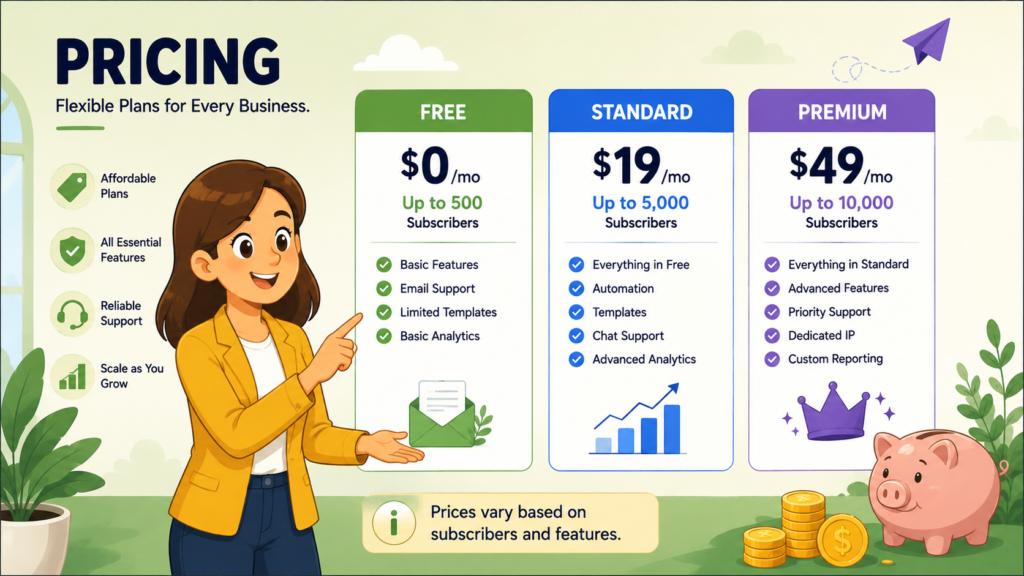
Email Marketing Software Pricing
Price often grabs attention first—but it shouldn’t make the final decision.
Choosing email marketing software based solely on the lowest monthly fee can become an expensive mistake later. A platform that looks affordable today may become significantly more costly as your subscriber list grows, while a slightly higher-priced solution could save countless hours through automation, AI-powered tools, and deeper integrations.
The smartest investment isn’t necessarily the cheapest option—it’s the one that delivers the greatest long-term value.
Whether you’re launching your first newsletter or managing a database of hundreds of thousands of subscribers, understanding how email marketing software pricing works will help you avoid unexpected costs and choose a platform that grows alongside your business.
How Email Marketing Software Pricing Works
Although every provider has its own pricing structure, most platforms follow a handful of common billing models.
Knowing the difference between them makes comparing providers much easier.
Free Plans
Many leading email marketing platforms offer free plans designed for individuals, startups, and small businesses.
These plans usually include:
- Limited subscriber capacity
- Basic email campaigns
- Simple templates
- Entry-level reporting
- Basic automation (if available)
They’re an excellent way to learn the platform before investing in a paid subscription.
Subscriber-Based Pricing
This is the most common pricing model.
Instead of charging based on email volume, providers increase your monthly fee as your subscriber list expands.
At first, the cost may seem modest. However, businesses experiencing rapid growth should pay close attention to pricing tiers, since monthly expenses can increase substantially over time.
Email Volume Pricing
Some providers charge according to the number of emails you send each month rather than the size of your contact list.
This model works particularly well for businesses with large databases that don’t email every subscriber frequently.
If your sending schedule is occasional rather than constant, volume-based pricing can be surprisingly cost-effective.
Feature-Based Plans
Rather than limiting subscribers, some platforms reserve advanced functionality for higher-tier subscriptions.
Premium plans often unlock features such as:
- Advanced automation
- AI-powered writing tools
- Behavioral segmentation
- Revenue attribution
- CRM integrations
- Predictive analytics
- Team collaboration
Businesses should compare feature availability carefully—not just price.
Pay-as-You-Go
Not every business sends emails every week.
Some providers offer prepaid email credits, allowing you to purchase only the sending capacity you actually use.
This model works well for seasonal businesses, nonprofits, and organizations that run occasional campaigns.
Email Marketing Software Pricing Comparison
The table below highlights the general pricing approach used by many of today’s leading email marketing platforms.
| Email Marketing Software | Free Plan | Typical Entry Pricing | Primary Pricing Model | Best For |
|---|---|---|---|---|
| Mailchimp | ✅ | Paid plans after free tier | Subscribers | Beginners |
| Brevo | ✅ | Affordable | Emails Sent | Budget-conscious businesses |
| ActiveCampaign | Trial | Mid-range | Subscribers | Advanced automation |
| Kit | ✅ | Affordable | Subscribers | Creators |
| Klaviyo | ✅ | Scales with contacts | Subscribers | Ecommerce businesses |
| GetResponse | Trial | Mid-range | Subscribers | Growing businesses |
| MailerLite | ✅ | Affordable | Subscribers | Small businesses |
| Constant Contact | Trial | Mid-range | Subscribers | Local businesses |
| HubSpot | ✅ | Premium | Contacts & Features | Enterprise organizations |
| Omnisend | ✅ | Affordable | Subscribers | Ecommerce stores |
Note: Pricing, subscriber limits, and included features change regularly. Always review each provider’s official pricing page before making a purchasing decision.
Don’t Judge Value by Price Alone
It’s easy to assume the cheapest platform offers the best deal.
In reality, that’s rarely true.
Imagine paying an extra $20 each month but gaining access to advanced automation that saves your team five hours every week.
That additional subscription cost quickly pays for itself.
Instead of comparing only monthly fees, evaluate the overall value each platform delivers.
Look for features like:
- Unlimited email campaigns
- Marketing automation
- Drag-and-drop email builder
- Professional templates
- AI-assisted content generation
- Audience segmentation
- Detailed analytics
- Ecommerce integrations
- Landing pages
- Signup forms
- Reliable customer support
Sometimes the better investment is the platform that helps you work smarter—not simply the one with the lowest price tag.
Hidden Costs Many Businesses Miss
Entry-level pricing can be misleading.
Some providers advertise attractive starting prices while charging additional fees for features that growing businesses eventually need.
Before committing to a platform, investigate whether you’ll pay extra for:
- Additional team members
- Premium templates
- Dedicated IP addresses
- Advanced automation
- SMS marketing
- Third-party integrations
- API access
- Increased sending limits
- Priority customer support
- Custom reporting
These hidden expenses can significantly increase your total cost over time.
Reading the pricing page carefully today may save you from unpleasant surprises later.
Free Plans vs. Paid Plans
Both options serve a purpose—it simply depends on where your business is today.
Free Plans Are Best For
Free subscriptions are often sufficient if you’re:
- Starting your first newsletter
- Running a personal website
- Managing a blog
- Building a small subscriber list
- Testing multiple platforms before committing
For many beginners, a free plan offers more than enough functionality to get started.
Paid Plans Are Better For
As your marketing becomes more sophisticated, premium subscriptions become increasingly valuable.
Paid plans are ideal when you need:
- Advanced automation
- AI-powered features
- Ecommerce workflows
- Behavioral segmentation
- Team collaboration
- Higher sending limits
- Detailed reporting
- Faster customer support
If email marketing plays a meaningful role in generating revenue, upgrading usually becomes a worthwhile investment rather than an unnecessary expense.
How to Find the Best Value
The smartest buyers don’t ask,
“Which platform is the cheapest?”
They ask,
“Which platform gives me the most value for my business?”
Before making your decision, consider these questions:
- How many subscribers do I have today?
- How quickly is my list likely to grow?
- Do I need automation?
- Are advanced segmentation features important?
- Which integrations are essential?
- Will AI tools improve my workflow?
- Is responsive customer support included?
- Are there limits on users or monthly emails?
- Could switching platforms later become expensive?
Thinking beyond today’s subscription price helps you choose software that continues to deliver value as your business expands.
Final Thoughts
Pricing should influence your decision—but it shouldn’t control it.
The right email marketing software strikes a healthy balance between affordability, functionality, scalability, and long-term return on investment.
A platform that saves time through automation, improves conversions with better personalization, and grows alongside your business will almost always provide more value than one chosen solely because it costs a few dollars less each month.
Instead of chasing the lowest price, invest in the solution that supports your marketing goals today while giving you the flexibility to succeed tomorrow.
Ease of Use
Not every email marketing platform is built with the same user in mind. Some tools feel intuitive the moment you log in, while others bury essential features beneath layers of menus, settings, and technical jargon. If you’re spending more time trying to figure out the software than actually building campaigns, it’s probably the wrong fit.
The best email marketing software removes unnecessary friction. It lets you focus on connecting with your audience instead of wrestling with a complicated interface. Whether you’re launching your very first newsletter or managing campaigns for a growing business, an intuitive platform can save hours of work and significantly reduce costly mistakes.
Here are the features that make an email marketing platform genuinely easy to use.
Clean and Organized Dashboard
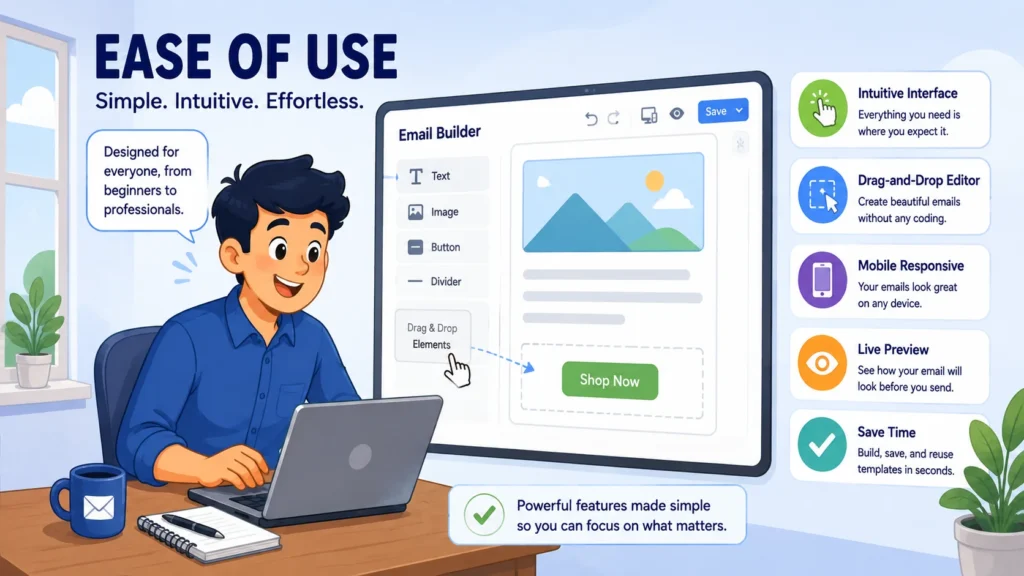
Your dashboard should act as a command center—not a maze. A thoughtfully designed interface allows you to view campaign performance, subscriber growth, automation workflows, and key metrics without hunting through endless menus.
When everything is organized logically, everyday tasks become faster, and even new users can find their way around with little effort.
Drag-and-Drop Email Builder
Designing professional emails shouldn’t require coding skills. A drag-and-drop editor lets you build attractive campaigns simply by moving content blocks into place.
Need to add an image? Drag it in. Want to insert a button or rearrange sections? A few clicks are all it takes. This type of editor dramatically reduces the time it takes to create polished, responsive emails.
Straightforward Navigation
Even feature-rich software should feel approachable. Menus, settings, and tools should be clearly labeled and grouped in a way that makes sense.
A platform with intuitive navigation shortens the learning curve, allowing you to spend less time searching for features and more time executing your marketing strategy.
Fast Setup Process
Nobody wants to spend an entire afternoon configuring software before sending a single email.
The best platforms simplify onboarding by making it easy to import contacts, verify your domain, connect your website or online store, and launch your first campaign within minutes. A smooth setup means you start seeing value almost immediately.
Professionally Designed Templates
Starting from a blank page can be intimidating. That’s why built-in templates are so valuable.
Most leading platforms provide ready-made designs for newsletters, promotional campaigns, announcements, welcome emails, and seasonal offers. Instead of creating every email from scratch, you simply choose a template, customize it with your branding, and publish.
The result? Faster campaign creation without sacrificing professionalism.
Guided Onboarding
Even intuitive software benefits from good documentation.
Interactive walkthroughs, video tutorials, setup checklists, and knowledge bases help users become productive much faster. Rather than leaving you to figure everything out alone, quality onboarding gently introduces important features as you need them.
Powerful Search and Filtering
As your subscriber list and campaign history expand, finding specific contacts or automation workflows can quickly become frustrating.
Robust search tools and smart filters eliminate that problem. Instead of scrolling endlessly, you can locate campaigns, audience segments, or subscriber records in seconds.
Ease of Use Comparison
Although nearly every email marketing platform promises simplicity, the actual user experience varies considerably. Some prioritize beginners with clean interfaces and guided setup, while others emphasize advanced functionality that naturally requires more learning.
| Email Marketing Software | Ease of Use | Learning Curve | Best For |
|---|---|---|---|
| Mailchimp | ⭐⭐⭐⭐⭐ | Very Easy | Beginners |
| MailerLite | ⭐⭐⭐⭐⭐ | Very Easy | Small businesses |
| Brevo | ⭐⭐⭐⭐☆ | Easy | Budget-conscious businesses |
| Kit | ⭐⭐⭐⭐☆ | Easy | Creators and bloggers |
| Constant Contact | ⭐⭐⭐⭐☆ | Easy | Local businesses |
| GetResponse | ⭐⭐⭐⭐☆ | Moderate | Growing businesses |
| Omnisend | ⭐⭐⭐⭐☆ | Moderate | Ecommerce stores |
| Klaviyo | ⭐⭐⭐⭐☆ | Moderate | Ecommerce marketers |
| ActiveCampaign | ⭐⭐⭐☆☆ | Steeper | Advanced marketers |
| HubSpot | ⭐⭐⭐☆☆ | Steeper | Larger teams and enterprises |
Best Email Marketing Platforms for Beginners
If you’re just stepping into email marketing, resist the temptation to choose the platform with the longest feature list. Sophisticated tools can be impressive, but they often introduce unnecessary complexity for newcomers.
Instead, look for software that emphasizes simplicity, clear navigation, and guided workflows.
Platforms like Mailchimp, MailerLite, and Brevo excel in this area. Their interfaces are clean, their setup processes are straightforward, and their drag-and-drop editors make creating attractive emails surprisingly easy. Most also include professionally designed templates, pre-built automation sequences, and extensive help documentation, allowing beginners to launch campaigns with confidence instead of confusion.
For small businesses, freelancers, and startups, these platforms provide an excellent balance between functionality and ease of use.
Which Platforms Are Better for Advanced Users?
As your business grows, so do your marketing requirements.
Managing multiple customer journeys, creating behavior-based automations, building sophisticated audience segments, and integrating CRM data all require more capable software. That’s where platforms like ActiveCampaign, HubSpot, and Klaviyo shine.
These solutions aren’t necessarily difficult—they simply offer far more depth. With additional flexibility comes a steeper learning curve, but businesses that invest the time are rewarded with advanced automation, powerful segmentation, and detailed customer insights that basic platforms simply can’t match.
For experienced marketers or larger organizations, the additional complexity is often well worth it.
Why Ease of Use Matters More Than You Think
Choosing an intuitive email marketing platform isn’t just about convenience. It has a measurable impact on productivity, campaign quality, and your team’s overall efficiency.
When software feels natural to use, you spend less time troubleshooting and more time creating campaigns that actually generate results. Mistakes become less frequent, onboarding new team members becomes easier, and everyday marketing tasks require far less effort.
A user-friendly platform can help you:
- Launch campaigns more quickly.
- Train new employees with minimal effort.
- Build automation workflows confidently.
- Organize and manage subscriber lists efficiently.
- Monitor campaign performance without navigating confusing reports.
- Scale your email marketing as your audience continues to grow.
One final piece of advice: never rely solely on feature lists or marketing pages. Whenever possible, sign up for a free plan or trial and explore the interface yourself. Spending just thirty minutes inside a platform often reveals far more about its usability than hours of reading product comparisons.
Email Builder and Templates
An email campaign is only as good as the tool you use to build it. You might have compelling copy, eye-catching images, and a great offer, but if creating the email feels like a chore, your workflow slows to a crawl.
That’s why the email builder is one of the most important features to evaluate when comparing email marketing software.
A well-designed email builder removes the technical barriers that once made email design difficult. Instead of writing code or wrestling with complicated layouts, you can focus on creating messages that look professional, reflect your brand, and encourage readers to take action.
Modern platforms typically include drag-and-drop editors, customizable templates, and responsive designs that make it possible to create polished campaigns in minutes rather than hours.
What to Look for in an Email Builder
Not all email editors offer the same experience. Some provide basic editing tools, while others include advanced design capabilities that give you complete creative control.
Here are the features worth prioritizing.
Drag-and-Drop Editor
This has become the standard for modern email marketing—and for good reason.
Rather than editing HTML or dealing with complicated formatting, you simply drag content blocks into position. Add text, images, buttons, videos, dividers, social icons, or countdown timers with just a few clicks.
The result is a faster, far more enjoyable design process.
Responsive Templates
More people read emails on smartphones than ever before. If your campaigns don’t display properly on smaller screens, you’re likely losing engagement before readers even finish the first paragraph.
Responsive templates automatically adjust layouts, images, fonts, and spacing so your emails remain attractive regardless of the device being used.
Extensive Template Library
Starting with a professionally designed template saves both time and effort.
Whether you’re sending newsletters, promotional campaigns, event invitations, welcome sequences, or product launches, a large template library gives you a strong foundation that can be customized to match your brand.
Instead of designing every email from scratch, you simply personalize an existing layout.
Brand Customization
Consistency builds trust.
The best email builders allow you to save your company logo, brand colors, fonts, button styles, and other design assets so every campaign maintains the same visual identity.
Once your brand kit is configured, creating new emails becomes significantly faster.
HTML Editor
While drag-and-drop builders work well for most businesses, experienced designers and developers sometimes need additional flexibility.
A built-in HTML editor provides complete control over layouts, styling, and custom code, making it possible to create highly customized email designs that go beyond standard templates.
Reusable Content Blocks
Certain sections appear in almost every email—headers, footers, disclaimers, social links, and call-to-action banners.
Instead of rebuilding these elements every time, reusable content blocks allow you to save them once and insert them into future campaigns whenever needed.
It’s a small feature that can save a remarkable amount of time.
Desktop and Mobile Preview
An email may look flawless during editing but display very differently after it’s sent.
Preview tools allow you to inspect your design on both desktop and mobile screens before launching a campaign, helping you catch formatting issues early.
Spam Checker
Even beautifully designed emails won’t perform well if they never reach the inbox.
Many platforms include built-in spam analysis tools that scan your email for common issues—such as excessive promotional language, formatting problems, or suspicious elements—that could affect deliverability.
Accessibility Features
Accessibility is often overlooked, but it’s becoming increasingly important.
Features like proper heading structures, sufficient color contrast, descriptive image alt text, and readable fonts ensure your emails remain accessible to subscribers with disabilities while also improving the overall user experience.
Email Builder Comparison
The following table highlights the design capabilities offered by many of today’s leading email marketing platforms.
| Email Marketing Software | Drag-and-Drop Editor | Templates | HTML Editor | Mobile Preview | Brand Kit |
|---|---|---|---|---|---|
| Mailchimp | ✅ | Extensive | ✅ | ✅ | ✅ |
| Brevo | ✅ | Large Library | ✅ | ✅ | ✅ |
| ActiveCampaign | ✅ | Good Selection | ✅ | ✅ | ✅ |
| Kit | ✅ | Basic Library | Limited | ✅ | ✅ |
| Klaviyo | ✅ | Ecommerce Focused | ✅ | ✅ | ✅ |
| GetResponse | ✅ | Extensive | ✅ | ✅ | ✅ |
| MailerLite | ✅ | Modern Library | ✅ | ✅ | ✅ |
| Constant Contact | ✅ | Large Library | Limited | ✅ | ✅ |
| HubSpot | ✅ | Professional | ✅ | ✅ | ✅ |
| Omnisend | ✅ | Ecommerce Templates | ✅ | ✅ | ✅ |
Why Email Templates Are So Valuable
Designing every email from a blank canvas isn’t just time-consuming—it’s unnecessary.
Templates provide a polished starting point that allows marketers to focus on content instead of layout. Within minutes, you can transform a professionally designed framework into an email that feels uniquely yours.
Many platforms also organize templates by purpose or industry, making it easier to find a design that aligns with your campaign goals.
Common template categories include:
- Newsletters
- Promotional campaigns
- Product launches
- Welcome emails
- Event invitations
- Holiday promotions
- Abandoned cart reminders
- Transactional emails
- Customer surveys
Having access to a broad selection of templates means you’re never starting from scratch.
Time-Saving Features That Make a Difference
The best email builders don’t simply help you design emails—they streamline your entire workflow.
Look for features that eliminate repetitive tasks and help you produce campaigns more efficiently.
Some of the most useful include:
- Reusable content blocks for recurring sections like headers and footers.
- Saved brand assets to maintain visual consistency across every campaign.
- AI-assisted writing tools that generate subject lines, headlines, and email copy when inspiration runs dry.
- Dynamic content, allowing portions of an email to change automatically based on subscriber data.
- Collaboration tools that enable multiple team members to review, edit, and approve campaigns before they’re sent.
Individually these features may seem small. Together, they can dramatically reduce production time while improving consistency across your marketing efforts.
Choosing the Right Email Builder
The ideal email builder depends on both your experience and your business needs.
If you’re new to email marketing, prioritize simplicity. A clean drag-and-drop editor, professionally designed templates, and guided editing tools will help you create polished campaigns without feeling overwhelmed.
Experienced marketers, on the other hand, may value greater flexibility. Features such as HTML editing, reusable design components, dynamic personalization, and advanced customization provide the creative freedom needed for more sophisticated campaigns.
Ultimately, the best email builder is the one that lets you move from idea to inbox quickly. It should simplify the creative process, reinforce your brand identity, and help you deliver visually engaging emails that subscribers actually want to read.
Email Automation Features
Imagine sending the perfect email at exactly the right moment—without lifting a finger.
That’s the real power of email automation.
Rather than manually sending every campaign, modern email marketing software allows you to build workflows that respond automatically to subscriber behavior. Whether someone joins your mailing list, abandons a shopping cart, clicks a product link, or completes a purchase, the platform can trigger a relevant email instantly.
The result is simple: less manual work, more personalized communication, and a marketing system that continues generating engagement and revenue around the clock.
For many businesses, automation isn’t just another feature—it’s the engine that drives their entire email strategy.
What Is Email Automation?
Email automation is the process of sending emails automatically when specific conditions or events occur.
Instead of scheduling every message individually, you create a workflow once. From that point forward, the software monitors subscriber activity and delivers emails whenever the predefined trigger is met.
Think of it as placing your email marketing on autopilot.
Common automation triggers include:
- A visitor subscribes to your email list.
- A customer completes a purchase.
- A shopper abandons their cart.
- Someone clicks a specific link.
- A subscriber visits a particular page on your website.
- A birthday or membership anniversary arrives.
- A contact becomes inactive.
- A lead reaches a certain score or stage in your sales funnel.
These automated interactions ensure subscribers receive timely, relevant communication without requiring constant attention from your team.
Essential Email Automation Features
While nearly every email marketing platform offers some level of automation, the quality and flexibility of those features vary considerably.
Here are the capabilities that deserve your attention.
Welcome Email Sequences
First impressions matter.
A welcome series introduces new subscribers to your brand, sets expectations, and encourages early engagement while your business is still fresh in their minds.
Instead of sending a single greeting, many businesses create a short sequence that educates, builds trust, and guides subscribers toward their first purchase.
Drip Campaigns
Not every customer is ready to buy immediately.
Drip campaigns gradually deliver educational content, product information, testimonials, or special offers over days or weeks, keeping your business top of mind until prospects are ready to take action.
It’s a patient, strategic approach to nurturing leads.
Behavior-Based Automation
Behavior often tells you more than demographics ever could.
Modern platforms can automatically respond to actions like:
- Opening an email.
- Clicking a specific link.
- Viewing a product page.
- Downloading a guide.
- Completing a purchase.
- Visiting pricing pages.
Because these emails are based on actual customer behavior, they’re often far more relevant—and significantly more effective.
Visual Workflow Builder
Complex automation shouldn’t require programming knowledge.
A visual workflow builder allows you to create customer journeys by connecting triggers, actions, delays, and conditions using an intuitive drag-and-drop interface.
Instead of writing code, you’re simply building a flowchart.
This makes sophisticated automation accessible even to users without technical experience.
Conditional Logic
Not every subscriber should receive the same follow-up.
Conditional logic lets your workflow branch into different paths depending on how someone interacts with your emails.
For example:
- If a subscriber opens an email, send Offer A.
- If they ignore it, send a reminder instead.
- If they purchase, remove them from the promotional sequence altogether.
This level of personalization creates a much smarter customer experience.
Lead Nurturing
Few customers purchase after a single interaction.
Lead nurturing campaigns gradually educate prospects through valuable content, helping them move naturally from awareness to consideration and finally to purchase.
Rather than pushing for an immediate sale, these workflows build trust over time.
Abandoned Cart Recovery
For ecommerce businesses, this may be the single most profitable automation available.
When someone adds products to their shopping cart but leaves without checking out, the platform automatically sends a reminder—often including the abandoned items, product images, or even a limited-time incentive.
Many online stores recover a meaningful percentage of otherwise lost sales using this simple workflow.
Re-Engagement Campaigns
Inactive subscribers don’t necessarily want to leave—they may simply need a reason to reconnect.
Re-engagement campaigns automatically target people who haven’t opened or clicked emails for an extended period, encouraging them to interact again through exclusive offers, updated content, or personalized recommendations.
Date-Based Automation
Some emails are tied to the calendar rather than customer behavior.
Examples include:
- Birthday greetings
- Membership anniversaries
- Subscription renewals
- Annual reminders
- Seasonal promotions
Because these campaigns run automatically each year, they require virtually no ongoing management.
Multi-Step Customer Journeys
The most advanced platforms combine multiple triggers, decisions, delays, and actions into sophisticated customer journeys.
Rather than sending isolated emails, they create complete experiences that evolve based on subscriber behavior over weeks—or even months.
For businesses with complex sales funnels, these workflows become invaluable.
Email Automation Comparison
Here’s how leading email marketing platforms compare when it comes to automation capabilities.
| Email Marketing Software | Visual Workflow Builder | Behavioral Triggers | Conditional Logic | Multi-Step Automation | Overall Automation |
|---|---|---|---|---|---|
| Mailchimp | ✅ | ✅ | Limited | ✅ | ⭐⭐⭐⭐☆ |
| Brevo | ✅ | ✅ | ✅ | ✅ | ⭐⭐⭐⭐☆ |
| ActiveCampaign | ✅ | ✅ | ✅ | ✅ | ⭐⭐⭐⭐⭐ |
| Kit | ✅ | ✅ | Limited | ✅ | ⭐⭐⭐⭐☆ |
| Klaviyo | ✅ | ✅ | ✅ | ✅ | ⭐⭐⭐⭐⭐ |
| GetResponse | ✅ | ✅ | ✅ | ✅ | ⭐⭐⭐⭐☆ |
| MailerLite | ✅ | Basic | Limited | ✅ | ⭐⭐⭐⭐☆ |
| Constant Contact | Basic | Basic | ❌ | Limited | ⭐⭐⭐☆☆ |
| HubSpot | ✅ | ✅ | ✅ | ✅ | ⭐⭐⭐⭐⭐ |
| Omnisend | ✅ | ✅ | ✅ | ✅ | ⭐⭐⭐⭐⭐ |
Essential Automation Workflows Every Business Should Build
You don’t need dozens of automated sequences to see meaningful results.
Most businesses gain tremendous value from a handful of well-designed workflows.
Start with these essentials:
- Welcome Series – Introduce your brand, share valuable resources, and encourage subscribers to take their first meaningful action.
- Lead Nurturing Campaign – Educate prospects until they’re ready to become customers.
- Abandoned Cart Recovery – Recover sales that would otherwise disappear.
- Post-Purchase Follow-Up – Thank customers, request reviews, recommend complementary products, or provide helpful onboarding information.
- Re-Engagement Campaign – Win back inactive subscribers before removing them from your list.
- Birthday and Anniversary Emails – Strengthen customer relationships with personalized greetings and exclusive offers.
These workflows continue working long after they’re created, making them some of the highest-return investments in email marketing.
Why Automation Matters
Automation transforms email marketing from a series of manual tasks into a scalable, intelligent system.
Instead of broadcasting identical messages to every subscriber, you deliver content that’s timely, personalized, and relevant to each individual’s actions.
That shift has a profound impact.
Effective automation helps you:
- Save countless hours of repetitive work.
- Personalize communication at scale.
- Increase open and click-through rates.
- Build stronger customer relationships.
- Recover lost revenue automatically.
- Nurture leads without constant manual follow-up.
- Generate consistent sales through always-on campaigns.
As your subscriber list grows from hundreds to thousands—or even hundreds of thousands—automation becomes less of a luxury and more of a necessity.
Without it, maintaining personalized communication simply isn’t realistic.
Choosing the Right Automation Platform
The right platform depends on the complexity of your marketing strategy.
If your needs are relatively simple, basic drip campaigns and welcome sequences may be all you require.
Businesses with larger audiences, sophisticated sales funnels, or ecommerce operations should prioritize platforms that offer:
- Visual workflow builders
- Advanced behavioral triggers
- Conditional branching
- Dynamic personalization
- Multi-step customer journeys
- Comprehensive automation reporting
Investing in scalable automation today means your email marketing can continue growing alongside your business tomorrow—without dramatically increasing your workload.
Contact Management and Segmentation
Growing an email list is exciting. Managing it effectively? That’s where the real challenge begins.
As your audience expands, simply storing names and email addresses isn’t enough. To deliver meaningful campaigns, you need to understand who your subscribers are, how they interact with your business, and what they’re most likely to respond to. That’s exactly where contact management and segmentation come into play.
The best email marketing software doesn’t just help you collect contacts—it helps you organize them intelligently. Instead of blasting the same message to everyone, you can create highly targeted campaigns that feel personal, timely, and relevant.
The payoff is substantial: higher open rates, stronger engagement, better conversions, and a far more satisfying experience for your subscribers.
What Is Contact Management?
Contact management refers to the process of collecting, organizing, updating, and maintaining your subscriber database.
Think of it as the foundation of your entire email marketing strategy. If your contact list is cluttered, outdated, or poorly organized, even the most creative campaigns will struggle to perform.
Modern email marketing platforms make this process considerably easier by offering tools that automate much of the administrative work.
Common contact management features include:
- Importing contacts from CSV files or other email platforms.
- Automatic duplicate detection.
- Custom contact fields.
- Tags and labels.
- Detailed subscriber profiles.
- Contact notes and activity history.
- List cleaning and maintenance tools.
- Bounce and unsubscribe management.
- GDPR consent tracking and privacy controls.
Together, these features help keep your subscriber database accurate, organized, and ready for future campaigns.
What Is Email Segmentation?
If contact management organizes your audience, segmentation gives you the ability to communicate with them more effectively.
Rather than sending one generic email to every subscriber, segmentation divides your audience into smaller groups based on shared characteristics or behaviors. Each group can then receive content that’s specifically tailored to its interests.
It’s the difference between saying, “Here’s our latest offer,” and saying, “Here’s something we know you’ll actually care about.”
Most email marketing software allows you to build segments using criteria such as:
- Age, location, or language.
- Purchase history.
- Products viewed or purchased.
- Website browsing behavior.
- Email engagement, including opens and clicks.
- Signup source.
- Customer lifecycle stage.
- Interests and preferences.
- Membership or loyalty status.
- Custom tags and attributes.
The more precisely you segment your audience, the more relevant your campaigns become—and relevance almost always translates into stronger performance.
Contact Management and Segmentation Comparison
The table below compares the audience management capabilities of leading email marketing platforms.
| Email Marketing Software | Tags | Dynamic Segments | Custom Fields | Behavioral Segmentation | CRM Features |
|---|---|---|---|---|---|
| Mailchimp | ✅ | ✅ | ✅ | ✅ | Basic |
| Brevo | ✅ | ✅ | ✅ | ✅ | Built-in CRM |
| ActiveCampaign | ✅ | ✅ | ✅ | ✅ | Advanced CRM |
| Kit | ✅ | ✅ | ✅ | Limited | Basic |
| Klaviyo | ✅ | ✅ | ✅ | ✅ | Ecommerce-focused |
| GetResponse | ✅ | ✅ | ✅ | ✅ | Basic |
| MailerLite | ✅ | ✅ | ✅ | Limited | Basic |
| Constant Contact | ✅ | Basic | ✅ | Limited | Basic |
| HubSpot | ✅ | ✅ | ✅ | ✅ | Full CRM |
| Omnisend | ✅ | ✅ | ✅ | ✅ | Ecommerce-focused |
Why Segmentation Matters
Sending identical emails to every subscriber might seem efficient, but it’s rarely effective.
People expect personalized experiences. When your emails reflect a subscriber’s interests, previous purchases, or browsing behavior, they feel less like mass marketing and more like genuinely useful communication.
That’s one reason segmented campaigns consistently outperform generic email blasts.
For example, segmentation allows you to:
- Reward loyal customers with exclusive offers.
- Recommend products based on previous purchases.
- Welcome new subscribers with introductory content.
- Re-engage inactive contacts through special promotions.
- Share local events or region-specific announcements.
- Send different messages to first-time buyers and repeat customers.
Each campaign becomes more relevant because it’s built around what the subscriber actually cares about—not what the entire audience has in common.
Best Practices for Managing Your Contact List
Building a large subscriber list is valuable, but maintaining a healthy one is even more important.
A clean database improves deliverability, boosts engagement, and ensures your marketing efforts focus on people who genuinely want to hear from you.
Follow these best practices to keep your contact list in excellent condition:
Remove Inactive Subscribers
Not everyone stays engaged forever.
Regularly identify subscribers who haven’t opened or clicked your emails in months. Before removing them, consider running a re-engagement campaign to give them one final opportunity to reconnect.
If they remain inactive, it’s usually better to let them go than continue sending emails that damage your engagement metrics.
Use Double Opt-In
Double opt-in requires new subscribers to confirm their email address before joining your list.
Although it may slightly reduce signup numbers, it dramatically improves list quality by preventing fake addresses, accidental signups, and spam submissions.
Quality almost always beats quantity.
Keep Subscriber Information Updated
Customer information changes over time.
People relocate, switch jobs, change interests, or update their email addresses. Whenever possible, encourage subscribers to update their preferences and profile information so your database remains accurate.
Create Consistent Tagging Rules
Tags become incredibly powerful—but only when they’re applied consistently.
Develop a clear naming convention for customer interests, purchase history, lead sources, and campaign interactions. Consistency makes filtering, reporting, and segmentation much easier as your database grows.
Merge Duplicate Contacts
Duplicate records can lead to subscribers receiving the same campaign multiple times.
Most modern email marketing platforms automatically identify duplicates, making it easy to merge records and maintain a cleaner database.
Monitor Bounce Rates
Repeatedly sending emails to invalid addresses damages your sender reputation.
Review bounce reports after every campaign and remove addresses that consistently fail to receive your emails.
Review Segments Regularly
Your audience evolves over time.
Segments that worked perfectly six months ago may no longer reflect your customers’ behavior today. Periodically review your segmentation rules and update them as your business grows.
Small adjustments can lead to meaningful improvements in campaign performance.
Choosing the Right Platform
If personalization plays an important role in your marketing strategy, don’t settle for basic list management.
Instead, prioritize platforms that offer:
- Dynamic audience segmentation.
- Behavioral tracking.
- Custom contact profiles.
- Advanced tagging.
- Automated segment updates.
- CRM integration.
- Real-time customer activity monitoring.
These capabilities make it far easier to deliver highly relevant campaigns while reducing the amount of manual work required to maintain your database.
Ultimately, effective contact management isn’t just about organization. It’s about understanding your audience well enough to send the right message to the right person at exactly the right time—and that’s what separates average email marketing from exceptional email marketing.
Email Deliverability
You can craft the perfect email—compelling copy, stunning visuals, an irresistible offer—but none of it matters if your message never reaches the inbox.
That’s why email deliverability deserves just as much attention as design, automation, or analytics. It determines whether your carefully planned campaigns are actually seen by your subscribers or quietly filtered into spam folders.
In simple terms, email deliverability measures the ability of an email to land in a recipient’s inbox instead of being rejected, bounced, or marked as junk. While your sending habits play a significant role, the email marketing platform you choose also has a major impact.
The best email marketing software combines robust infrastructure with built-in deliverability tools, helping protect your sender reputation and maximize inbox placement over the long term.
What Affects Email Deliverability?
Email providers such as Gmail, Outlook, and Yahoo evaluate countless signals before deciding where an email belongs. They’re constantly filtering unwanted messages while rewarding senders who consistently follow good practices.
Several factors influence that decision.
Sender Reputation
Think of your sender reputation as a credit score for email.
Internet service providers monitor how recipients interact with your campaigns. High engagement, low complaint rates, and consistent sending habits build trust, while excessive spam reports or frequent bounces can quickly damage your reputation.
A strong sender reputation dramatically improves your chances of reaching the inbox.
Email Authentication
Authentication proves that your emails genuinely come from your domain.
Protocols like SPF, DKIM, and DMARC verify your identity and make it significantly harder for cybercriminals to impersonate your business.
Proper authentication not only strengthens security but also improves your credibility with email providers.
List Quality
Even the most sophisticated email marketing software can’t compensate for a poor-quality mailing list.
Sending messages to outdated, invalid, or purchased email addresses increases bounce rates and signals to providers that your list isn’t well maintained.
Healthy lists consistently outperform large but neglected ones.
Subscriber Engagement
Email providers pay close attention to how recipients interact with your campaigns.
When subscribers regularly open emails, click links, reply, or move messages into their primary inbox, those positive signals reinforce your reputation.
On the other hand, consistently ignored emails suggest your content isn’t particularly valuable.
Spam Complaints
Every time someone clicks the “Report Spam” button, it sends a warning to email providers.
A small number of complaints is expected. However, consistently high complaint rates can quickly reduce deliverability and even lead to account restrictions.
Creating relevant, permission-based campaigns is the most effective way to avoid this problem.
Content Quality
Your content matters—not just to readers, but also to spam filters.
Misleading subject lines, excessive capitalization, spam-heavy phrases, broken formatting, or an overwhelming number of promotional links may increase the likelihood of your email being filtered before anyone sees it.
Good copywriting supports good deliverability.
Sending Consistency
Large, unpredictable sending spikes often raise red flags.
Maintaining a regular email schedule helps establish trust with inbox providers, making your campaigns appear more legitimate over time.
Consistency is almost always better than sporadic bursts of activity.
Deliverability Features to Look For
A reliable email marketing platform should actively support your deliverability efforts rather than leaving everything up to chance.
When comparing providers, look for features such as:
- SPF, DKIM, and DMARC authentication support.
- Dedicated and shared IP address options.
- Automatic bounce management.
- Built-in spam testing tools.
- Domain authentication guidance.
- Suppression list management.
- List hygiene and cleanup features.
- Sender reputation monitoring.
- Engagement tracking.
- Deliverability reports and diagnostics.
These capabilities help identify potential issues before they affect campaign performance.
Email Deliverability Comparison
Here’s how several leading email marketing platforms compare in terms of deliverability-related features.
| Email Marketing Software | Email Authentication | Bounce Management | Spam Testing | Dedicated IP Available | Deliverability Tools |
|---|---|---|---|---|---|
| Mailchimp | ✅ | ✅ | Basic | Higher Plans | ⭐⭐⭐⭐☆ |
| Brevo | ✅ | ✅ | Basic | ✅ | ⭐⭐⭐⭐☆ |
| ActiveCampaign | ✅ | ✅ | Advanced | ✅ | ⭐⭐⭐⭐⭐ |
| Kit | ✅ | ✅ | Basic | Limited | ⭐⭐⭐⭐☆ |
| Klaviyo | ✅ | ✅ | Advanced | ✅ | ⭐⭐⭐⭐⭐ |
| GetResponse | ✅ | ✅ | Advanced | ✅ | ⭐⭐⭐⭐☆ |
| MailerLite | ✅ | ✅ | Basic | Limited | ⭐⭐⭐⭐☆ |
| Constant Contact | ✅ | ✅ | Basic | Limited | ⭐⭐⭐☆☆ |
| HubSpot | ✅ | ✅ | Advanced | Enterprise Plans | ⭐⭐⭐⭐⭐ |
| Omnisend | ✅ | ✅ | Advanced | ✅ | ⭐⭐⭐⭐⭐ |
Best Practices for Improving Deliverability
Even the best software can’t guarantee inbox placement if your sending habits are poor.
Following proven email marketing practices is just as important as choosing the right platform.
Build Your List Organically
Subscribers should always choose to receive your emails.
Permission-based signups generate higher engagement, stronger trust, and better long-term deliverability than purchased or scraped email lists.
Enable Double Opt-In
Requiring subscribers to confirm their email address helps eliminate fake registrations, typing errors, and low-quality contacts before they ever reach your database.
The result is a healthier list and a stronger sender reputation.
Authenticate Your Domain
Configure SPF, DKIM, and DMARC as soon as possible.
Authentication protects your domain, improves inbox placement, and reassures email providers that your campaigns are legitimate.
Clean Your List Regularly
Inactive subscribers and invalid addresses gradually reduce campaign performance.
Review your subscriber database periodically, remove hard bounces, and consider re-engagement campaigns before deleting inactive contacts.
Never Buy Email Lists
Purchased lists often contain outdated addresses, spam traps, or people who never consented to hear from your business.
Besides producing poor engagement, they can severely damage your sender reputation.
Growing your list naturally may take longer, but the results are almost always better.
Write Honest Subject Lines
Misleading or sensational subject lines may generate curiosity, but they also increase complaints and erode subscriber trust.
Clear, accurate subject lines consistently outperform clickbait over the long term.
Test Before Sending
Preview every campaign before it reaches your full audience.
Testing allows you to catch formatting issues, broken links, authentication problems, and potential spam triggers before they affect thousands of subscribers.
Monitor Performance
Pay close attention to:
- Bounce rates.
- Spam complaints.
- Open rates.
- Click-through rates.
- Unsubscribe rates.
These metrics provide early warning signs that something may be affecting your deliverability.
Maintain a Consistent Schedule
Whether you send weekly, bi-weekly, or monthly, consistency helps build trust with both subscribers and inbox providers.
Random sending patterns often produce less predictable results.
Encourage Whitelisting
Ask subscribers to add your email address to their contacts or safe sender list.
This simple action significantly improves the likelihood that future emails arrive directly in the inbox.
Why Deliverability Matters
Every percentage point of improved deliverability represents more people actually seeing your message.
Better inbox placement leads to:
- Higher open rates.
- Increased click-through rates.
- More conversions.
- Greater revenue.
- Improved customer engagement.
- Stronger sender reputation.
- Lower bounce rates.
- Long-term subscriber trust.
Without strong deliverability, even the most creative marketing campaigns struggle to generate meaningful results.
Choosing the Right Platform
If inbox placement is a priority—and it should be—look for email marketing software that combines excellent infrastructure with practical deliverability tools.
Prioritize platforms offering:
- Comprehensive authentication support.
- Advanced spam testing.
- Automatic list hygiene.
- Detailed deliverability reporting.
- Dedicated IP options for high-volume senders.
- Reputation monitoring tools.
Remember, successful email marketing isn’t just about writing exceptional emails.
It’s about making sure those emails actually reach the people who asked to receive them.
AI Features
Artificial intelligence has quickly moved from being a futuristic concept to an everyday marketing tool. What once required hours of brainstorming, testing, and manual analysis can now be accomplished in a fraction of the time—with surprisingly impressive results.
That doesn’t mean AI replaces marketers. Far from it.
Instead, the best email marketing software uses AI to eliminate repetitive work, uncover valuable insights, and accelerate decision-making, leaving you free to focus on strategy, creativity, and building stronger customer relationships.
Whether you’re struggling to write subject lines, personalize campaigns, or determine the ideal time to send an email, AI can provide a meaningful advantage.
Common AI Features in Email Marketing Software
Artificial intelligence isn’t implemented the same way across every platform. Some providers focus primarily on AI writing assistants, while others invest heavily in predictive analytics, customer behavior modeling, and intelligent automation.
When evaluating email marketing software, these are the AI capabilities worth paying attention to.
AI Email Writing
Writer’s block happens to everyone.
AI writing assistants help overcome that hurdle by generating email drafts, headlines, introductions, product descriptions, and calls to action based on a simple prompt.
Rather than replacing your writing, these tools give you a strong starting point that you can refine to match your brand voice.
For busy marketing teams, this can dramatically reduce the time spent creating campaigns.
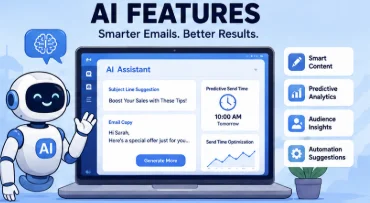
Subject Line Generation
Even the most compelling email won’t perform well if nobody opens it.
AI-powered subject line generators analyze language patterns and engagement data to suggest headlines that are more likely to capture attention.
Some platforms even provide multiple variations, making A/B testing faster and more effective.
Content Suggestions
Sometimes an email feels… almost right.
AI can review your draft and recommend improvements to readability, structure, tone, and messaging. These suggestions might include shortening long paragraphs, improving clarity, strengthening calls to action, or making the overall flow more engaging.
Think of it as having an intelligent editor reviewing your work before you hit send.
Send-Time Optimization
Timing matters.
A message delivered while someone is actively checking their inbox has a far better chance of being opened than one buried beneath dozens of newer emails.
AI-powered send-time optimization analyzes subscriber behavior and automatically schedules each email for the moment an individual recipient is most likely to engage.
Instead of choosing one universal send time, the software personalizes delivery for every subscriber.
Product Recommendations
For ecommerce businesses, personalized recommendations can significantly increase sales.
AI examines browsing history, purchase behavior, and customer preferences to recommend products that each subscriber is genuinely interested in, creating shopping experiences that feel tailored rather than generic.
Predictive Segmentation
Traditional segmentation groups subscribers based on rules you create.
Predictive segmentation goes a step further.
Using machine learning, AI identifies hidden behavioral patterns and automatically builds audience segments based on the likelihood of purchasing, engaging, or becoming inactive.
This allows marketers to target customers more precisely without constantly adjusting segmentation rules manually.
Campaign Performance Predictions
Launching a campaign always involves a certain amount of uncertainty.
Some AI-powered platforms reduce that uncertainty by estimating how a campaign is likely to perform before it’s even sent.
Although these predictions aren’t guarantees, they can help identify weak subject lines, questionable content, or underperforming audience segments before they impact real subscribers.
Smart A/B Testing
Traditional A/B testing requires marketers to create multiple versions, monitor results, and determine the winner.
AI speeds up the process by recommending which subject lines, layouts, or content variations are most likely to outperform others based on historical campaign data.
It transforms experimentation from guesswork into data-driven optimization.
Spam Risk Detection
Even well-written emails occasionally trigger spam filters.
AI-powered spam detection scans your campaigns for problematic words, formatting issues, excessive promotional language, or technical concerns that could reduce deliverability.
Identifying these issues before sending helps improve inbox placement and campaign performance.
AI Features Comparison
The table below compares the AI capabilities offered by several leading email marketing platforms.
| Email Marketing Software | AI Email Writing | Subject Line Generator | Send-Time Optimization | Predictive Analytics | Overall AI Features |
|---|---|---|---|---|---|
| Mailchimp | ✅ | ✅ | ✅ | Limited | ⭐⭐⭐⭐☆ |
| Brevo | ✅ | ✅ | Basic | Limited | ⭐⭐⭐⭐☆ |
| ActiveCampaign | ✅ | ✅ | ✅ | ✅ | ⭐⭐⭐⭐⭐ |
| Kit | Basic | Limited | ❌ | ❌ | ⭐⭐⭐☆☆ |
| Klaviyo | ✅ | ✅ | ✅ | ✅ | ⭐⭐⭐⭐⭐ |
| GetResponse | ✅ | ✅ | ✅ | Limited | ⭐⭐⭐⭐☆ |
| MailerLite | Basic | Limited | ❌ | ❌ | ⭐⭐⭐☆☆ |
| Constant Contact | Limited | Limited | ❌ | ❌ | ⭐⭐☆☆☆ |
| HubSpot | ✅ | ✅ | ✅ | ✅ | ⭐⭐⭐⭐⭐ |
| Omnisend | ✅ | ✅ | ✅ | ✅ | ⭐⭐⭐⭐⭐ |
How AI Improves Email Marketing
The biggest advantage of AI isn’t that it writes emails.
It’s that it removes repetitive work while helping marketers make better decisions.
Instead of staring at a blank page or manually analyzing spreadsheets full of campaign data, you can rely on AI to provide suggestions, automate routine tasks, and uncover opportunities that might otherwise go unnoticed.
Some of the most valuable benefits include:
- Drafting emails in significantly less time.
- Generating stronger subject lines.
- Personalizing content for different audience segments.
- Identifying the best delivery time for each subscriber.
- Improving campaign performance with predictive recommendations.
- Reducing repetitive administrative work.
- Maintaining a more consistent brand voice across campaigns.
By handling these routine tasks, AI allows marketers to spend more time developing creative ideas, refining strategy, and building meaningful customer relationships.
Important Things to Consider
Despite its growing capabilities, AI shouldn’t be viewed as a replacement for human expertise.
It works best as an assistant—not an autopilot.
Before publishing any AI-generated content, take the time to review and refine it.
Keep these best practices in mind:
- Always proofread AI-generated copy before sending.
- Ensure the language reflects your brand’s personality.
- Verify pricing, product details, and factual information.
- Use AI as a starting point rather than the finished product.
- Continue running A/B tests instead of relying exclusively on AI recommendations.
- Add your own creativity, experience, and customer knowledge to every campaign.
The strongest email campaigns combine machine efficiency with human judgment.
That’s a partnership AI simply can’t replace.
Choosing the Right AI-Powered Platform
If artificial intelligence is a priority for your business, look beyond basic content generation.
The most capable platforms combine several intelligent features into a single ecosystem, including:
- AI writing assistants.
- Subject line optimization.
- Predictive analytics.
- Send-time optimization.
- Intelligent audience segmentation.
- Personalized product recommendations.
- Campaign performance forecasting.
- Automated optimization suggestions.
These capabilities don’t just save time—they help marketers create more relevant, data-driven campaigns that continuously improve over time.
As AI technology continues to evolve, its role in email marketing will only become more significant. Choosing software with strong AI capabilities today positions your business to take advantage of even smarter automation, deeper personalization, and more informed decision-making in the years ahead.
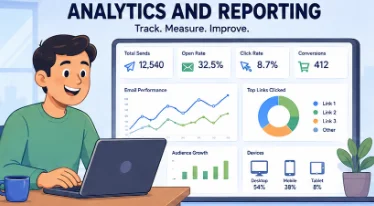
Analytics and Reporting
Hitting Send isn’t the finish line—it’s the starting point.
Every email campaign generates valuable data, and hidden within that data are the insights that determine whether your next campaign performs even better. Without analytics, you’re relying on instinct. With analytics, you’re making informed decisions backed by real subscriber behavior.
The best email marketing software doesn’t simply tell you how many emails were delivered. It reveals how people interacted with your content, where they lost interest, what motivated them to click, and ultimately whether your campaigns contributed to your business goals.
Good reporting turns numbers into strategy.
Key Email Marketing Metrics to Track
Every platform offers its own reporting dashboard, but the most valuable metrics remain largely the same. Understanding what each one represents allows you to identify strengths, spot weaknesses, and continually improve your campaigns.
Delivery Rate
Before anything else, your emails need to arrive.
The delivery rate measures the percentage of emails successfully accepted by recipients’ mail servers. A consistently high delivery rate suggests your email list is healthy and your sender reputation remains strong.
If this number begins to fall, it’s often an early warning sign that something needs attention.
Open Rate
Open rate measures how many recipients actually opened your email after it was delivered.
While privacy changes have made this metric less precise than it once was, it still provides useful context when evaluated alongside other engagement metrics.
Strong subject lines, recognizable sender names, and good deliverability all contribute to higher open rates.
Click-Through Rate (CTR)
Getting someone to open your email is only half the battle.
Click-through rate measures how many recipients clicked at least one link within your email, making it one of the clearest indicators of how engaging your content truly is.
If your CTR is consistently low, your call-to-action, content, or offer may need improvement.
Click-to-Open Rate (CTOR)
CTOR focuses on engagement after the email has been opened.
Instead of measuring all recipients, it calculates the percentage of people who clicked after opening your email.
This helps separate problems with subject lines from problems with email content.
For example:
- High open rate + low CTOR = Your email attracted attention but failed to maintain interest.
- Lower open rate + high CTOR = Your content resonates well, but your subject lines may need work.
Conversion Rate
Clicks are encouraging, but conversions are what ultimately matter.
Conversion rate tracks the percentage of subscribers who completed your desired action after clicking an email—whether that’s making a purchase, registering for an event, downloading a resource, or filling out a form.
For many businesses, this is the single most important performance metric.
Bounce Rate
Not every email reaches its destination.
Bounce rate measures how many emails couldn’t be delivered because of invalid addresses, full inboxes, server issues, or other delivery problems.
Monitoring this metric helps maintain list quality and protect your sender reputation.
Unsubscribe Rate
Every email list naturally loses subscribers over time.
A few unsubscribes are perfectly normal. However, sudden spikes may indicate that your content has become less relevant, your sending frequency is too aggressive, or subscriber expectations aren’t being met.
Rather than fearing unsubscribes, view them as useful feedback.
Spam Complaint Rate
Spam complaints deserve immediate attention.
Even a relatively small increase can negatively affect deliverability and sender reputation.
The lower this number remains, the healthier your email program will be over the long term.
Revenue Attribution
For ecommerce businesses, this metric is particularly valuable.
Revenue attribution measures exactly how much income each campaign generates, making it much easier to identify which emails genuinely contribute to sales rather than simply generating engagement.
This transforms email marketing from a cost center into a measurable revenue channel.
List Growth Rate
Growing your subscriber list is important—but sustainable growth matters even more.
List growth rate tracks how quickly your audience expands after accounting for new subscribers, unsubscribes, and bounced addresses.
Healthy, consistent growth generally indicates effective lead generation and strong audience interest.
Analytics and Reporting Comparison
The following table compares the reporting capabilities offered by leading email marketing platforms.
| Email Marketing Software | Real-Time Reporting | Custom Reports | Revenue Tracking | A/B Testing Reports | Overall Analytics |
|---|---|---|---|---|---|
| Mailchimp | ✅ | Limited | ✅ | ✅ | ⭐⭐⭐⭐☆ |
| Brevo | ✅ | Basic | Limited | ✅ | ⭐⭐⭐⭐☆ |
| ActiveCampaign | ✅ | ✅ | ✅ | ✅ | ⭐⭐⭐⭐⭐ |
| Kit | ✅ | Basic | Limited | Basic | ⭐⭐⭐⭐☆ |
| Klaviyo | ✅ | ✅ | ✅ | ✅ | ⭐⭐⭐⭐⭐ |
| GetResponse | ✅ | ✅ | Limited | ✅ | ⭐⭐⭐⭐☆ |
| MailerLite | ✅ | Basic | Limited | Basic | ⭐⭐⭐⭐☆ |
| Constant Contact | ✅ | Basic | ❌ | Limited | ⭐⭐⭐☆☆ |
| HubSpot | ✅ | ✅ | ✅ | ✅ | ⭐⭐⭐⭐⭐ |
| Omnisend | ✅ | ✅ | ✅ | ✅ | ⭐⭐⭐⭐⭐ |
Why Analytics Matter
The most successful email marketers don’t rely on assumptions.
They measure, analyze, adjust, and improve.
Analytics reveal patterns that would otherwise remain invisible, allowing you to make smarter decisions with every campaign you send.
For example, reporting can help you:
- Discover which subject lines consistently generate the highest open rates.
- Identify the content that drives the most clicks.
- Measure which campaigns produce the greatest revenue.
- Compare engagement across different audience segments.
- Determine the best days and times to send emails.
- Detect deliverability issues before they become serious problems.
Instead of guessing what your audience prefers, you learn directly from their behavior.
Advanced Reporting Features
As businesses grow, so do their reporting requirements.
Basic metrics are useful, but larger organizations often need deeper insights into customer behavior, campaign performance, and long-term business impact.
Many premium email marketing platforms include advanced reporting tools such as:
- Custom reporting dashboards.
- Sales and conversion funnels.
- Customer lifetime value analysis.
- Ecommerce revenue attribution.
- Geographic engagement reports.
- Device and email client performance.
- Automation workflow analytics.
- Subscriber engagement scoring.
- Multi-channel attribution.
- Exportable reports and API access.
These advanced insights help marketing teams understand not just what happened—but why it happened.
Best Practices for Using Email Analytics
Collecting data is easy.
Using it effectively is what separates average marketers from exceptional ones.
Follow these practices to get the greatest value from your reporting dashboard:
Review Every Campaign
Don’t send an email and immediately move on.
Take time to evaluate its performance while the results are still fresh. Small insights gathered consistently often produce significant long-term improvements.
Compare Historical Performance
Individual campaigns rarely tell the whole story.
Compare current results with previous campaigns to identify trends rather than reacting to isolated successes or failures.
Long-term patterns are far more meaningful.
Run Regular A/B Tests
Continuous experimentation drives continuous improvement.
Test subject lines, calls-to-action, layouts, images, personalization, and sending times to discover what resonates most with your audience.
Even small improvements compound over dozens of campaigns.
Focus on Business Outcomes
High open rates are encouraging—but they don’t pay the bills.
Pay close attention to conversions, revenue, lead generation, and customer retention. These metrics connect email marketing directly to business performance.
Analyze Audience Segments
Different subscribers behave differently.
Compare engagement across customer groups, locations, purchase histories, and lifecycle stages to uncover opportunities for more personalized campaigns.
Create Monthly Performance Reports
Instead of evaluating campaigns individually forever, build monthly or quarterly summaries that highlight:
- Overall growth.
- Engagement trends.
- Revenue generated.
- List health.
- Deliverability.
- Campaign improvements.
These reports provide a broader perspective and help guide future strategy.
Choosing the Right Platform
If analytics play a central role in your marketing strategy, prioritize software that offers more than basic reporting.
Look for platforms with:
- Real-time performance dashboards.
- Customizable reports.
- Revenue attribution.
- Conversion tracking.
- Automation analytics.
- Advanced segmentation insights.
- CRM and ecommerce reporting integrations.
The right analytics platform doesn’t simply show numbers.
It tells the story behind your campaigns, helping you understand your audience, optimize future emails, and make confident, data-driven decisions that produce measurable business growth.
Integrations
No marketing platform exists in a vacuum.
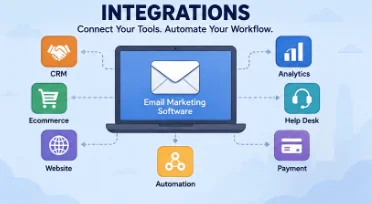
Your email marketing software should work seamlessly with the tools you already rely on—not force you to constantly export spreadsheets, copy customer data, or juggle multiple disconnected systems.
That’s where integrations become invaluable.
Whether you’re managing an online store, tracking leads in a CRM, building landing pages, or collaborating with your team, integrations allow information to flow automatically between platforms. The result is a smoother workflow, fewer manual tasks, and far more accurate customer data.
Simply put, the more connected your technology stack is, the more efficient your marketing becomes.
Why Integrations Matter
Imagine adding a new customer to your online store and having them instantly appear in your email platform, automatically receive a welcome series, get tagged based on their purchase, and enter a post-purchase automation—all without anyone lifting a finger.
That’s the power of integrations.
Without them, routine tasks become repetitive and time-consuming. Marketing teams often waste hours importing contacts, updating customer records, or transferring data between applications.
With the right integrations in place, your software works together as one connected ecosystem.
Some of the biggest advantages include:
- Automatically syncing customer and subscriber data.
- Triggering campaigns based on real-time customer actions.
- Personalizing emails with up-to-date information.
- Tracking purchases and conversions more accurately.
- Reducing repetitive manual work.
- Improving collaboration across marketing, sales, and customer support teams.
As your business expands, these efficiencies become increasingly valuable.
Essential Integrations to Look For
Most leading email marketing platforms support hundreds—sometimes thousands—of integrations. While every business has different requirements, several categories are especially important.
CRM Integrations
Customer Relationship Management (CRM) software stores valuable information about leads, customers, and sales opportunities.
Connecting your CRM with your email marketing platform allows both systems to share information automatically, giving sales and marketing teams a complete view of every customer interaction.
Popular CRM integrations include:
- HubSpot CRM
- Salesforce
- Zoho CRM
- Pipedrive
- Microsoft Dynamics 365
With these connections in place, your campaigns can respond to customer activity in real time, making communication far more relevant.
Ecommerce Integrations
For online retailers, ecommerce integrations are absolutely essential.
By connecting your email platform directly to your online store, you gain access to customer purchase history, abandoned carts, browsing activity, product preferences, and order information.
This enables powerful automation such as:
- Abandoned cart recovery.
- Personalized product recommendations.
- Post-purchase follow-up sequences.
- Customer loyalty campaigns.
- Revenue attribution.
Popular ecommerce platforms include:
- Shopify
- WooCommerce
- BigCommerce
- Magento (Adobe Commerce)
- Wix Stores
For ecommerce businesses, these integrations often generate some of the highest returns on investment.
Website and CMS Integrations
Your website is one of your most valuable lead generation tools.
Integrating it with your email marketing software allows visitor information to flow directly into your subscriber database through forms, pop-ups, landing pages, and newsletter signup boxes.
Common website integrations include:
- WordPress
- Webflow
- Squarespace
- Wix
- Drupal
This automation ensures new subscribers begin receiving emails immediately without requiring manual imports.
Productivity and Collaboration Tools
Marketing rarely happens in isolation.
Many businesses connect their email platform with collaboration software to improve communication, manage projects, and streamline internal workflows.
Popular productivity integrations include:
- Google Workspace
- Microsoft 365
- Slack
- Trello
- Asana
These integrations help teams coordinate campaigns, share updates, and manage marketing projects more efficiently.
Automation Platforms
Sometimes the application you need doesn’t offer a direct integration.
Automation services solve that problem by acting as bridges between thousands of different apps, allowing you to create workflows without writing custom code.
Popular automation platforms include:
- Zapier
- Make
- n8n
- Integrately
These services dramatically expand what’s possible by connecting applications that otherwise wouldn’t communicate with one another.
Integrations Comparison
The following table compares the integration capabilities of several leading email marketing platforms.
| Email Marketing Software | CRM Integrations | Ecommerce Integrations | API Access | Automation Platforms | Overall Integration Support |
|---|---|---|---|---|---|
| Mailchimp | ✅ | ✅ | ✅ | ✅ | ⭐⭐⭐⭐⭐ |
| Brevo | ✅ | ✅ | ✅ | ✅ | ⭐⭐⭐⭐☆ |
| ActiveCampaign | ✅ | ✅ | ✅ | ✅ | ⭐⭐⭐⭐⭐ |
| Kit | Basic | ✅ | ✅ | ✅ | ⭐⭐⭐⭐☆ |
| Klaviyo | ✅ | ⭐⭐⭐⭐⭐ | ✅ | ✅ | ⭐⭐⭐⭐⭐ |
| GetResponse | ✅ | ✅ | ✅ | ✅ | ⭐⭐⭐⭐☆ |
| MailerLite | Basic | ✅ | ✅ | ✅ | ⭐⭐⭐⭐☆ |
| Constant Contact | Basic | Basic | Limited | ✅ | ⭐⭐⭐☆☆ |
| HubSpot | ⭐⭐⭐⭐⭐ | ✅ | ✅ | ✅ | ⭐⭐⭐⭐⭐ |
| Omnisend | ✅ | ⭐⭐⭐⭐⭐ | ✅ | ✅ | ⭐⭐⭐⭐⭐ |
API and Custom Integrations
While built-in integrations cover most common business needs, some organizations require greater flexibility.
That’s where APIs come in.
An API (Application Programming Interface) allows developers to build custom connections between your email marketing software and virtually any other system your business uses.
This is particularly useful for companies with proprietary software or highly specialized workflows.
Common API use cases include:
- Synchronizing internal customer databases.
- Creating custom signup forms.
- Sending transactional emails.
- Building internal reporting dashboards.
- Automating complex business processes.
- Connecting legacy software with modern marketing tools.
A well-documented API gives developers the freedom to create exactly the integrations your business requires.
Choosing the Right Platform
The best email marketing software fits naturally into your existing workflow.
Before committing to a platform, make a list of the applications your business depends on every day. Then verify that your chosen provider integrates with each one.
As you compare platforms, consider factors such as:
- The total number of available integrations.
- Ease of setup and configuration.
- Real-time data synchronization.
- API availability.
- Webhook support.
- Developer documentation.
- Additional costs for premium integrations.
A platform may offer hundreds of integrations, but if it doesn’t connect with your essential tools, those numbers mean very little.
Ultimately, strong integrations eliminate repetitive work, improve data accuracy, and create a more connected marketing ecosystem. Instead of switching between disconnected applications, your software works together behind the scenes—allowing your team to focus on what truly matters: building relationships with customers and growing your business.
Ecommerce Email Marketing Features
Running an online store isn’t just about attracting visitors—it’s about turning those visitors into customers and encouraging them to come back again and again.
That’s where ecommerce-focused email marketing software shines.
Unlike general-purpose email platforms, ecommerce solutions connect directly to your online store, allowing them to track browsing behavior, purchase history, abandoned carts, and customer preferences in real time. This data powers highly personalized campaigns that drive more sales while reducing manual effort.
Instead of sending the same promotional email to everyone, you can automatically deliver messages that reflect each customer’s interests, shopping habits, and stage in the buying journey.
For ecommerce brands, that level of personalization isn’t simply convenient—it’s a competitive advantage.
Essential Ecommerce Email Marketing Features
The best ecommerce email platforms do far more than send newsletters. They help automate customer communication throughout the entire shopping experience, from the first website visit to repeat purchases years later.
Here are the features worth prioritizing.
Abandoned Cart Recovery
Cart abandonment is inevitable.
Fortunately, it doesn’t have to mean a lost sale.
Abandoned cart automation detects when a shopper adds products to their cart but leaves before completing checkout. The platform then automatically sends reminder emails—often including product images, pricing, and a direct link back to the cart.
Many businesses recover a significant portion of otherwise lost revenue using this simple workflow.
Personalized Product Recommendations
Customers are far more likely to engage with products that match their interests.
Using purchase history, browsing behavior, and previous interactions, modern email marketing platforms can recommend products each subscriber is genuinely likely to buy.
These recommendations make promotional emails feel helpful rather than intrusive, often increasing average order value in the process.
Post-Purchase Automation
The customer journey doesn’t end after checkout.
In many ways, it’s just beginning.
Post-purchase workflows allow you to automatically send:
- Order confirmations.
- Shipping updates.
- Thank-you messages.
- Product care instructions.
- Review requests.
- Cross-sell recommendations.
- Loyalty program invitations.
These emails strengthen customer relationships while encouraging future purchases.
Browse Abandonment Emails
Not every visitor adds products to their cart.
Some simply browse, compare options, and leave.
Browse abandonment campaigns automatically reconnect with those visitors by reminding them about products they viewed, introducing similar items, or offering additional information that encourages them to return.
It’s a subtle but highly effective way to recapture interest before it’s lost.
Customer Segmentation
Every customer shops differently.
Some make frequent purchases. Others only buy during seasonal sales. Some spend hundreds of dollars per order, while others are still first-time buyers.
Advanced segmentation allows you to group customers based on:
- Purchase history.
- Average order value.
- Shopping frequency.
- Product categories.
- Customer lifetime value.
- Geographic location.
- Engagement history.
These audience segments make personalization significantly more effective.
Automated Discounts and Coupons
Discounts become much more powerful when they’re personalized.
Instead of offering blanket promotions to everyone, ecommerce platforms can automatically deliver targeted discount codes based on customer behavior.
Examples include:
- Welcome discounts for new subscribers.
- Coupons after cart abandonment.
- Birthday rewards.
- Loyalty incentives.
- Win-back offers for inactive customers.
Strategic automation ensures promotions reach the right people at the right moment.
Back-in-Stock Notifications
Nothing frustrates shoppers more than finding the perfect product—only to discover it’s unavailable.
Back-in-stock automation solves this problem by notifying interested customers the moment inventory returns.
Since these subscribers have already expressed interest, these emails often generate exceptionally high conversion rates.
Price Drop Alerts
Price-sensitive shoppers appreciate timely updates.
When products they’ve viewed or saved become discounted, automated alerts encourage them to revisit your store before the promotion ends.
This simple workflow can dramatically increase conversions during sales events.
Customer Lifetime Value Tracking
Not all customers contribute equally to your business.
Customer Lifetime Value (CLV) reporting helps identify your highest-value shoppers, allowing you to create exclusive campaigns that reward loyalty and encourage continued engagement.
Instead of treating every customer the same, you can invest more attention where it delivers the greatest return.
Revenue Attribution
Understanding exactly how much revenue each email generates is invaluable.
Revenue attribution connects purchases directly to individual campaigns, allowing you to measure ROI with confidence.
Rather than relying solely on open rates or clicks, you can see the actual financial impact of your email marketing.
Ecommerce Features Comparison
The table below compares the ecommerce capabilities offered by leading email marketing platforms.
| Email Marketing Software | Abandoned Cart Recovery | Product Recommendations | Revenue Tracking | Ecommerce Integrations | Best for Ecommerce |
|---|---|---|---|---|---|
| Mailchimp | ✅ | ✅ | ✅ | ✅ | ⭐⭐⭐⭐☆ |
| Brevo | ✅ | Basic | Limited | ✅ | ⭐⭐⭐⭐☆ |
| ActiveCampaign | ✅ | ✅ | ✅ | ✅ | ⭐⭐⭐⭐⭐ |
| Kit | Limited | ❌ | Limited | Basic | ⭐⭐⭐☆☆ |
| Klaviyo | ✅ | ✅ | ✅ | ⭐⭐⭐⭐⭐ | ⭐⭐⭐⭐⭐ |
| GetResponse | ✅ | Basic | Limited | ✅ | ⭐⭐⭐⭐☆ |
| MailerLite | Basic | ❌ | Limited | ✅ | ⭐⭐⭐☆☆ |
| Constant Contact | Basic | ❌ | ❌ | Basic | ⭐⭐☆☆☆ |
| HubSpot | ✅ | ✅ | ✅ | ✅ | ⭐⭐⭐⭐☆ |
| Omnisend | ✅ | ✅ | ✅ | ⭐⭐⭐⭐⭐ | ⭐⭐⭐⭐⭐ |
Must-Have Ecommerce Automation Workflows
Successful online stores rely on automation to keep customers engaged throughout their buying journey.
While every business has unique requirements, these workflows consistently deliver strong results.
Welcome Series
Introduce your brand, highlight your best-selling products, and encourage first-time visitors to complete their initial purchase.
A strong first impression often leads to stronger long-term customer relationships.
Abandoned Cart Recovery
Recover unfinished purchases through timely reminder emails that gently encourage shoppers to complete checkout.
Even a single recovered order can offset the cost of your email marketing software.
Browse Abandonment Campaigns
Reconnect with visitors who explored products without adding them to their cart.
A well-timed reminder can turn casual browsing into meaningful sales.
Order Confirmation and Shipping Updates
Customers expect clear communication after placing an order.
Automated confirmations and delivery updates build trust while reducing support inquiries.
Post-Purchase Follow-Up
Once an order arrives, continue the conversation.
Ask for product reviews, recommend complementary items, provide helpful usage tips, or invite customers to join your loyalty program.
These emails help transform one-time buyers into repeat customers.
Win-Back Campaigns
Every store has inactive customers.
Automated win-back sequences use personalized offers, product recommendations, or exclusive discounts to encourage previous buyers to return.
Reactivating existing customers is often more cost-effective than acquiring new ones.
VIP Customer Campaigns
Reward your most loyal shoppers.
Offer early access to new products, exclusive discounts, or members-only promotions that make your highest-value customers feel appreciated.
Loyal customers frequently become your strongest advocates.
Birthday and Anniversary Emails
Personal milestones create natural opportunities for engagement.
Sending personalized birthday offers or anniversary discounts adds a thoughtful touch while encouraging additional purchases.
Why Ecommerce Features Matter
General email campaigns can certainly generate sales.
Ecommerce-specific campaigns generate significantly more.
By using customer behavior to personalize every interaction, online retailers can create shopping experiences that feel relevant instead of generic.
These features help you:
- Recover abandoned carts automatically.
- Recommend products customers genuinely want.
- Encourage repeat purchases.
- Reward loyal shoppers.
- Deliver personalized promotions.
- Measure campaign revenue accurately.
- Build stronger long-term customer relationships.
The result isn’t simply higher engagement—it’s higher revenue.
Choosing the Right Ecommerce Platform
If your business depends on online sales, selecting ecommerce-friendly email marketing software should be a top priority.
Look for platforms that offer:
- Direct integration with your ecommerce platform.
- Advanced automation workflows.
- Behavioral segmentation.
- Product recommendations.
- Revenue attribution.
- Customer lifetime value reporting.
- Flexible workflow builders.
- Strong reporting and analytics.
Before making your final decision, consider how well the platform supports your existing store, payment systems, shipping tools, and customer support software.
The right solution should simplify your marketing, strengthen customer relationships, and create personalized shopping experiences that continue generating revenue long after each campaign has been launched.
Customer Support
Even the most intuitive email marketing software has a learning curve.
Whether you’re configuring domain authentication, troubleshooting an automation workflow, importing thousands of contacts, or integrating your CRM, there will likely come a time when you need help. When that moment arrives, responsive customer support can make the difference between solving an issue in minutes and losing hours trying to figure it out yourself.
That’s why support shouldn’t be treated as an afterthought.
A platform packed with impressive features quickly loses its appeal if getting assistance feels impossible. Reliable customer service helps you overcome technical challenges faster, reduces downtime, and ensures you’re making the most of the software you’ve invested in.

Why Customer Support Matters
Email marketing often plays a central role in sales, customer engagement, and business communication.
When campaigns stop sending, automations break, or authentication settings become misconfigured, delays can directly impact revenue.
Strong customer support helps businesses:
- Resolve technical issues quickly.
- Minimize campaign interruptions.
- Configure advanced features correctly.
- Learn the platform more efficiently.
- Reduce frustration during setup.
- Maximize long-term value from the software.
Instead of wasting hours searching forums or experimenting with trial and error, you gain direct access to experts who understand the platform inside and out.
Types of Customer Support
Not every provider offers the same level of assistance.
Some focus primarily on self-service documentation, while others provide live agents, onboarding specialists, and dedicated account managers for enterprise customers.
Understanding what’s included with your subscription is just as important as comparing software features.
Live Chat
Live chat has become one of the most popular support channels because it provides immediate assistance without requiring a phone call.
It’s particularly useful for:
- Quick technical questions.
- Billing inquiries.
- Campaign troubleshooting.
- Workflow guidance.
- Basic setup assistance.
For many users, live chat offers the ideal balance between speed and convenience.
Email Support
Email remains a dependable option for less urgent issues.
It allows users to provide screenshots, explain complex problems, and receive detailed responses that can be referenced later.
Email support is especially helpful for:
- Account configuration.
- Technical investigations.
- Integration questions.
- Feature requests.
- Bug reports.
Although response times vary between providers, quality email support can often resolve more complicated issues than live chat alone.
Phone Support
Sometimes speaking directly with a support specialist is the fastest way to solve a problem.
Phone support is particularly valuable when:
- Configuring complex automation.
- Troubleshooting authentication problems.
- Resolving account access issues.
- Migrating from another platform.
- Handling urgent business-critical situations.
Not every provider includes phone support on lower-tier plans, so it’s worth checking before committing.
Knowledge Base and Help Center
Many questions don’t require direct assistance at all.
A well-organized knowledge base allows users to find answers independently through articles, FAQs, and step-by-step guides.
An effective help center typically includes:
- Setup tutorials.
- Troubleshooting articles.
- Feature explanations.
- Best practice guides.
- Frequently asked questions.
For experienced users, self-service resources often provide the fastest solution.
Video Tutorials
Some people learn better by watching rather than reading.
Video tutorials simplify complex topics by visually demonstrating each step, making them especially helpful for beginners.
Common tutorial topics include:
- Creating campaigns.
- Building automation workflows.
- Designing email templates.
- Importing contacts.
- Connecting integrations.
These resources reduce the learning curve and build confidence more quickly.
Community Forums
Many software providers maintain active user communities where customers exchange ideas, troubleshoot issues, and share successful strategies.
Community forums are particularly useful for:
- Learning creative workflows.
- Discovering best practices.
- Finding solutions to uncommon problems.
- Sharing automation ideas.
- Getting advice from experienced users.
Sometimes another customer has already solved the exact challenge you’re facing.
Onboarding Assistance
Moving from one email marketing platform to another can feel overwhelming.
Good onboarding support helps simplify the transition by guiding users through:
- Account setup.
- Contact migration.
- Domain authentication.
- Template creation.
- Automation configuration.
- Initial campaign launches.
For businesses switching providers, quality onboarding can significantly reduce implementation time.
Dedicated Account Managers
Larger organizations often require personalized assistance beyond standard customer support.
Enterprise plans may include a dedicated account manager who provides:
- Strategic recommendations.
- Performance reviews.
- Migration planning.
- Priority technical support.
- Training sessions.
- Ongoing optimization advice.
For companies running large-scale email marketing operations, this personalized support can be extremely valuable.
Customer Support Comparison
The table below compares the support options offered by leading email marketing software providers.
| Email Marketing Software | Live Chat | Email Support | Phone Support | Help Center | Overall Support |
|---|---|---|---|---|---|
| Mailchimp | ✅ | ✅ | Limited | ✅ | ⭐⭐⭐⭐☆ |
| Brevo | ✅ | ✅ | Higher Plans | ✅ | ⭐⭐⭐⭐☆ |
| ActiveCampaign | ✅ | ✅ | Limited | ✅ | ⭐⭐⭐⭐⭐ |
| Kit | ✅ | ✅ | ❌ | ✅ | ⭐⭐⭐⭐☆ |
| Klaviyo | ✅ | ✅ | Limited | ✅ | ⭐⭐⭐⭐⭐ |
| GetResponse | ✅ | ✅ | Limited | ✅ | ⭐⭐⭐⭐☆ |
| MailerLite | ✅ | ✅ | ❌ | ✅ | ⭐⭐⭐⭐☆ |
| Constant Contact | ✅ | ✅ | ✅ | ✅ | ⭐⭐⭐⭐⭐ |
| HubSpot | ✅ | ✅ | Higher Plans | ✅ | ⭐⭐⭐⭐⭐ |
| Omnisend | ✅ | ✅ | Limited | ✅ | ⭐⭐⭐⭐⭐ |
The Value of Self-Service Resources
Excellent customer support isn’t limited to speaking with an agent.
Many of the best email marketing platforms invest heavily in educational resources that empower users to solve problems independently.
Useful self-service materials often include:
- Comprehensive knowledge bases.
- Step-by-step setup guides.
- Video tutorials.
- Webinars.
- Product documentation.
- Feature release notes.
- Best practice articles.
- Frequently asked questions.
A strong library of educational content helps both beginners and experienced marketers become more productive over time.
What to Look For in Customer Support
Support quality varies considerably between providers.
Before choosing a platform, evaluate more than just the number of support channels available.
Consider factors such as:
- Support availability (24/7 vs. business hours).
- Average response times.
- Live chat accessibility.
- Phone support availability.
- Onboarding assistance.
- Migration support.
- Documentation quality.
- Multilingual support.
- Customer satisfaction ratings.
These details become especially important if email marketing plays a critical role in your business operations.
Choosing the Right Platform
The ideal email marketing software combines powerful functionality with dependable customer service.
Beginners often benefit from platforms that provide guided onboarding, interactive tutorials, and responsive live chat. Growing businesses may value priority support and migration assistance, while larger organizations frequently require dedicated account managers and personalized strategic guidance.
Whenever possible, take advantage of free trials or demo accounts—not only to test the software itself but also to evaluate the responsiveness and quality of the support team.
Outstanding customer support won’t directly increase your open rates or conversions, but it can dramatically reduce frustration, shorten your learning curve, and ensure you get the maximum value from your email marketing investment.
Security and Compliance
Every email campaign relies on one critical asset: customer data.
Names, email addresses, purchase histories, engagement metrics, and behavioral insights all flow through your email marketing platform. Protecting that information isn’t just a technical responsibility—it’s essential for maintaining customer trust, protecting your reputation, and complying with increasingly strict privacy regulations.
No matter how feature-rich an email marketing platform may be, weak security can quickly undermine its value.
That’s why security and compliance deserve a place alongside automation, analytics, and pricing when comparing email marketing software.
Why Security Matters
Businesses collect enormous amounts of customer information.
If that data is exposed through unauthorized access or a security breach, the consequences can extend far beyond technical inconvenience. Financial losses, regulatory penalties, damaged customer relationships, and long-term reputational harm can all follow.
A secure email marketing platform helps reduce these risks by protecting customer information throughout its entire lifecycle.
Strong security provides benefits such as:
- Protecting sensitive subscriber data.
- Preventing unauthorized account access.
- Reducing the risk of cyberattacks.
- Monitoring suspicious account activity.
- Encrypting data during storage and transmission.
- Giving customers greater confidence in your business.
For companies that rely heavily on customer trust, robust security isn’t optional—it’s a necessity.
Essential Security Features
Modern email marketing software should include multiple layers of protection rather than relying on passwords alone.
Here are the most important security features to look for.
Two-Factor Authentication (2FA)
Passwords can be compromised.
Two-factor authentication adds another layer of protection by requiring users to verify their identity with a second authentication method, such as a mobile app or verification code.
Even if someone obtains your password, 2FA makes unauthorized access significantly more difficult.
Data Encryption
Encryption protects customer information while it’s stored and while it’s being transmitted across the internet.
High-quality platforms typically encrypt:
- Subscriber information.
- Login credentials.
- Campaign data.
- API communications.
- Customer activity records.
Encryption helps prevent sensitive information from being intercepted or exposed.
Single Sign-On (SSO)
Larger organizations often manage dozens—or even hundreds—of user accounts.
Single Sign-On allows employees to securely access multiple business applications using one centralized authentication system.
SSO simplifies account management while strengthening overall security.
Role-Based Permissions
Not every team member needs full administrative access.
Role-based permissions allow administrators to control exactly what each user can view, edit, or manage.
For example:
- Designers may edit templates.
- Marketers may create campaigns.
- Analysts may access reports.
- Administrators retain full account control.
Limiting permissions reduces the likelihood of accidental changes or unauthorized access.
Audit Logs
Audit logs create a detailed record of account activity.
They typically record:
- User logins.
- Campaign edits.
- Contact imports.
- Permission changes.
- API activity.
- Automation updates.
These logs help businesses investigate security incidents and monitor internal account usage.
IP Access Controls
Some organizations prefer restricting platform access to approved office locations or trusted networks.
IP access controls help prevent unauthorized logins from unfamiliar locations, adding another layer of protection for sensitive accounts.
Automatic Backups
Unexpected problems happen.
Automatic backups ensure that important subscriber data, campaigns, and automation workflows can be restored if something goes wrong.
While backups shouldn’t replace good security practices, they provide valuable protection against accidental data loss.
Account Activity Monitoring
Many platforms continuously monitor accounts for unusual behavior, including:
- Multiple failed login attempts.
- Logins from unfamiliar locations.
- Suspicious API activity.
- Unexpected permission changes.
Early detection helps businesses respond to potential security threats before they become serious problems.
Compliance Standards
Security protects customer information.
Compliance ensures you’re using that information legally and responsibly.
Depending on where your subscribers live, your business may need to comply with various privacy and anti-spam regulations.
Some of the most important include:
- GDPR (General Data Protection Regulation): Protects personal data for individuals within the European Union.
- CAN-SPAM Act: Regulates commercial email communications in the United States.
- CASL (Canada’s Anti-Spam Legislation): Governs commercial electronic messaging in Canada.
- UK GDPR: Applies GDPR principles within the United Kingdom.
- CCPA/CPRA: Provides privacy rights for California residents.
Choosing software that supports these regulations can significantly simplify compliance efforts.
Compliance Features to Look For
Leading email marketing platforms include tools that make privacy management much easier.
Important compliance features include:
- Consent tracking.
- Double opt-in support.
- One-click unsubscribe links.
- Data export tools.
- Data deletion requests.
- Preference management centers.
- Consent history records.
- Cookie and tracking controls.
These features help businesses respect subscriber preferences while reducing administrative workload.
Security and Compliance Comparison
The table below compares the security capabilities offered by leading email marketing software providers.
| Email Marketing Software | 2FA | Data Encryption | GDPR Support | Role-Based Permissions | Overall Security |
|---|---|---|---|---|---|
| Mailchimp | ✅ | ✅ | ✅ | ✅ | ⭐⭐⭐⭐☆ |
| Brevo | ✅ | ✅ | ✅ | ✅ | ⭐⭐⭐⭐☆ |
| ActiveCampaign | ✅ | ✅ | ✅ | ✅ | ⭐⭐⭐⭐⭐ |
| Kit | ✅ | ✅ | ✅ | Limited | ⭐⭐⭐⭐☆ |
| Klaviyo | ✅ | ✅ | ✅ | ✅ | ⭐⭐⭐⭐⭐ |
| GetResponse | ✅ | ✅ | ✅ | ✅ | ⭐⭐⭐⭐☆ |
| MailerLite | ✅ | ✅ | ✅ | Basic | ⭐⭐⭐⭐☆ |
| Constant Contact | ✅ | ✅ | ✅ | Basic | ⭐⭐⭐⭐☆ |
| HubSpot | ✅ | ✅ | ✅ | ✅ | ⭐⭐⭐⭐⭐ |
| Omnisend | ✅ | ✅ | ✅ | ✅ | ⭐⭐⭐⭐⭐ |
Best Practices for Keeping Your Account Secure
Even the most secure software cannot protect against poor security habits.
Following a few simple best practices can significantly reduce your risk.
Consider adopting the following:
- Enable two-factor authentication for every user.
- Use strong, unique passwords.
- Limit account access to authorized personnel.
- Review user permissions regularly.
- Remove inactive team members promptly.
- Authenticate your sending domain using SPF, DKIM, and DMARC.
- Monitor account activity for suspicious behavior.
- Protect API keys and integration credentials.
- Regularly review connected third-party applications.
- Train employees to recognize phishing attempts.
Security works best when technology and good operational practices work together.
Choosing the Right Platform
If your organization handles large amounts of customer data—or operates in industries with strict privacy requirements—security should be one of your highest priorities.
Look for email marketing software that provides:
- Comprehensive encryption.
- Strong authentication options.
- Role-based access controls.
- Audit logging.
- Privacy management tools.
- Compliance support for major regulations.
- Transparent security documentation.
- Regular security updates.
Also review the provider’s certifications, security policies, and data handling practices before making your final decision.
The right platform doesn’t simply help you send emails—it safeguards the trust your customers place in your business every time they share their personal information.
Pros and Cons
Choosing the right email marketing software isn’t about finding a platform that’s perfect—because none are. It’s about finding the one that aligns with your business goals, technical expertise, budget, and future growth plans.
Modern platforms have evolved far beyond simple newsletter tools. Today, they offer sophisticated automation, AI-assisted content creation, detailed analytics, CRM integrations, and ecommerce capabilities that can transform the way businesses communicate with customers.
Still, every solution comes with trade-offs.
Some platforms prioritize simplicity over advanced functionality. Others provide enterprise-grade features but require a steeper learning curve. Understanding both the strengths and limitations of email marketing software will help you make a smarter, more informed decision.
Advantages of Email Marketing Software
When implemented effectively, email marketing software becomes much more than a communication tool—it becomes a central part of your marketing ecosystem.
Here are some of its biggest advantages.
Easy Campaign Creation
Modern platforms make designing professional emails remarkably straightforward.
With drag-and-drop builders, customizable templates, reusable content blocks, and responsive designs, even users with no coding or design experience can create polished campaigns in minutes.
Instead of starting from scratch every time, you can build attractive emails with far less effort.
Powerful Marketing Automation
Automation is arguably the biggest reason businesses invest in email marketing software.
Rather than manually sending every campaign, you can automate customer communication based on actions, behaviors, or specific dates.
Common automation workflows include:
- Welcome email series.
- Lead nurturing campaigns.
- Abandoned cart recovery.
- Post-purchase follow-ups.
- Re-engagement sequences.
- Birthday and anniversary emails.
Once configured, these workflows continue working around the clock, saving time while delivering more personalized experiences.
Advanced Audience Segmentation
Sending identical emails to your entire subscriber list rarely produces the best results.
Segmentation allows you to organize contacts into highly targeted groups based on:
- Purchase history.
- Website activity.
- Customer location.
- Engagement levels.
- Product interests.
- Demographics.
- Customer lifecycle stage.
This level of personalization often leads to higher open rates, stronger engagement, and increased conversions.
Comprehensive Analytics
Successful marketing depends on continuous improvement.
Email marketing software provides detailed performance reports that help you understand exactly how your campaigns perform.
You can monitor:
- Open rates.
- Click-through rates.
- Conversions.
- Revenue.
- Bounce rates.
- Subscriber growth.
- Automation performance.
These insights help you refine future campaigns based on real data instead of assumptions.
AI-Powered Productivity
Artificial intelligence is rapidly becoming a standard feature across many leading platforms.
AI can assist with:
- Writing email copy.
- Creating subject lines.
- Generating calls to action.
- Predicting send times.
- Personalizing content.
- Identifying optimization opportunities.
Rather than replacing marketers, AI helps eliminate repetitive tasks and speeds up campaign creation.
Extensive Integrations
One of the biggest strengths of modern email marketing software is its ability to connect with other business applications.
Popular integrations include:
- CRM systems.
- Ecommerce platforms.
- Website builders.
- Analytics software.
- Customer support tools.
- Automation platforms.
These connections eliminate manual data transfers and create more efficient workflows.
Scalable Pricing
Most providers offer pricing tiers that accommodate businesses of different sizes.
Whether you’re a startup with a few hundred subscribers or an enterprise managing millions of contacts, there’s usually a plan designed to fit your requirements.
Many platforms also offer free plans, allowing businesses to start small before upgrading as their needs grow.
Increased Productivity
Automation, integrations, reusable templates, and AI-powered tools significantly reduce repetitive work.
Marketing teams spend less time performing administrative tasks and more time creating campaigns, analyzing results, and developing strategy.
The productivity gains become increasingly noticeable as subscriber lists grow.
Better Customer Engagement
Relevant communication builds stronger relationships.
By combining segmentation, personalization, behavioral triggers, and automation, businesses can deliver emails that feel timely and meaningful instead of generic.
More relevant emails typically produce:
- Higher open rates.
- More clicks.
- Better customer satisfaction.
- Increased repeat purchases.
- Stronger long-term loyalty.
Measurable Return on Investment
Unlike many traditional marketing channels, email marketing is highly measurable.
Every campaign generates data that helps businesses evaluate performance and calculate return on investment.
This transparency allows marketers to continually optimize campaigns for better results over time.
Potential Drawbacks of Email Marketing Software
Despite its many advantages, email marketing software isn’t without limitations.
Understanding these challenges can help you choose the right platform and set realistic expectations.
Pricing Increases as You Grow
Most providers base pricing on subscriber count or monthly email volume.
While entry-level plans are often affordable, costs can increase substantially as your audience expands.
Businesses expecting rapid growth should carefully review long-term pricing structures before committing.
Learning Curve
Simple platforms are easy to master.
Advanced platforms, however, often include sophisticated automation, CRM functionality, predictive analytics, and customization options that require additional training.
The extra capabilities can be worthwhile, but they also demand more time to learn.
Limited Free Plans
Free plans are excellent for beginners, but they rarely include premium functionality.
Features commonly restricted to paid subscriptions include:
- Advanced automation.
- AI tools.
- Detailed reporting.
- Advanced segmentation.
- Higher sending limits.
- Premium support.
Growing businesses will likely need to upgrade sooner rather than later.
Additional Integration Costs
Although many integrations are included, some third-party applications require premium subscriptions or separate licensing fees.
Depending on your technology stack, these costs can add up over time.
Deliverability Still Depends on Best Practices
Even the best software can’t guarantee inbox placement.
Poor list hygiene, misleading subject lines, excessive spam complaints, or inconsistent sending habits can still damage your sender reputation.
Success depends on both the platform and the marketer’s practices.
Automation Requires Planning
Automation saves time—but only after it’s been built.
Designing effective workflows requires thoughtful planning, testing, optimization, and ongoing maintenance.
Businesses expecting instant results may underestimate the initial setup effort involved.
Template Flexibility Varies
Some platforms provide extensive design customization, while others intentionally simplify the editing experience.
If brand consistency is important, compare template capabilities carefully before choosing a provider.
Dependence on Third-Party Providers
Using cloud-based software means relying on another company’s infrastructure.
Occasional service outages, feature changes, pricing adjustments, or policy updates may temporarily affect your marketing operations.
While these situations are uncommon, they’re worth considering.
Compliance Responsibilities Remain Yours
Email marketing software can help simplify compliance—but it cannot assume legal responsibility on your behalf.
Businesses must still:
- Obtain proper consent.
- Honor unsubscribe requests.
- Protect customer information.
- Follow applicable privacy regulations.
Ultimately, compliance remains the sender’s responsibility.
Advanced Features May Be Unnecessary
Not every business needs enterprise-level functionality.
Paying for sophisticated automation, predictive analytics, or CRM capabilities that you’ll rarely use simply increases costs without providing meaningful value.
Choosing software that matches your current needs often makes more sense than purchasing every available feature.
Pros and Cons at a Glance
| Pros | Cons |
|---|---|
| Automates repetitive marketing tasks | Costs often increase as subscriber lists grow |
| Easy-to-use email builders | Advanced platforms require training |
| Powerful audience segmentation | Premium features usually require paid plans |
| AI-assisted content creation | Complex automation takes time to build |
| Comprehensive analytics and reporting | Some integrations involve additional costs |
| Connects with CRM and ecommerce platforms | Deliverability depends on good sending practices |
| Improves customer engagement | Compliance requires ongoing attention |
| Scales with business growth | Feature quality varies between providers |
Is Email Marketing Software Worth It?
For the vast majority of businesses, the answer is yes.
Email remains one of the highest-performing digital marketing channels, and dedicated software makes it dramatically easier to manage campaigns, automate customer communication, measure results, and scale marketing efforts over time.
Small businesses may only require a straightforward platform with essential features, while larger organizations often benefit from advanced automation, sophisticated segmentation, AI-powered tools, and deep CRM integrations.
The key isn’t choosing the platform with the longest feature list—it’s choosing one that supports your goals today while providing room to grow tomorrow.
Before making your final decision, consider:
- Your monthly marketing budget.
- The size of your subscriber list.
- Your automation requirements.
- Necessary software integrations.
- Your team’s technical experience.
- Expected business growth.
- Long-term scalability.
When these factors align with the capabilities of your chosen platform, email marketing software becomes far more than a communication tool—it becomes a long-term investment in customer relationships, operational efficiency, and sustainable business growth.
Which Email Marketing Software Is Best?
There’s no single email marketing platform that’s perfect for every business.
A startup with a few hundred subscribers has very different needs from an ecommerce brand processing thousands of daily orders or a large enterprise managing complex customer journeys across multiple channels.
The best email marketing software is the one that aligns with your goals, budget, technical requirements, and future growth—not necessarily the platform with the longest feature list.
Some businesses prioritize simplicity. Others need powerful automation, advanced segmentation, or deep CRM integration. Understanding your priorities is the first step toward making the right choice.
Best Email Marketing Software by Use Case
Rather than searching for one “best” platform, it’s more helpful to compare software based on the type of business it’s designed to serve.
| Use Case | Recommended Platform | Why It Stands Out |
|---|---|---|
| Best Overall | ActiveCampaign | Exceptional automation, advanced segmentation, detailed reporting, and excellent scalability. |
| Best for Beginners | Mailchimp | Intuitive interface, generous free plan, and an extensive library of templates. |
| Best Value for Money | Brevo | Affordable pricing, built-in CRM, and strong core marketing features. |
| Best for Small Businesses | MailerLite | Clean interface, modern templates, and budget-friendly plans. |
| Best for Ecommerce | Klaviyo | Powerful customer segmentation, predictive analytics, and revenue tracking. |
| Best for Online Stores | Omnisend | Excellent ecommerce automation with email, SMS, and multichannel marketing. |
| Best for Creators | Kit | Purpose-built for bloggers, newsletter publishers, and digital creators. |
| Best All-in-One Platform | HubSpot | Combines CRM, marketing, sales, customer service, and reporting in one ecosystem. |
| Best for Growing Businesses | GetResponse | Strong automation, landing pages, webinars, and scalable marketing tools. |
| Best for Local Businesses | Constant Contact | Easy campaign creation backed by dependable customer support. |
Every one of these platforms excels in a different area, making it important to match the software to your own business model rather than simply choosing the most popular name.
How to Choose the Right Email Marketing Software
If you’re comparing several providers, start by identifying your priorities before looking at pricing or features.
Ask yourself questions like:
- How large is my subscriber list today?
- How quickly do I expect that list to grow?
- What is my monthly marketing budget?
- Do I need advanced automation?
- Will I integrate with a CRM or ecommerce platform?
- Are AI-powered features important?
- How detailed do my reporting and analytics need to be?
- Will multiple team members use the software?
- Do I need multilingual support?
- How important is responsive customer service?
Answering these questions often eliminates several options immediately and makes the final decision much easier.
Quick Recommendations
Still unsure where to start?
Here are some straightforward recommendations based on common business needs.
Choose Mailchimp if…
You want an easy-to-use platform with a gentle learning curve, excellent templates, and a generous free plan that’s ideal for beginners and small businesses.
Want to learn more about Mailchimp? Read our full review here. Mailchimp Review
Choose ActiveCampaign if…
Automation is your highest priority.
Its visual workflow builder, behavioral triggers, and advanced customer journeys make it one of the strongest automation platforms available.
Want to learn more about ActiveCampaign? Read our full review here. ActiveCampaign Review
Choose Klaviyo if…
You operate an ecommerce business and want advanced segmentation, personalized product recommendations, and detailed revenue tracking.
It’s particularly well suited to growing online retailers.
Choose Omnisend if…
You want to combine email marketing with SMS campaigns and other ecommerce-focused automation.
It’s designed specifically for online stores looking to maximize customer engagement across multiple channels.
Choose Brevo if…
Affordable pricing is your primary concern.
Brevo delivers a strong balance of automation, CRM functionality, transactional email capabilities, and value for growing businesses.
learn more about Brevo ? Brevo review
Choose HubSpot if…
You’re looking for more than just email marketing.
HubSpot brings together CRM, sales, customer support, marketing automation, and reporting into a single integrated platform.
Learn more about HubSpot visit here. HubSpot Review
Choose MailerLite if…
You value simplicity without sacrificing essential features.
Its clean interface, modern templates, and competitive pricing make it an excellent option for small businesses and growing brands.
arn more about MailerLite visit here MailerLite Review
Choose GetResponse if…
You need a broader marketing toolkit that includes landing pages, webinars, automation, and email marketing under one subscription.
Choose Kit if…
You’re a content creator, blogger, coach, or newsletter publisher focused on building an engaged audience and selling digital products.
Want to learn more about ConvertKit? Read our full review here. ConvertKit Review
Our Final Verdict
After comparing automation, usability, integrations, reporting, AI capabilities, security, ecommerce functionality, customer support, and scalability, one conclusion becomes clear:
There isn’t a universal winner.
The ideal platform depends entirely on how your business operates and what you expect your email marketing software to accomplish.
That said, ActiveCampaign consistently stands out as one of the most balanced solutions available.
It offers an impressive combination of:
- Advanced automation.
- Powerful segmentation.
- Detailed analytics.
- Extensive integrations.
- Scalable infrastructure.
- Flexible workflow customization.
For businesses planning to expand their email marketing over the coming years, it provides enough flexibility to grow without quickly outgrowing the platform.
However, depending on your priorities, another provider may be a better fit:
- Mailchimp for beginners.
- Brevo for budget-conscious businesses.
- MailerLite for small businesses.
- Klaviyo for ecommerce brands.
- Omnisend for multichannel online retail marketing.
- Kit for creators and newsletter businesses.
- HubSpot for organizations seeking an all-in-one CRM and marketing platform.
- GetResponse for businesses that want webinars and landing pages alongside email marketing.
The best software isn’t necessarily the one with the most features—it’s the one you’ll actually use effectively.
Before You Commit
Most leading email marketing platforms offer either free plans or trial periods.
Take advantage of them.
Spend time exploring the dashboard, building a sample campaign, testing automation workflows, reviewing reports, and connecting your existing tools.
A platform may look impressive in feature comparisons, but nothing replaces hands-on experience.
Testing before purchasing helps ensure the software fits your workflow, technical skill level, and long-term business goals.
Frequently Asked Questions
Can I start with free email marketing software?
Yes. Many providers offer free plans that are ideal for beginners, startups, and businesses with smaller subscriber lists.
As your audience grows, you can upgrade to access advanced automation, AI features, detailed analytics, and higher sending limits.
Which email marketing software is best for small businesses?
MailerLite, Brevo, and Mailchimp remain among the strongest choices for small businesses thanks to their combination of affordability, ease of use, and essential marketing features.
Which platform is best for ecommerce?
Klaviyo and Omnisend are widely regarded as two of the strongest ecommerce-focused platforms because they offer advanced customer segmentation, behavioral automation, personalized product recommendations, and detailed revenue reporting.
What features should I prioritize?
Although every business has different requirements, it’s generally wise to focus on:
- Ease of use.
- Marketing automation.
- Audience segmentation.
- Deliverability.
- Integrations.
- Analytics and reporting.
- Security.
- Scalability.
- Pricing.
Choosing software that can grow alongside your business will help you avoid migrating to a new platform later.
Final Thoughts
Email marketing continues to be one of the most effective digital marketing channels available, but success depends heavily on choosing the right software.
Whether your priority is creating beautiful newsletters, building sophisticated automation, recovering abandoned carts, or analyzing campaign performance, there’s a platform designed for your needs.
Take time to compare features, test free plans, and think beyond your immediate requirements.
The right email marketing software won’t simply help you send more emails—it will help you build stronger customer relationships, streamline your marketing operations, and create a scalable communication strategy that supports your business for years to come.
To learn more about marketing tool visit AmiinMarketer.com.