
ConvertKit Review: ConvertKit, now known as Kit, is an email marketing platform designed primarily for creators who want to grow and monetize their audiences.
Kit combines newsletters, automation, landing pages, subscriber management, segmentation, and monetization in one platform.
In this review, we’ll examine its features, ease of use, pricing, integrations, customer support, pros and cons, and alternatives to help you decide whether Kit is the right choice for your email marketing needs.
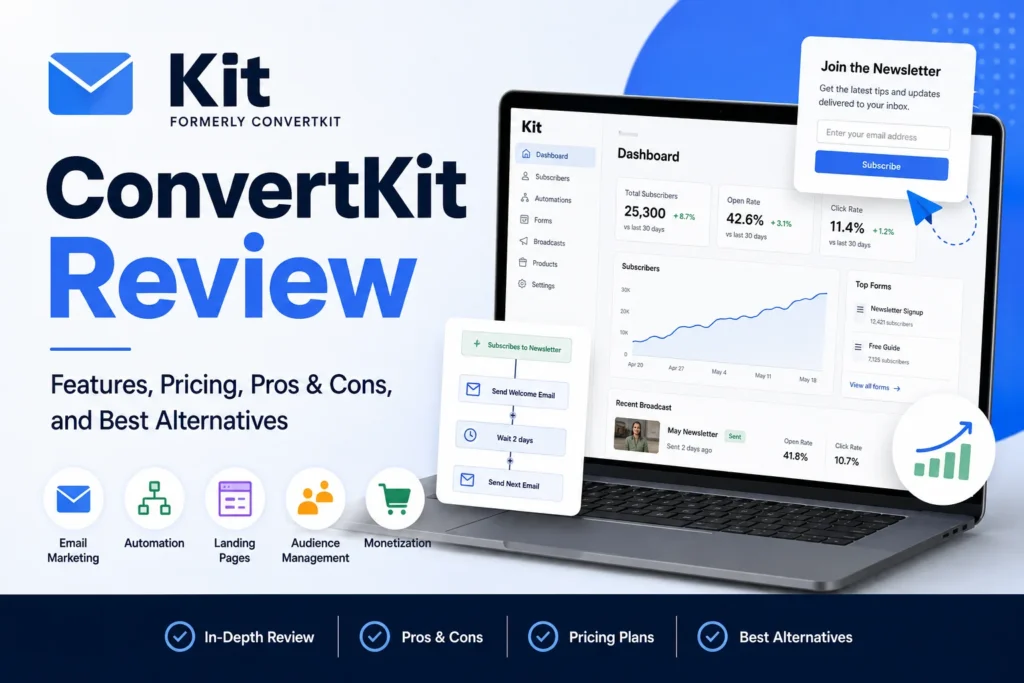
Table of Contents
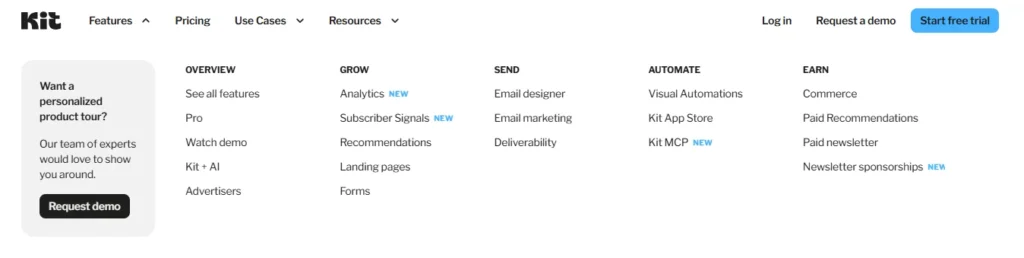
ConvertKit Features & Core Functionality
If you’re researching a ConvertKit Review, there’s one important detail to clear up before looking at the features: ConvertKit is now called Kit. The rebrand doesn’t change the platform’s central purpose. Kit remains an email-first platform built around creators, with tools for building an audience, communicating with subscribers, automating marketing, and turning attention into revenue.
That combination is what makes Kit different from a basic newsletter service.
At the simplest level, you can use Kit to collect email addresses, publish newsletters, organize subscribers, and send automated sequences. But that’s only the surface. Once you start connecting forms, segments, automations, digital products, subscriptions, and recommendations, the platform becomes something closer to an operating system for a creator’s audience.
And that’s really where Kit becomes interesting.
Email Marketing and Newsletters
Email marketing sits at the center of Kit’s feature set. The platform lets creators build subscriber lists, publish newsletters, manage audience data, and tailor communications according to subscriber interests and behavior.
The philosophy is straightforward: build an audience you can reach directly, rather than depending entirely on algorithms controlled by social networks or other third-party platforms.
For a newsletter creator, that could mean sending a short weekly update to thousands of readers. For someone running a larger creator business, the same system can support welcome campaigns, educational sequences, product promotions, launches, and targeted broadcasts.
The difference is scale and sophistication—not the underlying workflow.
You write the email. You decide who should receive it. Kit handles the delivery.
Visual Email Automations
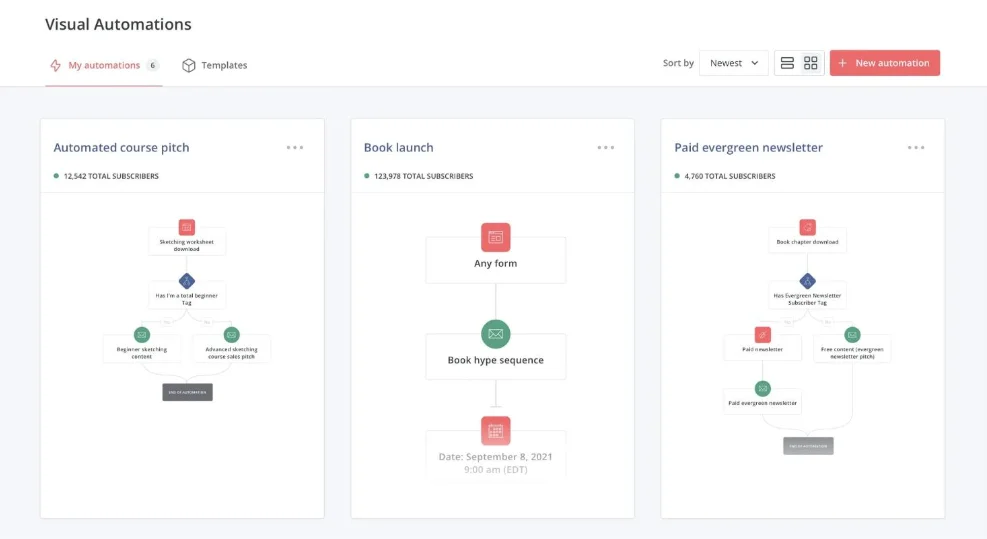
One of Kit’s more distinctive features is its Visual Automations system. Instead of treating automation as a collection of hidden rules and menus, Kit gives you a visual workflow where you can see how subscribers move from one stage to another.
A subscriber might enter through a signup form, receive a welcome sequence, wait several days, click a particular link, and then be moved into another part of your campaign. Someone else could take a different path entirely.
Those workflows can respond to actions such as:
- Signing up through a form
- Clicking a link
- Purchasing a product
- Receiving or completing a sequence
- Being assigned a Tag
- Meeting specific conditions
- Becoming inactive
This matters because effective email marketing isn’t always about sending more messages. It’s about sending the appropriate message to the appropriate person at the appropriate moment.
For example, imagine you’re offering a free photography guide. A new subscriber downloads it and enters your welcome sequence. A few days later, they click a link about portrait photography. Kit can use that behavior as part of a broader automation, allowing the subscriber’s future communication to become more relevant to that interest.
That’s considerably more flexible than simply sending everyone the same five-email sequence.
Kit also provides automation templates for common creator workflows. Rather than staring at a blank automation canvas and wondering where to begin, you can start with an existing structure and adapt it to your business.
For beginners, that can remove a surprising amount of friction.
Forms and Landing Pages
Growing an email list requires more than an email editor. You need somewhere for people to subscribe.
Kit provides both signup forms and landing pages, giving creators several ways to turn visitors into subscribers. Forms can be embedded into websites and blogs, while landing pages can function as standalone destinations for campaigns, lead magnets, waitlists, webinars, and newsletters.
The practical advantage is that these tools connect directly to the rest of the platform.
Someone can submit a form, receive a confirmation email, enter an automated sequence, and eventually become part of a specific subscriber segment—all without you manually moving that person from one system to another.
For a creator building a lead magnet funnel, the process can be remarkably simple:
Landing Page → Signup → Welcome Email → Lead Magnet → Automated Follow-Up
That connected workflow is one of Kit’s biggest strengths.
Subscriber Segmentation and Tagging
As an audience grows, treating every subscriber identically becomes increasingly inefficient.
Kit addresses this with Tags and Segments, allowing creators to organize subscribers according to their interests, behavior, purchases, or other characteristics.
A subscriber might be tagged as a course buyer, webinar attendee, newsletter reader, or potential customer. Those distinctions can then influence which emails they receive and which automations they enter.
The result is a more flexible audience-management system.
Instead of creating completely separate lists for every campaign, you can maintain a central subscriber database and use organizational tools to determine what each person should see.
That’s especially useful for creators whose audiences overlap. One subscriber might be interested in your newsletter, purchase a product, attend a webinar, and eventually join a paid membership. You don’t necessarily want that person duplicated across four different lists.
You want one subscriber with meaningful information attached to their profile.
Creator Profile and Audience Growth
Kit also extends beyond traditional email marketing with its Creator Profile.
Think of it as a lightweight public home for your newsletter and creator business. Depending on how you use it, the profile can showcase newsletter content, provide a signup opportunity, display links, and connect visitors with your products.
For creators who don’t want to build a full website immediately, this can be useful. You can establish an online presence around your newsletter without first spending weeks designing a complete site.
Kit also offers Recommendations, which can help creators discover and promote other newsletters. The idea is simple but potentially powerful: creators recommend newsletters to their audiences, while recommendations can create opportunities for subscriber growth across the creator network.
It’s a different approach to audience acquisition—one based less on traditional advertising and more on relationships between publishers.
Commerce and Monetization
This is where Kit starts to move beyond the traditional definition of an email marketing platform.
Through its commerce tools, creators can sell digital products, subscriptions, memberships, and paid newsletter content directly to their audiences.
That could mean an author selling an ebook, a designer selling templates, an educator selling digital resources, or a newsletter publisher charging for premium content.
The important part isn’t simply that Kit can process a sale. It’s the connection between the sale and the audience data surrounding it.
A subscriber can discover a product through an email, purchase it, and then enter a different communication path afterward. That makes the email list part of the broader customer journey rather than a separate marketing channel.
For creators trying to keep their technology stack relatively lean, that integration can be valuable.
Integrations and Apps
No creator platform exists in isolation, which is why integrations matter.
Kit’s App Store allows the platform to connect with external services across areas such as ecommerce, courses, memberships, events, analytics, automation, and AI.
That means you aren’t necessarily forced to abandon the tools you already use just because you adopt Kit.
For example, a creator might connect an ecommerce platform to subscriber data, use course activity to trigger an email sequence, or connect an external scheduling service to an automation workflow.
Kit has also expanded into AI integrations. Through Kit MCP, the platform can connect with AI services such as ChatGPT, Claude, and Gemini, opening up possibilities around audience analysis, content creation, subscriber management, and workflow automation.
For creators experimenting with AI-assisted marketing, that’s an increasingly relevant part of the ecosystem.
Overall Feature Verdict
So, what stands out most in this ConvertKit Review?
Not one isolated feature.
It’s the way the pieces fit together.
Kit combines email marketing, subscriber management, audience growth, automation, and monetization inside a creator-focused platform. You can attract a subscriber with a landing page, nurture that person through an automated sequence, organize them with Tags and Segments, sell them a digital product, and continue communicating with them afterward.
That’s a much broader proposition than simply sending newsletters.
For newsletter writers, bloggers, authors, podcasters, YouTubers, educators, course creators, and other independent creators, that ecosystem can make a lot of sense.
There is, however, a caveat.
If all you need is a basic newsletter sent once a week, Kit’s broader feature set may feel excessive. You could end up paying—or learning—your way into functionality you rarely touch.
But if your goal is bigger than publishing emails, and you want your email list to become an actual business asset, Kit’s feature set becomes considerably more compelling.
ConvertKit Ease of Use
When evaluating a ConvertKit Review, features are only half the equation. A platform can offer sophisticated automation, segmentation, landing pages, and monetization tools, but if using those features feels like navigating a maze, their practical value drops quickly.
This is one area where Kit—the platform formerly known as ConvertKit—takes a relatively creator-friendly approach.
The interface is built around common creator workflows rather than trying to turn every user into a marketing-operations specialist. You can start with something simple, such as writing a newsletter, and gradually move into more advanced automation as your needs grow.
That progression matters.
Simple Email Creation
Creating an email in Kit is relatively straightforward. The platform’s email editor is designed for newsletters and creator-focused communications, with formatting options for text, media, links, videos, social elements, and reusable content.
There isn’t an overwhelming emphasis on elaborate visual design.
And that’s intentional.
For creators who primarily publish text-based newsletters, a focused editor can actually be an advantage. Instead of spending twenty minutes adjusting decorative elements, you can open the editor, write your message, format the important parts, and move on.
This makes Kit particularly appealing to writers, newsletter publishers, authors, and other creators whose content matters more than flashy email design.
Of course, creators who want highly visual, heavily designed marketing emails may find the experience less compelling than platforms built primarily around drag-and-drop email design.
Kit’s strength is simplicity.
Visual Automations Are Easy to Follow
The Visual Automation builder is arguably one of Kit’s strongest usability features.
Instead of configuring a complicated sequence of rules across multiple screens, you can see the subscriber journey laid out visually. Entry points, actions, delays, conditions, and email sequences are connected together so you can understand the logic at a glance.
Imagine a basic welcome campaign:
Subscriber signs up → Welcome email → Wait 2 days → Educational email → Wait 3 days → Product recommendation
That’s easy to understand when you’re looking at it as a visual path.
The same principle applies when workflows become more sophisticated. A subscriber who purchases a product might follow one path, while someone who doesn’t purchase follows another.
For people who are new to marketing automation, this visual representation can be much easier to grasp than a wall of conditional rules.
You can literally see what happens next.
Templates Make Setup Faster
Another usability advantage is Kit’s collection of automation templates.
You don’t always have to construct a campaign from an empty canvas. Templates can provide starting points for common creator workflows, including welcome campaigns, product promotions, audience nurturing, and other marketing scenarios.
This is particularly useful for beginners.
You may know exactly what you want your campaign to accomplish—you want to welcome new subscribers, promote a course, or introduce a product—but have no idea how to translate that goal into automation logic.
A template gives you the skeleton.
You then modify it.
That approach can save considerable setup time, especially when you’re learning the platform for the first time.
The Learning Curve Increases With Advanced Features
Kit is easy to pick up at the basic level. The picture changes somewhat once you start building sophisticated workflows.
Tags. Segments. Custom fields. Email Sequences. Visual Automations. Conditions. Events.
Individually, these concepts aren’t particularly difficult. The challenge comes from understanding how they interact.
For example, an Email Sequence contains the actual emails and determines their timing. A Visual Automation can determine when a subscriber enters that sequence and what happens around it.
That distinction seems obvious once you understand it.
At first, though, it can be confusing.
A beginner might reasonably wonder: Should I create this inside the sequence, or should I build it into the automation?
That is the sort of question that tends to appear once you move beyond basic newsletters.
Is ConvertKit Easy to Use for Beginners?
For straightforward email marketing, yes—Kit is relatively easy to use.
Someone who simply wants to create a newsletter, build a signup form, collect subscribers, and send a basic welcome sequence can get started without extensive technical knowledge.
The learning curve becomes steeper when you begin creating branching subscriber journeys or building more sophisticated marketing systems. But that’s not necessarily a weakness. More powerful automation naturally introduces more concepts.
The important thing is that Kit doesn’t force you to learn everything on day one.
You can start small.
Create a form. Send a newsletter. Build one sequence. Then, when your audience grows and your marketing becomes more complicated, explore Visual Automations, Tags, Segments, conditions, and other tools.
That gradual progression is one of the reasons Kit works well for independent creators.
Ease-of-Use Verdict
Kit gets a strong score for usability.
Its core tools are approachable, the visual automation system is relatively intuitive, and templates reduce the amount of work required to build common campaigns. More advanced workflows do require a learning period, but that’s a reasonable trade-off for the level of control the platform provides.
In short, Kit is simple enough to start with and powerful enough to grow into—which is probably the most useful way to think about its overall user experience.
ConvertKit Email Marketing & Automation
Email marketing is the engine at the center of the ConvertKit experience. Now known as Kit, the platform combines newsletters, automated email sequences, subscriber segmentation, and visual workflows into one system designed primarily for creators.
That distinction is important.
Kit isn’t trying to be everything to everyone. Its automation tools are built around a familiar creator problem: how do you turn a new subscriber into a long-term audience member, customer, or fan without manually sending every email?
For anyone researching a ConvertKit Review, this is one of the areas that deserves the closest attention.
Email Sequences
Kit’s Email Sequences allow you to create a series of emails that are delivered automatically in a predefined order.
You decide what the subscriber receives, when they receive it, and how much time passes between messages. Once the sequence is running, Kit handles the delivery.
A simple welcome sequence might look something like this:
- Immediately: A welcome email introducing your newsletter
- Day 1: A useful resource or piece of educational content
- Day 3: Another helpful lesson or article
- Day 5: A relevant story, case study, or recommendation
- Day 7: An introduction to a product or service
The exact structure is up to you.
You could make the sequence three emails long. Or twenty.
The important thing is that the communication happens automatically after the subscriber enters the sequence.
This makes Email Sequences useful for more than welcome campaigns. Creators can use them for educational courses delivered by email, evergreen funnels, product launches, onboarding campaigns, lead nurturing, and other recurring workflows.
Create it once.
Then let it run.
Visual Automations
Email Sequences handle the emails themselves, but Visual Automations determine the broader journey.
This is where Kit’s automation system becomes considerably more flexible.
A subscriber might enter through a particular landing page, receive a sequence, click a product link, and then be moved into another part of your marketing system. Someone who doesn’t click—or who purchases the product—can be sent down a completely different path.
In other words, the automation isn’t simply asking:
“What email should I send next?”
It’s asking:
“What should happen to this subscriber based on what they’ve done?”
That difference is significant.
For example, imagine you’re selling an online photography course.
A subscriber downloads a free guide and enters your welcome sequence. Several days later, they receive an email introducing the course.
If they purchase, the automation can move them into a customer journey.
If they don’t, you can continue nurturing them with educational content.
If they click on a particular photography topic, you can potentially use that behavior to make future communication more relevant.
Now you’re no longer running one generic funnel.
You’re building different experiences for different people.
Subscriber Segmentation and Personalization
Automation becomes much more useful when it is connected to subscriber data.
Kit allows creators to use Tags, Segments, custom fields, and subscriber actions to determine which people should receive particular communications.
This can prevent one of the most common problems with email marketing: sending the same message to everyone regardless of their relationship with your business.
Consider two subscribers.
One has purchased your course.
The other hasn’t even opened your previous emails.
Sending both people the same sales sequence probably isn’t ideal.
With the appropriate segmentation and automation, you can treat them differently.
The customer might receive onboarding or advanced resources. The non-customer might receive educational content, testimonials, or a different offer.
Small distinction.
Big difference.
Automated Welcome Campaigns
A welcome campaign is probably one of the easiest—and most useful—ways to get started with Kit’s automation tools.
The basic setup is straightforward:
Form or Landing Page → Visual Automation → Email Sequence → Follow-Up
Someone subscribes.
Kit recognizes the new subscriber and places them into the appropriate workflow.
The first email arrives according to your configuration. Additional emails follow based on the delays you’ve established.
You don’t need to manually remember who subscribed yesterday, who subscribed this morning, or who still needs the second email.
The system handles it.
That makes welcome campaigns particularly valuable for creators who consistently acquire new subscribers through blog posts, social media, lead magnets, podcasts, YouTube, or other channels.
Automation Templates
Not everyone wants to build automation workflows from scratch.
Kit provides Visual Automation templates that can give creators a starting point for common campaigns. Depending on the use case, you can adapt a template for welcoming subscribers, nurturing an audience, promoting products, or supporting paid newsletter workflows.
This is especially helpful when you’re new to automation.
Instead of trying to figure out every trigger, delay, condition, and action yourself, you can start with a working structure and customize it.
It’s the difference between being handed an empty blueprint and being handed a partially completed one.
You still need to make it yours—but the hardest part has already begun.
How Good Is ConvertKit for Email Automation?
Overall, Kit is strong when it comes to creator-focused email automation.
Its biggest advantage isn’t simply that it offers automated emails. Plenty of email marketing platforms do that.
The advantage is the relationship between Email Sequences and Visual Automations.
Sequences control the email content and timing.
Visual Automations control the broader subscriber journey.
Tags and Segments help determine who belongs where.
Together, these tools can support relatively sophisticated campaigns without requiring creators to build a complicated technical infrastructure.
You can create a basic welcome funnel in minutes, yet the same system can be expanded into more elaborate customer journeys as your business grows.
There is one important qualification, however: plan limitations matter.
Kit’s free Newsletter Plan includes one basic Visual Automation and one Email Sequence. More advanced automation capabilities, including additional automations, conditions, and rules, are available on higher-tier plans.
So the platform’s automation potential depends partly on how much you’re willing to invest.
Automation Verdict
If your goal is to build an audience and automate communication around a creator business, Kit’s email marketing and automation system is one of its strongest selling points.
It works for the simple stuff.
Welcome emails. Lead magnets. Educational sequences.
But it can also handle more involved workflows involving purchases, subscriber behavior, segmentation, and multiple paths.
That flexibility is what makes Kit compelling. You don’t have to build a complicated funnel just because the software allows it.
Start simple.
Then add complexity only when your audience—and your business—actually requires it.
ConvertKit Forms & Landing Pages
For any serious ConvertKit Review, forms and landing pages deserve more attention than they often receive. Email automation only becomes useful once you have people entering your audience in the first place.
That’s where Kit’s lead-capture tools come in.
Kit, formerly known as ConvertKit, provides signup forms and landing pages designed to help creators turn website visitors, social-media followers, podcast listeners, and other audiences into email subscribers.
The process is relatively simple:
Someone discovers you → sees an offer → enters their email → becomes a subscriber → enters your email ecosystem.
That first step is crucial.
ConvertKit Forms
Kit Forms are designed primarily for embedding signup opportunities into websites, blogs, and other online content.
You can choose from several presentation styles, including:
- Inline forms
- Pop-ups
- Slide-ins
- Sticky bars
This gives you some flexibility over how aggressively—or subtly—you want to present the signup opportunity.
For example, an inline form might sit naturally at the end of a blog article, while a pop-up could appear after someone has spent a certain amount of time on the page.
The form itself can also be customized. You can adjust elements such as text, fields, fonts, colors, buttons, and other design details to better match your branding.
More importantly, forms aren’t isolated from the rest of Kit.
A subscriber who completes a form can immediately enter an automation, receive a lead magnet, acquire a Tag, or begin an Email Sequence.
That’s where a simple signup form becomes part of a much larger system.
Easy Form Embedding
Once your form has been created, Kit provides several ways to place it on a website.
JavaScript is the recommended embedding method, while HTML and WordPress options are also available. There are direct sharing options as well, which can be useful when you want to send people straight to a hosted signup experience.
For most creators, the practical takeaway is straightforward:
You don’t need to be a developer to start collecting subscribers.
A blogger can place a form beneath an article.
A photographer can put one on a portfolio website.
A YouTuber can link directly to a signup page.
A newsletter creator can use a form as the primary entry point for a growing audience.
The technology stays mostly in the background.
Forms for Lead Magnets
Forms become particularly useful when they’re paired with a lead magnet.
A lead magnet is simply something valuable you give a visitor in exchange for their email address. It could be an ebook, checklist, template, video, guide, discount, mini-course, or another useful resource.
For example, a personal-finance blogger might offer a budgeting spreadsheet.
A photographer could offer a lighting cheat sheet.
A fitness creator might offer a beginner’s training guide.
The basic journey looks like this:
Free Resource → Signup Form → Confirmation → Delivery → Welcome Sequence
Kit can connect these steps so that the process happens automatically.
That means you don’t have to manually send the resource every time somebody subscribes.
ConvertKit Landing Pages
Forms are useful when you already have a website.
But what if you don’t?
That’s where Kit Landing Pages become useful.
A landing page is a standalone page built around one primary action—usually getting someone to subscribe.
You can share the page through social media, advertising, podcast descriptions, YouTube videos, email, or virtually any other channel where you can place a link.
No full website required.
Kit provides templates designed for different purposes, including newsletters, lead magnets, webinars, waitlists, and other signup campaigns. You can then customize the page’s text, images, buttons, fonts, backgrounds, forms, and other visual elements.
For creators who simply need a clean destination for collecting email addresses, this can remove a major barrier.
You don’t have to build an entire website just to launch your first lead magnet.
Kit also supports custom CSS, giving more technically inclined users additional control over the appearance of their pages.
So there are two approaches.
Keep things simple with a template.
Or go deeper and customize the design.
Lead Magnets and Subscriber Incentives
The combination of forms, landing pages, and incentives makes Kit particularly useful for list building.
Suppose you publish an article about starting a freelance business.
At the end of the article, you offer a free checklist.
A visitor enters their email address.
They confirm their subscription if confirmation is required.
Kit delivers the promised resource.
Then the subscriber enters a welcome or educational sequence.
That entire process can operate without manual intervention.
Kit also supports confirmation emails and double opt-in mechanisms, which can help verify subscribers and maintain a healthier email list.
For creators building an audience over time, that matters. Getting an email address isn’t the ultimate goal.
Getting a genuine, interested subscriber is.
Tracking and Analytics
Collecting subscribers is only half the job. You also want to know where those subscribers are coming from.
Kit provides reporting for landing pages that can include information such as visitors, subscribers, conversion rates, referring sources, and UTM parameters.
This can help answer practical questions.
Is your Instagram traffic converting?
Are people subscribing through your blog?
Is a particular lead magnet outperforming another?
Are visitors from one campaign more likely to sign up than visitors from another?
Without this information, you’re essentially guessing.
Analytics turn those guesses into something measurable.
Forms vs. Landing Pages
The difference between the two is fairly straightforward.
Forms
Use a Form when you already have a website or online property and want to place the signup experience inside your existing content.
Think:
Blog post → Signup form → Subscriber
Forms are particularly useful when you want the opt-in to feel like a natural part of the page.
Landing Pages
Use a Landing Page when you want a standalone destination dedicated to collecting subscribers.
Think:
Social media link → Landing page → Subscriber
This can be particularly useful for lead magnets, advertising campaigns, waitlists, webinars, and newsletter promotions.
Landing pages are standalone destinations rather than elements you simply embed inside an existing webpage, while forms can be embedded using supported methods such as JavaScript.
Simple distinction.
Different use cases.
How Good Are ConvertKit Forms and Landing Pages?
Overall, Kit provides a solid collection of list-building tools.
The forms are flexible enough for most creator websites, while landing pages make it possible to launch standalone signup campaigns without first building a complete website.
The bigger advantage, however, is how tightly these tools connect with the rest of Kit.
A form isn’t just a box that collects an email address.
It can become the entry point to an automation.
A landing page isn’t merely a web page.
It can become the beginning of an entire subscriber journey.
That interconnected approach is where Kit’s list-building system becomes more valuable than the individual features might suggest.
One thing worth watching is the landing-page experience itself. Kit announced a rebuilt landing-page builder in public beta in May 2026, citing limitations with the older editor and its templates. That suggests this part of the platform is still evolving.
Forms & Landing Pages Verdict
Kit is a strong option for creators who want straightforward tools for growing an email list.
If you already have a website, Forms give you a flexible way to capture subscribers throughout your content. If you don’t have a website—or simply want a dedicated campaign page—Landing Pages fill that gap.
And because both connect directly to Kit’s automation and subscriber-management tools, the journey doesn’t stop when someone clicks Subscribe.
That’s where it begins.
ConvertKit Segmentation & Subscriber Management
As your email list grows, simply knowing how many subscribers you have becomes less important than knowing who those subscribers are, what they care about, and how they’ve interacted with your content.
That’s where segmentation becomes essential.
For anyone reading a ConvertKit Review, Kit’s approach to subscriber management is worth examining closely. Rather than encouraging creators to maintain a collection of disconnected email lists, Kit uses a subscriber-centric system. Your audience exists in one primary database, while Tags, Segments, and custom fields help you organize and understand the people within it.
It’s a cleaner approach.
And for creators with overlapping audiences, it can prevent a lot of unnecessary duplication.
Tags for Organizing Subscribers
Tags are labels that can be attached to subscribers based on their interests, actions, purchases, or other characteristics.
A single subscriber can have multiple Tags.
For example, one person might have Tags indicating that they’re:
- A newsletter subscriber
- A webinar attendee
- A course buyer
- Interested in photography
- A potential customer
Those labels can then be used throughout Kit’s automation system.
You might add a Tag when someone purchases a product. You could add another when they register for a webinar. A particular Tag could also trigger an automation or determine which broadcast a subscriber should receive.
The important thing is that Tags aren’t merely organizational labels sitting inside a database.
They can actively influence what happens next.
Segments for Dynamic Audience Groups
Segments work differently.
A Tag is something you assign to a subscriber. A Segment is a group defined by conditions.
That distinction is subtle, but important.
Imagine you create a Segment containing subscribers who downloaded your photography guide and purchased a particular product.
As subscriber information changes, the membership of that Segment can change as well.
Someone who meets the conditions can be included.
Someone who no longer meets them can be excluded.
You don’t have to manually rebuild the audience every time the underlying data changes.
This makes Segments particularly useful for targeted broadcasts and audience analysis.
For example, you might create a Segment for:
Subscribers interested in photography + joined after January 2026 + purchased a specific product
That’s far more precise than sending one generic email to your entire audience.
Tags vs. Segments
The easiest way to understand the difference is this:
Tags identify. Segments filter.
A Tag might say:
“Course Buyer.”
A Segment might say:
“Course Buyers who joined after January 2026 and haven’t purchased the advanced course.”
The first is a label.
The second is a dynamic audience definition.
Neither is inherently better. They simply serve different purposes.
Tags are useful when you want to mark something about a subscriber.
Segments are useful when you want to build an audience based on conditions.
Once that distinction clicks, Kit’s subscriber-management system becomes much easier to understand.
Custom Fields
Kit also supports custom fields, which allow creators to store additional information about subscribers beyond their basic profile details.
A standard subscriber profile might contain a name and email address.
Custom fields can hold additional information relevant to your business, such as preferences, contact details, interests, or other data collected through your forms.
For example, a photography educator could collect a subscriber’s preferred photography category.
A business coach might ask what stage of business the subscriber is currently in.
An author could collect information about which genre a reader prefers.
That information can then be used to make audience organization and personalization more precise.
The more relevant information you have, the more intelligently you can communicate.
But there’s an important principle here: collect information because you’ll actually use it.
More data isn’t automatically better data.
Subscriber Preferences
Kit also provides Topics of Interest, allowing subscribers to indicate the kinds of content they want to receive.
This can be useful when your audience has multiple interests.
Imagine a creator who publishes content about:
- Photography
- Video
- Editing
- Equipment
Instead of forcing every subscriber to receive everything, Topics of Interest can give people more control over what they want in their inbox.
These preferences connect with Tags. When a subscriber chooses a topic, the associated Tag can be added to their profile. If they change their preference, the Tag can be removed.
That’s useful from both sides.
Subscribers get more control.
Creators get a clearer understanding of audience interests.
And, ideally, everyone receives fewer irrelevant emails.
Bulk Subscriber Management
Managing subscribers one at a time might work when your list contains a few dozen people.
At several thousand?
Not so much.
Kit provides bulk-management tools that allow creators to select multiple subscribers and apply actions such as adding or removing Tags.
You can also search individual subscriber profiles and inspect available information, including Tags, Segments, custom fields, location, subscriber status, and other relevant data.
This becomes increasingly important as your audience grows.
Because subscriber management isn’t just about adding people to a list.
It’s about maintaining the quality and structure of the audience you’ve already built.
Why the Subscriber-Centric Model Matters
Kit’s subscriber-centric approach has another advantage: it can reduce the need for maintaining multiple versions of the same person across separate lists.
Suppose one subscriber joins your newsletter.
Later, they download a lead magnet.
Then they attend a webinar.
Finally, they purchase your course.
With a traditional list-based approach, you might be tempted to think of those as four different audiences.
Kit treats them as one subscriber with four different pieces of information attached to their profile.
That distinction can make audience management considerably cleaner.
It also creates more opportunities for automation.
The subscriber’s actions become signals.
Those signals can then influence future communication.
How Good Is ConvertKit for Subscriber Management?
Overall, Kit takes a flexible and creator-friendly approach to audience organization.
The combination of Tags, Segments, custom fields, subscriber preferences, and bulk-management tools gives creators plenty of control without forcing them to maintain a maze of separate lists.
The system becomes particularly powerful when combined with Visual Automations.
A subscriber joins through a form.
They receive a Tag.
Their behavior changes.
Their Segment changes.
An automation responds.
Their future emails change.
That chain of events is where Kit’s subscriber management really earns its keep.
There is a learning curve, though.
The biggest hurdle for beginners is understanding when to use a Tag and when to use a Segment. Once that distinction becomes intuitive, the rest of the system is much easier to navigate.
Segmentation & Subscriber Management Verdict
Kit is particularly strong for creators who need to manage audiences with different interests, behaviors, and customer relationships.
Its subscriber-centric structure keeps the database unified, while Tags and Segments provide the flexibility needed for targeted campaigns.
For a small newsletter with a few hundred subscribers, you may barely notice the difference.
For a growing creator business with multiple products, lead magnets, courses, and audience segments, you probably will.
ConvertKit Creator Monetization Tools
Building an audience is one thing.
Making that audience financially sustainable is another.
That’s why Kit’s monetization features deserve a separate place in this ConvertKit Review. The platform isn’t limited to collecting subscribers and sending newsletters. It also gives creators ways to sell digital products, offer paid subscriptions, publish premium newsletter content, and build revenue streams around the audience they’ve already spent time growing.
That creates an interesting proposition.
Instead of stitching together one platform for email, another for payments, another for digital downloads, and yet another for subscriptions, creators can keep much of the process inside Kit.
For some businesses, that simplicity is a major advantage.
Digital Products
Kit allows creators to sell digital products directly to their audiences.
That can include ebooks, templates, downloadable resources, presets, music, videos, courses, and other forms of digital content.
The possibilities are broad because the underlying concept is simple: create something valuable, set a price, and make it available to your audience.
An author might sell an ebook.
A designer could sell a template pack.
A photographer might offer Lightroom presets.
A consultant could package expertise into a downloadable guide.
The product itself can then be promoted through Kit’s email and audience-management tools.
That connection between content, audience, and commerce is what makes the feature more interesting than a simple checkout page.
Paid Newsletters and Subscriptions
Kit also supports recurring subscriptions, allowing creators to turn part of their newsletter into a paid offering.
You can offer premium content on a recurring basis, with billing options that can include monthly, quarterly, or yearly subscriptions.
For newsletter publishers, this opens up a different business model.
Instead of relying exclusively on advertising or selling one-off products, you can build recurring revenue from readers who want access to premium content.
That might be:
- Exclusive articles
- Premium analysis
- Tutorials
- Industry insights
- Subscriber-only newsletters
- Private educational content
- Specialized resources
The model is simple:
Free audience → Build trust → Offer premium value → Convert readers into paying subscribers
Of course, having the technology to charge for a newsletter doesn’t guarantee people will pay.
The content still has to earn the subscription.
Kit simply gives you the infrastructure.
Selling Products Directly From Emails
One of Kit’s more useful advantages is the connection between email marketing and commerce.
Instead of sending a subscriber through a complicated sequence of external pages every time you want to promote a product, you can present products and purchasing opportunities directly within your email ecosystem.
Imagine sending an email about a problem your audience regularly faces.
You explain the problem.
You provide a useful solution.
Then you introduce a paid product that goes deeper.
The transition can feel natural because the email and the product exist within the same broader system.
The audience data adds another layer.
You can use Tags, Segments, and automations to avoid repeatedly promoting a product to someone who has already purchased it.
That sounds like a small detail.
It isn’t.
Nothing damages a customer experience quite like receiving five emails urging you to buy something you’ve already bought.
Flexible Pricing Options
Kit supports several pricing approaches for digital products.
Depending on the offer, creators can use fixed pricing, payment plans, subscriptions, discounts, or pay-what-you-want pricing.
That flexibility matters because different products naturally call for different business models.
A $15 ebook might make sense as a one-time purchase.
A larger course might work better with installments.
A premium newsletter may require recurring billing.
A small digital resource could even use a pay-what-you-want model as an audience-building experiment.
There isn’t one universal pricing strategy.
Kit gives creators room to test different approaches.
Automated Sales Funnels
This is where monetization starts connecting with Kit’s automation engine.
Consider a typical creator funnel:
Free Lead Magnet → Welcome Sequence → Educational Content → Product Offer → Purchase → Customer Follow-Up
None of those steps has to remain isolated.
A subscriber can download a free resource and enter an automated sequence. After receiving several useful emails, they can be introduced to a related product.
If they purchase, their subscriber data can be used to change what happens next.
Perhaps they enter a customer onboarding sequence.
Perhaps promotional emails for that product stop.
Perhaps they’re introduced to a more advanced offer.
The possibilities depend on how you build the workflow.
This is one of the areas where Kit’s different features start to feel like one coherent system rather than a collection of unrelated tools.
Tips and Additional Monetization Options
Not every creator wants to sell a traditional product.
Kit also provides a Tips feature that allows audiences to financially support creators without requiring a conventional product purchase.
That can work particularly well for writers, newsletter publishers, independent educators, and creators whose primary offering is free content.
Kit has also expanded its monetization ecosystem with features such as paid posts and Newsletter Sponsorships.
Newsletter Sponsorships are particularly interesting for established publishers because they introduce another possible revenue stream: earning money from sponsored content within a newsletter.
For a creator with a large and engaged audience, that can complement product sales and paid subscriptions.
The more diverse the revenue sources, the less dependent the business becomes on any single monetization model.
Payment Processing
Kit uses Stripe for payment processing, allowing customers to pay by card while creators can manage purchases and refunds through the platform.
That removes another layer of technical complexity.
You don’t necessarily need to build a separate ecommerce operation simply to sell a digital product.
For creators selling a handful of digital products, this can be especially convenient.
It’s not trying to replace a massive ecommerce platform for every conceivable business model.
It doesn’t need to.
Its value is in making creator commerce relatively close to the audience and email experience.
Is ConvertKit Good for Monetization?
Overall, monetization is one of the stronger arguments for choosing Kit.
The platform brings together:
Audience → Email → Automation → Product → Payment → Customer Follow-Up
That chain matters.
A creator can attract an audience without immediately trying to sell anything. Build trust first. Understand what subscribers want. Then introduce a relevant product, subscription, or paid offering when the relationship is mature enough.
That is a much more natural model for creator businesses than simply treating every subscriber as a sales lead.
Kit is especially compelling if you sell digital products, paid newsletters, subscriptions, educational content, or other creator-focused offers.
If you only want to send a basic newsletter and have no intention of monetizing your audience, however, many of these features may sit unused.
And that’s an important distinction.
More functionality isn’t automatically more value.
It becomes valuable when it solves a problem you actually have.
learn more about The Best Email Marketing Software for Every Business vist amiinmarketer.com
Monetization Verdict
Kit is more than an email marketing platform; it can become part of the commercial infrastructure behind a creator business.
Its strongest advantage is the integration between audience data, email communication, automation, and commerce.
For a creator trying to turn an email list into a sustainable source of income, that’s a powerful combination.
For someone who simply wants to send a newsletter once a week, it’s probably more machinery than necessary.
ConvertKit Integrations
An email platform rarely operates in isolation.
As a creator business grows, the number of tools involved tends to multiply: ecommerce platforms, course software, membership communities, event tools, analytics systems, scheduling apps, and increasingly, AI assistants.
That’s why integrations are an important part of any ConvertKit Review.
Kit, formerly known as ConvertKit, has been expanding beyond its traditional email-marketing role through the Kit App Store, giving creators ways to connect their subscriber data and automations with other parts of their business.
The result is less about having one giant platform that does absolutely everything—and more about making the tools you already use communicate with one another.
Kit App Store
The Kit App Store acts as the central hub for connecting Kit with external services.
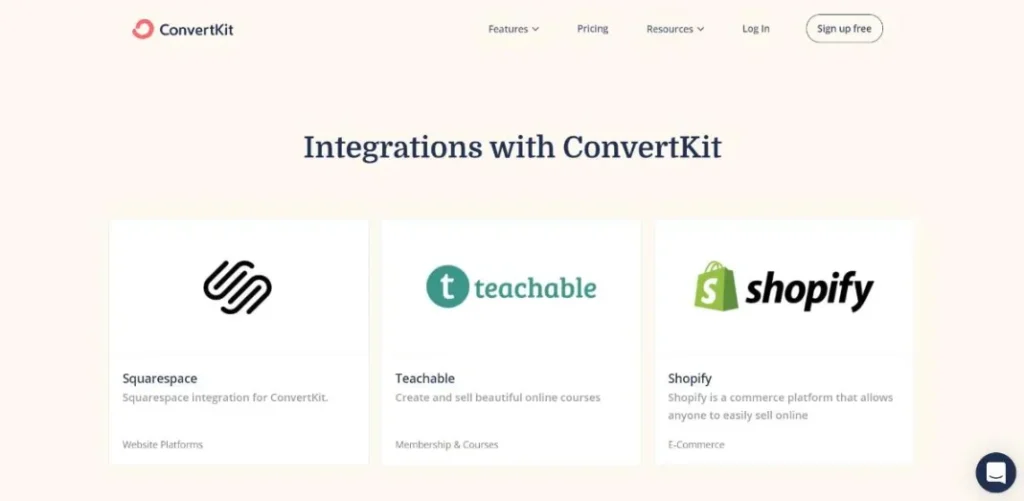
Kit says its ecosystem includes 60+ apps, spanning categories such as automation, analytics, AI, commerce, memberships, and events.
That breadth matters because creators rarely run their entire business from one application.
You might sell through one service, teach through another, host events somewhere else, and still want Kit to remain the central communication layer.
The App Store makes it easier to discover supported connections and search for a particular application before committing to a workflow.
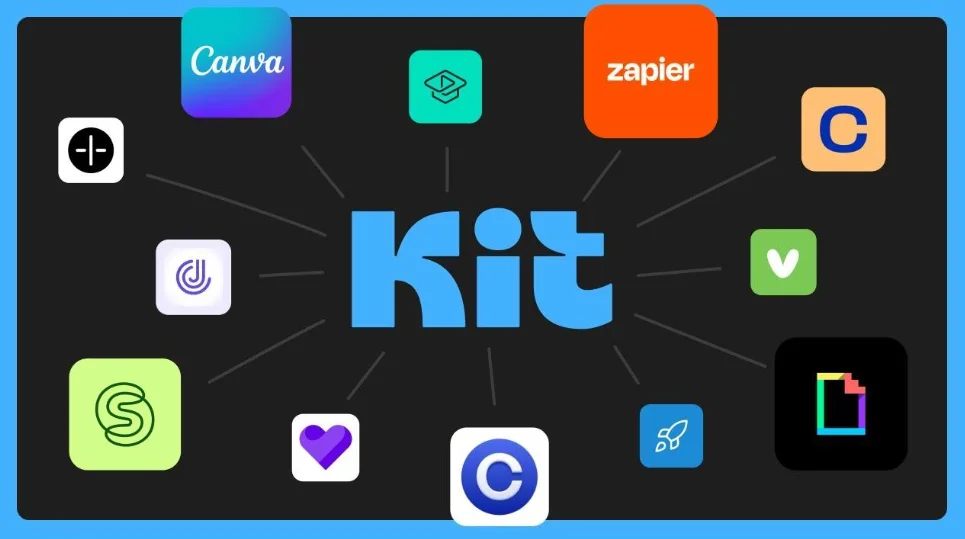
For a growing creator business, that flexibility can become increasingly valuable.
Ecommerce Integrations
Kit can connect with ecommerce platforms so purchase and customer information can feed into your email marketing.
Shopify is a notable example.
Through the integration, customer and order information can be synchronized with Kit, allowing creators to build audiences around purchasing behavior.
That opens up more sophisticated possibilities.
Someone who purchased Product A could receive information about Product B.
Someone who hasn’t purchased yet could enter a different campaign.
Existing customers can be treated differently from prospects.
And, rather than manually moving customers between lists, much of this process can be automated.
Kit’s 2026 updates also introduced abandoned-checkout functionality for platforms including Shopify, Fourthwall, and Wix, giving creators another way to follow up with potential customers who started the buying process but didn’t finish.
That is a small feature with potentially significant commercial value.
Course and Membership Integrations
Creators who sell courses or memberships often need their email system to understand what happens inside those platforms.
Otherwise, your email marketing and customer data remain disconnected.
Kit provides integrations designed to bridge that gap.
For example, the Kit-Kajabi integration can connect purchase and enrollment information with subscriber data. That means a course creator can use enrollment activity to influence segmentation and email campaigns.
The same principle applies to membership platforms such as Patreon and Fourthwall.
A member joins.
Kit knows about it.
That information can then become part of the subscriber’s broader profile and workflow.
The advantage is obvious: your email strategy can respond to what customers actually do, rather than operating from assumptions.
Event Integrations
Kit also supports connections with event platforms.
Its 2026 App Store updates added integrations for services such as Eventbrite and Luma.
For creators who run webinars, workshops, conferences, launches, or community events, this can be useful.
Someone registers for an event.
That registration becomes data.
The data can then influence what emails they receive.
You might send a reminder before the event, a follow-up afterward, or a separate campaign to people who registered but didn’t attend.
Again, the value isn’t simply the integration itself.
It’s what the integration allows you to automate afterward.
AI Integrations
Perhaps one of the more interesting developments in Kit’s integration ecosystem is its move into AI.
Kit’s MCP functionality can connect Kit with AI platforms such as ChatGPT, Claude, and Gemini.
According to Kit, these connections can be used for tasks such as analyzing audience information, drafting broadcasts, tagging subscribers, and triggering workflows, while permissions remain under the creator’s control.
This represents a different kind of integration.
Traditional integrations move data from one application to another.
AI integrations can potentially let you interact with that data using natural language.
Instead of navigating through several dashboards, you could ask an AI system to help analyze your audience or prepare a campaign.
It’s still a relatively new area, but it could become increasingly important as AI-assisted marketing workflows mature.
Webhooks and Custom Connections
Not every tool will have a dedicated integration.
That’s where webhooks become useful.
Kit supports webhook actions through its App Store. A webhook can send subscriber information to an external destination when someone reaches a particular point in a Visual Automation.
For technically inclined creators—or developers building custom systems—this provides considerably more flexibility.
You aren’t restricted to whatever predefined integrations happen to exist.
If another system can receive the relevant information, there may be a way to connect it to your Kit workflow.
Kit also provides API documentation for developers who want to build custom applications and integrations.
That makes the platform more adaptable than it might initially appear.
How Good Are ConvertKit Integrations?
Overall, integrations are a strong part of Kit’s ecosystem.
The platform has evolved beyond being simply an email newsletter service. Its integrations can connect subscriber data, purchases, memberships, events, ecommerce activity, and automations into a more unified workflow.
That’s the real benefit.
Imagine this chain:
Customer purchases → Kit receives the data → Subscriber is tagged → Automation starts → Promotional emails change → Customer enters a follow-up sequence
Nothing about that workflow is particularly revolutionary on its own.
But having the pieces communicate automatically can eliminate a surprising amount of repetitive work.
There is one caveat: integration capabilities vary.
A particular app may support only certain actions. Some functionality may depend on your Kit plan. And an integration that looks ideal on paper may not support the exact workflow you have in mind.
So before choosing Kit for a specific business process, check the individual integration rather than assuming every connection offers the same depth of functionality.
Integration Verdict
Kit’s integration ecosystem is becoming one of its more important strengths.
For creators using multiple tools, the ability to connect commerce, courses, memberships, events, AI, and subscriber data can make Kit much more useful than a standalone email platform.
The ecosystem is still evolving.
But for creators building increasingly sophisticated businesses, that evolution is worth watching.
ConvertKit Email Deliverability
A beautifully designed email means very little if it never reaches the inbox.
That is the uncomfortable reality of email marketing. You can spend hours refining a newsletter, building an automation, segmenting your audience, and crafting the perfect subject line—only to discover that mailbox providers have decided your message belongs in spam.
For that reason, email deliverability deserves serious attention in any ConvertKit Review.
Kit, formerly known as ConvertKit, places considerable emphasis on deliverability. But there’s an important distinction to make from the beginning: no email marketing platform can guarantee that every message will land in the primary inbox.
Deliverability is a shared responsibility.
Kit provides the infrastructure and tools.
You provide the sending practices.
Sender Reputation
Your sender reputation is one of the most important pieces of the deliverability puzzle.
Mailbox providers such as Gmail, Microsoft, and Yahoo evaluate numerous signals when deciding what to do with incoming email. Subscriber engagement is one of them.
If people regularly open, read, reply to, or otherwise interact with your emails, that can contribute positively to your reputation.
On the other hand, consistently sending emails that subscribers ignore, delete, or report as spam can work against you.
This creates an important lesson for creators:
A large email list isn’t necessarily a healthy email list.
Five thousand highly engaged subscribers can be more valuable than fifty thousand people who haven’t opened an email in years.
Kit can provide the tools.
It cannot manufacture engagement.
Email Authentication
Email authentication is another critical part of deliverability.
Kit supports authentication technologies including SPF, DKIM, and DMARC. These systems help mailbox providers verify that your messages are legitimately being sent on behalf of your domain.
In simpler terms, authentication helps answer a basic question:
“Is this sender actually authorized to send this email?”
Kit’s Verified Sending Domain functionality allows creators to configure the necessary authentication records with their domain host.
This becomes particularly important when you’re building a serious creator business around your own domain.
Use Your Own Sending Domain
Kit recommends using an email address associated with a domain you control rather than relying on a free Gmail, Yahoo, or similar address for marketing emails.
For example:
looks and operates differently from relying on a personal free email address for large-scale marketing.
Using your own domain gives you greater control over your sender identity and reputation.
It also creates a more consistent brand experience.
Your newsletter comes from your business.
Your landing page uses your business name.
Your products carry your branding.
Your email address should ideally fit into that same ecosystem.
List Quality Matters
Perhaps the most overlooked element of deliverability is subscriber quality.
Creators sometimes focus heavily on growing their lists while paying too little attention to who is actually joining them.
That’s backwards.
Kit recommends importing subscribers only when they have explicitly given permission to receive marketing emails. Tools such as double opt-in and reCAPTCHA can also help reduce unwanted or automated signups.
The goal isn’t simply to increase the number displayed on your dashboard.
It’s to build an audience that actually wants your emails.
Inactive subscribers can become another problem.
If a large percentage of your audience never engages, continually sending to those people may eventually affect your overall sending reputation.
That makes list hygiene important.
Sometimes, removing people from your active audience is healthier than keeping them around simply because they increase your subscriber count.
Consistent Sending
Consistency matters, too.
Imagine a creator who sends 500 emails every Monday for six months.
Then suddenly stops sending.
Three months later, they return and send 100,000 emails over several days.
From the creator’s perspective, it might simply be a big campaign.
From a mailbox provider’s perspective, however, that sudden change in sending behavior can look unusual.
Kit recommends maintaining relatively consistent sending patterns rather than making dramatic changes in volume or frequency.
For creators, this is another reason why a sustainable publishing schedule is useful.
You don’t necessarily need to email every day.
You do need to establish a pattern your audience—and mailbox providers—can reasonably expect.
Does ConvertKit Have Good Deliverability?
Overall, deliverability is one of Kit’s strengths, but it would be misleading to treat it as something the platform can completely control.
Kit maintains its own email-sending infrastructure and provides guidance around authentication, list hygiene, engagement, and sending practices.
It also maintains a dedicated deliverability knowledge base covering topics such as Gmail requirements, DMARC, domain reputation, list cleaning, and inbox placement.
The platform also requires many new accounts to go through a verification process before they can begin sending emails.
That can feel like an extra hurdle when you’re getting started.
There’s a reason for it.
A platform’s overall sender reputation can be damaged when large numbers of users send unsolicited or low-quality email. By reviewing new accounts, Kit can help protect the wider sending ecosystem.
What You Can Do to Improve Deliverability
Even with Kit handling the technical infrastructure, creators still need to do their part.
A strong deliverability setup generally means:
- Use a verified sending domain.
- Authenticate your domain correctly.
- Collect subscribers through legitimate opt-in methods.
- Avoid purchasing email lists.
- Remove or suppress consistently inactive subscribers.
- Send valuable, relevant content.
- Maintain a reasonably consistent sending schedule.
- Monitor engagement and deliverability signals.
- Make it easy for subscribers to unsubscribe.
None of these practices is particularly glamorous.
They’re effective because they focus on the fundamentals.
Deliverability Verdict
For this ConvertKit Review, email deliverability deserves a positive assessment.
Kit provides the authentication tools, infrastructure, documentation, and account-verification processes needed to support healthy email sending.
But the platform isn’t a magic shield.
If you send irrelevant content to an old, purchased list from an unauthenticated domain, switching to Kit won’t suddenly transform those emails into inbox favorites.
Good deliverability is a partnership between the platform and the sender.
Kit can give you the foundation.
What you build on that foundation—your list quality, content, consistency, and engagement—is ultimately what determines how healthy your email program becomes.
ConvertKit Pricing & Plans
Pricing is where a ConvertKit Review becomes much more practical.
Features can look impressive on paper. Automation can be powerful. Monetization can be attractive. But eventually, there’s one unavoidable question:
How much will all of this actually cost as your audience grows?
There’s another wrinkle, too. ConvertKit is no longer the platform’s current name. It’s now Kit, and its pricing structure has evolved alongside the product.
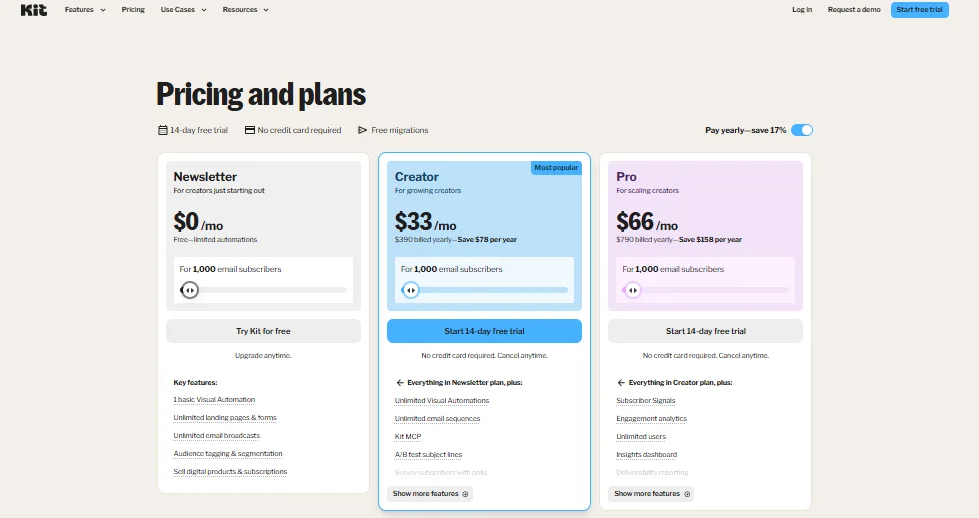
Kit currently offers three main plans: Newsletter, Creator, and Creator Pro. The important differences aren’t simply about how many features you get. They also involve automation, analytics, subscriber limits, and the level of control you need as your creator business becomes more sophisticated.
Kit Newsletter Plan: Free Up to 10,000 Subscribers
The Newsletter Plan is Kit’s free offering, and this is arguably one of the platform’s most attractive features for new creators.
The plan supports up to 10,000 active, unique subscribers without a monthly subscription fee.
That’s a substantial allowance.
For someone launching a newsletter, building an audience around a blog, or experimenting with a creator business, being able to grow a list without immediately adding another monthly software bill can make a meaningful difference.
The free plan includes features such as:
- Unlimited forms
- Unlimited landing pages
- Unlimited email sends
- Digital products
- Subscriptions
- Creator Profile
- Recommendations
- Basic automation functionality
But there is an important limitation.
Automation.
The free Newsletter Plan includes one basic Visual Automation and one Email Sequence. Creators who need multiple workflows, more advanced conditions, and additional automation capabilities will need to move to a paid plan.
The free plan also includes a Kit-managed Recommendation slot. According to Kit, paid recommendation earnings generated through that particular slot go to Kit. Creators who want greater control over Recommendations need a paid plan.
So, yes, the free plan is generous.
It isn’t unlimited.
Kit Creator Plan
The Creator Plan starts at $39 per month for up to 1,000 subscribers, with pricing increasing as your subscriber count grows.
Annual billing can reduce the effective cost, with Kit offering two months free when you pay annually.
This is the plan aimed at creators who have moved beyond the basic requirements of the free tier.
It includes core features such as:
- Unlimited forms and landing pages
- Unlimited broadcasts and Email Sequences
- Visual Automations
- Automation Rules
- Subscriber tagging and segmentation
- Digital products and subscriptions
- Third-party integrations and API access
- Custom domains
- Email templates
- Creator Network recommendations
- Subject-line A/B testing
The difference isn’t merely that you get “more features.”
You get more room to build.
A creator with several lead magnets, multiple products, different audience segments, and several automated campaigns is much more likely to benefit from Creator than someone running a single weekly newsletter.
Kit Creator Pro
At the top of the current lineup is Creator Pro.
Pricing starts at $79 per month for up to 1,000 subscribers, again increasing as the subscriber count grows. Annual billing provides the equivalent of two months free.
Creator Pro includes the functionality of Creator and adds more advanced tools designed primarily for established creators, larger audiences, and teams.
Additional capabilities include:
- Advanced deliverability reporting
- Subscriber engagement scoring
- Email content A/B testing
- Up to five subject-line variants
- Unlimited team members
- Facebook Custom Audiences synchronization
- Newsletter referral tools
- Advanced Insights and acquisition analytics
- The ability to edit links in sent broadcasts
These aren’t necessarily features every creator needs.
That’s the point.
Creator Pro is less about making basic email marketing possible and more about giving established publishers and teams deeper control over optimization, analytics, referrals, and audience growth.
Which Kit Plan Should You Choose?
The simplest way to think about the plans is by business stage.
Choose Newsletter if…
You’re starting out.
You want to build an audience without committing to a monthly software expense.
You need forms, landing pages, newsletters, and basic monetization tools, but don’t yet require sophisticated automation.
For many new creators, this is enough.
Choose Creator if…
Your audience and business are becoming more complex.
You need multiple automations, more advanced workflows, greater control over audience segmentation, integrations, and broader creator-business functionality.
This is likely to be the sweet spot for many growing creators.
Choose Creator Pro if…
You already have a significant audience or a team and need deeper analytics, engagement scoring, advanced testing, referral functionality, or expanded team access.
At this stage, you’re no longer simply trying to “send emails.”
You’re optimizing a marketing operation.
Is ConvertKit Expensive?
That’s difficult to answer with a simple yes or no.
For beginners, Kit can actually be quite affordable because the free Newsletter Plan supports up to 10,000 active, unique subscribers.
That’s unusually important.
A creator can spend months—or potentially much longer—building an audience before needing to pay a monthly subscription.
The equation changes once you need advanced features.
The paid plans scale with subscriber count, meaning your software expense can increase alongside your audience.
That isn’t inherently unreasonable. After all, a larger audience can also mean more revenue.
But it should be part of your planning.
A platform that costs $39 when you have 1,000 subscribers may cost considerably more once your list becomes substantially larger.
In other words:
Don’t evaluate Kit’s price only at your current subscriber count.
Think about where your audience is going.
The 14-Day Trial
Kit also offers a 14-day free trial of its paid plans, and you don’t need to provide a credit card to start the trial.
That makes it easier to test the features before committing to a subscription.
A smart approach is to use the trial for actual work rather than simply clicking through the dashboard.
Build an automation.
Create a landing page.
Import or organize a test audience.
Explore the analytics.
Try the integrations you expect to use.
The question isn’t whether the interface looks good.
It’s whether the workflow makes sense for your business.
Pricing Verdict
For this ConvertKit Review, Kit’s pricing structure is one of its more interesting strengths—and one of the areas you should examine most carefully.
The free Newsletter Plan is unusually generous for creators who are still building an audience.
The Creator Plan adds the automation and audience-management capabilities that growing businesses are likely to need.
Creator Pro goes further, targeting creators who need deeper analytics, testing, referrals, and team functionality.
The potential downside is equally straightforward: paid-plan costs rise as your subscriber base grows.
So the real question isn’t simply:
“Is Kit cheap?”
It’s:
“Will the features I need justify the price at the size I expect my audience to become?”
For a new creator, the answer may be an easy yes.
For an established business with a large list, the calculation deserves considerably more attention.
ConvertKit Customer Support
Even the easiest email marketing platform eventually presents a problem.
An automation doesn’t trigger.
A form behaves unexpectedly.
A subscriber isn’t receiving an email.
A domain refuses to authenticate.
Or you’re staring at a setting that makes perfect sense to the software developer who created it—but absolutely none to you.
That’s why customer support deserves attention in a ConvertKit Review.
Kit, formerly known as ConvertKit, takes a multi-layered approach to support. Instead of relying on a single contact channel, it combines 24/7 Product Specialist support, in-app messaging, email assistance, and a large self-service Knowledge Base.
For creators, that’s a useful combination.
24/7 In-App Support
Kit provides an in-app support messenger powered by Intercom.
The important part is convenience.
You don’t have to leave your Kit dashboard, search for a support address, and explain which account you’re using before asking a question. The Help option is available directly within the platform.
According to Kit, its Product Specialists are available 24/7.
That can be especially useful for creators who don’t work conventional office hours.
Maybe you write your newsletter late at night.
Maybe you launch products on weekends.
Maybe you’re working with an international audience and your schedule doesn’t line up neatly with a traditional support team’s business hours.
Having support available around the clock removes one potential source of friction.
Email Support
For complicated problems, email can still be the better option.
Kit provides support through help@kit.com, particularly when you need to explain a detailed issue or provide several screenshots, error messages, or pieces of account information.
Kit says it typically responds within 24 hours.
That response time is reasonable for most non-emergency email marketing issues.
And there is a practical advantage to using email for complicated problems: you have more room to explain exactly what’s happening.
Instead of trying to describe a multi-step automation through a short chat message, you can provide the full context.
A useful support request should generally include:
- The email address associated with your account
- A clear description of the problem
- The steps that led to the issue
- Relevant screenshots
- Any error messages you’re seeing
- What you expected to happen
The more precise the explanation, the less time support has to spend figuring out what you’re actually asking.
Knowledge Base
Not everyone wants to contact support.
Sometimes, you’d rather find the answer yourself.
Kit’s Knowledge Base is designed for exactly that.
The resource library contains hundreds of articles covering subjects such as:
- Getting started
- Email creation
- Forms
- Landing pages
- Visual Automations
- Deliverability
- Newsletters
- Subscriber management
- Monetization
- Troubleshooting
This is particularly useful for beginners because the documentation isn’t limited to definitions.
Many articles provide step-by-step instructions.
That distinction matters.
Knowing that a feature exists is one thing.
Knowing exactly where to click, what setting to change, and what result to expect is much more useful.
Support for Beginners
Kit also provides resources specifically designed to help new users get moving.
You can find guides covering tasks such as creating your first newsletter, setting up forms, building landing pages, and creating your first Visual Automation.
For someone who has never built an automated email campaign before, this kind of guidance can significantly reduce the initial learning curve.
And there’s a broader benefit.
Good documentation doesn’t merely solve today’s problem.
It teaches you how the platform works.
Once you understand the underlying system, you’re less likely to need support every time you encounter a new feature.
Support for Teams
Kit isn’t limited to solo creators.
Paid plans can also accommodate teams, making the platform more practical when a virtual assistant, editor, marketing specialist, or other collaborator becomes involved.
The Creator plan supports up to two users, while Creator Pro allows unlimited team members.
Different roles can also be assigned to control what team members can access.
That matters because the moment another person joins your marketing workflow, account management becomes more complicated.
You don’t necessarily want everyone to have unrestricted access to everything.
A good permission system lets people do their jobs without turning your entire account into an open door.
Is Kit Support Good for Troubleshooting?
For common problems, the combination of in-app support and documentation is a strong setup.
Suppose your automation isn’t working.
You can search the Knowledge Base first.
If you can’t find the answer—or the issue appears account-specific—you can contact support.
For a domain authentication problem, the same pattern applies.
Search the documentation.
Check the recommended configuration.
If the problem persists, contact a Product Specialist.
This combination gives you both speed and depth.
You can solve simple problems yourself while still having access to human assistance when something becomes more complicated.
How Good Is ConvertKit Customer Support?
Overall, customer support is one of Kit’s stronger areas.
The biggest advantage isn’t any single support channel. It’s the combination.
You have:
24/7 Product Specialists → In-app messaging → Email support → Knowledge Base → Step-by-step educational resources
That creates several paths depending on the problem.
If you need a quick answer, use in-app support.
If the issue is complicated, email may make more sense.
If you enjoy solving problems yourself, search the documentation.
And if you’re still learning email marketing, the educational resources can help you understand the platform rather than simply fix one isolated problem.
There are, of course, limits.
No support team can eliminate the learning curve of a powerful automation platform. Once you start combining Tags, Segments, Sequences, conditions, integrations, and commerce workflows, complexity naturally increases.
Still, Kit does a good job of providing resources to navigate that complexity.
Customer Support Verdict
Kit earns a positive score for customer support.
Its 24/7 Product Specialist availability, in-app messaging, email assistance, and extensive Knowledge Base give creators several ways to get help.
For beginners, the educational documentation is particularly valuable.
For experienced users, the combination of self-service resources and human support means you’re not left alone when a complicated automation or account issue suddenly brings your workflow to a halt.
ConvertKit Pros and Cons
No platform is perfect.
And a useful ConvertKit Review shouldn’t read like a sales page. The important question isn’t whether Kit has a long feature list. It’s whether those features translate into something genuinely useful for the kind of creator or business you’re running.
Kit, formerly known as ConvertKit, has a lot going for it: creator-focused email marketing, visual automation, audience segmentation, built-in monetization, and a generous free plan.
But there are trade-offs.
Some are minor. Others become more noticeable as your audience and marketing operation grow.
ConvertKit Pros
1. Strong Creator-Focused Features
Kit is built around a particular type of customer: the creator.
That focus comes through in the product.
Rather than trying to serve every possible business equally, Kit concentrates on newsletters, audience growth, automation, digital products, paid subscriptions, and creator monetization.
That makes the platform especially relevant to:
- Bloggers
- Newsletter publishers
- Authors
- Podcasters
- YouTubers
- Course creators
- Coaches
- Consultants
- Digital-product sellers
The result is a platform that generally feels aligned with how creator businesses actually operate.
2. Powerful Email Automation
Automation is one of Kit’s biggest strengths.
Its Visual Automations allow creators to build subscriber journeys around events such as signups, purchases, Tags, and other subscriber actions.
A basic workflow might be simple:
Subscriber joins → Welcome email → Educational sequence → Product offer
But you can go much further.
Different actions can send subscribers down different paths. Purchases can change future communication. Tags can trigger workflows. Delays can be introduced between steps.
For creators building funnels without wanting to become full-time automation engineers, that visual approach is valuable.
3. Excellent Audience Organization
Kit’s subscriber-centric structure is another advantage.
Instead of creating separate lists for every campaign, creators can maintain a central subscriber database and use Tags and Segments to organize the audience.
That can make audience management considerably cleaner.
A subscriber can be a newsletter reader, a webinar attendee, a course buyer, and a potential customer—all at the same time.
You don’t need to treat those identities as completely separate contacts.
4. Useful Monetization Tools
Kit doesn’t stop when someone joins your email list.
You can also use the platform to sell digital products, subscriptions, paid newsletters, and other creator-focused offers.
That creates a direct path from:
Audience → Relationship → Offer → Revenue
For creators who want email to become more than a communication channel, this is a major advantage.
5. Generous Free Plan
The free Newsletter Plan is arguably one of Kit’s most appealing features for beginners.
It supports up to 10,000 active, unique subscribers and includes unlimited forms, landing pages, email sends, digital products, and subscriptions.
The catch is that advanced automation functionality is limited compared with the paid plans.
Still, being able to build a substantial audience before taking on a recurring software expense is a meaningful benefit.
6. Growing Integration Ecosystem
Kit’s integration ecosystem has also become more capable.
Through the Kit App Store, creators can connect their email audience with ecommerce platforms, course and membership systems, event platforms, AI tools, and other services.
That means Kit doesn’t necessarily have to operate as an isolated marketing tool.
It can become the communication layer connecting different parts of a creator business.
ConvertKit Cons
The strengths are clear.
So are the compromises.
1. Advanced Automation Requires a Paid Plan
The free Newsletter Plan includes only one basic Visual Automation with one Email Sequence.
That’s enough for a simple welcome campaign.
It may not be enough for a growing business.
Once you’re managing several lead magnets, products, customer journeys, and audience segments, you’ll likely need the additional automation capabilities available on paid plans.
For serious automation users, the free tier is therefore more of an introduction than a complete long-term solution.
2. Pricing Increases as Your Audience Grows
Kit’s paid plans scale according to subscriber count.
That makes sense commercially, but it means your software costs can rise as your audience becomes larger.
At first, the price may feel perfectly reasonable.
Then your list grows.
And grows again.
Eventually, the monthly subscription becomes a more significant business expense.
Creators should therefore look beyond today’s price and consider what Kit will cost at the subscriber level they realistically expect to reach.
3. It May Be More Than a Basic Newsletter Creator Needs
Kit does a lot.
Sometimes, that’s the problem.
If you simply want to write a newsletter once or twice a month, collect subscribers, and occasionally send an announcement, you may never use the majority of Kit’s capabilities.
Automation.
Segmentation.
Commerce.
Subscriptions.
Integrations.
Recommendations.
Analytics.
These features can be extremely valuable when you need them.
If you don’t, they’re simply additional complexity.
4. Advanced Features Take Time to Learn
Kit is relatively approachable at the beginning.
The complexity arrives later.
Once you start combining Tags, Segments, Email Sequences, Visual Automations, conditions, custom fields, and integrations, the number of possible configurations grows quickly.
That isn’t necessarily a flaw.
Powerful tools tend to have more concepts to learn.
But beginners should expect some experimentation before everything starts to feel intuitive.
The distinction between a Tag and a Segment, for example, seems obvious once you understand it—but can be confusing when you’re first building your audience system.
5. The Creator Focus Can Also Be a Limitation
Kit’s creator-first positioning is one of its biggest advantages.
It’s also one of its limitations.
A creator selling ebooks, courses, memberships, or newsletters may find the platform remarkably well aligned with their needs.
A large organization looking for an enterprise CRM, complex sales pipeline, highly specialized ecommerce analytics, or extensive B2B marketing functionality may feel differently.
Kit isn’t trying to be everything.
That’s part of the reason it works well for its target audience.
It’s also why another platform may be better for businesses outside that audience.
ConvertKit Pros and Cons: The Bottom Line
When you strip away the feature list, the picture is fairly straightforward.
Kit’s biggest strengths are its creator-focused design, visual automation, audience organization, monetization tools, and generous free plan.
Its biggest weaknesses are the increasing cost at larger subscriber counts, the limitations of the free automation system, and the learning curve that appears when you start building sophisticated workflows.
So, who gets the most value from it?
A creator who wants email to sit at the center of the business.
Someone who doesn’t just want to send newsletters, but wants to grow an audience, segment it, automate communication, sell products, and develop multiple revenue streams.
For that person, Kit’s broad feature set can feel less like unnecessary complexity and more like a toolkit that grows alongside the business.
For someone who wants nothing more than a basic newsletter sender, however, the equation changes.
In short: Kit is strongest when you actually need its creator-focused ecosystem.
ConvertKit Alternatives
Kit is a strong platform, but strong doesn’t mean universal.
The right email marketing software depends heavily on what you’re trying to accomplish. A newsletter publisher may care most about audience growth and sponsorships. An ecommerce business may prioritize purchase data and abandoned-cart automation. A sales-driven company might need a sophisticated CRM and complex workflows.
So, if you’re reading a ConvertKit Review and wondering whether Kit is actually the best option, it’s worth looking beyond the platform itself.
The interesting part is that its competitors aren’t necessarily trying to beat Kit at everything.
They’re often playing a different game.
Best ConvertKit Alternatives to Consider
beehiiv — Best for Newsletter Growth
beehiiv is particularly worth considering if your newsletter is the center of your business.
Its product is heavily oriented around newsletter publishing, audience growth, referrals, advertising, and paid subscriptions.
That makes it appealing to independent publishers who aren’t necessarily trying to build a complicated marketing funnel.
The distinction is important.
Kit tends to combine newsletter publishing with broader creator-business functionality.
beehiiv puts the newsletter itself much closer to the center of the experience.
Choose beehiiv if: your primary priorities are newsletter growth, publishing, referrals, advertising, and newsletter monetization.
Mailchimp — Best for General Email Marketing
Mailchimp is a broader, more general-purpose email marketing platform.
It can make sense for small businesses that need email marketing as one component of a wider marketing strategy rather than as the foundation of a creator business.
Its broad ecosystem and integrations can be useful when your business already relies on a variety of conventional marketing tools.
The trade-off?
Mailchimp isn’t as specifically tailored to the creator model that Kit targets.
Choose Mailchimp if: you’re running a small business and want a general-purpose marketing platform rather than a creator-first email ecosystem.
ActiveCampaign — Best for Advanced Automation
ActiveCampaign becomes particularly interesting when automation is the priority.
Its platform is designed around sophisticated customer journeys, CRM functionality, lead scoring, and complex marketing workflows.
That can make it a better choice for businesses where email isn’t simply about publishing content but is deeply connected to sales processes.
You can build elaborate workflows around customer behavior, lead status, sales activity, and other conditions.
There’s a price for that flexibility, though.
More power generally means more complexity.
Kit tends to feel more approachable for creators. ActiveCampaign can make more sense when the business itself has become more operationally sophisticated.
Choose ActiveCampaign if: advanced automation, CRM functionality, lead scoring, and complex customer journeys matter more than creator-focused simplicity.
Klaviyo — Best for Ecommerce
If your business revolves around an online store, Klaviyo deserves serious consideration.
Klaviyo is heavily oriented toward ecommerce marketing, customer data, product behavior, segmentation, and email/SMS campaigns.
That’s a different use case from the typical Kit customer.
An ecommerce company may care about things such as:
- Purchase history
- Product browsing
- Abandoned carts
- Customer lifetime value
- Product recommendations
- Ecommerce segmentation
- Email and SMS campaigns
Klaviyo’s strength lies in this retail-oriented environment.
Kit can certainly support creators who sell products, but if your entire business is built around an online store, a dedicated ecommerce marketing platform may be more appropriate.
Choose Klaviyo if: ecommerce sales, customer purchase behavior, product marketing, and retail-focused automation are central to your business.
MailerLite — Best for Simplicity and Budget
MailerLite is another alternative for creators, freelancers, bloggers, and small businesses that want a relatively straightforward email marketing experience.
Its focus is closer to the fundamentals:
Newsletters → Forms → Landing Pages → Automation
If you don’t need an extensive creator-commerce ecosystem, that simplicity can be appealing.
Sometimes fewer moving parts are exactly what you want.
There’s little benefit in paying for advanced functionality that you never use.
Choose MailerLite if: ease of use, straightforward email marketing, forms, landing pages, and budget-conscious software are higher priorities than advanced creator monetization.
Which ConvertKit Alternative Is Right for You?
There isn’t a universal winner.
And that’s actually good news.
The better question is:
What are you trying to optimize?
| If your priority is… | Consider |
|---|---|
| Newsletter growth and monetization | beehiiv |
| General business email marketing | Mailchimp |
| Advanced automation and CRM | ActiveCampaign |
| Ecommerce marketing | Klaviyo |
| Simplicity and budget | MailerLite |
Each platform has a different center of gravity.
beehiiv leans toward newsletter businesses.
Mailchimp leans toward general business marketing.
ActiveCampaign leans toward automation and CRM.
Klaviyo leans toward ecommerce.
MailerLite leans toward simplicity.
Kit sits somewhere different: creator-focused email, audience growth, automation, and monetization.
Should You Switch From ConvertKit?
This is where the comparison becomes more useful.
Don’t switch platforms simply because another service has a longer feature list.
Instead, identify what’s missing from your current setup.
Are you frustrated because you need better newsletter-growth tools?
Look at beehiiv.
Do you need advanced CRM automation?
ActiveCampaign may make more sense.
Is ecommerce the center of your business?
Klaviyo deserves a closer look.
Do you want something simpler?
MailerLite may be worth considering.
But if your main requirements are newsletters, audience segmentation, creator-focused automation, landing pages, and digital-product monetization, Kit remains a compelling option.
The key is to compare your workflow, not marketing slogans.
Look closely at subscriber limits, automation capabilities, integrations, analytics, monetization fees, migration options, and the features you actually use every week.
Because switching platforms isn’t free.
There’s the migration itself.
There’s rebuilding forms.
There’s recreating automations.
There’s moving subscriber data.
There’s testing everything.
And then there’s learning another interface.
So before you leave Kit, make sure the alternative solves a meaningful problem—not merely a theoretical one.
Alternatives Verdict
Kit is not necessarily the best email platform for everyone, but it remains particularly competitive for creators who want email marketing and monetization under one roof.
If your priorities are different, however, there are compelling alternatives.
The best choice is ultimately the platform that fits the business you’re actually building—not the one with the longest feature list.
Who Should Use ConvertKit?
One of the most important questions in any ConvertKit Review isn’t simply “What does it do?”
It’s:
“Who is it actually for?”
Because Kit, the platform formerly known as ConvertKit, has a very particular personality. It isn’t trying to be everything to everyone. Its strongest features revolve around creators who want to build an audience, communicate with that audience directly, and eventually turn attention into revenue.
That makes the platform a natural fit for some businesses.
For others, it may be unnecessary—or simply the wrong tool.
Bloggers and Content Creators
Kit can be a natural fit for bloggers and other content creators who want to turn casual visitors into long-term subscribers.
A blog might attract thousands of visitors through search or social media, but those visitors aren’t necessarily yours. Algorithms change. Search rankings fluctuate. Social platforms change their rules.
An email list is different.
With Kit, creators can place signup Forms throughout their websites, offer lead magnets, send newsletters, and build automated welcome sequences.
A typical journey might look something like this:
Blog post → Signup form → Free resource → Welcome sequence → Newsletter → Product
Once the system is built, much of the communication can happen automatically.
For bloggers who want to build an audience they can communicate with directly, that’s a significant advantage.
Newsletter Creators
Newsletter publishers are another obvious audience for Kit.
If your newsletter isn’t just a side project but an important part of your business, Kit gives you tools for publishing, audience growth, segmentation, automation, and monetization.
You can build a free newsletter, organize subscribers according to their interests, recommend other newsletters, and potentially monetize the audience through products, subscriptions, or paid content.
The important distinction is that Kit doesn’t treat the newsletter as merely an email campaign.
It can become the core of the creator business.
For someone building a publication around their expertise, stories, opinions, education, or niche knowledge, that ecosystem can be particularly useful.
Authors and Writers
Authors can use Kit before, during, and long after publishing a book.
For example, an author could offer a free chapter or downloadable resource in exchange for an email address.
A new subscriber enters a welcome sequence.
Later, that reader might receive:
- Additional writing or exclusive content
- Updates about upcoming books
- Launch announcements
- Behind-the-scenes material
- Special offers
- Related products
The important part is continuity.
Instead of relying on someone to discover your next book by chance, you have a direct communication channel with readers who have already expressed interest in your work.
For independent authors in particular, that relationship can be valuable.
Course Creators and Educators
Kit can also work well for people selling educational products.
Think online courses, workshops, tutorials, coaching programs, or downloadable learning resources.
A creator might use a free guide as a lead magnet, nurture new subscribers with educational emails, and eventually introduce a paid course.
The automation system becomes especially useful here.
Someone who purchases a course can receive different emails from someone who hasn’t purchased. A subscriber interested in one topic can enter a different sequence from someone interested in another.
The more sophisticated the business becomes, the more valuable that flexibility can be.
Podcasters and YouTubers
Podcasters and YouTubers have a slightly different challenge.
They often have large audiences—but those audiences exist primarily on platforms they don’t control.
YouTube can change its recommendation system.
Podcast directories can change.
Social platforms can alter reach overnight.
Email provides another channel.
A creator could offer exclusive material, a checklist, bonus content, or another incentive to encourage viewers or listeners to join an email list.
Once someone subscribes, Kit can automatically deliver the promised resource and begin a welcome campaign.
The goal isn’t necessarily to replace YouTube or podcasting.
It’s to turn rented attention into an owned audience relationship.
Creators Selling Digital Products
This is where Kit becomes particularly interesting.
If you’re selling ebooks, templates, presets, downloadable resources, paid newsletters, subscriptions, or other digital products, Kit can bring several parts of the process together.
You can attract subscribers.
Nurture them.
Segment them.
Promote an offer.
Process the purchase.
Then change the customer’s future email journey based on what they bought.
That last part matters.
Someone who has already purchased shouldn’t necessarily keep receiving the same promotional emails intended for prospects.
With the right automation, the communication can evolve alongside the customer.
Small Creator Businesses
Kit can also make sense for small businesses built around an individual’s expertise or personal brand.
Coaches.
Consultants.
Freelancers.
Designers.
Photographers.
Independent educators.
In these businesses, the creator often is the brand.
That makes a creator-focused platform particularly appealing.
You can collect leads, publish useful content, nurture prospects, promote services, and sell products without needing a large marketing department or an enormous technology stack.
For a one-person business, simplicity matters.
So does having fewer systems to manage.
Who Should Probably Avoid ConvertKit?
This is just as important as knowing who should use it.
Kit may not be the best choice if you need a highly specialized enterprise CRM, complex B2B sales infrastructure, or sophisticated ecommerce marketing at the center of your operation.
Likewise, if you’re running a large online store and your primary requirements involve advanced product analytics, retail-focused segmentation, SMS marketing, and highly sophisticated ecommerce automation, a dedicated ecommerce platform may be a better fit.
And there’s another group to consider:
People who barely need email marketing at all.
If you only want to send an occasional newsletter and have no interest in automation, segmentation, landing pages, products, or audience monetization, Kit’s broader feature set may simply be more than you need.
Why pay for complexity you won’t use?
Is ConvertKit Right for You?
Based on the features covered throughout this ConvertKit Review, Kit is best suited to people who want to do more than send emails.
It makes the most sense when you’re trying to build an audience and turn that audience into a business.
It’s particularly well suited to:
- Bloggers and content creators
- Newsletter publishers
- Authors and writers
- Course creators and educators
- Podcasters and YouTubers
- Coaches and consultants
- Digital-product sellers
- Personal brands and small creator businesses
The common thread is simple.
These people aren’t just looking for an email delivery service.
They’re building relationships with an audience.
And eventually, they want those relationships to support a business.
That is where Kit makes the most sense.
If audience growth, email marketing, automation, and creator monetization are central to what you’re building, ConvertKit is worth serious consideration. If you only need basic newsletters—or require highly specialized enterprise or ecommerce functionality—another platform may fit better.
Is ConvertKit Worth It?
After looking at the features, automation tools, forms, segmentation, monetization options, integrations, pricing, and support, we arrive at the question that matters most in this ConvertKit Review:
Is ConvertKit actually worth paying for?
The short answer is yes—for the right kind of creator.
Kit, the platform formerly known as ConvertKit, makes the strongest case for itself when email isn’t merely a marketing channel but a central part of the business.
You can attract subscribers.
You can nurture them.
You can automate communication.
And, eventually, you can monetize the relationship.
That’s the real proposition.
When ConvertKit Is Worth It
Kit is worth considering if building an email audience is an important part of your long-term strategy.
A blogger might use it to turn website traffic into subscribers.
An author might use it to build a reader community around a book.
A newsletter publisher might use it to grow and monetize a publication.
A course creator might use it to nurture leads before selling an educational product.
A digital creator might use it to sell products directly to an existing audience.
The common thread is ownership.
Rather than depending entirely on search engines, social networks, or video platforms to reach people, you can develop a direct line of communication with your audience.
The automation system strengthens that proposition.
You can build welcome sequences, segment subscribers, respond to actions, promote products, and create different journeys for different groups of people.
For a growing creator business, that can save a tremendous amount of repetitive work.
When ConvertKit May Not Be Worth It
But Kit isn’t automatically the right choice.
If you’re sending one simple newsletter every few weeks, you may not need sophisticated automations, detailed segmentation, commerce tools, or an extensive integration ecosystem.
In that situation, a simpler email platform could provide everything you need with less complexity.
Kit may also be a weaker fit for businesses that require highly advanced CRM functionality, enterprise sales processes, or deeply specialized ecommerce marketing.
There’s another consideration: cost at scale.
The free plan is generous, but advanced features require paid plans, and paid-plan pricing increases as your subscriber count grows.
That means the platform can become more expensive precisely when your business starts becoming more successful.
It’s something worth planning for rather than discovering later.
Is the Free Plan Enough?
For a creator just getting started, the free Newsletter Plan can be surprisingly capable.
It supports up to 10,000 active, unique subscribers and includes unlimited forms, landing pages, email sends, digital products, and subscriptions.
That’s a substantial amount of functionality without a monthly subscription.
The limitation is automation.
The free plan includes one basic Visual Automation with one Email Sequence, while paid plans unlock more advanced automation capabilities.
For a new creator, however, that may be perfectly adequate.
You might only need one straightforward workflow:
Signup → Welcome email → Free resource → Follow-up
If that’s all you’re doing, there’s little reason to rush into a paid plan.
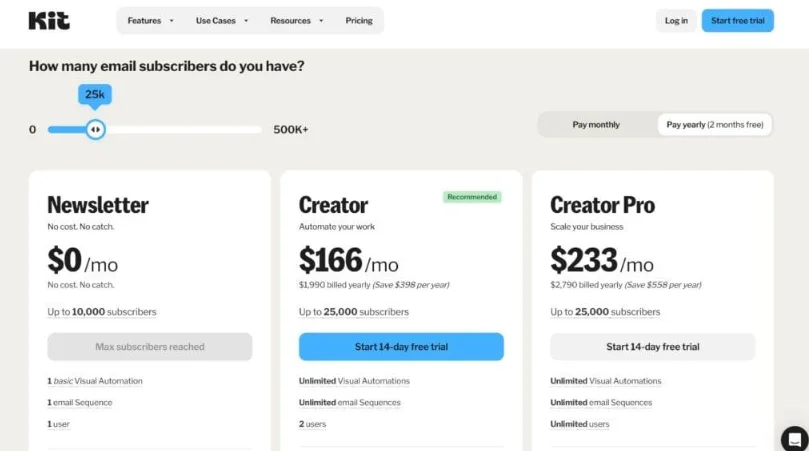
As your audience grows and your campaigns become more sophisticated, the calculation changes.
That’s when the paid plans start making more sense.
What Makes ConvertKit Stand Out?
Kit’s strongest argument isn’t that it has every possible marketing feature.
It doesn’t.
Its advantage is how several creator-focused functions fit together.
Email marketing.
Audience management.
Automation.
Landing pages.
Digital products.
Subscriptions.
Recommendations.
Integrations.
These pieces can operate as parts of one ecosystem instead of forcing you to stitch together numerous unrelated services.
That matters.
Every additional platform introduces another login, another integration, another billing relationship, another potential point of failure.
For a solo creator or small team, reducing that operational overhead can be worth more than having the absolute most advanced version of every individual feature.
Final Verdict
So, is ConvertKit worth it?
For creators, newsletter publishers, bloggers, authors, educators, coaches, and digital-product sellers, Kit is generally worth considering.
Its combination of email marketing, automation, audience growth, segmentation, and monetization gives it a clear identity.
It’s not simply an email sender.
It’s designed to help creators move through the entire journey:
Build an audience → Nurture the audience → Sell to the audience → Grow the business
That is where Kit is at its best.
The free plan also lowers the barrier for beginners, while paid plans provide additional automation, analytics, and collaboration features as the business becomes more demanding.
But there is no universally perfect email platform.
If your business is heavily ecommerce-focused, requires an enterprise CRM, or only needs a bare-bones newsletter tool, another service may make more sense.
Bottom line: ConvertKit is worth it when its creator-focused ecosystem matches the way you want to build your business. Before upgrading, look at your current subscriber count, the features you genuinely need, and—most importantly—the plan you’ll likely need as your audience grows.
To explore more about email marketing tools and find expert comparisons, reviews, and helpful guides, visit AmiinMarketer.com.