
Introduction
MailerLite Review explores one of the most popular email marketing platforms designed for businesses, creators, and marketers who want a simple way to create campaigns, automate communication, and grow their audience.
With its clean interface, affordable pricing, and practical marketing features, MailerLite has become a strong alternative to more complicated email marketing tools. The platform provides everything users need to manage newsletters, build landing pages, create automated workflows, and track campaign performance without requiring advanced technical skills.
In this MailerLite Review, we will take a closer look at its features, pricing, ease of use, automation capabilities, design tools, integrations, deliverability, analytics, pros and cons, and overall value. By the end, you will have a clear understanding of whether MailerLite is the right email marketing solution for your business or online project.
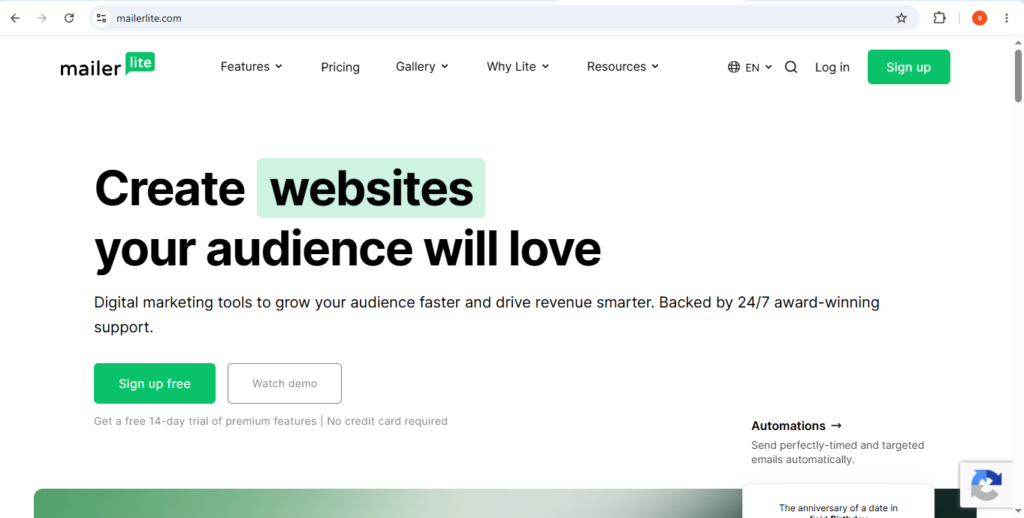
Table of Contents
Ease of Use & User Experience
One of the biggest reasons people choose MailerLite is its simplicity. In this MailerLite Review, it’s easy to see that the platform is designed for users who want to launch email campaigns without spending hours learning complicated software.
The dashboard is clean, organized, and easy to navigate from the moment you log in. Everything—from email campaigns and subscriber lists to automation, landing pages, and analytics—is placed where you’d expect it to be. Instead of overwhelming users with dozens of menus, MailerLite keeps the experience straightforward.
Getting started is equally simple. Creating an account, importing contacts, selecting a template, and sending your first campaign can all be done within a short time. Helpful prompts guide you through each step, making the platform accessible even if you’ve never used email marketing software before.
Email Editor & Campaign Creation
MailerLite includes a drag-and-drop editor that makes building emails quick and enjoyable. You simply drag content blocks such as text, images, buttons, videos, or social icons into place and customize them to match your brand.
The platform also offers professionally designed templates that help you create newsletters, announcements, or promotional emails without starting from scratch. Even users with little or no design experience can produce polished campaigns in minutes.
Automation Experience
Automation is another area where MailerLite keeps things user-friendly. Its visual workflow builder lets you create automated email sequences using simple triggers, actions, and conditions.
Whether you want to welcome new subscribers, follow up after a link click, or nurture leads over time, setting up automation feels intuitive rather than overwhelming.
Overall User Experience
Overall, MailerLite delivers an excellent user experience. While it doesn’t include every advanced feature found in enterprise-level platforms, its ease of use is one of its greatest strengths.
For beginners, bloggers, creators, and small businesses, MailerLite strikes a great balance between powerful functionality and everyday simplicity.
MailerLite Features & Capabilities
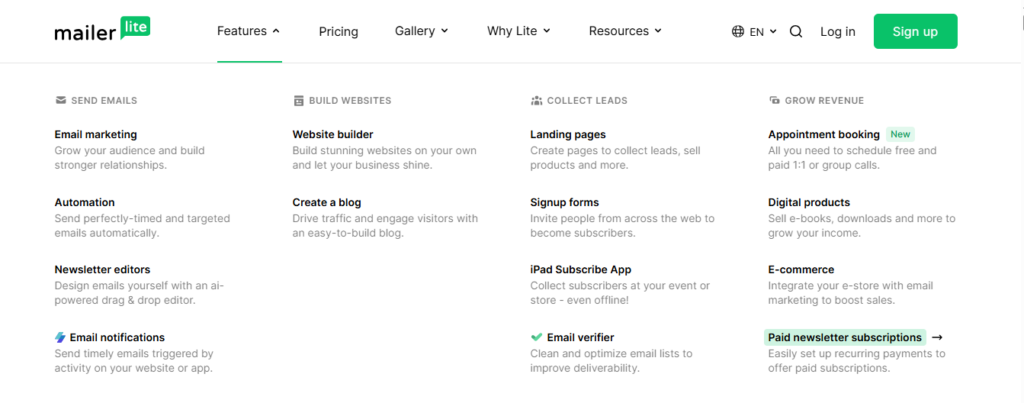
Although MailerLite is known for its clean interface, it doesn’t compromise on features. This MailerLite Review found that the platform includes everything most businesses need to create, automate, and optimize successful email marketing campaigns.
From newsletters and landing pages to subscriber management and automation, MailerLite brings essential marketing tools together in one place.
Email Campaigns
At the heart of MailerLite is its email campaign builder. Users can create newsletters, product launches, promotional offers, or company updates using an intuitive drag-and-drop editor.
With support for images, buttons, videos, personalized content, and custom layouts, designing professional emails requires no coding knowledge.
Landing Pages & Website Builder
MailerLite also includes built-in tools for creating landing pages and simple websites. These are ideal for collecting leads, promoting products, hosting events, or growing an email list.
A collection of customizable templates makes it easy to publish attractive pages without hiring a designer or developer.
Signup Forms & Pop-ups
Building an audience becomes easier with MailerLite’s embedded forms, pop-ups, and signup pages. These tools help capture visitor information and automatically add subscribers to your chosen lists or automation workflows.
Subscriber Management
Managing contacts is straightforward thanks to groups, segments, and tagging options. Users can organize subscribers based on their interests, engagement, or behavior, making it easier to send relevant emails to different audiences.
Email Automation
Automation is one of MailerLite’s strongest features. You can trigger emails when someone joins your list, clicks a link, makes a purchase, or completes another action.
Popular automation workflows include:
- Welcome email sequences
- Lead nurturing campaigns
- Customer follow-ups
- Product recommendations
- Abandoned cart reminders
These workflows save time while keeping communication consistent.
A/B Testing
MailerLite also supports A/B testing, allowing you to compare subject lines, content, or email layouts. By measuring performance, you can identify what resonates with your audience and improve future campaigns.
Ecommerce Features
For online stores, MailerLite includes useful ecommerce tools that support product promotions and customer engagement. Store owners can connect their shops, recommend products, and automate emails based on customer activity.
Overall Features Assessment
Overall, MailerLite offers an impressive feature set for its price. While large enterprises may need more advanced capabilities, most small businesses, bloggers, and creators will find everything they need to run effective email marketing campaigns.
Email Automation & Workflow Builder
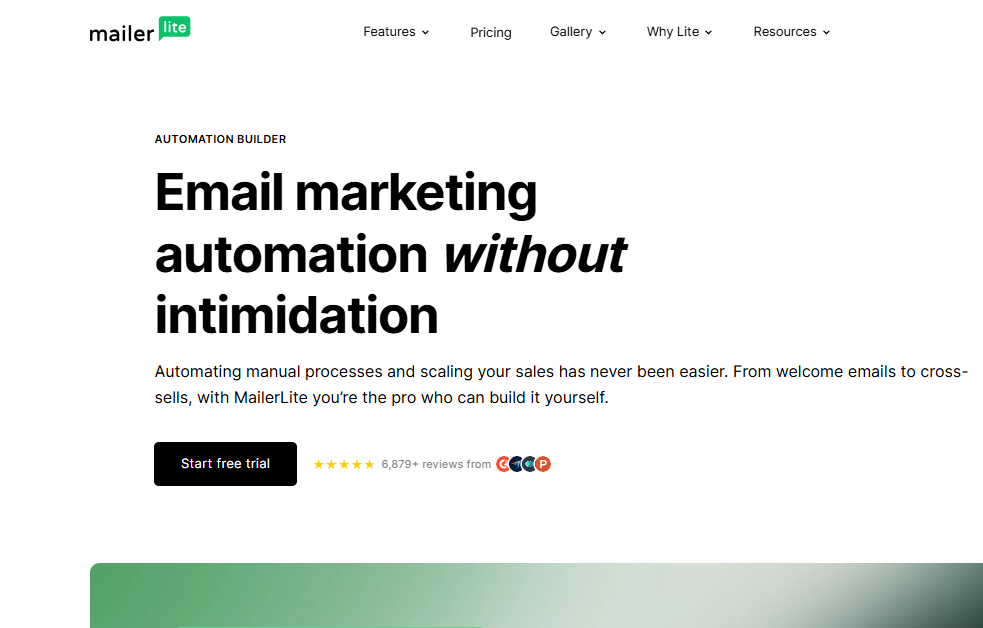
One of the standout features highlighted in this MailerLite Review is its automation system. Instead of sending every email manually, you can build automated workflows that keep your audience engaged while saving valuable time. Whether you’re welcoming new subscribers, following up with potential customers, or nurturing leads, MailerLite makes the entire process simple.
Unlike some email marketing platforms that require a steep learning curve, MailerLite focuses on ease of use. Its automation builder is designed for beginners but still offers enough flexibility for experienced marketers to create effective email sequences.
Visual Workflow Builder
MailerLite uses a visual drag-and-drop workflow builder, allowing you to map out your automation step by step. Each workflow is built using three simple elements:
- Triggers – Events that start an automation, such as when someone subscribes to your email list.
- Actions – Tasks MailerLite performs automatically, like sending an email or updating subscriber information.
- Conditions – Rules that decide what happens next based on subscriber behavior.
Because everything is displayed visually, it’s easy to understand how your automation works, even if you’ve never created one before.
Welcome Email Sequences
A welcome email is often the first interaction a subscriber has with your brand, and MailerLite makes creating these sequences effortless.
For example, you can build a workflow that automatically:
- Sends a welcome message immediately after someone signs up.
- Shares useful resources or your most popular content a few days later.
- Introduces your products or services in a follow-up email.
This helps build trust from the very beginning while keeping new subscribers engaged without any manual effort.
Customer Journey Automation
Beyond welcome emails, MailerLite lets you automate different stages of the customer journey. Workflows can react to subscriber actions, making every interaction feel more personal.
You can automatically:
- Follow up after someone clicks a specific link.
- Send educational emails over several days.
- Re-engage inactive subscribers.
- Promote special offers to interested customers.
- Deliver product recommendations based on user activity.
These automated journeys create a better experience for subscribers while reducing repetitive marketing tasks.
Segmentation and Personalization
MailerLite becomes even more powerful when automation is combined with audience segmentation. Instead of sending the same message to everyone, you can create separate workflows for different subscriber groups.
For example, first-time customers can receive onboarding emails, while loyal customers get exclusive promotions or product updates. This level of personalization helps improve engagement because subscribers receive content that’s relevant to their interests.
Ease of Building Automations
One of MailerLite’s biggest strengths is how approachable its automation builder feels. Basic workflows can be created in just a few minutes, while more advanced users can add multiple conditions, delays, and actions to build more detailed customer journeys.
Although it doesn’t offer the extremely advanced automation found in enterprise-level platforms, it provides more than enough flexibility for most small businesses, creators, and growing brands.
Overall Automation Performance
Overall, MailerLite delivers an automation system that strikes an excellent balance between simplicity and functionality. It’s powerful enough to automate everyday marketing tasks but remains easy for beginners to understand.
For businesses looking to save time, improve customer engagement, and build consistent email campaigns, MailerLite offers an automation experience that is both practical and reliable.
Templates & Email Design Tools
Professional-looking emails don’t have to be difficult to create. As highlighted throughout this MailerLite Review, the platform combines attractive templates with an easy-to-use editor, making email design simple for users of all experience levels.
Email Template Library
MailerLite offers a selection of ready-made templates for common marketing campaigns, including newsletters, promotional emails, product announcements, welcome messages, event invitations, and ecommerce campaigns.
Simply choose a template, customize it with your branding, and you’re ready to send.
Drag-and-Drop Editor
The drag-and-drop editor is one of MailerLite’s standout features. Instead of writing code, users can build emails visually by arranging content blocks.
Available elements include:
- Text
- Images
- Buttons
- Videos
- Social media links
- Columns
- Dividers
- Product blocks
This flexible editor allows beginners to design attractive emails while giving experienced marketers plenty of creative freedom.
Customization Options
MailerLite makes it easy to personalize every campaign. Users can adjust fonts, colors, spacing, layouts, and branding elements to create a consistent look across all emails.
Personalization tags also allow emails to include subscriber names and other custom information, making messages feel more relevant.
Mobile-Friendly Design
Since many subscribers open emails on their phones, MailerLite ensures every template is responsive. Emails automatically adapt to different screen sizes, and preview tools let you check how campaigns will appear before sending.
Landing Pages & Forms
The design experience extends beyond emails. Users can create matching landing pages, signup forms, and pop-ups, helping maintain consistent branding across the entire customer journey.
Overall Design Experience
MailerLite keeps email design simple without sacrificing quality. While it may not provide the advanced customization of dedicated design platforms, it offers more than enough flexibility for most businesses.
Its templates, responsive designs, and intuitive editor make creating professional emails fast and enjoyable.
MailerLite Pricing & Value for Money
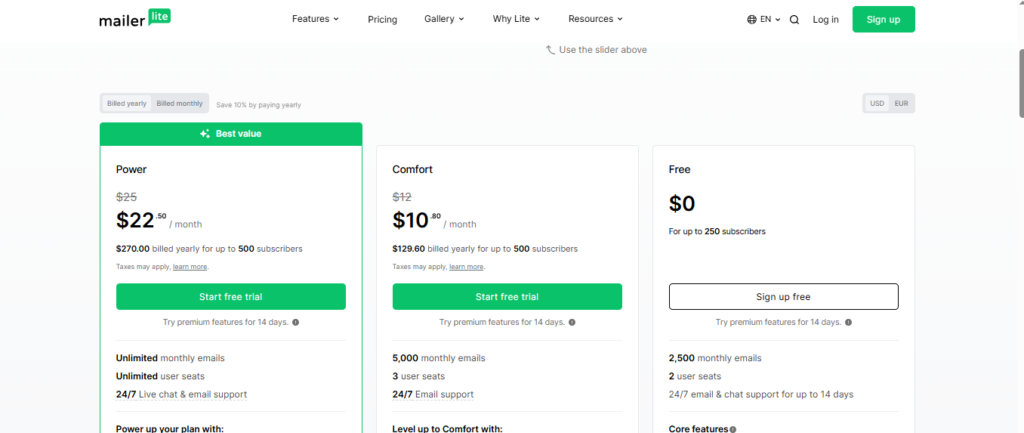
Pricing is one of MailerLite’s biggest strengths. In this MailerLite Review, the platform stands out for offering generous features at a competitive price, making it an attractive choice for startups, creators, and growing businesses.
Free Plan
MailerLite’s free plan gives new users an excellent opportunity to explore the platform before upgrading.
Key features include:
- Email campaigns
- Drag-and-drop editor
- Basic automation
- Signup forms
- Landing pages
- Subscriber management
- Reporting tools
For personal projects and small businesses, the free plan provides enough functionality to build and grow an audience.
Paid Plans
As your subscriber list expands, upgrading unlocks additional features and higher usage limits.
Paid plans generally include:
- Advanced automation
- Unlimited email sending
- Detailed analytics
- Multiple user accounts
- More customization options
- Priority support
Since pricing scales with your subscriber count, businesses can upgrade as they grow.
Pricing Compared to Competitors
Compared with many competitors, MailerLite remains one of the most affordable email marketing platforms. While services like Mailchimp or ActiveCampaign offer more enterprise-level tools, they also come with higher costs.
MailerLite focuses on delivering the features most businesses actually use—without unnecessary complexity.
Value for Small Businesses
For bloggers, freelancers, creators, and small ecommerce stores, MailerLite offers excellent value. It combines email marketing, automation, landing pages, and subscriber management into one affordable platform.
Limitations
Businesses with highly advanced CRM requirements or complex sales automation may eventually outgrow MailerLite. Larger organizations often require specialized enterprise solutions.
Overall Pricing Verdict
Overall, MailerLite offers one of the best price-to-feature ratios available today. Its affordable plans, generous free tier, and transparent pricing make it a smart investment for businesses looking to grow through email marketing.
Integrations & Compatibility
No email marketing platform works in isolation, and MailerLite understands that. This MailerLite Review found that the platform integrates smoothly with many of the tools businesses already rely on, making it easy to build efficient marketing workflows.
Website & CMS Integrations
MailerLite connects with popular website platforms, allowing businesses to add signup forms and email marketing features without difficulty.
Supported platforms include:
- WordPress
- Shopify
- WooCommerce
- Webflow
- Squarespace
These integrations simplify list building and help turn website visitors into subscribers.
Ecommerce Integrations
For ecommerce businesses, MailerLite supports integrations that make customer communication more effective.
Common use cases include:
- Product launches
- Purchase follow-ups
- Abandoned cart emails
- Customer segmentation
- Automated product recommendations
These features help online stores build stronger customer relationships with minimal effort.
Third-Party Apps
MailerLite also works with automation platforms like Zapier, allowing users to connect hundreds of third-party applications. This reduces manual work by automatically syncing leads, customer data, and marketing activities.
Forms & Lead Generation
Embedded forms, pop-ups, and landing pages connect directly with your email lists, making it easier to capture leads from websites and blogs.
API Access
Developers can use MailerLite’s API to create custom integrations and automate workflows tailored to specific business needs.
Integration Limitations
Although MailerLite supports many popular services, its integration library isn’t as extensive as some larger enterprise platforms. Businesses with highly specialized software may need custom solutions or third-party connectors.
Overall Integration Experience
Overall, MailerLite provides reliable integrations that meet the needs of most small and medium-sized businesses. Its compatibility with websites, ecommerce platforms, and automation tools makes it easy to include email marketing as part of a broader digital strategy without adding unnecessary complexity.
Email Deliverability & Performance
No matter how well-designed your email is, it only delivers results if it reaches your subscribers’ inboxes. That’s why email deliverability is one of the most important factors to consider in any MailerLite Review. MailerLite is built with reliable sending infrastructure and follows industry best practices to help improve inbox placement and maintain a strong sender reputation.
While no email marketing platform can promise a 100% delivery rate, MailerLite provides the tools needed to give your campaigns the best possible chance of reaching your audience.
Reliable Email Delivery
MailerLite is designed to handle everything from small newsletters to larger marketing campaigns with consistent performance. Whether you’re sending one-time broadcasts or automated email sequences, the platform focuses on delivering emails quickly and reliably.
It also encourages users to follow recommended sending practices, helping businesses build trust with email providers over time.
Email Authentication & Security
To improve deliverability, MailerLite supports essential email authentication protocols that verify your emails and protect your domain from misuse.
These include:
- SPF (Sender Policy Framework)
- DKIM (DomainKeys Identified Mail)
- DMARC support
Setting up these authentication methods helps improve your sender reputation and reduces the likelihood of emails being flagged as spam.
List Management & Spam Prevention
A healthy email list plays a major role in campaign success. MailerLite makes it easy to organize subscribers, remove inactive contacts, and create audience segments based on behavior or interests.
Good list management can lead to:
- Higher open rates
- Better click-through rates
- Improved sender reputation
- More effective email campaigns
By sending relevant content to engaged subscribers, businesses can achieve stronger long-term results.
Performance Tracking
MailerLite also provides detailed reporting tools that allow you to monitor how each campaign performs. After sending an email, you can review key metrics such as:
- Open rates
- Click rates
- Unsubscribe rates
- Link performance
- Subscriber engagement
These insights make it easier to understand what works, identify areas for improvement, and optimize future campaigns.
Best Practices for Better Deliverability
Even with a reliable platform, email deliverability depends on how campaigns are managed. To achieve the best results, it’s important to:
- Send emails to subscribers who have given permission.
- Keep your email list clean and up to date.
- Avoid spammy subject lines and misleading content.
- Use authenticated domains.
- Deliver valuable and relevant content consistently.
Following these practices helps maintain a positive sender reputation and increases the chances of landing in subscribers’ inboxes.
Overall Deliverability Performance
Overall, MailerLite performs well when it comes to email deliverability. It combines secure authentication, solid list management, and useful reporting tools to support successful email campaigns.
For small businesses, bloggers, creators, and marketers, MailerLite provides the essential features needed to maintain strong email performance and build lasting relationships with subscribers.
Analytics & Reporting
Understanding how your email campaigns perform is just as important as creating them. In this MailerLite Review, the platform stands out by offering clear and easy-to-understand analytics that help you measure results and make smarter marketing decisions.
Instead of overwhelming users with complicated reports, MailerLite presents the most important data in a clean dashboard. Whether you’re sending newsletters or automated email sequences, you can quickly see what’s working and where improvements are needed.
Campaign Performance Tracking
After every campaign is sent, MailerLite generates a detailed report that highlights the key performance metrics. This allows you to evaluate the success of each email and identify opportunities for better engagement.
Some of the most valuable metrics include:
- Open rates
- Click-through rates
- Delivered emails
- Bounce rates
- Unsubscribe rates
- Spam complaints
These reports provide a clear picture of how subscribers interact with your emails and help you refine future campaigns.
Subscriber Engagement Insights
MailerLite also gives you deeper insights into subscriber behavior. Rather than simply showing numbers, it helps you understand how your audience engages with your content over time.
For example, you can see:
- Which subscribers regularly open your emails
- Which links receive the most clicks
- Which campaigns generate the highest engagement
- How subscriber activity changes over time
This information makes it easier to create targeted campaigns that resonate with different audience segments.
Automation Performance Reports
If you’re using automated workflows, MailerLite lets you monitor their performance just as easily as regular campaigns.
You can track the success of:
- Welcome email series
- Lead nurturing sequences
- Customer follow-up emails
- Promotional automation campaigns
By reviewing these reports, you can identify weak points in your workflows and make adjustments that improve customer engagement.
A/B Testing
MailerLite includes built-in A/B testing, allowing you to compare different versions of an email before deciding which performs better.
You can test elements such as:
- Subject lines
- Email content
- Layouts and designs
- Sending times
The results help you make data-driven decisions instead of relying on guesswork, leading to better campaign performance over time.
Real-Time Reporting
One of the platform’s strengths is its real-time reporting. As subscribers begin interacting with your emails, MailerLite updates your campaign statistics, giving you immediate insights into performance.
This allows marketers to spot successful campaigns quickly, identify underperforming emails, and adjust future strategies based on actual subscriber behavior.
Analytics Limitations
While MailerLite covers all the essential reporting needs for most businesses, it isn’t built for advanced enterprise analytics. Companies that require detailed attribution models, complex customer journey tracking, or in-depth CRM reporting may find dedicated enterprise platforms more suitable.
However, for small businesses, creators, bloggers, and growing brands, the available analytics are more than enough to measure success and continuously improve email marketing efforts.
Overall Analytics Experience
Overall, MailerLite offers a reporting system that is both practical and user-friendly. Its clean dashboard, valuable performance metrics, and real-time insights make it easy to understand campaign results without dealing with unnecessary complexity.
If you’re looking for an email marketing platform that provides actionable data while keeping reporting simple, MailerLite delivers an excellent balance of usability and functionality.
Customer Support & Resources
Even the easiest email marketing platform can raise questions from time to time. That’s why quality customer support is an important part of any MailerLite Review. Whether you’re setting up your first campaign, building an automation workflow, or troubleshooting an issue, MailerLite offers several ways to get the help you need.
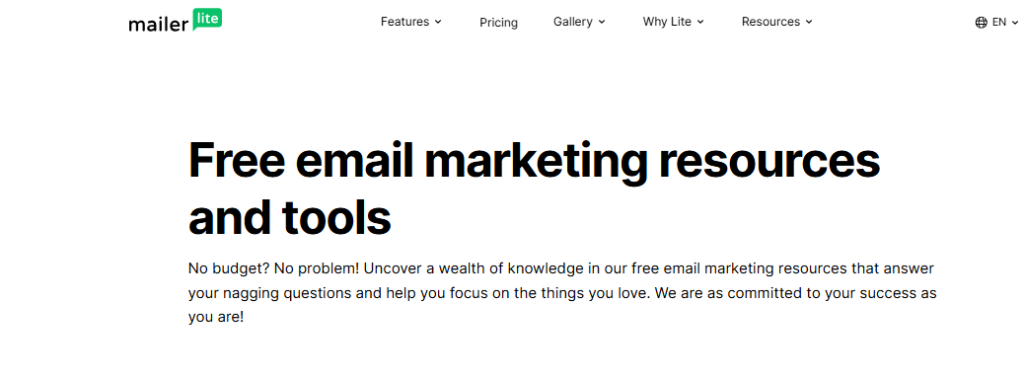
Alongside its support channels, the platform provides a wide range of educational resources that make it easier for users to learn and improve their email marketing skills.

Email & Live Chat Support
MailerLite offers responsive customer support through email, with live chat available on eligible paid plans. The support team can assist with both technical and account-related issues, helping users resolve problems quickly.
Common areas where users seek assistance include:
- Account setup and verification
- Email campaign issues
- Automation workflows
- Billing and subscription questions
- Integrations and technical support
The availability of multiple support options means users can find help without wasting time searching for answers on their own.
Knowledge Base & Help Center
For users who prefer solving problems independently, MailerLite has a well-organized knowledge base filled with detailed articles and step-by-step tutorials.
The Help Center covers a variety of topics, including:
- Creating email campaigns
- Building automation workflows
- Managing subscribers
- Connecting third-party integrations
- Improving email deliverability
Most common questions can be answered within a few minutes, making it a valuable resource for both beginners and experienced users.
Educational Resources
Beyond technical support, MailerLite invests in helping users become better marketers. Its educational content goes beyond explaining platform features and focuses on real email marketing strategies.
Users can explore resources such as:
- Email marketing guides
- Practical tutorials
- Blog articles
- Marketing tips
- Best practice recommendations
These materials help users improve campaign performance while learning how to make the most of the platform.
Learning for Beginners
One area where MailerLite performs particularly well is beginner education. The platform explains features in simple language and provides clear examples, making it easier for new users to understand email marketing concepts.
Whether you’re launching your first newsletter or creating your first automation, the learning curve remains manageable thanks to the available documentation and tutorials.
Support Limitations
Although MailerLite provides reliable support for most users, larger businesses with highly technical requirements may expect faster response times or dedicated account managers. Those services are typically offered by enterprise-focused email marketing platforms rather than tools designed for small and medium-sized businesses.
For the majority of users, however, the available support options are more than sufficient.
Overall Customer Support Experience
Overall, MailerLite offers a solid customer support experience backed by helpful educational resources and an extensive knowledge base. The combination of responsive assistance, easy-to-follow documentation, and practical learning materials makes the platform approachable for users at every skill level.
If you’re looking for an email marketing solution that not only provides useful features but also helps you learn along the way, MailerLite delivers dependable support without adding unnecessary complexity.
MailerLite Pros and Cons
Before choosing any email marketing platform, it is important to look beyond the features and understand both the advantages and limitations. In this MailerLite Review, the platform shows a strong balance between simplicity, affordability, and useful marketing tools. However, like any software, it also has areas where it may not be the ideal choice for every business.
Understanding the strengths and weaknesses of MailerLite can help you decide whether it matches your goals, audience size, and marketing requirements.
Pros of MailerLite
1. Simple and Beginner-Friendly Interface
One of MailerLite’s biggest advantages is its ease of use. The platform is designed for people who want to create professional email campaigns without dealing with complicated settings or technical challenges.
The dashboard is clean, the tools are easy to locate, and features like the email editor and automation builder are simple to understand. This makes MailerLite especially attractive for beginners, bloggers, freelancers, and small business owners.
2. Affordable Pricing Options
MailerLite offers competitive pricing compared with many other email marketing platforms. Its free plan allows new users to explore essential features before committing to a paid subscription.
For startups and small businesses, this affordable approach makes it easier to begin email marketing without a large investment.
The platform provides strong value by combining:
- Email campaigns
- Automation tools
- Landing pages
- Subscriber management
- Analytics
all within one affordable solution.
3. Effective Email Automation
Although MailerLite focuses on simplicity, its automation features are still powerful enough for most users. The visual workflow builder allows businesses to create automated sequences without needing advanced technical knowledge.
Users can build workflows for:
- Welcome emails
- Customer follow-ups
- Lead nurturing
- Product promotions
- Subscriber engagement campaigns
These tools help businesses maintain consistent communication while saving time.
4. Professional Email Design Tools
MailerLite provides a flexible drag-and-drop email editor and a collection of customizable templates. Users can create attractive newsletters, promotional emails, and announcements without hiring a designer or learning coding.
The platform makes it possible to build professional-looking campaigns quickly, even for users with limited design experience.
5. Useful Free Plan
The free plan is one of MailerLite’s strongest benefits. Unlike many platforms that heavily restrict free users, MailerLite provides access to important email marketing features that allow beginners to start building an audience.
It is a practical option for:
- New bloggers
- Small newsletters
- Personal projects
- Early-stage businesses
Users can test the platform, grow their subscriber list, and upgrade when their needs increase.
Cons of MailerLite
1. Limited Advanced Marketing Features
While MailerLite provides all the essential tools for effective email marketing, it may not satisfy businesses that require highly advanced marketing systems.
Large companies looking for features such as complex CRM management, advanced sales funnels, or sophisticated customer tracking may find other platforms more suitable.
MailerLite focuses on simplicity, which is a strength for many users but can become a limitation for businesses with very complex needs.
2. Smaller Integration Ecosystem
MailerLite supports many popular integrations, including website platforms and ecommerce tools. However, its integration library is not as extensive as some larger competitors.
Businesses that rely on specialized software or multiple advanced systems may need additional tools or custom solutions to connect everything together.
3. Basic Advanced Reporting
MailerLite includes useful analytics that cover important campaign metrics, but advanced marketers may want deeper insights.
For example, companies that need detailed customer attribution, advanced revenue tracking, or complex reporting dashboards may require additional analytics tools.
4. Automation May Feel Limited for Large Businesses
MailerLite’s automation builder works extremely well for common marketing workflows. However, larger organizations with complex customer journeys may find it less flexible compared with enterprise-level automation platforms.
It is ideal for straightforward campaigns and customer communication, but businesses managing complicated marketing operations may need a more advanced solution.
Overall Pros and Cons Verdict
Overall, MailerLite is a strong email marketing platform that delivers excellent value for beginners, creators, and small businesses.
Its biggest strengths are its:
- Easy-to-use interface
- Affordable pricing
- Reliable automation
- Professional design tools
- Helpful free plan
However, businesses needing advanced CRM features, extensive integrations, or enterprise-level analytics may eventually require a more powerful platform.
For most small and medium-sized businesses, MailerLite provides the right combination of simplicity and functionality. It gives users the essential tools needed to create effective email campaigns without making the process unnecessarily complicated.
Final Verdict: Is MailerLite Worth It?
After analyzing its features, pricing, automation tools, design options, integrations, analytics, and overall performance, MailerLite proves to be a strong email marketing platform for businesses that value simplicity and affordability.
The platform’s biggest strength is its ability to provide powerful marketing tools without creating unnecessary complexity. Users can build professional email campaigns, automate customer communication, create landing pages, manage subscribers, and track results—all from one easy-to-use platform.
While MailerLite may not be the best option for large enterprises that need advanced CRM systems, complex automation workflows, or highly detailed analytics, it delivers excellent value for most small businesses, creators, bloggers, and growing online brands.
Its combination of a beginner-friendly interface, competitive pricing, reliable performance, and essential marketing features makes it one of the most practical email marketing solutions available.
Final Rating: 4.5/5
Overall, MailerLite is a highly recommended choice for users who want to grow their audience, improve email engagement, and manage campaigns without dealing with complicated software. It offers the right balance between features, usability, and cost, making it a smart option for anyone looking for an effective email marketing platform.
Conclusion
MailerLite is a reliable email marketing platform that combines simplicity, affordability, and powerful features in one easy-to-use solution. Throughout this MailerLite Review, we explored its main capabilities, including email campaigns, automation workflows, design tools, pricing, integrations, analytics, deliverability, and customer support.
The platform stands out because it gives users the essential tools needed to create professional campaigns without overwhelming them with unnecessary complexity. Its intuitive interface, flexible automation options, and affordable plans make it especially valuable for beginners, small businesses, bloggers, and online creators.
However, businesses that require advanced CRM functionality, highly complex automation systems, or enterprise-level reporting may need to consider more specialized alternatives. MailerLite focuses on keeping email marketing simple, which is exactly what many growing businesses need.
Overall, MailerLite offers an excellent balance between performance, ease of use, and pricing. For users looking for a practical way to build an audience, automate communication, and improve their email marketing strategy, MailerLite is a platform worth considering.
To learn more about email marketing strategies and tools, visit AmiinMarketer.com.