
Introduction
.Mailchimp is a widely used email marketing platform designed to help businesses, entrepreneurs, creators, and marketers create professional campaigns, automate customer communication, organize subscribers, and build stronger relationships with their audiences.
However, popularity alone does not always mean a platform is the right fit. Different businesses have different goals, budgets, and marketing requirements. A small blogger may need a simple newsletter tool, while an expanding ecommerce brand might require advanced automation, segmentation, and customer insights.
In this Mailchimp review, we will take a detailed look at Mailchimp’s features, pricing plans, ease of use, automation tools, integrations, customer support, and overall value to help you determine whether this platform matches your email marketing needs.
Table of Contents
What Is Mailchimp?
Mailchimp is an all-in-one email marketing platform that allows businesses and creators to communicate with their audiences through targeted email campaigns. At its core, the platform helps users collect subscribers, design emails, send newsletters, automate marketing messages, and measure campaign performance from a single dashboard.
Originally launched as a simple email newsletter service, Mailchimp has transformed significantly over the years. What started as a basic tool for sending newsletters has evolved into a broader marketing platform that includes email automation, audience management, customer segmentation, landing pages, analytics, and ecommerce marketing features.
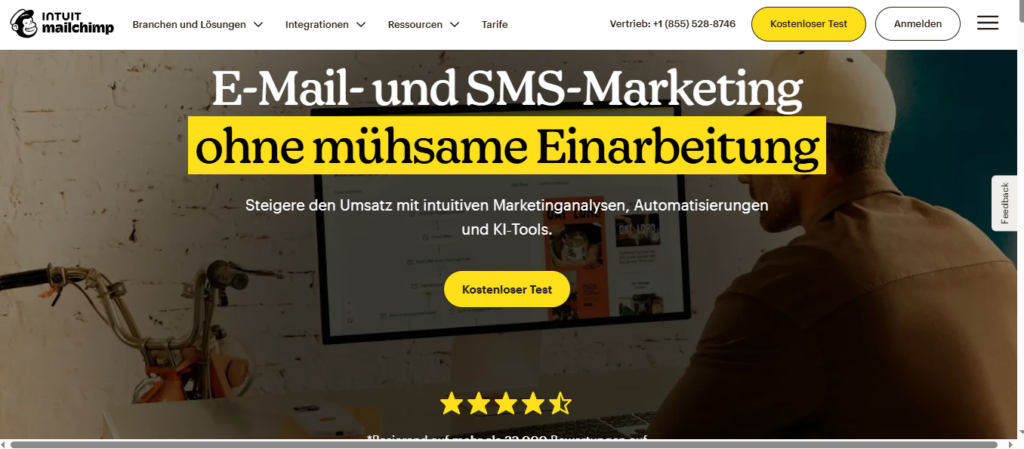
Today, businesses use Mailchimp to create personalized campaigns that deliver the right message to the right audience at the right moment. This ability to combine automation with personalization is one of the main reasons the platform remains popular among marketers.
For example, an online store can use Mailchimp to automatically welcome new subscribers, send promotional offers, remind customers about abandoned carts, and recommend products based on previous interactions. Meanwhile, bloggers and content creators can use the platform to distribute newsletters, share updates, and maintain consistent communication with their communities.
Key Mailchimp Features
Some of the most important Mailchimp features include:
Email Campaign Builder
Mailchimp provides an intuitive drag-and-drop email builder that allows users to create professional-looking emails without coding knowledge. Users can choose from pre-designed templates, customize layouts, add images, and adjust branding elements to match their business identity.
Email Automation
Automation is one of Mailchimp’s strongest capabilities. Users can create automated workflows for different customer actions, including welcome emails, follow-up messages, product recommendations, and reminders.
Instead of manually sending every message, businesses can build systems that communicate with customers automatically while saving time and improving engagement.
Audience Management
Managing subscribers effectively is essential for successful email marketing. Mailchimp allows users to organize contacts into audiences, groups, and segments, making it easier to send more relevant messages to specific customers.
For instance, a company can create separate campaigns for new subscribers, loyal customers, or users who have not interacted with emails recently.
Analytics and Reporting
Mailchimp includes reporting tools that help users understand campaign performance. Marketers can monitor important metrics such as:
- Open rates
- Click-through rates
- Subscriber growth
- Conversion performance
- Customer engagement
These insights help businesses identify what works, improve future campaigns, and make better marketing decisions.
Marketing Integrations
Mailchimp connects with many popular platforms, including websites, ecommerce stores, customer relationship management tools, and other marketing applications.
These integrations allow businesses to synchronize customer data, automate workflows, and create a more connected marketing system.
Is Mailchimp Easy to Use?
One of Mailchimp’s biggest advantages is its beginner-friendly design. The platform was built with simplicity in mind, allowing users with little or no previous email marketing experience to create campaigns quickly.
The interface is clean, the tools are organized logically, and many features can be accessed without technical knowledge. A small business owner who has never created an email campaign before can usually build and send their first newsletter without feeling overwhelmed.
However, simplicity does not mean Mailchimp is only for beginners. Experienced marketers and larger teams also use the platform because it provides advanced features for audience targeting, automation, testing, and campaign optimization.
The combination of accessibility and powerful marketing tools is what makes Mailchimp appealing to such a wide range of users.
How Does Mailchimp Help Businesses?
At its foundation, Mailchimp helps businesses transform simple email addresses into meaningful customer relationships.
Instead of sending the same message to everyone, businesses can use Mailchimp to deliver personalized communication based on customer interests, behavior, and engagement history.
A company can welcome new subscribers, educate potential customers, promote products, recover lost sales, and maintain long-term relationships — all through automated email campaigns.
For businesses looking to build a consistent marketing strategy, Mailchimp provides the tools needed to create, manage, and improve email communication from one centralized platform.
Mailchimp Pricing
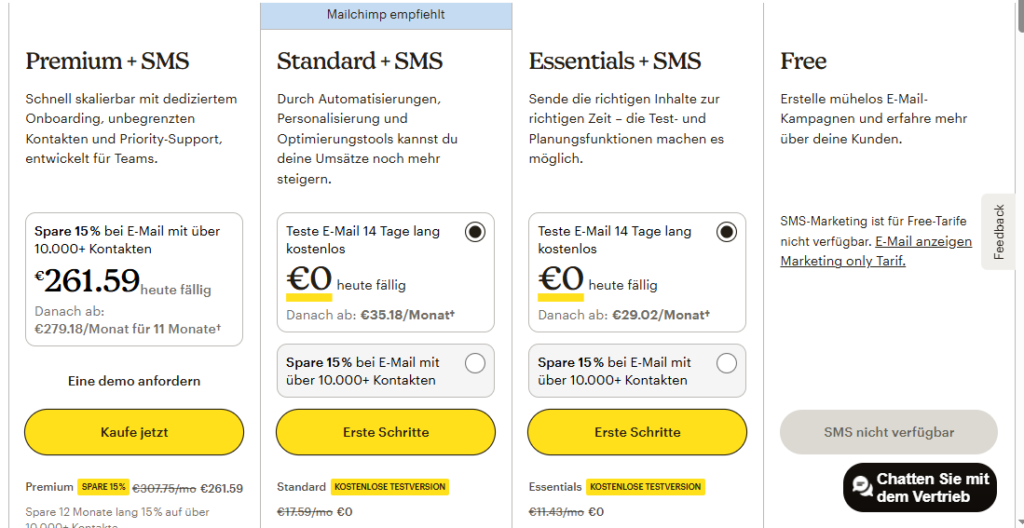
Understanding Mailchimp pricing is important before choosing the platform because costs depend on several factors, including the number of contacts, required features, and the level of automation a business needs.
Mailchimp offers different pricing tiers designed to support various types of users. A beginner building their first email list may only need basic tools, while larger companies may require advanced segmentation, analytics, and automation capabilities.
The platform includes a free option with limited features, while paid plans unlock additional tools that help businesses improve campaign performance and manage larger audiences.
Mailchimp Free Plan
The Mailchimp Free plan is designed for users who want to explore the platform without an upfront investment. It provides access to essential email marketing tools, making it a practical starting point for beginners.
With the free plan, users can create campaigns, manage contacts, and send basic emails while learning how email marketing works.
This plan is suitable for:
- New bloggers building their first subscriber list
- Small businesses testing email marketing strategies
- Creators who only need simple newsletter functionality
However, the free plan comes with limitations. Users who need advanced automation, deeper analytics, larger contact limits, or additional marketing features may eventually need to upgrade to a paid plan..
Mailchimp Essentials Plan
The Essentials plan is designed for users who need more flexibility and professional email marketing capabilities.
Compared with the free version, this plan provides additional tools such as more email templates, A/B testing features, and improved support options.
It is a suitable choice for:
- Growing businesses
- Professional content creators
- Marketers who want more control over campaign performance
For users who have moved beyond basic newsletters and need more optimization tools, the Essentials plan provides a stronger foundation.
Mailchimp Standard Plan
The Standard plan is one of Mailchimp’s most popular options because it introduces more advanced automation and marketing optimization features.
This plan is designed for businesses that want to move beyond simple email sending and create more sophisticated customer journeys.
Key features include:
- Advanced customer journeys
- Predictive analytics
- Additional audience management tools
- Improved campaign optimization features
The Standard plan is especially useful for businesses focused on scaling their email marketing efforts and creating more personalized customer experiences.
Mailchimp Premium Plan
The Premium plan is designed for larger organizations and teams that require advanced marketing The Premium plan is built for larger organizations, agencies, and teams that require advanced marketing functionality.
It includes powerful features such as:
- Advanced audience segmentation
- Multivariate testing
- Detailed reporting capabilities
- Priority customer support
- Increased contact and sending limits
This plan is mainly designed for companies managing complex email marketing operations where deeper insights, greater control, and advanced customization are necessary.
For businesses running large-scale campaigns or managing multiple customer segments, the Premium plan provides the highest level of functionality within Mailchimp’s pricing structure.
Is Mailchimp Worth the Price?
Whether Mailchimp pricing is worth the investment ultimately depends on the size of your business, your marketing objectives, and how advanced your email strategy needs to become.
For beginners, the free plan offers a practical way to explore email marketing without committing financially. It provides enough essential tools to build an audience, create campaigns, and understand the basics of subscriber communication.
However, as a business grows, its requirements usually become more complex. Companies that need advanced automation workflows, detailed reporting, stronger segmentation, and deeper audience insights may find more value in upgrading to a paid plan.
Compared with many other email marketing platforms, Mailchimp stands out because it combines simplicity with a broad range of marketing capabilities. The platform is approachable for beginners, yet powerful enough for businesses that want to create more structured campaigns.
That said, cost can become a concern as subscriber lists expand. Businesses with thousands of contacts may notice that monthly expenses increase significantly as they move into higher pricing tiers.
Overall, Mailchimp pricing provides a flexible structure that supports different stages of business growth. Users can begin with basic features, learn what works, and gradually upgrade when their email marketing strategy requires more advanced tools.
Mailchimp Features
When evaluating an email marketing platform, features are often the deciding factor. A tool may look attractive because of its low price, but without the right capabilities, businesses can quickly outgrow it.
This is where Mailchimp features become valuable.
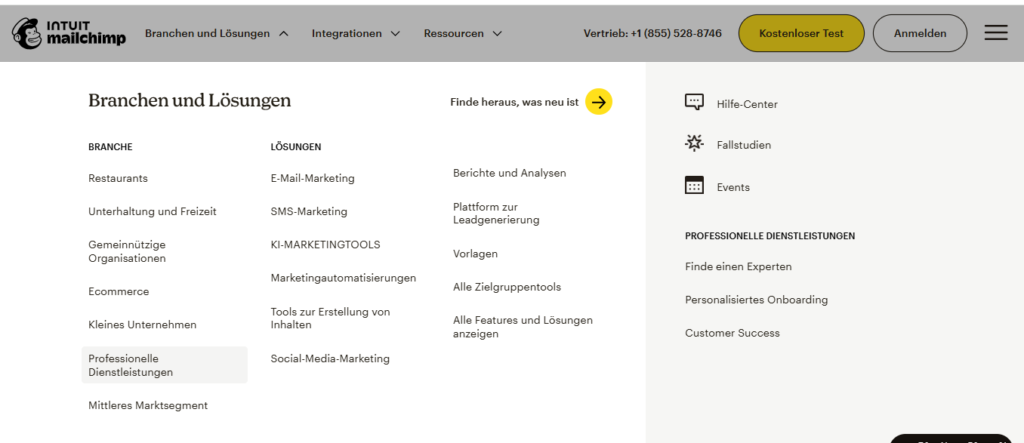
Mailchimp provides a complete collection of tools designed to help businesses create campaigns, automate communication, manage subscribers, and analyze results. Instead of relying on separate tools for email creation, customer organization, and reporting, users can manage many aspects of their marketing strategy from one centralized platform.
The biggest strength of Mailchimp is its balance between simplicity and functionality. Beginners can create their first newsletter within minutes, while experienced marketers can use automation, segmentation, and analytics to build more sophisticated campaigns.
1. Email Campaign Builder
One of the most recognizable Mailchimp features is its intuitive email campaign builder.
The platform uses a drag-and-drop editor that allows users to design professional emails without writing a single line of code. Elements can be added, removed, and rearranged easily, giving marketers control over the appearance and structure of their campaigns.
Mailchimp provides:
- Professionally designed email templates
- Customizable layouts
- Image and content blocks
- Mobile-responsive designs
- Branding customization options
This makes the process of creating newsletters, promotional emails, product announcements, and customer updates significantly easier.
For small businesses and creators, this removes one of the biggest barriers to email marketing: the technical challenge of designing attractive emails.
2. Marketing Automation
Email automation is one of the most important parts of modern digital marketing, and Mailchimp provides tools that help businesses communicate with customers automatically.
Instead of manually sending every message, businesses can create automated workflows that respond to specific customer actions.
Examples of Mailchimp automation campaigns include:
- Welcome emails for new subscribers
- Birthday or anniversary messages
- Follow-up sequences
- Abandoned cart reminders
- Customer re-engagement campaigns
Automation allows businesses to maintain consistent communication while reducing repetitive tasks. A single automated workflow can continue engaging customers weeks or months after it has been created.
3. Audience Management and Segmentation
Sending the same email to every subscriber is rarely the most effective strategy. Different customers have different interests, behaviors, and buying patterns.
Mailchimp addresses this challenge through audience management and segmentation tools.
Users can organize subscribers and create targeted groups based on factors such as:
- Customer interests
- Purchase history
- Geographic location
- Engagement activity
- Previous interactions
For example, an ecommerce business could send a special offer to customers who purchased a specific product category, while sending a different message to new subscribers.
This level of personalization helps improve relevance, engagement, and overall campaign performance.
4. Email Templates
Creating professional emails from scratch can be time-consuming. Mailchimp simplifies this process by offering a variety of customizable templates designed for different marketing purposes.
Users can choose templates for:
- Newsletters
- Product promotions
- Sales campaigns
- Event invitations
- Announcements
These templates provide a strong starting point while allowing businesses to adjust colors, layouts, images, and content to match their brand identity.
The result is faster email creation without sacrificing professionalism.
5. Analytics and Reporting
Tracking performance is essential for successful email marketing. Mailchimp provides detailed reports that Successful email marketing requires more than sending messages. Businesses need to understand how audiences respond and identify opportunities for improvement.
Mailchimp provides reporting tools that help marketers analyze campaign performance through important metrics, including:
- Open rates
- Click-through rates
- Subscriber growth
- Bounce rates
- Conversion performance
- Engagement trends
These insights allow businesses to answer important questions:
Which emails perform best?
What type of content attracts more clicks?
When is the best time to send campaigns?
By analyzing this data, marketers can continuously improve their email strategy.
6. A/B Testing
Another useful Mailchimp feature is A/B testing, which helps marketers compare different versions of an email before deciding which performs better.
Businesses can experiment with elements such as:
- Subject lines
- Email content
- Images
- Call-to-action buttons
- Sending times
For example, a company may test two different subject lines to discover which one generates a higher open rate.
Small improvements from testing can create significant results over time, especially for businesses sending large volumes of emails.
7. Landing Pages and Signup Forms
Growing an email list requires more than simply sending emails. Businesses also need effective ways to attract new subscribers.
Mailchimp supports list growth through built-in landing pages and signup forms.
Users can create:
- Newsletter registration forms
- Lead capture pages
- Promotional landing pages
- Subscriber collection tools
These features help businesses convert website visitors into subscribers and build a long-term audience.
8. Integrations
Modern marketing rarely happens inside one platform. Businesses often rely on multiple tools, including ecommerce platforms, website builders, CRM systems, and analytics software.
Mailchimp integrations allow users to connect their existing marketing ecosystem with their email campaigns.
Common integrations include:
- Ecommerce platforms
- Website builders
- Customer relationship management tools
- Social media platforms
- Analytics solutions
These connections help businesses synchronize data, improve workflows, and create a smoother marketing process.
9. AI and Smart Marketing Tools
As artificial intelligence becomes increasingly important in digital marketing, Mailchimp has introduced AI-powered features designed to help marketers work more efficiently.
These tools can assist with:
- Content recommendations
- Audience insights
- Campaign optimization
- Improving email performance
AI does not replace marketing strategy, but it can help businesses make faster decisions and create more effective campaigns using available data.
Final Thoughts on Mailchimp Features
Overall, Mailchimp features cover the essential requirements of modern email marketing.
From simple newsletters to advanced automated campaigns, the platform provides tools that help businesses attract subscribers, communicate with customers, and improve marketing performance.
Its strongest advantage is the combination of usability and functionality. Beginners can start quickly, while growing businesses can take advantage of automation, segmentation, analytics, and personalization tools.
For many companies, Mailchimp provides a complete email marketing solution without requiring multiple separate platforms.
Ease of Use
One of the main reasons Mailchimp has maintained its popularity is its focus on simplicity.
Many marketing platforms offer powerful features but create unnecessary complexity. Mailchimp takes a different approach by making email marketing accessible to users who may have little technical experience.
From account setup to campaign creation, the platform guides users through the process and removes much of the confusion associated with email marketing.
Simple Setup Process
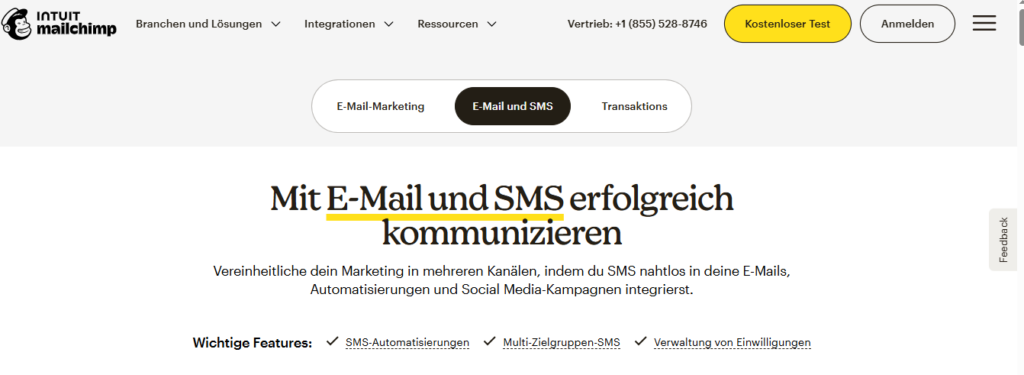
Getting started with Mailchimp is relatively straightforward.
Users can create an account, import contacts, select a template, customize their message, and launch their first campaign without dealing with complicated configurations.
The platform includes helpful recommendations and guided steps, making it easier for beginners to understand how each feature works.
User-Friendly Email Builder
The Mailchimp drag-and-drop email builder is one of its strongest usability features. Users can create The drag-and-drop email builder is one of Mailchimp’s strongest usability advantages.
Users can create emails by adding simple content blocks such as:
- Text sections
- Images
- Buttons
- Product recommendations
- Social media links
No programming knowledge is required.
This makes Mailchimp especially appealing to small business owners, bloggers, entrepreneurs, and marketers who want professional results without hiring a designer or developer.
Easy Audience Management
Managing subscribers is another area where Mailchimp performs well.
The platform allows users to import contacts, organize audiences, create segments, and monitor subscriber activity through a single dashboard.
Instead of manually sorting customer information, businesses can use Mailchimp’s organization tools to create more targeted campaigns.
Automation Made Simple
Although automation can appear complicated, Mailchimp makes the process easier through visual workflows and ready-made automation options.
Users can create sequences such as:
- Welcome email series
- Customer follow-ups
- Abandoned cart reminders
- Re-engagement campaigns
The visual workflow system helps users understand when emails are triggered and how subscribers move through each stage of the customer journey.
Learning Curve
For beginners, Mailchimp has a relatively smooth learning curve compared with many advanced marketing platforms.
Most users can understand the basic functions quickly, especially with templates, tutorials, and built-in recommendations.
However, advanced features such as complex automation sequences and detailed segmentation may require more time and experience.
Overall Ease of Use Rating
Mailchimp remains one of the easiest email marketing platforms available.
Its clean interface, straightforward campaign builder, and beginner-friendly approach make it an excellent choice for users who want to start email marketing without unnecessary technical challenges.
While advanced marketers may eventually want deeper customization options, most small businesses and creators will find Mailchimp simple, efficient, and easy to manage.
Email Deliverability & Performance
Email deliverability is one of the most important factors when choosing an email marketing platform.
A beautifully designed email means little if it never reaches the subscriber’s inbox.
Deliverability refers to the ability of emails to successfully arrive in inboxes rather than being blocked or filtered into spam folders. Performance, meanwhile, focuses on how recipients interact with those emails after delivery.
A strong email marketing platform should provide reliable infrastructure, accurate reporting, and tools that help businesses maintain a healthy sender reputation.
Email Deliverability
Mailchimp uses industry-standard practices to support reliable email delivery.
The platform provides tools that help users improve inbox placement, including authentication options, compliance features, and audience management capabilities.
However, deliverability is influenced by more than the platform itself.
Important factors include:
- Email list quality
- Subscriber engagement
- Content relevance
- Sending frequency
- Sender reputation
Mailchimp provides the technology, but businesses must follow good email marketing practices. This includes avoiding purchased lists, maintaining clean subscriber databases, and regularly removing inactive contacts.
Email Performance Tracking
One of the useful features of Mailchimp is its detailed campaign reporting. After sending an email, users Mailchimp provides detailed reporting tools that allow marketers to understand how subscribers interact with campaigns.
Users can monitor:
- Open rates
- Click-through rates
- Bounce rates
- Unsubscribe rates
- Conversion results
These insights help businesses identify successful strategies and improve future campaigns.
Personalization and Segmentation
Mailchimp improves email performance by allowing users to create targeted campaigns based on Personalization plays a major role in email performance.
Instead of sending identical messages to every subscriber, Mailchimp allows businesses to create campaigns based on customer data.
Businesses can personalize emails using:
- Customer behavior
- Previous purchases
- Interests
- Engagement patterns
Relevant emails often generate stronger responses because subscribers receive content that matches their needs.
Automation Performance
Automation improves email performance by delivering messages at the moments when they are most valuable.
Examples include:
- Welcome emails immediately after signup
- Product recommendations based on behavior
- Follow-up messages after purchases
- Customer retention campaigns
These automated workflows allow businesses to maintain meaningful communication with customers while reducing manual effort.
Does Mailchimp Have Good Email Deliverability?
Email deliverability is one of the most important factors to evaluate when choosing an email marketing platform. A campaign can have excellent design, persuasive copy, and a strong offer — but if it fails to reach subscribers’ inboxes, its potential impact is dramatically reduced.
So, does Mailchimp provide reliable email deliverability?
Overall, Mailchimp offers strong deliverability performance for most businesses when the platform is used correctly. The company provides the infrastructure, security features, and compliance tools needed to help users send professional email campaigns while maintaining a healthy sender reputation.
However, it is important to understand that deliverability is not determined by the platform alone. Even the best email marketing software cannot guarantee perfect inbox placement if users follow poor email practices.
Several factors influence whether emails successfully reach subscribers, including:
- The quality of your email list
- Subscriber engagement levels
- Email content and relevance
- Sending frequency
- Sender reputation
- Compliance with email regulations
For example, a business that regularly sends valuable content to an engaged audience will usually achieve better results than a company sending promotional emails to outdated or purchased contact lists.
Mailchimp helps businesses improve deliverability by providing tools such as audience management, analytics, authentication support, and campaign monitoring. These features allow marketers to identify problems, remove inactive subscribers, and optimize future campaigns.
For businesses that maintain a clean subscriber list and follow email marketing best practices, Mailchimp can be a dependable platform for building successful email campaigns.
Automation Capabilities
Among all Mailchimp features, automation is one of the most valuable because it allows businesses to communicate with customers without manually sending every message.
Modern email marketing is not simply about sending newsletters. Successful brands create personalized experiences by delivering relevant messages based on customer actions, interests, and behavior.
Mailchimp automation helps businesses achieve this by creating workflows that automatically send emails at specific moments in the customer journey.
Instead of asking marketers to remember every follow-up or manually contact every subscriber, automation creates a system that works continuously in the background.
This saves time, improves consistency, and allows businesses to maintain stronger relationships with their audience.
What Is Mailchimp Automation?
Mailchimp automation allows users to create automated email sequences triggered by specific events, customer actions, or predefined conditions.
The concept is simple:
A subscriber takes an action → Mailchimp recognizes the action → An automated email is delivered.
For example:
A visitor subscribes to a newsletter, and Mailchimp automatically sends a welcome email.
A customer abandons products in an online shopping cart, and Mailchimp sends a reminder encouraging them to complete the purchase.
A subscriber stops engaging with emails, and Mailchimp launches a re-engagement campaign.
Common automation triggers include:
- New subscriber registrations
- Customer purchases
- Website activity
- Product interactions
- Special occasions such as birthdays
- Subscriber inactivity
These automated workflows help businesses stay connected with customers while reducing repetitive marketing tasks.
Welcome Email Automation
Welcome emails are one of the most common and effective uses of Mailchimp automation.
When someone joins an email list, the first interaction can influence how they view a brand. A well-designed welcome sequence helps businesses introduce themselves, build trust, and guide subscribers toward future engagement.
With Mailchimp, businesses can automatically send:
- Welcome messages
- Brand introductions
- Educational resources
- Product information
- Exclusive discounts
For example, an ecommerce store could welcome a new subscriber with a short introduction, followed by product recommendations and a limited-time discount.
A blogger could use the same strategy by sending a welcome email, introducing their best content, and encouraging readers to explore additional resources.
These automated first impressions help create stronger relationships from the beginning
Customer Journey Automation
One of the more advanced Mailchimp features is customer journey automation.
Instead of sending identical emails to every subscriber, businesses can create different paths depending on how customers interact with their brand.
A customer journey can include multiple steps, conditions, and actions.
For example:
A new customer receives a thank-you email after purchase.
A week later, they receive helpful product usage tips.
After several weeks, they receive a recommendation for related products.
Businesses can create journeys based on:
- Customer interests
- Purchase behavior
- Previous engagement
- Subscription activity
- Website interactions
This allows marketers to create more personalized communication rather than relying on generic mass emails.
Ecommerce Automation
For online stores, Mailchimp automation can become a powerful tool for increasing revenue and improving customer retention.
Ecommerce businesses can use automated campaigns to recover lost sales and encourage repeat purchases.
Common ecommerce automation examples include:
Abandoned Cart Emails
When customers add products to their cart but leave without completing checkout, Mailchimp can automatically send reminder emails.
These messages encourage customers to return and complete their purchase.
Product Recommendations
Businesses can recommend products based on previous purchases or browsing behavior.
This creates a more personalized shopping experience.
Order Follow-Ups
After a purchase, businesses can send:
- Order confirmation messages
- Product guides
- Review requests
- Related product suggestions
Customer Reactivation Campaigns
Inactive customers can receive targeted campaigns designed to bring them back.
For example, a brand might send a special discount to customers who have not purchased in several months.
Segmentation-Based Automation
Another powerful part of Mailchimp automation is the ability to combine workflows with audience segmentation.
Not every subscriber has the same needs. A new visitor, a loyal customer, and an inactive subscriber should not receive identical messages.
Mailchimp allows businesses to create automated campaigns for different audience groups, such as:
- New customers
- Returning buyers
- Highly engaged subscribers
- Inactive users
- Specific interest groups
This improves personalization and helps businesses deliver more relevant communication.
When subscribers receive content that matches their interests, engagement rates often improve because the message feels more valuable and less like general advertising.
Ease of Creating Automated Workflows
One reason Mailchimp remains popular is that automation does not require advanced technical skills.
The platform provides visual workflow tools and pre-built automation templates that allow beginners to create campaigns quickly.
A new user can start with simple automation, such as a welcome email sequence, while more experienced marketers can build complex customer journeys.
However, users managing advanced campaigns should expect a learning period. Understanding segmentation rules, customer paths, and optimization strategies requires some marketing knowledge.
Additionally, some advanced automation capabilities are only available on higher-tier plans, which may influence the decision for businesses with more complex requirements.
Final Thoughts on Mailchimp Automation
Overall, Mailchimp automation provides a strong balance between simplicity and functionality.
It allows businesses to create personalized communication, reduce manual tasks, and maintain consistent engagement with their audience.
For bloggers, small businesses, creators, and growing brands, Mailchimp offers enough automation power to build effective email marketing systems without overwhelming users with unnecessary complexity.
While larger companies with highly advanced automation requirements may prefer specialized platforms, Mailchimp remains a practical solution for businesses that want reliable automation combined with ease of use.
Integrations
A modern email marketing strategy rarely operates inside a single platform. Businesses today rely on multiple systems — websites, ecommerce stores, customer relationship management tools, analytics platforms, and automation software — to manage their customer interactions effectively.
This is where Mailchimp integrations become valuable.
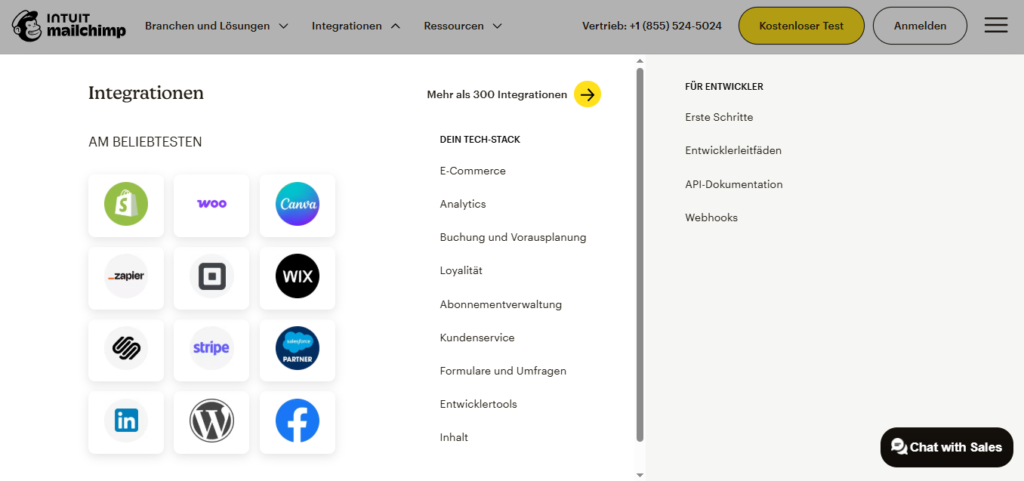
By connecting Mailchimp with other tools, businesses can synchronize customer information, automate repetitive tasks, and create a more connected marketing workflow. Instead of moving data manually between different platforms, integrations allow information to flow automatically, saving time and reducing errors.
Whether you are running a small blog, an online store, or a growing company, Mailchimp’s integration ecosystem helps you build a more efficient marketing environment..
Website and CMS Integrations
Mailchimp works with popular website platforms and content management systems, making it easier to For many businesses, the website is the foundation of their audience-building strategy. A website attracts visitors, but an email list helps turn those visitors into long-term relationships.
Mailchimp integrates with popular website platforms and content management systems, making it easier to collect subscribers and manage email campaigns.
Common website integrations include:
- WordPress websites
- Website builders
- Landing page platforms
- Signup form tools
These integrations allow businesses to:
- Add newsletter signup forms to websites
- Capture visitor information
- Automatically add new subscribers to email lists
- Create targeted email campaigns
For example, a blogger can add a Mailchimp signup form to their website and automatically send new subscribers a welcome email after registration.
This creates a smoother experience for both the business and the audience.
Ecommerce Integrations
For online stores, Mailchimp integrations can help connect customer data with email marketing For ecommerce businesses, connecting customer data with email marketing is extremely important.
Mailchimp ecommerce integrations help online stores understand customer behavior and create more personalized campaigns based on real purchasing activity.
With ecommerce connections, businesses can:
- Track customer purchases
- Recommend relevant products
- Send abandoned cart reminders
- Follow up after orders
- Segment customers based on buying behavior
For example, an online clothing store can automatically send recommendations based on previous purchases. A customer who bought running shoes may receive emails featuring related products such as sports clothing or accessories.
This type of personalization improves customer experience and can increase repeat purchases.
CRM and Marketing Tool Integrations
Mailchimp can also connect with customer relationship management (CRM) and marketing tools to Customer relationship management systems help businesses organize customer information, track interactions, and manage leads.
By connecting Mailchimp with CRM and marketing tools, businesses can create a more complete view of their customers.
These integrations help companies:
- Keep customer information updated
- Improve audience targeting
- Track customer interactions
- Create personalized campaigns
Instead of managing customer data separately across multiple platforms, businesses can create a unified marketing system where information moves more efficiently.
This is especially useful for companies that manage large audiences or multiple customer touchpoints.
Automation Platform Integrations
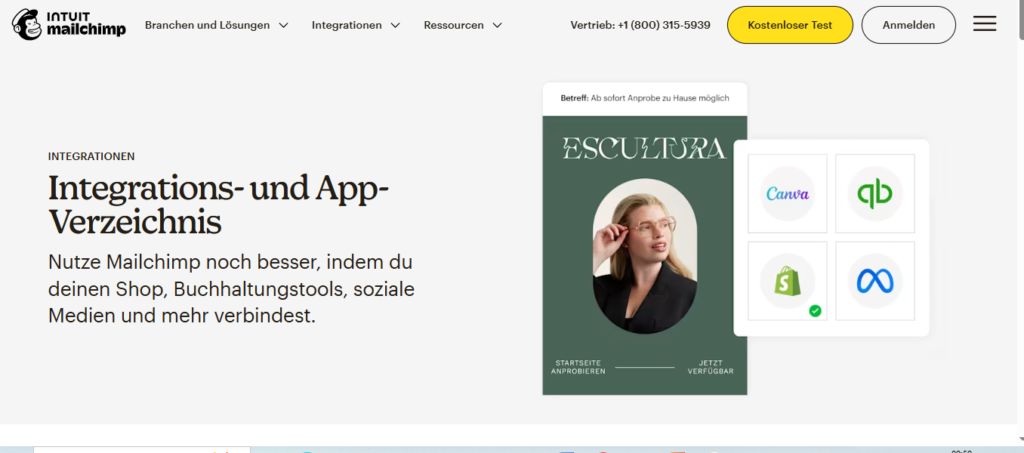
Automation platforms extend Mailchimp’s capabilities by connecting it with hundreds of additional applications.
These connections allow businesses to create automated actions without manually transferring information.
Examples include:
- Adding new leads automatically to email lists
- Updating customer information
- Sending notifications after specific actions
- Creating workflows between different business tools
For example, when someone fills out a form on another platform, an automation connection can automatically add that person to a Mailchimp audience and trigger a welcome sequence.
This reduces administrative work and allows marketers to focus more on strategy rather than repetitive tasks.
Social Media Integrations
Social media and email marketing work better when they support each other.
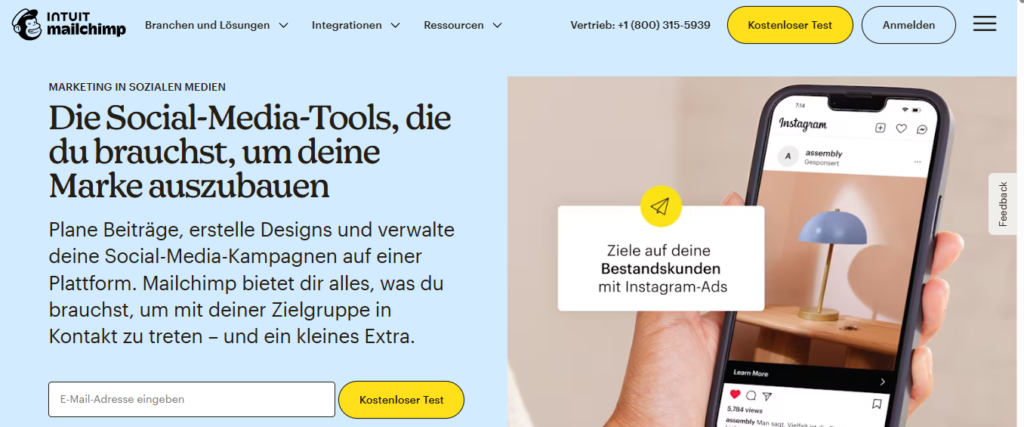
Mailchimp integrations with social platforms help businesses combine audience-building efforts across multiple channels.
Users can:
- Promote campaigns
- Share marketing content
- Advertise products
- Analyze audience engagement
A business can attract followers through social media and then convert those followers into email subscribers, creating a stronger long-term relationship.
Email remains one of the most valuable marketing channels because businesses have more direct communication with subscribers compared with social platforms where algorithm changes can affect visibility.
API and Advanced Integrations
For businesses with technical resources, Mailchimp provides API access that allows developers to create custom connections with other software.
This is particularly useful for companies that require more advanced solutions, such as:
- Custom customer data synchronization
- Unique automation workflows
- Internal software connections
- Advanced marketing systems
Large organizations often require customized setups because their marketing processes are more complex than standard integrations can support.
Mailchimp’s API flexibility allows these businesses to create solutions tailored to their specific requirements.
Final Thoughts on Mailchimp Integrations
Overall, Mailchimp integrations make the platform more flexible and adaptable for different types of businesses.
The ability to connect websites, ecommerce platforms, CRM systems, and automation tools allows users to create a more efficient marketing workflow.
For most small businesses, bloggers, and ecommerce brands, Mailchimp provides enough integration options to support a complete email marketing strategy.
However, companies with highly complex technology systems may need more advanced customization options.
Pros and Cons
Every email marketing platform has advantages and limitations. While Mailchimp provides an impressive combination of simplicity, automation, analytics, and design tools, it may not perfectly match every business’s requirements.
Understanding the strengths and weaknesses of Mailchimp helps you decide whether the platform aligns with your goals, budget, and marketing strategy.
Pros of Mailchimp
1. Easy to Use
1. Easy to Use
One of Mailchimp’s biggest advantages is its beginner-friendly interface.
Many marketing platforms offer powerful features but create a steep learning curve. Mailchimp takes a different approach by making email marketing accessible to users with different experience levels.
The platform provides:
- Simple navigation
- Drag-and-drop email creation
- Ready-made templates
- Guided setup processes
A beginner can create a professional newsletter without needing coding skills or previous marketing experience.
This makes Mailchimp especially attractive for:
First-time email marketers
Small business owners
Bloggers
Entrepreneurs
2. Powerful Email Marketing Features
Mailchimp provides a broad range of tools that cover many essential areas of email marketing.
Key features include:
- Email campaign creation
- Marketing automation
- Audience segmentation
- Analytics and reporting
- Landing pages
- Signup forms
- Customer journey tools
Having these features inside one platform reduces the need to manage multiple marketing tools.
For many businesses, Mailchimp provides enough functionality to create, manage, and improve their entire email marketing strategy.
3. Free Plan for Beginners
One of Mailchimp’s strongest advantages is its free plan.
For users who are just starting with email marketing, investing in expensive software immediately may not make sense.
The free plan allows beginners to:
- Build an email list
- Test campaigns
- Learn the platform
- Understand audience behavior
It is particularly useful for:
- New bloggers
- Small businesses
- Content creators
- Beginners exploring email marketing
Although advanced users may eventually need paid features, the free option lowers the barrier to entry.
4. Strong Templates and Design Tools
Creating visually appealing emails can be challenging without design experience.
Mailchimp solves this problem by providing professionally designed templates and flexible editing tools.
Users can:
- Customize layouts
- Add images
- Change colors
- Adjust branding elements
- Create mobile-friendly campaigns
The drag-and-drop editor makes email design faster while still allowing businesses to maintain a professional appearance.
5. Good Analytics and Reporting
Data is essential for improving marketing performance.
Mailchimp provides reporting features that help businesses understand how subscribers interact with campaigns.
Users can monitor:
- Email open rates
- Click activity
- Subscriber growth
- Engagement levels
- Campaign results
These insights allow marketers to identify successful strategies and make informed decisions.
Instead of guessing what works, businesses can use real performance data to improve future campaigns.
Cons of Mailchimp
1. Pricing Can Become Expensive
One of the most common concerns about Mailchimp is pricing.
While the platform is affordable for beginners, costs can increase as subscriber lists grow.
Businesses with thousands of contacts may find that monthly expenses become higher compared with some competitors.
This means companies should consider their long-term growth plans before choosing Mailchimp.
A platform that works well for a small list today may become expensive as the audience expands.
2. Limited Advanced Automation Compared With Competitors
Mailchimp offers useful automation features, but some advanced marketers may find them less flexible than specialized automation platforms.
Businesses that require:
- Extremely complex workflows
- Advanced customer journeys
- Highly customized automation logic
may prefer platforms designed specifically for advanced automation.
For most small and medium businesses, Mailchimp automation is sufficient. However, enterprise-level users may need more specialized tools.
3. Learning Curve for Advanced Features
Although Mailchimp is easy to start with, mastering every feature requires additional time.
Basic tasks such as sending newsletters are simple, but advanced functions like:
- Complex segmentation
- Detailed automation workflows
- Advanced reporting
may require more learning.
This is common with most powerful marketing platforms. More capabilities usually mean more complexity.
4. Customer Support Limitations on Lower Plans
Customer support availability depends on the subscription plan.
Users on lower-tier plans may have fewer support options compared with premium customers.
For beginners, the knowledge base and tutorials may be enough. However, businesses that rely heavily on immediate assistance may prefer plans with stronger support access.
5. Limited Flexibility for Some Growing Businesses
As businesses mature, their marketing needs often become more advanced.
Some companies may eventually require:
- Deeper customization
- More sophisticated automation
- Stronger CRM capabilities
- Enterprise-level features
In these situations, Mailchimp may feel restrictive compared with specialized marketing platforms.
Final Thoughts on Mailchimp Pros and Cons
Overall, Mailchimp remains a strong email marketing solution for many users.
Its greatest strengths are simplicity, professional design tools, useful analytics, and a complete collection of marketing features.
However, businesses should consider potential limitations, especially pricing growth and advanced automation requirements.
For beginners, creators, and small businesses, Mailchimp offers an excellent balance between ease of use and functionality.
For larger organizations with complex marketing systems, comparing alternatives may be worthwhile.
Who Should Use Mailchimp?
Mailchimp is a good choice for businesses, creators, and marketers who want an easy way to create email Choosing the right email marketing platform depends heavily on your business size, marketing objectives, technical experience, and the level of automation you require.
While Mailchimp is not designed to be the perfect solution for every type of company, it serves a wide range of users who need a reliable way to create campaigns, manage subscribers, and build stronger customer relationships.
The platform’s biggest advantage is its balance between simplicity and functionality. Beginners can start quickly, while growing businesses can access more advanced features as their marketing needs develop.
Mailchimp is especially suitable for the following users:
Small Businesses
Small businesses often need effective marketing tools but may not have dedicated marketing teams or technical specialists.
Mailchimp provides an accessible way for small companies to:
- Send newsletters
- Promote products and services
- Share company updates
- Build customer relationships
- Automate follow-up communication
For a local business, for example, Mailchimp can be used to announce special offers, share seasonal promotions, and keep existing customers engaged.
Because the platform does not require coding knowledge, business owners can manage campaigns independently without relying on external developers.
Bloggers and Content Creators
For bloggers and creators, building an email audience is one of the best ways to maintain direct communication with readers.
Unlike social media platforms, where reach can change because of algorithms, an email list gives creators a more direct connection with their audience.
Mailchimp helps bloggers and creators:
- Collect email subscribers
- Send newsletters
- Share new content
- Promote digital products
- Build audience loyalty
A content creator can use automation to welcome new subscribers, recommend popular articles, and keep readers engaged over time.
Ecommerce Stores
Online stores can benefit significantly from Mailchimp’s automation and personalization features.
Ecommerce businesses can use the platform to create campaigns such as:
- Abandoned cart reminders
- Product recommendations
- Customer follow-ups
- Promotional campaigns
- Customer retention emails
For example, after a customer purchases a product, Mailchimp can automatically send a follow-up email asking for feedback or suggesting related products.
These automated interactions help businesses increase repeat purchases and improve the overall customer experience.
Beginners Learning Email Marketing
One of Mailchimp’s strongest advantages is its accessibility for beginners.
People who are new to email marketing often face challenges such as:
- Understanding email design
- Creating campaigns
- Managing subscribers
- Setting up automation
Mailchimp reduces this complexity through templates, guided tools, and a simple interface.
For someone launching their first email marketing campaign, Mailchimp provides a comfortable environment to learn the fundamentals before moving into more advanced strategies.
Who May Not Be the Best Fit for Mailchimp?
Although Mailchimp works well for many users, it may not be the ideal choice for everyone.
Large companies with complex marketing operations may require more advanced solutions, especially if they need:
- Enterprise-level automation
- Advanced CRM functionality
- Highly customized workflows
- Extensive sales automation
Businesses with very large subscriber lists may also need to compare pricing carefully because costs can increase as audiences grow.
Overall Recommendation: Who Should Choose Mailchimp?
Mailchimp is best suited for users who want a reliable and easy-to-use email marketing platform without unnecessary complexity.
It is a strong choice for:
- Small businesses
- Bloggers
- Content creators
- Ecommerce brands
- Beginners
- Growing companies
For users who value simplicity, professional email design, automation, and helpful marketing tools, Mailchimp provides a well-rounded solution.
Customer Support & Resources
Customer support is an important factor when selecting an email marketing platform. Even a powerful tool can become frustrating if users cannot find help when problems occur.
Mailchimp provides several support channels and educational resources designed to help users understand the platform, solve issues, and improve their email marketing strategies.
Whether someone is creating their first newsletter or managing advanced automation campaigns, having access to reliable learning materials can make the experience much smoother.
Mailchimp Help Center and Knowledge Base
Customer support is an important factor when selecting an email marketing platform. Even a powerful tool can become frustrating if users cannot find help when problems occur.
Mailchimp provides several support channels and educational resources designed to help users understand the platform, solve issues, and improve their email marketing strategies.
Whether someone is creating their first newsletter or managing advanced automation campaigns, having access to reliable learning materials can make the experience much smoother.
Customer Support Options
Mailchimp offers different levels of customer support depending on the subscription plan.
Available support options may include:
- Email support
- Chat support
- Help documentation
- Community resources
Users on paid plans generally receive access to more support options compared with users on free plans.
For small businesses that rely heavily on email marketing, having faster access to assistance can be valuable, especially when dealing with campaign issues or technical questions.
Learning Resources
Beyond traditional customer support, Mailchimp provides educational resources that help users improve their marketing skills.
These resources include:
- Marketing guides
- Email marketing tutorials
- Strategy articles
- Best practice recommendations
These materials help users understand not only how to use Mailchimp, but also how to create better marketing campaigns.
For beginners, this educational approach can shorten the learning process and improve confidence when building email strategies.
Community and User Resources
Mailchimp also benefits from a large user community where marketers can share experiences, discuss challenges, and exchange ideas.
Community resources can help users discover:
- Practical solutions
- Campaign strategies
- Creative ideas
- Different ways to use platform features
Learning from other marketers can often provide insights that official documentation does not always cover.
Overall Support Experience
Overall, Mailchimp provides a solid support ecosystem, especially for beginners and small businesses.
The combination of documentation, tutorials, educational resources, and community support makes it easier for users to learn the platform and solve common problems.
However, users should remember that support availability depends on their subscription level. Businesses that require immediate assistance may need to consider higher-tier plans.
Frequently Asked Questions (FAQ)
What is Mailchimp used for?
Mailchimp is an email marketing platform used to create email campaigns, manage subscribers, automate messages, and track marketing performance.
Businesses and creators use Mailchimp to send newsletters, promote products, build relationships with customers, and improve audience engagement.
Is Mailchimp free?
Yes, Mailchimp offers a free plan that includes basic email marketing features.
The free version allows users to create campaigns, manage contacts, and explore the platform. However, advanced automation features, additional analytics, and higher limits require upgrading to a paid plan.
Is Mailchimp good for beginners?
Yes, Mailchimp is one of the more beginner-friendly email marketing platforms available.
Its drag-and-drop editor, templates, simple interface, and guided setup process make it easy for new users to create campaigns without technical experience.
Does Mailchimp support email automation?
Yes, Mailchimp includes automation tools that allow users to create automated email sequences.
Examples include:
- Welcome emails
- Follow-up messages
- Abandoned cart reminders
- Customer re-engagement campaigns
These features help businesses communicate with customers automatically.
Is Mailchimp good for small businesses?
Yes, Mailchimp is a strong option for many small businesses.
It provides the tools needed to:
- Build email lists
- Send promotions
- Automate communication
- Analyze campaign results
Its simplicity makes it suitable for businesses that do not have dedicated marketing teams.
Does Mailchimp integrate with other tools?
Yes, Mailchimp integrates with many platforms, including:
- Website builders
- Ecommerce platforms
- CRM systems
- Automation tools
- Marketing applications
These integrations help businesses connect their email marketing with their existing technology stack.
Is Mailchimp better than other email marketing tools?
The answer depends on your specific needs.
Mailchimp is particularly strong for users who value:
- Ease of use
- Professional templates
- Beginner-friendly tools
- Reliable email marketing features
However, businesses requiring highly advanced automation or enterprise-level customization may find other platforms more suitable.
Final Thoughts on Mailchimp
Mailchimp remains one of the most recognized email marketing platforms because it successfully combines simplicity with powerful marketing capabilities.
The platform provides essential tools for creating campaigns, managing subscribers, automating communication, and analyzing results.
For beginners, bloggers, small businesses, and ecommerce brands, Mailchimp offers an accessible way to start and grow email marketing efforts without dealing with unnecessary technical complexity.
However, businesses should carefully evaluate their long-term needs. As subscriber lists grow or marketing strategies become more advanced, factors such as pricing, automation flexibility, and customization options become increasingly important.
Final Verdict: Is Mailchimp Worth It?
After analyzing Mailchimp pricing, features, automation capabilities, integrations, ease of use, deliverability, and customer support, it is clear that Mailchimp remains a strong competitor in the email marketing industry.
The platform performs particularly well for users who want a simple but powerful solution.
Its biggest strengths include:
- Beginner-friendly interface
- Professional email templates
- Strong campaign-building tools
- Useful analytics
- Reliable automation options
- Wide integration support
For small businesses, creators, bloggers, and ecommerce stores, Mailchimp provides almost everything needed to create effective email marketing campaigns.
However, it is not without limitations.
Businesses with very large audiences may find pricing less attractive over time, while advanced marketers may prefer platforms with deeper automation customization and more complex workflows.
Is Mailchimp Worth the Money?
For most beginners and small businesses, Mailchimp is worth considering because it offers a strong combination of usability and functionality.
If your goal is to:
- Build an email list
- Send professional newsletters
- Automate customer communication
- Improve audience engagement
Mailchimp provides the tools needed to achieve those goals.
However, businesses should compare their requirements carefully before choosing a plan.
Final Recommendation
Overall, Mailchimp is a reliable email marketing platform that delivers excellent value for users who prioritize simplicity, design, and ease of use.
It is a particularly good choice for:
Beginners
Small businesses
Bloggers
Content creators
Ecommerce brands
It may not be the ideal choice for:
Large enterprises requiring complex automation
Businesses needing advanced CRM functionality
Companies focused on highly customized marketing systems
Overall Rating: 4.5/5
Best For: Beginners, small businesses, bloggers, creators, and ecommerce stores.
Not Ideal For: Large organizations requiring advanced automation and enterprise-level customization.
Conclusion
Mailchimp continues to be one of the most popular email marketing platforms because it provides a strong balance between simplicity, functionality, and flexibility.
With tools for email campaigns, automation, audience management, analytics, integrations, and reporting, Mailchimp gives businesses everything they need to build meaningful connections with their audience.
Its biggest advantage is accessibility. A beginner can start creating campaigns quickly, while growing businesses can use automation and segmentation tools to develop more advanced marketing strategies.
Although some businesses may eventually outgrow the platform due to pricing or advanced feature limitations, Mailchimp remains an excellent choice for users looking for a reliable and easy-to-use email marketing solution.
For anyone searching for a platform that combines professional features with a beginner-friendly experience, Mailchimp is a strong option worth considering.
To learn more about email marketing strategies and tools, visit AmiinMarketer.com.