
An effective email marketing automation strategy does more than eliminate repetitive tasks. It helps businesses deliver the right information at the right moment, nurture meaningful customer relationships, and create a smoother experience from the first subscription to long-term engagement. Instead of sending identical messages to everyone on your list, you can build automated journeys that respond to subscriber behavior, individual interests, and changing customer needs.
Consider two different subscribers. One has just joined your newsletter and needs a warm introduction to your business. The other has already purchased your product and would benefit from practical tutorials, product updates, or guidance on getting better results. They should not necessarily receive the same email.
That’s where automation makes a difference.
Yet installing email marketing software and switching on a few workflows is not enough. A successful strategy requires clear objectives, useful content, thoughtful timing, well-organized subscriber data, and ongoing performance analysis. Without these elements, automation can quickly become another source of irrelevant messages rather than a meaningful improvement to your marketing.
In this guide, you’ll discover how to develop an email marketing automation strategy, map customer journeys, select effective workflows, compare popular tools, avoid common mistakes, and measure the results that matter to your business.
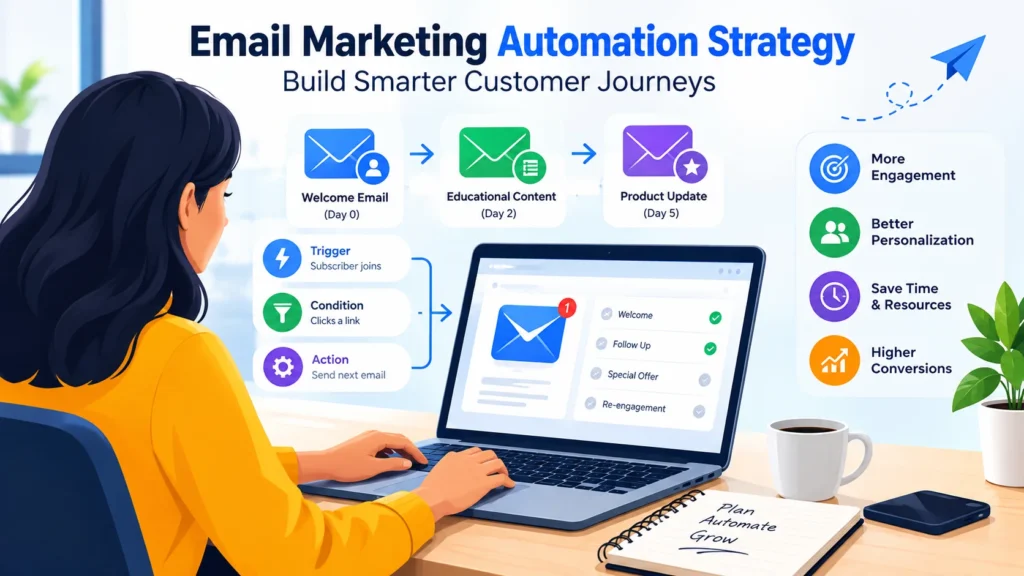
Table of Contents
What Is an Email Marketing Automation Strategy?
An email marketing automation strategy is a structured approach to delivering emails automatically when subscribers take particular actions, meet predefined conditions, or reach specific stages of their relationship with a business.
Rather than preparing every message individually, you establish rules that determine who receives an email, when it arrives, and what happens next. Once configured, the workflow operates according to those rules, although regular monitoring and adjustments remain essential.
Most automated workflows rely on three fundamental elements:
- Trigger: The event that initiates the workflow, such as subscribing to a newsletter, downloading a resource, or completing a purchase.
- Condition: A rule that determines how the workflow proceeds, such as whether a subscriber has clicked a link or belongs to a particular audience segment.
- Action: The response to a trigger or condition, such as sending an email, waiting several days, updating a contact record, or moving a subscriber into another sequence.
Imagine someone subscribes to your marketing newsletter. They immediately receive a welcome message. Two days later, an educational guide arrives in their inbox. A few days afterward, another email introduces practical resources related to their interests.
Every message has a purpose. The sequence feels organized rather than random, and the subscriber receives information in manageable stages.
The most effective workflows are built around genuine audience needs. Their complexity should reflect the customer journey, not the number of features available in your software.
Email Automation vs. Traditional Email Marketing
Traditional email campaigns and automated workflows serve different purposes, but they work particularly well together.
A traditional campaign is generally prepared for a specific audience and sent at a scheduled time. Automation, by contrast, responds to predefined events or conditions, allowing individual subscribers to receive messages at different times.
| Feature | Traditional Email Campaigns | Email Marketing Automation |
|---|---|---|
| Sending method | Usually scheduled manually | Triggered by actions or workflow rules |
| Timing | Based on a planned campaign schedule | Based on subscriber activity or predefined conditions |
| Personalization | Uses available subscriber information | Can adapt messages to behavior and preferences |
| Common examples | Newsletters, announcements, promotions | Welcome sequences, onboarding, follow-ups |
| Management | Requires preparation for each campaign | Requires ongoing workflow monitoring and maintenance |
Neither approach makes the other obsolete. A newsletter can announce a new article to your entire audience, while an automated sequence can guide new subscribers through relevant educational content over several days.
Used together, they create a more flexible email marketing system.
Why Your Business Needs an Email Marketing Automation Strategy
Automation can improve consistency, reduce repetitive work, and make communication more relevant. However, those benefits depend on the quality of the strategy behind each workflow.
1. Reduce Repetitive Marketing Tasks
Many businesses repeatedly send similar messages: welcoming new subscribers, explaining how a service works, delivering requested resources, or providing basic product instructions.
Preparing every message manually consumes time that could be spent on more valuable activities. Automation handles suitable recurring communications according to predefined rules, allowing your team to concentrate on content quality, customer research, and strategic decisions.
There is a practical limit, though. Automated does not mean maintenance-free. Links break, product details change, and workflows occasionally behave in unexpected ways. Regular reviews keep your messages accurate and useful.
2. Deliver More Relevant Content
Your subscribers are not a single, uniform audience. Some are exploring a subject for the first time; others already understand the basics and want more advanced guidance.
Sending everyone the same information can make your emails less useful.
Segmentation helps you organize subscribers into meaningful groups according to their interests, signup source, customer status, or other appropriately collected information. You can then tailor your messages to the needs of each group.
For example, a website focused on email marketing tools might send introductory guides to beginners while sharing advanced workflow tutorials and software comparisons with subscribers who have demonstrated interest in automation.
Relevance matters more than excessive personalization. Use information responsibly, respect subscriber expectations, and avoid collecting personal details that your business does not genuinely need.
3. Create a Better Customer Experience
Every interaction shapes how people perceive your business. An unclear welcome email, a missing resource, or an irrelevant promotional message can introduce unnecessary friction.
Automation helps prevent these problems by making important communications more predictable.
A welcome email can explain what subscribers signed up for. An onboarding sequence can guide customers through essential setup steps. A follow-up message can answer a common question before it becomes a support issue.
The objective is straightforward: help people understand what to do next.
When emails provide timely answers instead of repeatedly demanding attention, subscribers have a better reason to keep reading.
4. Support Customer Retention
Acquiring a customer is only one part of building a sustainable business. Customers also need reasons to continue using a product or service.
Depending on your business model, automated emails can deliver practical tutorials, product-use recommendations, relevant updates, or links to support resources after a purchase.
These communications help customers discover value they might otherwise overlook. They can also reduce confusion during the early stages of product use.
Of course, sending automated emails does not guarantee loyalty. Product quality, customer service, pricing, and the overall experience still matter. Automation simply provides a consistent way to support customers throughout their relationship with your business.
5. Make Better Marketing Decisions
An automation platform can provide useful information about email delivery, link clicks, unsubscribes, conversions, and other performance indicators.
These measurements help you identify where a workflow is performing well and where it may need attention.
Perhaps subscribers regularly click your educational resources but rarely visit your product comparison page. Maybe a particular follow-up generates more unsubscribes than other messages. Each pattern raises a question worth investigating.
The goal is not to maximize email volume. It is to understand which communications help subscribers and contribute to meaningful business outcomes.
How to Build an Email Marketing Automation Strategy Step by Step
A strong strategy does not begin with a complicated workflow diagram. It begins with a clear objective, a realistic understanding of your audience, and a message worth sending.
Follow these steps to build a practical foundation.
Step 1: Define Your Business Goals
Before configuring triggers or writing emails, decide what you want the workflow to accomplish.
Your objectives might include:
- Welcoming new subscribers and explaining what they can expect.
- Educating potential customers about a product or service.
- Helping customers complete an onboarding process.
- Delivering requested resources and related educational material.
- Introducing existing customers to relevant features.
- Answering recurring questions through helpful content.
Choose one primary objective for each workflow. A sequence designed to educate beginners, for instance, should not suddenly become a series of unrelated sales pitches.
Suppose your website publishes practical guides about email marketing. Your initial automation could introduce subscribers to the fundamentals, explain how email campaigns work, and eventually provide a comparison of popular marketing platforms.
Each email would support the same broader purpose: helping readers make more informed decisions.
A clear objective makes planning easier. It also gives you a meaningful standard against which to evaluate the results.
Step 2: Map the Customer Journey
A customer journey represents the stages people may move through as they discover a business, explore its offerings, make a purchase, and continue using its products or services.
Not every person follows the same route. Some subscribers are ready to buy immediately, while others need time to research their options. Your automation should accommodate those differences where practical.
A simple journey map might look like this:
| Customer Stage | Typical Need | Possible Automated Email |
|---|---|---|
| Discovery | Understand the business | Welcome message |
| Learning | Explore a topic or problem | Educational email sequence |
| Evaluation | Compare available solutions | Product comparison guide |
| Purchase | Understand what happens next | Confirmation or onboarding email |
| Continued use | Get more value from a product | Tutorials, tips, or support resources |
Adapt the journey to your business rather than copying a generic template.
A content website may concentrate on education and relevant resource recommendations. An online store might prioritize transaction updates and post-purchase assistance. A software company may need a more detailed onboarding process.
The principle remains the same: send information that matches the subscriber’s current needs, not simply whatever email happens to come next in a predetermined sequence.
Step 3: Choose Meaningful Automation Triggers
A trigger determines when an automated workflow begins. Choosing the right trigger is essential because it establishes the connection between a subscriber’s action and your response.
Common triggers include:
- A visitor subscribes to a newsletter.
- A subscriber submits a form.
- Someone requests a downloadable resource.
- A customer completes a purchase.
- A user begins an onboarding process.
- A customer has not completed a defined step within an appropriate period.
For example, if a visitor requests an email marketing checklist, your first message should deliver the promised resource. A later email might explain how to use it or recommend a related educational guide.
The sequence begins with an action the subscriber understands. That connection makes the communication feel expected rather than intrusive.
Avoid building workflows around sensitive information or tracking practices that people would not reasonably anticipate. Your triggers should serve a legitimate purpose and comply with the privacy and marketing requirements that apply to your audience.
Step 4: Segment Your Email List
Segmentation divides your subscriber list into smaller groups based on relevant characteristics. Instead of sending every contact identical messages, you can adapt your communication to different interests and needs.
Depending on your business, useful segmentation criteria may include:
- Topics or content categories subscribers choose to follow.
- Subscriber or customer status.
- Products or services purchased.
- Signup source or requested resource.
- Preferred language.
- Relevant engagement with content, where tracking is appropriate.
Imagine that your website covers email marketing fundamentals, automation, and software comparisons. A beginner who downloads an introductory guide may benefit from foundational lessons, while a subscriber researching automation platforms might prefer advanced tutorials and comparison articles.
Both subscribers belong to your audience. They simply need different information.
Start small. Two or three well-defined segments are often more useful than dozens of groups that are difficult to maintain. As you gather experience, refine your rules based on actual subscriber needs and workflow performance.
Remember to review segmentation conditions periodically. Outdated information can cause contacts to receive messages that no longer match their interests.
Step 5: Design a Useful Email Sequence
Once you understand the goal, audience, journey, and trigger, decide which messages are genuinely necessary.
For an educational newsletter, a simple sequence might include four emails.
Email 1: Welcome and introduction
Deliver the resource or information promised during signup. Introduce your website, explain what subscribers can expect, and provide an easy way to manage preferences.
Email 2: Practical educational guidance
After a suitable interval, share a useful guide that addresses a common problem or question.
Email 3: An example readers can apply
Provide a checklist, tutorial, or worked example that helps subscribers put the previous information into practice.
Email 4: A relevant next step
Introduce a related resource, comparison guide, or optional product recommendation when it genuinely fits the subscriber’s interests.
This sequence is a starting point, not a universal formula. Some workflows need only one message. Others may require a longer series because the customer journey is more involved.
Pay attention to timing, too. Sending every email within a short period can overwhelm subscribers, while excessively long gaps may interrupt the learning process.
Most importantly, do not add messages simply because your software allows you to. Every email should earn its place.
Step 6: Write Emails People Actually Want to Read
Automation determines when an email arrives. Your content determines whether it deserves the reader’s attention.
Begin with a clear subject line that accurately reflects the message. Put the most important information near the beginning, keep paragraphs manageable, and explain the practical value of the content.
For an educational website, a subject line such as “How to Choose Your First Email Marketing Tool” is more informative than a vague alternative such as “Something Important for You.”
Clarity beats manufactured curiosity.
Avoid exaggerated claims, misleading subject lines, and artificial urgency. If the subject promises a tutorial, deliver a tutorial. If you recommend a product, explain why it may be useful and acknowledge relevant limitations.
Include a clear call to action when appropriate. You might invite subscribers to read a guide, explore a comparison, complete a setup step, or update their preferences.
And remember: not every email needs to sell something. Sometimes, the most valuable message is simply the one that answers a question well.
Step 7: Choose Suitable Email Marketing Automation Software
Your software should support your strategy, not dictate it.
Before comparing platforms, identify the functions your business actually needs. A small website may require little more than a welcome sequence, basic segmentation, and straightforward reporting. A larger operation might need conditional branching, CRM integration, customer lifecycle tracking, and more detailed analytics.
Evaluate potential platforms according to:
- Available automation triggers and workflow conditions.
- Contact limits and email sending allowances.
- Segmentation and personalization capabilities.
- Reporting and analytics.
- Integration with your website and other business tools.
- Ease of use and available support.
- Pricing and restrictions across subscription plans.
- Privacy, consent, and unsubscribe management features.
Check current plan details before committing to a paid subscription. A feature advertised by a provider may be available only on particular plans, and contact-based pricing can become more expensive as your list grows.
Choose a platform that meets your current requirements without forcing you to pay for unnecessary complexity.
Step 8: Test Every Workflow Before Launching
A workflow can look perfect on screen and still contain mistakes. A broken link, incorrect delay, missing personalization field, or poorly configured condition can undermine the entire experience.
Before activating an automation, check the following:
- Does the correct action initiate the workflow?
- Does each subscriber receive the intended message?
- Do links and buttons lead to the correct destinations?
- Is the layout readable on mobile devices?
- Do personalization fields display accurate information?
- Are delays and conditional rules configured correctly?
- Can subscribers easily unsubscribe or update preferences?
- Are duplicate messages prevented?
- Do exit rules stop irrelevant follow-ups?
Conditional workflows require particular attention. Test different paths rather than checking only the default route.
For example, if your sequence branches according to whether a subscriber clicks a resource link, verify that both groups receive the appropriate follow-up.
Use test contacts and review the complete sequence before sending it to your actual audience. A little preparation now can prevent considerable confusion later.
Step 9: Monitor Results and Improve Gradually
Launching an automation is the beginning of the learning process, not the end.
Review the metrics that relate directly to your objective. Delivery rates can help reveal technical problems, clicks can indicate interest in specific resources, and conversion data may show whether subscribers complete a desired action.
If an email attracts few clicks, examine the relevance of its content, the clarity of its call to action, and the usefulness of the destination page.
If unsubscribes rise after a particular message, investigate whether its content, timing, or promotional emphasis conflicts with the expectations established during signup.
Avoid changing everything at once. When practical, make one meaningful adjustment, observe the results, and compare performance across sufficiently similar audiences and time periods.
This approach will not eliminate every uncertainty, but it makes your decisions more evidence-based.
Essential Email Marketing Automation Workflows
Some workflows are especially useful for businesses that have an appropriate basis for emailing their subscribers or customers. The best choice depends on the business model and the expectations established during signup.
1. Welcome Email Automation
A welcome workflow begins when someone subscribes to a mailing list or completes another appropriate signup action.
It introduces your business, explains what subscribers can expect, and delivers any promised information or resource.
Example: A visitor subscribes to a digital marketing newsletter. The first email welcomes them, introduces the website, and provides a link to a beginner-friendly email marketing guide.
This is often an excellent first automation project because the trigger is easy to define and the purpose is immediately clear.
2. Educational Email Nurturing
Educational sequences help subscribers understand a topic through a series of useful messages.
They are particularly suitable for businesses whose audiences need guidance before making decisions or applying a new skill.
A website about email marketing might introduce campaign fundamentals in the first email, explain segmentation in the second, demonstrate automated workflows in the third, and provide a software comparison in the fourth.
Each message should deliver standalone value while contributing to a broader learning experience.
3. Lead Nurturing Automation
Lead nurturing provides relevant information to people who have expressed interest in a product or service but are still evaluating their options.
A workflow could explain important features, address common concerns, and link to an objective comparison of competing solutions.
The key is relevance. Sending repeated sales messages to people who are not ready to make a decision rarely improves the experience.
Ensure that your business has an appropriate basis for sending promotional emails, and follow the consent and marketing rules applicable to your recipients.
4. Abandoned Cart Emails
Online retailers sometimes use abandoned-cart workflows to remind eligible shoppers about products they added to their carts but did not purchase.
A useful reminder can include a link back to the cart, relevant product information, and straightforward guidance for completing the checkout process.
However, an abandoned cart should not automatically trigger an email without considering the circumstances. Consent, privacy requirements, platform policies, and the reliability of tracking data all matter.
Avoid manufactured scarcity or misleading statements about product availability. A reminder should help shoppers make an informed decision, not pressure them through false urgency.
5. Post-Purchase Automation
The customer experience continues after payment.
Post-purchase workflows can provide order confirmations, delivery information, setup instructions, product tutorials, and access to relevant support resources.
For a software company, that might mean helping a new customer configure an account. For an online retailer, it could involve explaining how to use or maintain a purchased product.
Keep transactional communications focused on their legitimate purpose. Promotional messages may be subject to additional requirements, particularly when businesses combine marketing offers with service-related emails.
6. Customer Re-Engagement Emails
Some subscribers become less active over time. Their interests change, their inboxes become crowded, or they simply stop finding your content useful.
A re-engagement workflow can offer a relevant new resource, ask whether the subscriber still wants updates, or provide an easy way to change preferences.
Define inactivity carefully. A lack of recorded clicks does not necessarily mean someone has stopped reading, and privacy features can make some engagement measurements less reliable.
Do not continue sending repeated messages indefinitely to inactive contacts. Respect unsubscribe requests, apply appropriate suppression rules, and consider removing contacts when continued communication is no longer justified.
Email Marketing Automation Strategy Examples for Different Businesses
There is no single workflow that suits every business. A practical strategy reflects how customers discover, evaluate, purchase, and use what the business offers.
| Business Type | Example Automation | Primary Purpose |
|---|---|---|
| Blog or content website | Welcome email followed by educational guides | Help readers discover relevant content |
| Online store | Order confirmation and product-use tips | Support customers after a purchase |
| SaaS company | Onboarding sequence with setup instructions | Help users understand and adopt the product |
| Online course provider | Course access information and lesson reminders | Support learners throughout the course |
| Service business | Inquiry confirmation and relevant next steps | Explain the process and answer common questions |
These examples should be adapted to the audience, business objectives, available data, and relevant communication rules.
For a website focused on email marketing tools, an educational sequence might introduce subscribers to automation fundamentals, explain how different workflows operate, and offer an objective comparison of suitable platforms.
If you include affiliate links, disclose the relationship clearly and make recommendations according to relevance, usefulness, and evidence—not commission rates alone.
How to Choose Email Marketing Automation Tools
Choosing suitable software is an important decision, but a larger feature list does not automatically translate into better results.
Start with the tasks your business needs to perform today. Then consider which capabilities may become important as your audience and workflows grow.
AI can also make email automation more efficient by helping businesses personalize messages and streamline outreach. To learn more, explore our guide to AI email marketing and cold email automation.
Features Worth Comparing
Visual workflow builder: A clear interface makes it easier to understand triggers, delays, conditions, and actions. This becomes particularly valuable when a workflow includes several possible paths.
Segmentation and personalization: Look for practical ways to organize contacts and tailor content using information that is relevant and appropriately collected.
Reporting and analytics: Check whether the platform measures the outcomes that matter to your business, rather than offering impressive-looking numbers without useful context.
Integrations: Confirm compatibility with your website, signup forms, online store, CRM, and other essential services.
Deliverability support: Review guidance on sender authentication, bounce management, list hygiene, and sender reputation.
Pricing and plan restrictions: Compare contact allowances, sending limits, automation access, and additional charges. The lowest advertised price may not represent the lowest long-term cost.
Privacy and consent controls: Investigate how the platform supports unsubscribe requests, consent records, data management, and other relevant compliance requirements.
Examples of Email Marketing Platforms
The following providers offer different options worth investigating. Their features, pricing, and plan restrictions can change, so consult their official websites before making a decision.
- Brevo: Explore its email marketing and automation capabilities, particularly if you want to compare campaign management with broader customer communication features.
- MailerLite: Investigate its email campaigns, subscriber management, and automation capabilities if you prefer a straightforward approach to email marketing.
- Kit: Consider its creator-focused email marketing and subscriber automation features if your business revolves around newsletters, digital content, or audience development.
- Mailchimp: Review its campaign management, audience tools, and available automation capabilities to determine whether they fit your requirements.
- ActiveCampaign: Investigate its automation and customer relationship management capabilities if your workflows require more advanced conditions or customer lifecycle processes.
Each platform has different strengths, limitations, and pricing considerations. There is no universal winner.
The best option is the one that supports your essential workflows, fits your budget, integrates with your existing tools, and remains manageable as your business develops.
Common Email Marketing Automation Mistakes to Avoid
Automation can improve consistency, but poorly designed workflows can amplify mistakes just as efficiently as they handle routine tasks. Watch out for these common problems.
Sending Too Many Emails
More messages do not automatically produce more engagement.
Subscribers may become frustrated when several workflows send overlapping promotions or repetitive reminders. Over time, excessive messaging can encourage unsubscribes and weaken trust.
Consider the combined frequency of all active automations, not just the schedule of an individual sequence. Give each message a clear purpose and remove unnecessary repetition.
Ignoring Subscriber Preferences
Someone who signs up for educational resources may not expect frequent promotional offers.
Explain what people are signing up to receive, establish reasonable expectations, and provide a convenient way to change preferences or unsubscribe.
Respecting those expectations is not merely a compliance consideration. It is part of building a trustworthy relationship.
Using Incorrect Personalization
Personalization can backfire when a message contains the wrong name, outdated product information, or an empty field.
Test your data fields before launch and establish sensible fallback wording. For instance, a message should remain natural even when a first-name field is unavailable.
Use only information that is relevant to the communication and collected responsibly.
Building Complicated Workflows Too Early
Complexity can make automation difficult to test, troubleshoot, and maintain.
Start with a small number of workflows that solve clear problems. Add conditional branches when they meaningfully improve relevance or help subscribers move through different customer journeys.
A simple sequence that works reliably is more valuable than an elaborate workflow that nobody fully understands.
Forgetting to Update Old Automations
An email that was accurate when you created it may become misleading several months later.
Products change. Prices move. Links expire. Business policies evolve.
Review active workflows periodically, update outdated details, and pause sequences that no longer serve their original purpose. Treat automation as an ongoing part of your marketing operations, not a one-time setup task.
Relying Exclusively on Open Rates
Open rates can provide some context, but they are not a perfect measure of human attention. Email privacy features and automated image loading can affect reported results.
Combine available engagement metrics with clicks, conversions, unsubscribes, delivery information, and meaningful website actions.
The right measurement depends on the goal. If your objective is to help subscribers complete a task, measuring that task is generally more informative than celebrating an open alone.
Best Practices for a More Effective Email Automation Strategy
Good automation is built on relevance, consistency, and thoughtful management. These practices can help you maintain that balance.
- Start with one clear objective. Give every workflow a defined purpose and a measurable outcome where practical.
- Set realistic expectations. Explain what subscribers will receive and how frequently you generally intend to communicate.
- Prioritize genuinely useful content. Answer questions, solve problems, and help readers make informed decisions.
- Keep early workflows simple. Establish a reliable welcome sequence before building a complicated network of interconnected automations.
- Maintain list quality. Manage bounced addresses, inactive contacts, and unsubscribe requests responsibly.
- Respect privacy requirements. Follow applicable consent, data protection, and electronic marketing rules.
- Measure meaningful outcomes. Evaluate clicks, conversions, and other relevant metrics according to each workflow’s purpose.
- Review automations regularly. Correct outdated information, remove redundant messages, and test important changes before deployment.
- Consider the complete subscriber experience. Coordinate overlapping workflows so that people do not receive confusing or repetitive messages.
- Improve using evidence. Test meaningful changes and avoid assuming that one successful campaign guarantees the same result elsewhere.
Email Deliverability and Compliance Considerations
Even a well-written email has limited value if it never reaches the intended recipient.
Use a legitimate sending domain and configure the authentication methods recommended by your email service provider. Maintain a permission-based list, manage bounced addresses appropriately, and avoid misleading sender information or deceptive subject lines.
Make unsubscribe instructions easy to locate, and process requests promptly. Depending on your business and audience, requirements under laws such as the CAN-SPAM Act, the GDPR, or other national privacy and electronic marketing regulations may apply.
These laws do not all impose identical obligations. Review the official guidance relevant to your business, recipients, and communication practices rather than assuming that one general checklist covers every situation.
Remember that automation software cannot guarantee inbox placement or legal compliance. Businesses remain responsible for how they collect subscriber information, configure their workflows, and use email for marketing.
How to Measure the Success of Your Email Marketing Automation Strategy
A useful reporting process connects campaign performance to the objective you established at the beginning.
Suppose your welcome sequence is designed to encourage new subscribers to read a beginner’s guide. In that case, link clicks and relevant website visits may tell you more than open rates alone.
If your onboarding workflow is intended to help customers complete an account setup step, measure that action when reliable tracking is available.
Here are several metrics worth monitoring:
| Metric | What It Helps You Understand |
|---|---|
| Delivery rate | The proportion of sent messages accepted for delivery |
| Click-through rate | How often recipients click links, according to the platform’s measurement method |
| Conversion rate | The proportion of recipients who complete a defined target action |
| Unsubscribe rate | How often recipients opt out of future messages |
| Bounce rate | How often messages cannot be delivered |
| Revenue attributed to email | Revenue associated with email according to your selected attribution method |
Interpret every metric within its proper context.
A high click-through rate does not necessarily mean a workflow is generating meaningful business results. Similarly, reported revenue can vary depending on the attribution model, tracking setup, and period being measured.
Begin by establishing a baseline. Review performance over a reasonable period, compare similar messages and audience segments, and look for consistent patterns rather than reacting to every short-term fluctuation.
When testing subject lines, email content, or delivery timing, use a consistent comparison method. Small samples can produce misleading results, so avoid drawing strong conclusions from limited data.
The purpose of measurement is not to maximize every available number. It is to discover how your emails can become more relevant, more effective, and more helpful over time.
Frequently Asked Questions
1. What is an email marketing automation strategy?
An email marketing automation strategy is a structured plan for sending relevant emails automatically in response to subscriber actions, preferences, or predefined conditions. It combines clear objectives, audience segmentation, workflow triggers, useful content, and ongoing performance measurement to create a more consistent communication experience.
2. How do I create an email marketing automation strategy?
Start by defining one business objective and identifying the audience you want to serve. Map the relevant customer journey, choose an appropriate trigger, plan a short email sequence, and select software that meets your requirements. Test the workflow before launch, then monitor its performance and make evidence-based improvements.
3. What are the most important email marketing automation workflows?
Common workflows include welcome emails, educational sequences, lead nurturing, customer onboarding, abandoned-cart reminders, post-purchase messages, and re-engagement campaigns. The most useful options depend on your business model, subscriber expectations, and the communication goals you want to achieve.
4. Which email marketing automation tool is best for beginners?
The right platform depends on your budget, technical experience, audience size, and required features. Beginners can compare Brevo, MailerLite, Kit, and Mailchimp by reviewing their available automation capabilities, pricing, integrations, and plan restrictions. Check current provider information before selecting a service.
5. How often should automated emails be sent?
There is no universal schedule that suits every audience. Consider the purpose of the workflow, the value of each message, and the expectations established during signup. Begin with a reasonable interval, monitor engagement and unsubscribes, and adjust the frequency when reliable evidence suggests that a change would improve the experience.
6. Can email marketing automation help a small business?
Yes. Small businesses can use automation to welcome subscribers, deliver educational resources, follow up on inquiries, and provide useful post-purchase information. You do not need a complicated system to get started; one well-planned workflow can address a recurring communication need while leaving you more time for other business activities.
Conclusion
An effective email marketing automation strategy is not about sending more emails or building the most complicated workflow your software allows. It is about understanding your audience, recognizing what people need at different stages of their journey, and delivering useful information when it can make a difference.
Start with a clear objective. Choose meaningful triggers, organize your audience thoughtfully, and create messages that deserve attention. Test every workflow before launch, monitor the results, and update your approach as your business and subscribers’ needs evolve.
You do not need to automate everything at once.
Begin with one practical workflow, such as a welcome email sequence. Make sure it works, learn from the results, and expand only when another automation can solve a genuine problem.
When relevance, subscriber trust, privacy, and content quality guide your decisions, email automation becomes more than a time-saving feature. It becomes a practical way to build stronger customer relationships and create a more consistent marketing experience.
Explore marketing tools and reviews at AmiinMarketer.com