
Running a small business is rarely a one-task job. One moment, you are responding to customer inquiries; the next, you are preparing a promotional campaign, updating social media, following up with potential buyers, or trying to understand why last month’s marketing efforts produced fewer results than expected. Every activity matters, yet there are only so many hours in a day.
The challenge becomes even greater when a small team must compete with larger businesses that have dedicated marketing departments, sophisticated software, and more resources to spare. Staying consistent can feel like a constant struggle.
This is where marketing automation becomes particularly valuable.
Rather than requiring business owners to perform every marketing activity manually, automation software can carry out predefined tasks in response to a schedule, customer action, or specific condition. A new subscriber can receive a welcome email automatically. A prospective customer can receive helpful information over several days. A sales representative can be notified when someone requests a quote.
Small changes like these can transform an inconsistent marketing process into a more organized system.
However, automation is not a magic solution. Technology cannot compensate for an unclear strategy, unhelpful content, or poor customer service. Its real value comes from combining efficient processes with a genuine understanding of what customers need.
In this guide, we explore the top 10 benefits of marketing automation for small businesses, explain how to implement it effectively, discuss popular software options, and identify the mistakes worth avoiding.
Table of Contents
What Is Marketing Automation?
Marketing automation is the use of software to perform, coordinate, or simplify recurring marketing activities with less manual intervention. Businesses can establish rules that determine when a message should be sent, how a contact should be categorized, or what action should follow a customer’s interaction.
Consider a small online store that sells office supplies. When someone subscribes to its newsletter, the business could automatically send a welcome message, share a guide to choosing suitable products a few days later, and introduce relevant offers based on the subscriber’s stated interests.
The business owner creates the process in advance. Once activated, the workflow runs according to its settings, although it still requires monitoring and occasional improvements.
Common marketing automation activities include:
- Sending welcome emails and onboarding messages.
- Scheduling newsletters and promotional campaigns.
- Following up with people who request information.
- Organizing contacts according to their interests or purchase history.
- Sending appointment reminders and event notifications.
- Tracking campaign engagement and conversions.
- Notifying sales representatives when prospects take important actions.
- Supporting customer retention through relevant follow-up communication.
Marketing automation can work alongside email marketing, customer relationship management (CRM), lead generation, and customer retention activities. The exact capabilities depend on the platform, available integrations, and the workflows a business establishes.
For small businesses, the objective is straightforward: spend less time repeating routine tasks and more time improving the customer experience.
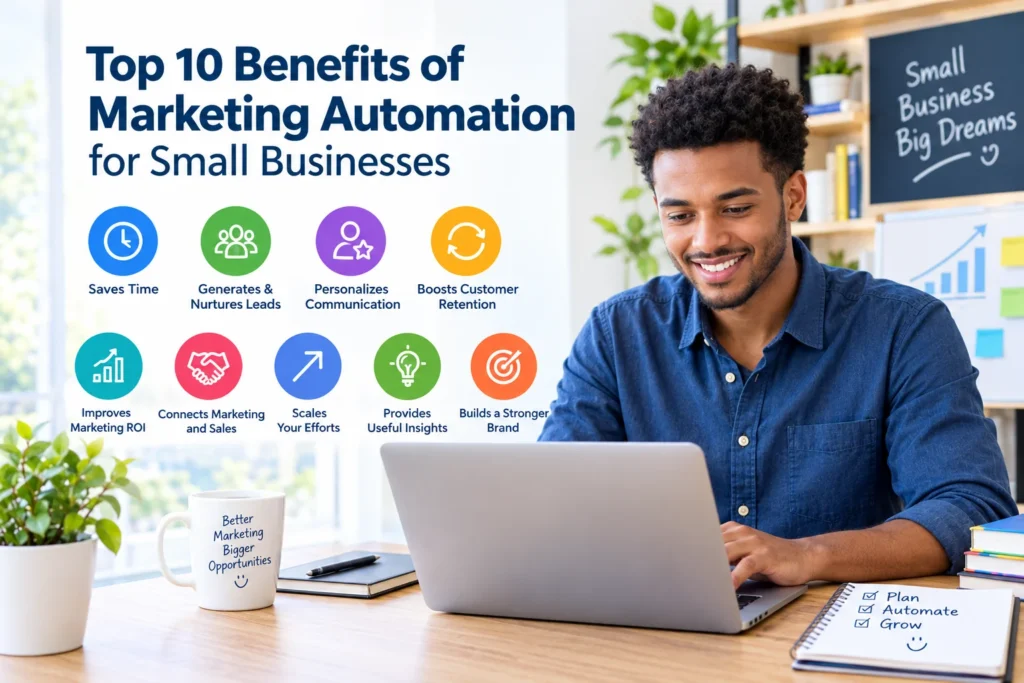
Top 10 Benefits of Marketing Automation for Small Businesses
1. Saves Time by Reducing Repetitive Marketing Tasks
Time is one of the few resources a small business cannot easily replace. Owners often manage sales, finances, customer support, operations, and marketing themselves. When routine marketing activities consume a large part of the working day, important strategic tasks can fall behind.
Marketing automation helps by taking over predictable activities that would otherwise require repeated manual effort.
Imagine receiving 50 new newsletter subscribers in a single afternoon. Without automation, someone might need to prepare and send welcome messages individually. With a properly configured workflow, each eligible subscriber can receive the appropriate message automatically.
The same principle applies to appointment reminders, customer onboarding, scheduled newsletters, and follow-up emails.
The real advantage is not simply doing less work. It is creating more room for work that requires human judgment.
A small consulting firm, for example, could configure its website to send an acknowledgment whenever a potential client submits an inquiry. At the same time, the system could notify the appropriate team member so that a personal response can follow.
No inquiry needs to wait for someone to remember to send a confirmation.
Of course, automation does not eliminate marketing responsibilities. Businesses must still develop useful content, answer complicated questions, monitor campaigns, and refine their strategies. Software also requires initial setup and occasional maintenance.
Nevertheless, removing repetitive steps can make daily operations more manageable and reduce the likelihood of important tasks being overlooked.
2. Improves Lead Generation and Follow-Up
Attracting potential customers is only the beginning. The next challenge is turning their initial interest into a meaningful conversation, and eventually, when the fit is right, a purchase.
Unfortunately, many promising leads lose interest because businesses respond too slowly or fail to provide the information prospects need. An inquiry arrives during a busy afternoon, gets buried beneath other messages, and remains unanswered. By the time someone follows up, the prospect may have moved on.
Marketing automation helps establish a more dependable process.
For instance, a digital marketing agency could offer a free search engine optimization checklist on its website. After a visitor requests the resource, an automated sequence might deliver the checklist, explain a useful keyword research technique, and later introduce the agency’s website optimization services.
Each message has a purpose. The first fulfills the request; subsequent messages build understanding and offer additional value.
Automation can also help businesses:
- Record incoming leads in a central system.
- Assign inquiries to the appropriate team member.
- Trigger follow-up reminders.
- Send relevant information after a customer action.
- Track interactions throughout the sales process.
These capabilities are especially useful when several employees share responsibility for sales and customer communication.
Still, more messages do not necessarily mean better results. Follow-ups should reflect the prospect’s interests, communication preferences, and stage in the buying process. A helpful reminder can move a conversation forward; a relentless stream of promotional emails can undermine trust.
The objective is to make timely communication easier, not to pressure people into buying.
3. Enables More Personalized Customer Communication
People receive countless promotional messages. When every business sends essentially the same offer to every contact, it becomes difficult to stand out.
Personalization makes communication more relevant by considering what customers have expressed an interest in, purchased previously, or chosen to receive.
Marketing automation supports this process through segmentation, which means dividing a contact list into smaller groups based on useful characteristics or interactions.
A small clothing retailer, for example, might sell casual wear, sportswear, and formal clothing. Instead of sending the same promotion to its entire mailing list, the retailer could let subscribers choose their preferred categories and tailor relevant updates accordingly.
Other useful segmentation criteria include:
- Products or services a person has expressed interest in.
- Previous purchases.
- Newsletter preferences.
- The stage a prospect has reached in the buying process.
- Engagement with particular campaigns.
Even simple segmentation can make a noticeable difference in the relevance of marketing messages. Advanced artificial intelligence is not a prerequisite.
A local service provider could separate new inquiries from existing customers, for example, ensuring that introductory messages go to prospects while established customers receive useful service updates.
There is an important qualification, however. Personalization should not become an excuse to collect excessive information or make unsupported assumptions about individuals. Businesses should use customer data responsibly, explain relevant data practices, and provide clear options for managing communication preferences.
When applied thoughtfully, marketing automation helps small businesses communicate with greater relevance without requiring every message to be prepared individually.
4. Maintains Consistent Marketing Communication
A business might publish an excellent newsletter one week, disappear for a month, and then launch several promotions in quick succession. Even when the content is useful, this inconsistency can make it harder for customers to maintain a connection with the brand.
Marketing automation helps establish a reliable communication rhythm.
A small business might plan to send a newsletter every two weeks, introduce a new product once a month, and deliver a welcome message whenever someone joins its mailing list. Once the schedule and workflows are configured, the software can help deliver each communication at the intended time.
Consistency also matters after a customer makes a purchase.
A service provider could send a welcome message explaining the next steps, followed by an onboarding email containing relevant instructions. Customers receive the information they need without waiting for an employee to prepare every message manually.
Yet consistency is not the same as frequency.
Sending an email simply because it appears on the calendar can create unnecessary noise. Before each communication goes out, businesses should consider whether the message remains accurate, relevant, and useful to its intended audience.
Scheduled campaigns should therefore be reviewed regularly, particularly when prices, products, policies, or business circumstances change.
The goal is to become dependable, not intrusive. When customers know what to expect and receive information that genuinely helps them, communication can support stronger long-term relationships.
5. Helps Small Businesses Use Their Marketing Budgets More Effectively
Limited budgets force small businesses to make difficult choices. Hiring additional employees, investing in advertising, improving a website, and purchasing marketing software may all be worthwhile, but they compete for the same resources.
Marketing automation can help businesses organize their existing efforts and make better-informed decisions about where to invest.
For example, a company that relies heavily on paid advertising to attract attention might use email automation to continue educating subscribers who have voluntarily joined its mailing list. Instead of depending entirely on repeated advertisements to communicate with an existing audience, the business can share relevant information through an established channel.
Automation can also help identify which campaigns generate inquiries, qualified leads, or purchases. This makes it easier to assess performance and reconsider activities that consume resources without producing meaningful results.
However, marketing automation is not automatically cheaper than manual marketing.
Software subscriptions, initial configuration, employee training, integrations, and ongoing maintenance all have costs. A complicated platform may introduce unnecessary expenses when a business only needs to send occasional newsletters.
A sensible evaluation considers three questions:
- How much time or effort will the tool save?
- What measurable business outcome should the workflow improve?
- Do the expected benefits justify the total cost of ownership?
For a business with a small contact list and straightforward campaigns, a basic email marketing platform may be sufficient. A company managing a longer sales cycle, multiple customer segments, and several communication channels may eventually need more advanced capabilities.
Start with the problem, not the software. The best investment is the one that supports a genuine business need at a sustainable cost.
6. Nurtures Leads Throughout the Customer Journey
Not every prospect is ready to buy when they first discover a business. Some are comparing alternatives, researching a problem, or waiting until they have the budget to move forward.
This is where lead nurturing becomes important.
Lead nurturing involves providing useful, relevant information over time so that potential customers can understand their options and make informed decisions. Marketing automation makes this process easier to organize, particularly when prospects need several interactions before they are ready to purchase.
Consider a small web design agency that offers a free website planning guide. Someone who downloads the guide might receive a sequence such as the following:
- Immediately: Deliver the requested guide and explain how to use it.
- A few days later: Share a checklist for preparing website content.
- Next: Explain common website design considerations and mistakes.
- Afterward: Introduce relevant service options and examples of the agency’s work.
- When appropriate: Invite interested readers to schedule a consultation.
The sequence moves from education toward a possible business relationship without making every message a sales pitch.
Automation can also adapt communication to different customer actions. Someone who requests pricing may need a detailed explanation of service packages, whereas someone who has only downloaded an introductory guide may benefit from more educational material.
The distinction matters.
Effective lead nurturing respects the fact that customers make decisions at different speeds. It provides helpful information when it is relevant, rather than treating every prospect as though they are ready to buy immediately.
When the content is genuinely useful and the timing is appropriate, businesses can maintain relationships with potential customers without manually managing every follow-up.
7. Strengthens Customer Retention and Loyalty
Acquiring a new customer is valuable, but the relationship should not end when a payment is completed.
Existing customers may need product instructions, service reminders, updates, renewal notifications, or assistance getting the most out of what they purchased. When these interactions are handled poorly, even a successful sale can become a disappointing experience.
Marketing automation helps businesses maintain appropriate communication after the initial transaction.
Common examples include:
- Sending order confirmations and product instructions.
- Providing onboarding guidance for new customers.
- Requesting feedback after a service has been completed.
- Sending renewal reminders before a subscription expires.
- Sharing relevant information about related products.
- Providing updates to customers who have opted in to receive them.
A small software company, for instance, could send new users a series of onboarding emails that explain account setup, introduce important features, and direct customers to support resources.
A local maintenance business might send a reminder when routine servicing is due. A fitness studio could use automated notifications to help members keep track of class bookings.
These communications are useful because they address a customer’s actual needs rather than focusing exclusively on another sale.
Still, automation has its limits. A scheduled message cannot replace a thoughtful response to a complaint, a reliable product, or a service team that takes customer concerns seriously.
Businesses should also respect consent and applicable privacy requirements, avoid excessive messaging, and make it easy for recipients to manage their preferences.
Technology can help maintain the relationship. The quality of the relationship still depends on the business.
8. Provides Valuable Marketing Data and Performance Insights
Marketing decisions become more useful when they are based on evidence rather than assumptions.
Many marketing automation platforms include reporting features that help businesses examine campaign delivery, clicks, form submissions, leads, purchases, and other actions. The available measurements depend on the software, tracking configuration, and marketing channels involved.
Suppose a small online store sends two campaigns promoting different product categories. One attracts considerable attention but produces few purchases; the other generates fewer clicks but leads to more sales.
Looking only at engagement would provide an incomplete picture. Examining conversions alongside the broader customer journey may reveal which campaign is producing more meaningful business results.
Useful metrics include the following:
- Conversion rate: The proportion of relevant visitors or recipients who complete a desired action.
- Click-through rate: The proportion of messages or recipients generating clicks, according to the platform’s calculation.
- Lead-to-customer rate: The proportion of leads who become paying customers.
- Customer acquisition cost: The marketing and sales cost associated with acquiring a customer, calculated consistently.
- Unsubscribe rate: The proportion of email recipients who opt out of further communications.
The right metric depends on the objective. A lead-generation workflow should not necessarily be evaluated in the same way as a customer onboarding sequence.
It is also important to interpret results carefully. Privacy protections, automated link scanning, and tracking restrictions can affect reported email opens and clicks. A high click count does not automatically indicate strong commercial performance, and a low number of clicks does not tell the whole story.
Small businesses should combine several indicators with customer feedback and actual business outcomes.
Over time, these insights can help owners identify successful campaigns, improve underperforming messages, and direct limited resources toward activities that contribute to their goals.
9. Improves Coordination Between Marketing and Sales
Marketing and sales are closely connected, yet the two functions can become disconnected when information is scattered across email inboxes, spreadsheets, contact forms, and separate software systems.
The consequences are familiar: a sales representative misses a request for a quote, a potential customer receives a second introductory email after already becoming a client, or a promising lead waits several days for a response.
Marketing automation, particularly when integrated with a suitable customer relationship management system, can reduce these communication gaps.
For example, a workflow could be configured to:
- Record a prospect’s pricing request.
- Notify the appropriate sales representative.
- Create a follow-up task.
- Update the contact’s status.
- Keep relevant interactions available in a central record.
This gives employees a clearer view of what has happened and what needs to happen next.
The benefits are not limited to businesses with separate departments. A small company where one person manages marketing and sales can also use automation to organize inquiries and maintain a more consistent follow-up process.
However, software alone cannot create effective collaboration.
Employees need to agree on what qualifies as a sales-ready lead, who is responsible for responding, how quickly inquiries should be handled, and when marketing communication should change after a prospect becomes a customer.
Without these decisions, automation may simply make a confusing process happen faster.
When clear responsibilities are combined with reliable workflows, businesses can improve coordination, reduce missed opportunities, and create a smoother experience for potential customers.
10. Makes It Easier to Scale Marketing Activities
A marketing process that works well for 30 contacts may become difficult to manage when the audience grows to 3,000. More subscribers mean more inquiries, additional customer segments, and a greater need to deliver relevant information without losing consistency.
Marketing automation provides a way to expand certain activities without increasing manual effort at the same rate.
Consider a small online education business. Initially, it might need only a welcome email and a monthly newsletter. As its audience expands, the business could introduce separate workflows for new subscribers, active students, and customers interested in advanced courses.
Each group receives communication suited to its relationship with the business.
The organization can continue improving established workflows instead of rebuilding every campaign from scratch. This creates a more repeatable marketing process and may reduce the administrative burden associated with growth.
There are limits, though. Larger contact lists can increase subscription costs, while more complex workflows require better data management, testing, and ongoing maintenance.
A growing business should also review whether its existing systems can handle the additional requirements. Integrations that worked for a simple setup may need to be reconsidered as the business adds new tools or communication channels.
The most effective approach is gradual expansion. Start with a reliable process, confirm that it delivers value, and introduce additional automation when a clear need emerges.
The objective is not to automate every customer interaction. It is to create dependable systems for routine work while preserving personal attention where it matters most.
How to Get Started With Marketing Automation
Small businesses do not need an elaborate technology stack to begin. In many cases, one well-designed workflow can solve a recurring problem and demonstrate whether further investment makes sense.
The following steps provide a practical starting point.
Step 1: Identify Your Biggest Marketing Challenge
Begin by examining the activities that consume too much time, happen inconsistently, or regularly fall through the cracks.
Perhaps website inquiries receive delayed responses. Maybe newsletters are sent irregularly, appointment reminders are forgotten, or potential customers are not followed up with consistently.
Choose one problem with a clear business purpose.
Avoid automating every possible task at once. A focused starting point makes the setup easier to manage and the results easier to evaluate.
Step 2: Map the Customer Journey
Consider the path people take from discovering your business to becoming customers and receiving support afterward.
Identify where a message, reminder, or notification could improve their experience.
For example, a service business might need to confirm receipt of an inquiry, remind a customer about an upcoming consultation, and send relevant follow-up information after the meeting.
These are separate communication needs, even if they involve the same customer.
Mapping the journey helps ensure that each workflow has a defined purpose rather than adding messages without considering their overall effect.
Step 3: Choose the Right Marketing Automation Tool
Compare software according to your actual requirements, not simply the length of its feature list.
Consider:
- Ease of use and initial setup.
- Contact limits and email sending allowances.
- Integration with your website, CRM, or other systems.
- Reporting and performance measurement.
- Customer support and available training.
- Data protection and privacy controls.
- Monthly or annual subscription costs.
A straightforward email marketing platform may be enough for welcome messages and newsletters. A business with a longer sales cycle may benefit from stronger CRM integration and lead management.
Review the provider’s current plans and terms before purchasing because features, limits, and pricing can change.
Step 4: Build One Simple Workflow
Choose a process that is useful, easy to understand, and relatively straightforward to test.
A welcome email sequence is a practical example:
- A person voluntarily subscribes through an appropriate signup form.
- The system sends a welcome message.
- A later email provides a useful resource.
- Another message introduces a relevant product or service.
- The workflow stops or changes when the person’s status makes further messages inappropriate.
Before activation, establish clear rules for consent, unsubscribe requests, customer exclusions, and communication preferences.
Keep the first workflow manageable. Once it works reliably, you can decide whether additional automation would solve other problems.
Step 5: Test Before Launching
A workflow that appears correct in the software interface may still contain broken links, incorrect timing, missing personalization fields, or conditions that do not behave as expected.
Test the entire sequence before sending it to real customers.
Check what happens when someone subscribes twice, unsubscribes, already belongs to a customer segment, or has previously purchased the promoted product. Confirm that the right messages are delivered under the intended conditions.
Testing reduces the risk of duplicate emails, confusing communication, and avoidable mistakes.
It is also worth reviewing the messages on different devices and checking that the content remains clear and readable.
Step 6: Measure Results and Improve
After launching the workflow, compare its performance with the problem you originally wanted to solve.
If the objective was to improve inquiry handling, examine response times and the proportion of inquiries receiving appropriate follow-up. If the goal was to improve onboarding, investigate whether customers complete important setup steps or need less assistance with routine questions.
Use the findings to adjust the timing, content, audience, and workflow conditions.
Marketing automation should be treated as an ongoing process, not a one-time installation. Customer expectations change, products evolve, and campaigns that performed well several months ago may need revision.
Regular evaluation helps keep the system useful as the business develops.
Marketing Automation Tools for Small Businesses
The right platform depends on the work you want to automate, the complexity of your marketing processes, and the budget available.
Several established services are worth investigating.
MailerLite
MailerLite may suit small businesses, bloggers, creators, and other organizations that need email newsletters, signup forms, and relatively straightforward email automation.
It is worth considering when the main objective is to build an email audience and maintain consistent communication without introducing unnecessary complexity.
Brevo
Brevo is an option for businesses interested in combining email marketing with customer management and additional communication channels.
It may be worth evaluating when a business wants to coordinate several customer communication activities within a broader platform. Available features depend on the selected plan.
HubSpot
HubSpot is worth considering when lead management, CRM records, and coordination between marketing and sales are important.
Businesses should pay close attention to the products and subscription levels required for their intended workflows, since not every automation capability is necessarily included in every plan.
Constant Contact
Constant Contact is another established platform to investigate for email campaigns and related marketing activities.
It may be relevant to small businesses seeking a dedicated marketing service, particularly when comparing email campaign management and other features against their requirements.
How to Choose Between These Tools
Before committing to a platform, compare the capabilities you will actually use, the number of contacts you expect to manage, sending limits, integration requirements, reporting options, and total cost.
A free plan or trial can provide an opportunity to test a service when available. However, check its restrictions before building essential business processes around it.
There is no universal winner. The most appropriate platform is the one that supports your current needs, fits your budget, and can accommodate reasonable future growth without creating unnecessary complexity.
Common Marketing Automation Mistakes to Avoid
Automation can improve efficiency, but poorly designed workflows can create new problems. Avoiding a few common mistakes can make the difference between a useful system and an expensive distraction.
Automating Without a Clear Objective
Every workflow should solve a recognizable problem or support a measurable business goal.
Automating an activity simply because a platform offers the feature may add complexity without producing meaningful value. Define the intended outcome before configuring the process.
Sending Too Many Messages
Frequent communication can overwhelm subscribers and damage trust.
Set a reasonable schedule, prioritize useful information, and remove contacts from sequences when the messages no longer apply. More emails are not automatically better marketing.
Ignoring Data Quality
Incorrect email addresses, duplicate contacts, outdated information, and poorly organized customer records can undermine even a carefully designed workflow.
Review contact data regularly and establish clear processes for maintaining accurate records.
Forgetting the Human Element
Automation is well suited to predictable activities, but customers sometimes need personal assistance, detailed explanations, or a sensitive response.
Make it easy for people to contact a real person when necessary. Efficiency should never become an obstacle to good customer service.
Failing to Review Performance
A workflow should not run indefinitely without supervision.
Check for broken links, expired offers, outdated information, declining engagement, and changes in business requirements. Schedule periodic reviews so that automated communication remains relevant.
Overlooking Privacy and Consent
Businesses should understand the privacy and electronic marketing requirements that apply to their operations and customers.
Collect only the information you need, explain how it will be used, protect customer records, and honor valid opt-out requests. Responsible data practices are essential to maintaining customer trust.
Frequently Asked Questions About Marketing Automation
1. What is marketing automation for small businesses?
Marketing automation for small businesses is the use of software to manage recurring marketing activities, including welcome emails, lead follow-ups, newsletters, customer onboarding, and reminders.
It helps businesses organize communication, reduce repetitive work, and respond more consistently to customer actions while retaining oversight of their marketing strategy.
2. Is marketing automation suitable for a small business with a limited budget?
Yes. A small business can start with an affordable tool and a single workflow, such as an inquiry confirmation or welcome email sequence.
The important question is whether the time saved and business value justify the cost. Expensive software is not necessarily better for a business with straightforward marketing requirements.
3. What marketing tasks can be automated?
Common examples include email sequences, newsletter scheduling, lead notifications, contact segmentation, appointment reminders, customer onboarding, and campaign reporting.
The exact capabilities depend on the platform, available integrations, and the rules established by the business.
4. Does marketing automation replace marketing employees?
No. Automation can handle certain repetitive activities, but people remain responsible for strategy, content quality, customer understanding, performance interpretation, and complex conversations.
For a small team, the main advantage is that automation can reduce manual work and free up time for activities that require creativity, judgment, and personal attention.
5. How can a small business measure the success of marketing automation?
Start with the objective of each workflow.
A welcome sequence might be evaluated through relevant engagement and conversions. A lead follow-up process could be measured through response times and the proportion of qualified leads who become customers.
Also consider software expenses, staff time, customer feedback, and unsubscribe rates when assessing overall performance. The most useful measurements are those that connect marketing activity to a meaningful business outcome.
Conclusion: Make Marketing Automation Work for Your Business
Marketing automation can help small businesses reduce repetitive tasks, maintain consistent communication, nurture potential customers, and build more organized relationships with existing clients. It can also provide valuable performance insights and make established processes easier to expand as a business grows.
But the greatest benefits do not come from purchasing the most advanced software or automating every available task. They come from identifying genuine business challenges and designing workflows that address them effectively.
A simple welcome sequence that delivers useful information, a dependable process for responding to inquiries, or a well-timed customer reminder may provide more value than a complicated system filled with features the business rarely uses.
Start small. Identify one recurring task, choose an appropriate tool, and build a workflow around a clear objective. Test it carefully, measure the results, and improve the process as your needs change.
Want More Helpful Tips? Visit Our Website Now! AmiinMarketer.com