
Choosing an email marketing platform can seem like a minor business decision—until you start building your list, creating campaigns, setting up automations, and trying to figure out which messages are actually producing results.
The right platform can simplify all of that.
A good email marketing tool should help you collect subscribers, send newsletters, automate follow-ups, organize contacts into useful segments, and measure campaign performance without forcing you to become a full-time marketing technician.
The difficult part is choosing one.
There are dozens of email marketing services available, and they do not all solve the same problem. Some emphasize simplicity and low-cost plans. Others lean heavily into automation, CRM functionality, ecommerce, funnels, or multichannel communication.
In this guide, we compare seven of the best email marketing tools for small businesses in 2026:
- Mailchimp
- Brevo
- MailerLite
- Constant Contact
- GetResponse
- ActiveCampaign
- HubSpot
There is no universal winner here. A freelance consultant, local service provider, online store, nonprofit, and growing software company can have completely different requirements.
So rather than simply ranking these platforms from first to seventh, we’ll look at where each one fits, what it does particularly well, where it may fall short, and what you should consider before paying for a plan.
Pricing and features can change, so always verify current details on the provider’s official pricing page before making a purchase.
Table of Contents
Quick comparison of the best email marketing tools for small businesses
| Platform | Best for | Free option | Main strength | Potential drawback |
|---|---|---|---|---|
| Mailchimp | Beginners and established small businesses | Yes | Broad email marketing features and integrations | Pricing can become more significant as contacts grow |
| Brevo | Businesses wanting email plus other channels | Yes | Flexible email-volume pricing and multichannel tools | Some advanced features require higher plans |
| MailerLite | Simplicity and value | Yes | Easy email, automation, forms and landing pages | Advanced requirements may require an upgrade |
| Constant Contact | Small businesses wanting support and marketing tools | Trial | Ease of use and live support | Can cost more than some lightweight alternatives |
| GetResponse | Automation, funnels and ecommerce | Trial | Broad marketing functionality | More features can mean a steeper learning curve |
| ActiveCampaign | Advanced automation | Trial | Sophisticated customer journeys and segmentation | Better suited to users willing to invest time in setup |
| HubSpot | Email combined with CRM | Yes | CRM and broader marketing ecosystem | Advanced marketing features can become expensive |
How to choose the best email marketing tool for your small business
Before comparing individual platforms, it helps to step back.
What does your business actually need?
A company with 500 subscribers and a single monthly newsletter has very different requirements from an ecommerce business with thousands of contacts, abandoned-cart sequences, promotional campaigns, and behavioral automations running throughout the week.
The most impressive feature list is not necessarily the most useful one.
Before choosing a platform, consider the following.
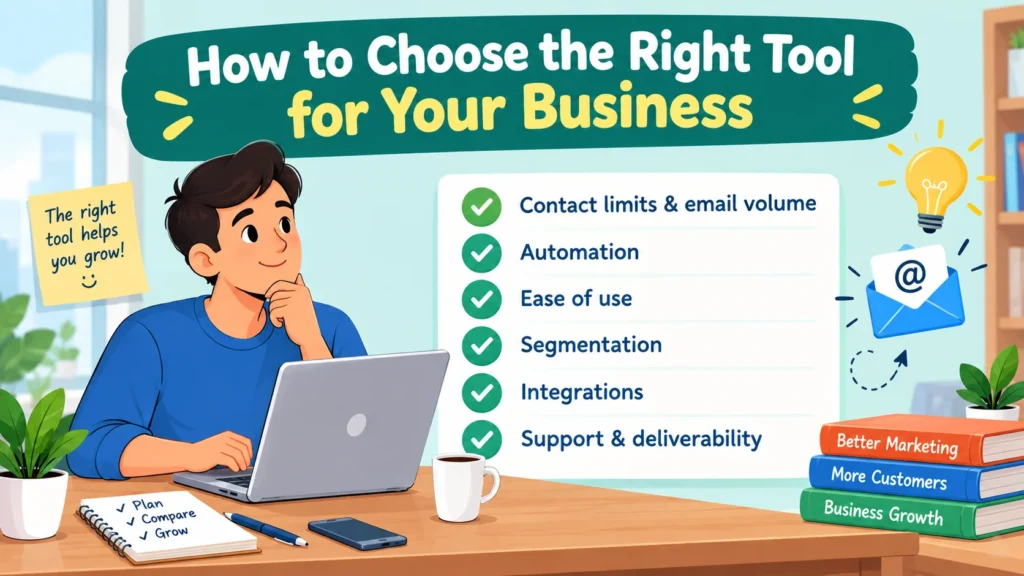
1. Contact limits and email volume
Email marketing services can structure their pricing around the number of contacts you store, the number of messages you send, or a combination of both.
That distinction matters more than it may initially appear.
Imagine two businesses. One has 2,000 subscribers but sends a single newsletter every month. The other has only 500 subscribers but sends several automated messages every week. Their email requirements are completely different.
Mailchimp, for example, combines contact limits with monthly sending allowances, while Brevo offers plans structured around monthly email volume as well as contacts.
So don’t look only at the headline price. Think about how your list and sending habits are likely to develop.
2. Automation
Automation can be extremely simple—or remarkably sophisticated.
At the basic level, you might send a welcome email automatically whenever somebody joins your list. That’s useful, but it is only the beginning.
More advanced systems can build entire sequences around subscriber behavior, including:
- Welcome sequences
- Follow-ups triggered by link clicks
- Abandoned-purchase reminders
- Re-engagement campaigns
- Different messages based on customer activity
- Multi-step customer journeys
If your business sends an occasional newsletter and little else, you probably don’t need an elaborate automation engine.
On the other hand, if repetitive follow-ups are eating into your time, automation can quickly become one of the most valuable features you pay for.
3. Ease of use
Small businesses rarely have unlimited marketing resources.
Often, the person responsible for email is also handling sales, customer service, operations—or several of those jobs at once. In that situation, a clean interface can be more valuable than a hundred advanced features you never use.
Look for:
- Drag-and-drop email design
- Reusable templates
- Simple contact management
- Straightforward reporting
- Clear automation builders
- Easy signup forms
A platform does not have to be technically impressive to be useful. It has to make your work easier.
4. Segmentation
Segmentation allows you to divide your subscribers into meaningful groups so that you can send more relevant messages.
Consider a fitness business, for example. It might separate:
- New subscribers
- Existing customers
- Customers who purchased a particular service
- Subscribers who have not opened recent emails
You don’t necessarily need dozens of segments. In fact, too many can make your marketing harder to manage.
A few useful groups based on customer behavior, interests, purchases, or engagement are often a much better starting point.
5. Integrations
Your email platform should work with the rest of your business—not operate as an isolated island.
Depending on what you do, useful integrations might include:
- Ecommerce platforms
- Website builders
- CRM systems
- Payment platforms
- Analytics tools
- Appointment software
- Social media tools
Mailchimp currently lists more than 300 integrations, while Constant Contact also lists 300+ integrations.
The exact number matters less than whether the platform connects to the systems you already depend on.
6. Support and deliverability tools
Email marketing is about more than making attractive newsletters.
You also need tools for managing bounces and unsubscribes, authenticating your domain, testing campaigns, and understanding how recipients interact with your messages.
And there is an important distinction worth remembering: no email platform can guarantee that every message will land in the primary inbox.
Your sending practices, domain reputation, authentication, content, list quality, and recipient engagement all influence deliverability.
In other words, the software matters—but so does how you use it.
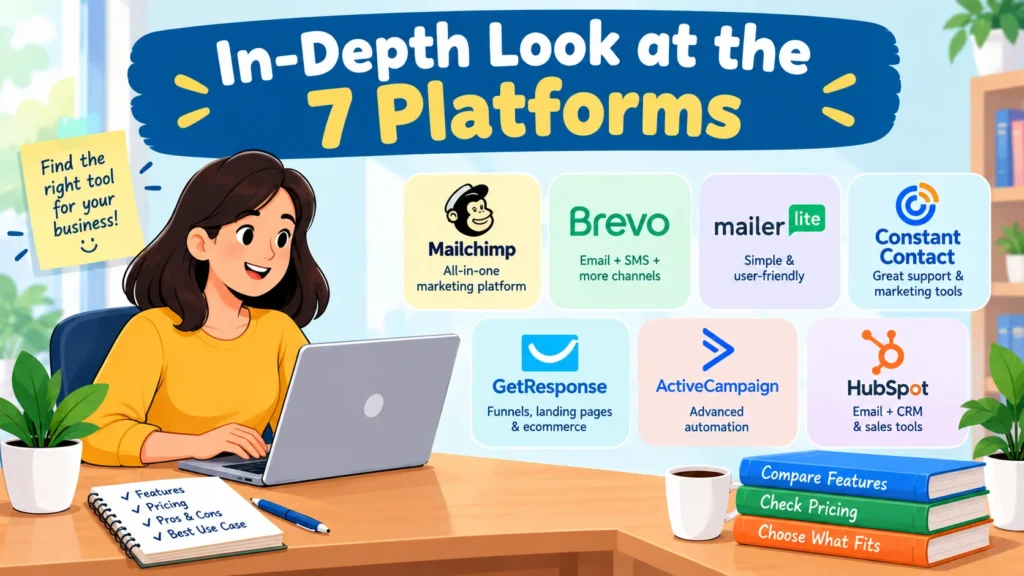
1. Mailchimp — Best all-around option for many small businesses
Mailchimp remains one of the most recognizable names in email marketing, and for many small businesses, that familiarity is useful. The platform combines campaign creation, automation, segmentation, analytics, and a large integration ecosystem in one place.
Its current Marketing plans include Free, Essentials, Standard, and Premium tiers. The Free plan supports up to 250 contacts and 500 monthly sends, while paid plans add capabilities such as additional automation, testing, scheduling, segmentation, and support depending on the tier.
What Mailchimp does well
- Beginner-friendly campaign creation
- Email templates and signup forms
- Audience segmentation
- Automation
- A/B testing on applicable plans
- Large integration ecosystem
- Reporting and analytics
Mailchimp also offers a Pay As You Go option, which can make sense for businesses that send emails infrequently and don’t necessarily want a recurring monthly subscription.
Limitations
Mailchimp’s pricing structure can become more complicated as your contact list expands and your sending requirements increase.
Features also vary between plans. That means you should compare the exact tier you need instead of assuming that every feature is available at every price level.
Best for
Mailchimp is a strong starting point for a small business that wants an established platform with broad email marketing capabilities, plenty of integrations, and room to expand.
2. Brevo — Best for email volume and multichannel marketing
Brevo approaches email marketing somewhat differently from platforms that primarily organize pricing around contact-list size.
Its plans combine email marketing with tools for SMS, WhatsApp, transactional email, automation, forms, and CRM-related activities.
The Free plan currently allows up to 300 emails per day, while paid plans increase sending capacity and introduce additional features.
What Brevo does well
- Email campaigns and newsletters
- Contact segmentation
- Marketing automation
- Transactional email
- SMS and other messaging channels
- Signup forms
- Landing pages on applicable plans
- Email analytics
- AI-assisted content features
Brevo’s Standard plan includes features such as unlimited marketing automation, A/B testing, advanced reporting, and send-time optimization, subject to the plan’s terms.
Limitations
Breadth can be a strength, but it can also create complexity.
Because Brevo does much more than basic newsletter sending, there is more to learn. Certain features also depend on the plan you choose.
Best for
Brevo is particularly worth considering if you want email marketing today but may eventually add SMS, transactional messaging, automation, or other communication channels.
3. MailerLite — Best for simplicity and small teams
MailerLite focuses heavily on accessibility.
That makes it particularly appealing to smaller teams, freelancers, creators, and businesses that would rather start sending campaigns than spend days learning an elaborate marketing system.
Its current plans include Free, Comfort, Power, and Enterprise. The Free plan supports up to 250 subscribers and includes 2,500 monthly emails, along with basic campaigns, automations, a website, landing page, and signup forms. Paid plans expand features and sending capacity.
What MailerLite does well
- Simple email editor
- Newsletter templates
- Landing pages
- Signup forms
- Email automation
- Segmentation
- A/B testing on applicable plans
- Websites and digital products
- AI-assisted writing features
One useful aspect of its pricing structure is that paid plans are primarily differentiated by subscriber count and sending volume rather than placing every major capability behind separate feature tiers.
Limitations
MailerLite is designed to remain relatively straightforward.
That’s an advantage for many businesses, but companies that eventually require highly sophisticated CRM functionality or extremely complex customer journeys may find themselves looking elsewhere.
Best for
MailerLite is particularly attractive for freelancers, consultants, bloggers, small online businesses, and teams that want to create campaigns without dealing with unnecessary complexity.
4. Constant Contact — Best for support and straightforward marketing
Constant Contact is built with small-business marketing in mind. Email sits at the center, but the platform also includes additional marketing functionality.
Its current plans are Lite, Standard, and Premium. Annual billing currently starts at $10.20 per month for Lite, $29.75 for Standard, and $68 for Premium, although the exact price depends on contact levels and billing arrangements.
What Constant Contact does well
- Drag-and-drop email creation
- Templates
- Signup forms
- Email scheduling
- Subject-line testing on applicable plans
- Automation
- Segmentation
- Social media marketing
- Reporting
- Live phone and chat support
The platform also lists more than 300 integrations, including connections with Shopify, Canva, Google, Microsoft, and Zapier.
Limitations
Constant Contact isn’t necessarily the least expensive option.
Pricing depends on both the selected plan and contact tier, while additional sending beyond a plan’s allowance can lead to extra charges.
For a very small business with basic newsletter needs, a lighter platform may offer better value.
Best for
Constant Contact makes sense for small businesses that value ease of use and, importantly, want access to human support.
That can be especially valuable when there is no dedicated marketing specialist on the team.
5. GetResponse — Best for broader marketing campaigns
GetResponse is more than a traditional newsletter service.
It combines email marketing with automation, landing pages, funnels, ecommerce functionality, webinars, and other marketing tools. For businesses looking to consolidate several parts of their marketing operation, that broader approach can be appealing.
Its current Starter plan is listed at $19 per month, or $15.58 per month when billed annually. The Marketer plan is listed at $59 per month, or $48.38 per month annually. Actual costs depend on the plan and subscriber level selected.
What GetResponse does well
- Email newsletters
- Automated sequences
- Landing pages
- Signup forms
- Audience segmentation
- Ecommerce features
- Sales funnels
- Web push notifications
- Webinars
- Website tools
The Starter plan includes unlimited monthly email sends and a welcome email series, while higher plans provide more advanced automation and marketing functionality.
Limitations
GetResponse offers a lot.
That is precisely why it may feel like overkill if your only requirement is sending one newsletter every month. The broader the toolkit becomes, the more time you may need to learn how its pieces fit together.
Best for
GetResponse is a strong candidate for businesses that want to bring several marketing activities into one platform instead of stitching together a collection of separate tools.
6. ActiveCampaign — Best for advanced automation
ActiveCampaign is especially focused on automation and customer journeys.
If your marketing strategy depends on understanding what customers do and responding automatically, this is where ActiveCampaign becomes particularly interesting.
Its current plans include Starter, Plus, Pro, and Enterprise, with pricing customized according to factors such as contacts and selected products. The platform offers email marketing, automation, segmentation, CRM and ecommerce integrations, landing pages, and additional AI-related functionality.
What ActiveCampaign does well
- Multi-step automation
- Customer segmentation
- Behavioral targeting
- Email marketing
- CRM-related workflows
- Ecommerce integrations
- Conditional content
- Conversion tracking
- Automated customer journeys
The Starter plan includes limited segmentation and up to five actions per automation, while higher plans expand automation and segmentation capabilities.
Limitations
ActiveCampaign can easily be more sophisticated than a very small business needs.
Creating a simple newsletter is one thing. Designing detailed, behavior-based customer journeys is another. The latter requires planning, testing, and a willingness to spend time inside the platform.
Pricing also deserves attention because ActiveCampaign uses customized pricing based on business requirements rather than presenting one simple price for every user.
Best for
Choose ActiveCampaign when automation is not merely a nice extra but a central part of your marketing strategy.
7. HubSpot — Best for email marketing plus CRM
HubSpot takes a different approach.
Email is not really the whole product. It is one component of a much larger CRM and marketing ecosystem.
HubSpot currently offers free tools, a Starter tier, and more advanced Professional and Enterprise options. Its free offering includes email marketing, although sending limits and branding apply. The Starter tier currently starts at $7 per seat under the displayed pricing structure, while advanced Marketing Hub plans can become substantially more expensive.
What HubSpot does well
- CRM and contact management
- Email campaigns
- Lead management
- Marketing automation
- Reporting
- Forms
- Sales and marketing integration
- Customer data management
The biggest attraction is the connection between email activity and customer information.
Instead of treating email as a separate marketing function, HubSpot can place it alongside sales activity, contact records, lead management, and broader customer data.
Limitations
That broader ecosystem comes with a cost.
HubSpot can become expensive when you move into advanced marketing automation and reporting. The Professional Marketing Hub tier is currently listed from $800 per month under the displayed pricing structure, which may be difficult to justify if your business only needs newsletters.
Best for
HubSpot makes the most sense when email marketing needs to sit closely alongside CRM and sales operations.
If all you want is a newsletter tool, there are simpler choices.
Best email marketing tools for small businesses by use case
An overall ranking can be useful, but it doesn’t answer the question most business owners actually have:
Which platform is right for my particular situation?
Here’s a simpler way to look at it.
Best for beginners
Mailchimp or MailerLite are sensible starting points.
Both provide accessible campaign-building tools, templates, contact management, and automation features. MailerLite may be more appealing if simplicity is your priority, while Mailchimp has the advantage of a broad ecosystem and a large selection of integrations.
Best for affordable email-volume flexibility
Brevo deserves attention.
Its pricing structure includes plans based around email volume, which can be useful when a business has a relatively large contact database but a controlled sending schedule.
Best for human support
Constant Contact stands out here.
Its live phone and chat support can be particularly useful for business owners who don’t have a dedicated marketing specialist available to solve technical or campaign-related problems.
Best for advanced automation
ActiveCampaign is the stronger option when detailed workflows and behavioral automation are priorities.
Best for an all-in-one marketing platform
GetResponse and HubSpot both go well beyond basic email campaigns, although they take different approaches.
GetResponse emphasizes a broad collection of marketing tools. HubSpot, meanwhile, becomes particularly compelling when CRM and sales management are central to the business.
How much should a small business spend on email marketing?
There is no magic monthly number.
A new business with a small subscriber list may be perfectly well served by a free plan or an inexpensive entry-level subscription. Paying for advanced automation before you have enough subscribers—or enough campaigns—to benefit from it can simply create unnecessary overhead.
As your list grows, however, don’t let the advertised starting price make the decision for you.
Look at the actual cost for your situation.
Check:
- Your expected contact count
- Monthly email volume
- Automation limits
- Number of users
- Available integrations
- Landing-page limits
- Transactional email requirements
- SMS costs
- Additional charges
- Annual versus monthly billing
- Features that require a higher tier
For example, Mailchimp’s paid marketing plans are partly structured around contact count and sending limits, while Constant Contact also bases pricing on the selected plan and contact tier.
The price you see in an advertisement may not be the price your business actually pays once your list grows.
What makes an email marketing platform worth paying for?
A paid plan should solve a genuine problem.
That’s the simplest rule.
For a small business, useful reasons to upgrade might include:
- More subscribers — You’ve exceeded the free contact limit.
- Higher sending volume — Your campaigns no longer fit within the free allowance.
- Automation — You want repetitive follow-ups to happen without manual work.
- Segmentation — You need more targeted communication.
- Testing — You want to compare subject lines or content.
- Branding — You want to remove the provider’s branding.
- Reporting — You need deeper campaign insights.
- Team access — Several people need to manage your marketing.
- Integrations — Your email system needs to connect with ecommerce, CRM, or other business software.
More features do not automatically mean more value.
The best purchase is the platform whose useful features justify its cost and complexity.
Email marketing best practices for small businesses
The software is only half of the equation.
You can choose an excellent platform and still run poor email campaigns. Conversely, a relatively simple tool can perform very well when the list is healthy, the content is relevant, and the strategy is consistent.
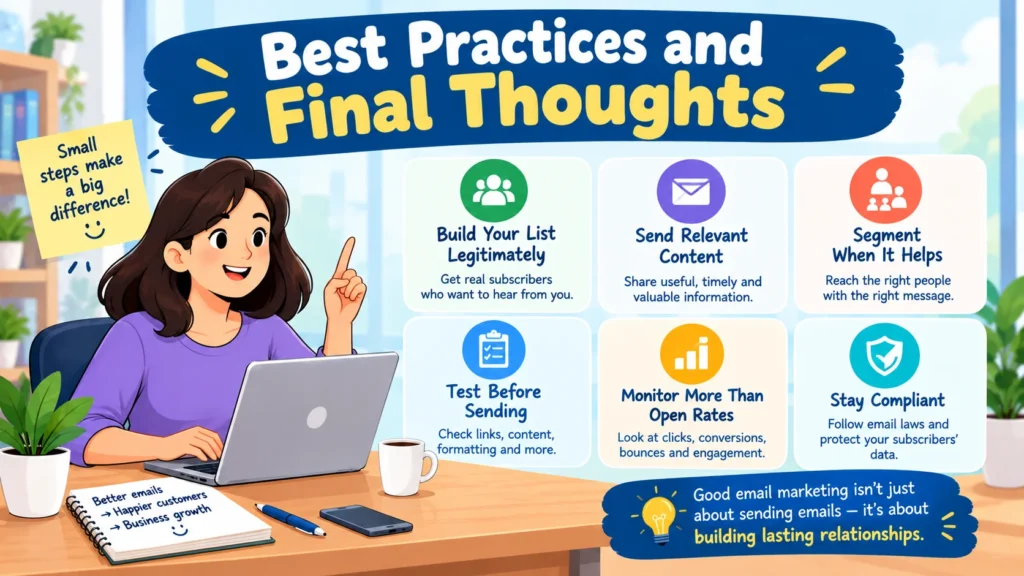
Build your list legitimately
Use clear signup forms and tell people what they are signing up to receive.
Avoid questionable purchased email lists.
A smaller audience of people who genuinely want your messages is usually far more useful than a huge database filled with contacts whose interest—or even source—is uncertain.
Send relevant content
Your subscribers need a reason to keep opening your emails.
Depending on your business, useful content might include:
- Product updates
- Educational tips
- New services
- Helpful guides
- Seasonal information
- Exclusive offers
- Relevant company news
The goal isn’t simply to send more messages.
It’s to send messages worth receiving.
Segment when it is useful
You don’t need dozens of complicated segments.
Start with a few meaningful groups based on customer needs, interests, purchase history, or engagement. As you learn more about your audience, you can make those segments more sophisticated.
Test before sending
Always send yourself a test email before launching a campaign.
Check:
- Links
- Spelling
- Images
- Mobile formatting
- Personalization
- Subject line
- Call-to-action buttons
- Unsubscribe functionality
A thirty-second test can prevent a surprisingly expensive mistake.
Monitor more than open rates
Open rates can be imperfect because privacy features and email clients can affect tracking.
Instead of relying on a single metric, look at several signals together, including clicks, conversions, unsubscribes, bounces, and revenue when appropriate.
The metric that matters most is not necessarily the one that looks best on a dashboard.
Keep your sending practices compliant
Email marketing laws vary by country and region.
Depending on where your business and subscribers are located, requirements may involve consent, sender identification, unsubscribe mechanisms, data protection, and other obligations.
Use the compliance documentation provided by your email platform, and when you’re uncertain about the rules that apply to your business, seek qualified legal guidance.
A simple way to choose your platform
Still unsure?
Start with the job you need the software to perform.
Choose Mailchimp if you want a broad, established email marketing platform with many integrations.
Choose Brevo if you want email alongside SMS, transactional messaging, and other communication channels, particularly when email volume is important.
Choose MailerLite if you want a relatively simple platform for newsletters, forms, landing pages, and automation.
Choose Constant Contact if live support and straightforward small-business marketing tools matter to you.
Choose GetResponse if you want email combined with funnels, landing pages, ecommerce, webinars, and other marketing functions.
Choose ActiveCampaign if sophisticated automation and detailed customer journeys are your priority.
Choose HubSpot if you want email marketing tightly integrated with CRM and sales operations.
Frequently asked questions
What is the best email marketing tool for a small business?
There isn’t one answer that works for everyone.
Mailchimp and MailerLite are strong general-purpose options. Brevo is attractive for flexible email volume and multichannel marketing, while ActiveCampaign is better suited to businesses that need advanced automation.
The right choice ultimately depends on your list size, budget, technical requirements, and marketing goals.
Is email marketing worth it for a small business?
It can be.
Email gives businesses a direct way to communicate with people who have chosen to hear from them. But its effectiveness depends heavily on list quality, content relevance, sending practices, and the connection between campaigns and actual business objectives.
It should be viewed as one part of a broader marketing strategy—not as a guaranteed source of sales.
What is the cheapest email marketing platform for small businesses?
Several platforms offer free plans or trials, but the cheapest option depends on what you actually need.
Mailchimp and MailerLite provide free options with specific limits, while Brevo offers a free plan with daily sending restrictions.
A free plan can be excellent for getting started. But when comparing platforms, also calculate what the service will cost once your subscriber count and sending volume reach the levels you realistically expect.
How many emails should a small business send?
There is no universal number.
The better approach is to establish a predictable schedule that matches what subscribers expected when they signed up.
A local business may send occasional updates. An ecommerce company might send more frequent campaigns alongside automated messages.
Watch engagement and unsubscribe rates, then adjust your frequency accordingly.
Should a small business use a free email marketing plan?
Often, yes—at least initially.
A free plan lets you learn the platform, build your workflow, and start communicating with subscribers without immediately committing to a monthly subscription.
The catch is that free plans typically impose restrictions on contacts, sending volume, branding, automation, support, or reporting.
Before building your entire marketing system around a free tier, make sure you understand what happens when you reach its limits.
Conclusion
The best email marketing platform for a small business is rarely the one with the longest feature list.
It is the one that fits.
Your audience. Your budget. Your workflow. Your goals.
Mailchimp remains a versatile choice for businesses that want a broad ecosystem and extensive integrations. Brevo is particularly interesting for companies that want email alongside other communication channels. MailerLite stands out for simplicity and accessible email marketing. Constant Contact is worth considering when human support matters. GetResponse brings a wider collection of marketing tools under one roof, while ActiveCampaign is better suited to businesses that want sophisticated automation. HubSpot becomes most compelling when email needs to work closely with CRM and sales operations.
Before you subscribe, compare current pricing using the contact count and sending volume you actually expect—not just the attractive starting price shown on a comparison page.
Then ask yourself a more important question: Which features will I genuinely use over the next 12 months?
A small business usually doesn’t need the most complicated email marketing platform available.
It needs a dependable system that makes communicating with customers easier, helps the business learn from its campaigns, and creates better marketing processes over time.
Find marketing tools that fit your needs at AmiinMarketer.com