
As a business grows, marketing rarely becomes simpler. More subscribers need attention, potential customers expect timely responses, and campaigns require regular monitoring. What once took a few minutes can turn into hours of repetitive work. Without an organized system, even a capable marketing team can struggle to keep everything running smoothly.
This is where marketing automation makes a difference.
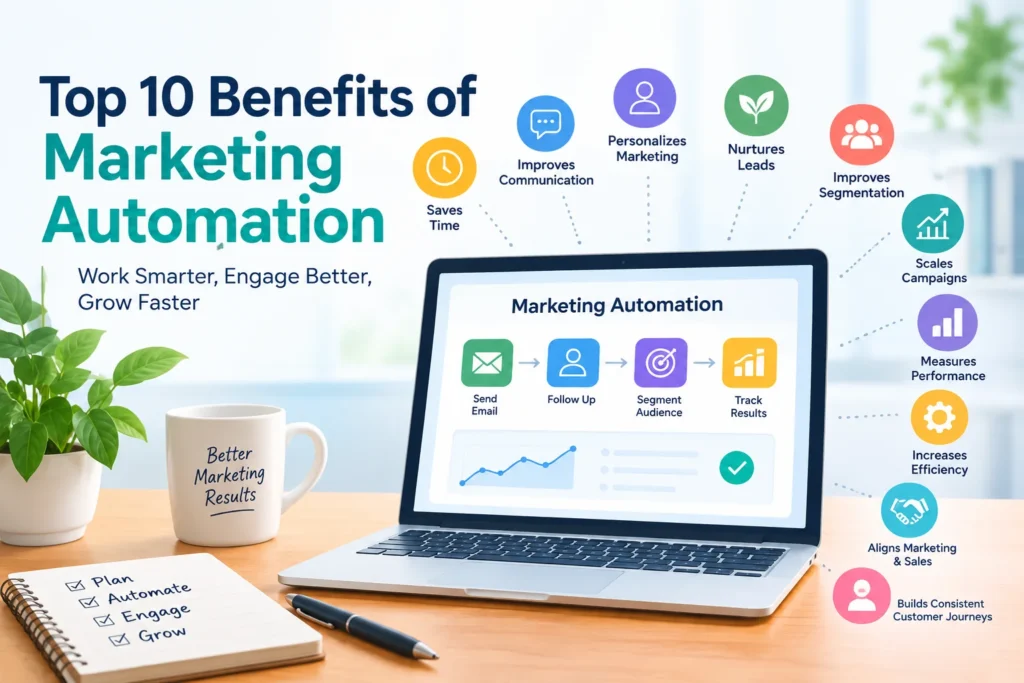
The top 10 benefits of marketing automation extend far beyond saving time. When implemented thoughtfully, automation can help businesses deliver more relevant messages, nurture potential customers, organize audience data, measure campaign performance, and build stronger customer relationships. It can also make marketing activities easier to manage as a company expands.
But there is an important distinction: automation is not simply about sending more emails or eliminating manual work. It is about creating reliable processes that help the right message reach the right person at an appropriate moment.
In this guide, we explore ten practical benefits of marketing automation, examine real-world examples, discuss potential limitations, and explain how businesses can begin automating their marketing activities without unnecessary complexity.
Table of Contents
What Is Marketing Automation?
Marketing automation is the use of software to manage repetitive marketing activities according to predefined rules, schedules, customer actions, or other conditions. Depending on the platform, it can support email marketing, lead nurturing, audience segmentation, campaign scheduling, customer onboarding, and follow-up communication.
Instead of manually initiating every action, marketers build workflows that respond to specific events.
Consider a simple example. Someone subscribes to a business newsletter. The system sends a welcome email automatically. A few days later, the subscriber receives an educational resource. If the person subsequently expresses interest in a particular service, another message can provide relevant information.
The process follows rules established by the business, allowing communication to remain organized without requiring a team member to manage every individual interaction.
Marketing automation can benefit startups, small businesses, established companies, and growing online brands. The appropriate solution, however, depends on the organization’s goals, available resources, audience size, and marketing requirements.
Most importantly, automation works best when it supports a well-designed strategy rather than attempting to compensate for a poorly organized one.
Top 10 Benefits of Marketing Automation
1. Saves Time by Reducing Repetitive Marketing Tasks
Time is one of the most valuable resources a business has. Yet marketing teams frequently spend it on activities that follow the same predictable pattern: scheduling emails, organizing contacts, sending reminders, updating records, and following up with potential customers.
Although each task may seem manageable on its own, the combined workload can become substantial.
Marketing automation helps reduce this burden by allowing suitable activities to run according to predefined instructions. Once a workflow has been configured and tested, the software can perform its assigned actions whenever the relevant conditions are met.
For example, a small business could create an automated welcome sequence for new newsletter subscribers. Every eligible subscriber receives the planned introduction and subsequent educational messages without the marketing team having to send each email individually.
That changes how the team spends its time. Instead of repeatedly handling administrative work, marketers can concentrate on developing useful content, understanding customer needs, testing campaign ideas, and improving the overall marketing strategy.
How to apply this benefit: Begin with a task you perform regularly. If you send the same welcome email to every new subscriber, for instance, consider automating that process before attempting a complicated customer journey.
Keep in mind that automation is not entirely hands-off. Initial configuration, testing, monitoring, and occasional maintenance are still necessary. The actual time savings depend on how frequently a task occurs and how much manual effort the workflow removes.
2. Improves the Consistency of Customer Communication
Customers do not always interact with a business at convenient times. Someone might subscribe to a newsletter late at night, request information during a busy afternoon, or sign up for a service while the marketing team is handling other priorities.
When every interaction depends on manual follow-up, delays and missed opportunities can occur.
Marketing automation provides a more dependable way to maintain communication. Businesses can establish workflows that deliver appropriate messages after particular actions, helping customers receive useful information without relying entirely on someone’s memory or availability.
Imagine a software company offering a downloadable product guide. After a visitor requests the resource, an automated email delivers the guide. A few days later, the subscriber receives a tutorial explaining a relevant feature. The communication follows a planned sequence rather than stopping after the initial download.
This approach can support welcome messages, onboarding instructions, educational newsletters, event reminders, and product updates.
Consistency matters because customers often need more than one interaction before they understand a product or decide whether a service meets their needs.
However, frequent communication is not necessarily effective communication. Sending too many messages can overwhelm subscribers and weaken trust. Businesses should carefully consider relevance, timing, and individual preferences when designing their workflows.
3. Supports More Personalized Marketing
A message that appeals to one customer may be irrelevant to another. People have different interests, budgets, priorities, and levels of familiarity with a product. Treating an entire audience as though everyone shares identical needs can limit the usefulness of marketing campaigns.
Marketing automation helps businesses make communication more relevant by using appropriate customer information to guide message selection.
Depending on the software and available data, personalization may involve:
- Using subscribers’ names and stated preferences.
- Sharing content related to subjects they have selected.
- Responding to previous interactions with marketing materials.
- Providing information suited to a customer’s stage in the buying journey.
- Recommending relevant products or services based on voluntarily supplied information.
For example, an online education company might have subscribers interested in digital marketing, accounting, and web development. Rather than sending every subscriber identical course recommendations, it could organize contacts according to their stated interests and distribute relevant learning resources.
The result is a more focused communication experience. Subscribers are more likely to encounter information connected to their needs instead of receiving a stream of unrelated messages.
Still, personalization depends on the quality of the underlying information. Outdated preferences, inaccurate records, and intrusive targeting can create the opposite effect.
Practical tip: Start with one or two meaningful audience segments. Even a simple distinction between beginners and experienced users can make content more relevant, provided the distinction is based on appropriate information.
4. Helps Nurture Leads Throughout the Customer Journey
Not every potential customer is ready to purchase immediately. Some are researching a problem, others are comparing competing solutions, and many simply need more information before deciding what to do next.
Lead nurturing is the process of providing useful, relevant communication that helps potential customers understand their options and make informed decisions over time.
Marketing automation makes this process easier to organize.
For instance, a company that offers email marketing software could develop an educational sequence covering subscriber list management, campaign planning, email performance measurement, and automation features. Readers who demonstrate interest in a particular topic might subsequently receive additional information about related capabilities.
Instead of sending every message manually, the business establishes a structured process that guides interested prospects through relevant educational material.
This can be especially useful for products and services that require research before purchase. A well-planned sequence gives potential customers opportunities to learn while helping the business maintain consistent communication.
Nevertheless, effective lead nurturing is not synonymous with endless promotion. If every email pushes a sale, subscribers may lose interest or unsubscribe.
A stronger approach balances educational resources, practical advice, product information, and appropriate calls to action. Each message should have a clear purpose and offer something worthwhile to its intended audience.
5. Makes Audience Segmentation More Manageable
Audience segmentation involves dividing contacts into smaller groups according to meaningful characteristics, interests, preferences, or behavior.
Why does this matter? Because a campaign designed for everyone often struggles to address anyone’s specific needs particularly well.
Marketing automation can help businesses maintain audience groups and use them consistently across relevant campaigns. Depending on the information available, segments might be based on selected interests, customer status, previous purchases, or engagement with particular content.
Consider an online store selling products across several categories. Customers interested in home office equipment may benefit from different recommendations than subscribers interested in outdoor accessories. The business can organize these audiences and send relevant campaigns instead of promoting every product to every contact.
A digital marketing website could take a similar approach by separating subscribers interested in SEO resources from those who prefer email marketing tutorials.
Segmentation can also improve campaign analysis. Rather than evaluating the entire audience as one group, marketers can compare how different segments respond to particular messages and use those observations to guide future decisions.
The goal is not to create as many segments as possible. Excessive segmentation can introduce unnecessary complexity, especially when a business lacks sufficient information to distinguish groups meaningfully.
Start with a small number of useful categories, evaluate whether they improve the customer experience, and expand only when there is a clear reason to do so.
6. Makes Marketing Campaigns Easier to Scale
A marketing process that works well for 100 subscribers may become difficult to manage when the audience reaches several thousand. More contacts can mean more administrative work, additional follow-ups, and greater pressure to maintain consistent communication.
Without reliable processes, growth can make everyday marketing increasingly complicated.
Marketing automation helps businesses scale repeatable activities by allowing established workflows to operate for eligible contacts without requiring the same manual effort for every new person.
For example, a business can build a welcome email sequence once and use it for future subscribers. The team can then review performance, improve the messages, and apply those improvements as the audience grows.
The same principle can support customer onboarding, educational email sequences, lead notifications, and other recurring marketing activities.
This repeatability creates a more manageable foundation for growth. Rather than rebuilding a process every time the audience expands, businesses can refine an existing workflow and continue using it where appropriate.
However, scaling a workflow does not automatically make it effective. An irrelevant message sent to a small group may be disappointing; the same mistake repeated across a much larger audience can cause substantially more problems.
Businesses must continue checking contact data, email deliverability, message relevance, and workflow conditions. They should also review outdated content and adjust processes as customer needs change.
Build something reliable first. Then scale it.
7. Helps Businesses Measure Marketing Performance
Marketing decisions become more useful when they are supported by relevant evidence rather than assumptions alone.
Many marketing automation platforms include reporting features that help businesses evaluate email campaigns, customer interactions, and workflow performance. Depending on the provider, available metrics may include delivery information, clicks, conversions, subscriber activity, and other campaign indicators.
These reports help marketers identify where a process appears to be working and where further investigation may be necessary.
Suppose a welcome email attracts meaningful engagement, but a later message receives relatively few clicks. The marketing team can examine several possible explanations: perhaps the subject line is unclear, the content is less relevant, the timing is inconvenient, or the call to action does not offer enough value.
Rather than changing everything at once, the team can investigate the evidence and test appropriate improvements.
Automation reporting can also help businesses connect marketing activities to specific objectives. A company focused on generating qualified leads, for example, may care more about meaningful form submissions than the number of emails sent.
One important caution: individual metrics rarely tell the entire story. An email open does not necessarily mean someone carefully read the message, and privacy features or technical factors can affect tracking accuracy.
For a more dependable assessment, businesses should examine several relevant indicators alongside their broader marketing goals.
Collecting data is only the beginning. The real value comes from interpreting it carefully and using it to make better decisions.
8. Improves Marketing Efficiency and Resource Allocation
For many businesses, the challenge is not a lack of marketing ideas. It is finding enough time and resources to execute them properly.
Small teams may be responsible for email campaigns, website content, customer inquiries, lead management, and performance reporting at the same time. When too much effort goes toward repetitive administration, important strategic activities can receive less attention.
Marketing automation can make this workload more manageable by reducing unnecessary manual steps and helping teams coordinate recurring processes.
For example, a business could configure a workflow that notifies an appropriate sales representative when a prospect requests a product demonstration. The representative can review the request and determine the best next step rather than depending on someone to forward the information manually.
This creates a more organized process and can reduce delays between customer interest and follow-up.
The same principle applies to routine campaign scheduling, contact organization, and other repetitive activities. By handling suitable tasks through predefined workflows, businesses may be able to direct more attention toward activities that require human judgment.
However, automation does not automatically reduce costs or improve productivity. A poorly designed workflow can create duplicate records, unnecessary notifications, or additional troubleshooting work.
Before automating a task, examine whether the existing process is genuinely useful. Simplify it where necessary, then automate the steps that benefit from greater consistency.
9. Strengthens Coordination Between Marketing and Sales
In businesses where marketing and sales teams work together, the quality of their coordination can influence the customer experience.
Marketing may generate interest through educational content and campaigns, while sales representatives handle product demonstrations, consultations, and purchasing discussions. If the two teams use disconnected processes, promising leads may be overlooked or receive inconsistent follow-ups.
Marketing automation can help close some of these gaps by organizing prospect information and coordinating predefined actions.
When integrated with a suitable customer relationship management (CRM) system, an automation platform may support lead assignment, notifications, shared contact records, and other collaborative workflows.
For example, a software company could establish a rule that alerts its sales team when a prospect requests a product demonstration. The salesperson can review the request, access relevant information, and follow the company’s agreed process for contacting the prospect.
This reduces reliance on scattered spreadsheets and informal messages.
It can also make responsibilities clearer. Marketing teams can focus on generating and nurturing interest, while sales representatives can concentrate on appropriate conversations with potential customers.
But technology alone cannot solve every coordination problem. The teams still need to agree on what qualifies as a promising lead, who is responsible for follow-up, and how contact records should be maintained.
Automation provides the structure. Clear communication between colleagues makes that structure useful.
10. Creates More Consistent Customer Journeys
A customer journey includes the interactions a person has with a business, from discovering a product to becoming a customer and receiving ongoing communication or support.
These interactions often happen across different stages. Someone who has just subscribed to a newsletter needs different information from a person evaluating a product or an existing customer learning to use a service.
When businesses send the same sequence to everyone, communication can become repetitive, irrelevant, or poorly timed.
Marketing automation helps organize these interactions according to customer status, previous actions, and other appropriate conditions.
For example, a software company might create separate workflows for new subscribers, trial users, and existing customers.
A new subscriber could receive introductory educational resources. A trial user might receive setup instructions and practical tutorials. Existing customers could receive relevant product updates or learning materials that help them use the service more effectively.
Each workflow serves a different purpose, making communication more closely aligned with the customer’s situation.
This approach can also help businesses identify moments when a person needs additional information or when an existing sequence should stop.
That last point matters. Customer circumstances change, and an automation should not continue sending outdated messages simply because nobody has reviewed the workflow recently.
A consistent customer journey is not one in which every interaction is automated. It is one in which communication feels relevant, coordinated, and appropriate at each stage.
Marketing Automation Benefits at a Glance
The following table summarizes the ten benefits, their practical applications, and the main considerations businesses should keep in mind.
| Benefit | Practical application | Important consideration |
|---|---|---|
| Saves time | Automated welcome emails | Setup and maintenance |
| Improves communication | Timely customer follow-ups | Message frequency |
| Supports personalization | Interest-based content | Accurate customer data |
| Nurtures leads | Educational email sequences | Avoid excessive promotion |
| Improves segmentation | Targeted audience campaigns | Keep segments useful |
| Supports scalability | Reusable marketing workflows | Ongoing quality control |
| Measures performance | Campaign and workflow reporting | Interpret metrics carefully |
| Improves efficiency | Automated notifications | Simplify processes first |
| Coordinates marketing and sales | Lead assignment and alerts | Define responsibilities |
| Creates consistent journeys | Stage-based communication | Review outdated workflows |
Common Examples of Marketing Automation
The benefits become easier to understand when you examine how automation works in everyday business situations. The right application depends on your objectives, customer needs, and the capabilities of your chosen software.
Email Marketing Automation
Email marketing is a practical starting point for many businesses because numerous recurring email activities can be organized into straightforward workflows.
Common applications include:
- Welcome emails for new subscribers.
- Educational email sequences.
- Customer onboarding messages.
- Event confirmations and reminders.
- Relevant product or service updates.
- Re-engagement campaigns for eligible subscribers.
For example, a new subscriber could receive a welcome email immediately after signing up, followed by a useful tutorial a few days later. The business establishes the sequence once and reviews it periodically to ensure the messages remain relevant.
Subscriber consent, preferences, and applicable email marketing requirements should always guide how these workflows operate.
Lead Management Automation
Lead management automation helps businesses organize information about potential customers and determine what should happen after a particular interaction.
When someone submits a contact form, for example, the system might create a CRM record and notify the appropriate team member. Depending on the purpose of the inquiry, the business can then provide a resource, request additional information, or arrange a conversation.
The objective is to reduce avoidable delays while keeping the process organized.
Content Distribution Automation
Businesses can use suitable tools to schedule social media posts, coordinate newsletter distribution, and manage recurring content publication tasks.
Scheduling can make publishing more consistent, particularly for small teams managing several channels. However, automation should not eliminate editorial oversight.
Content still needs to be checked for accuracy, relevance, tone, and suitability for the platform where it will appear.
Customer Onboarding Automation
The customer experience does not end when someone purchases a product or signs up for a service. In many cases, customers need guidance before they can use what they have purchased effectively.
An onboarding workflow can deliver setup instructions, tutorials, documentation, and links to support resources at appropriate stages.
For example, a software company might send an introductory guide after registration, followed by instructions for completing the first important setup task.
This helps organize the initial experience without requiring the team to send every message individually.
How to Get Started With Marketing Automation
You do not need to automate your entire marketing operation on the first day. In fact, attempting too much at once can make the process unnecessarily expensive and difficult to manage.
A focused implementation is easier to test, understand, and improve.
Step 1: Identify a Clear Marketing Goal
Begin by deciding what you want to improve.
Perhaps your team spends too much time sending routine emails. Maybe potential customers do not receive consistent follow-ups, or new users need a more organized onboarding experience.
Choose one specific problem rather than adopting automation simply because the technology is available.
A clear objective gives you a practical way to evaluate whether the workflow is worthwhile.
Step 2: Map Your Existing Process
Before choosing software, document how the task currently works.
Identify what triggers the process, which actions follow, where delays occur, and which decisions require human judgment.
For example, if your current process involves manually sending a welcome email after every newsletter subscription, write down each step and identify which ones can be handled automatically.
Correct obvious inefficiencies before automating them. Otherwise, you risk making an unnecessarily complicated process run faster without making it better.
Step 3: Choose the Right Marketing Automation Tool
Not every business needs an advanced automation platform. Some may only require basic email sequences, while others need complex workflows, CRM integration, or more detailed reporting.
Compare available solutions according to your actual requirements, including:
- Essential automation features.
- Ease of use and setup.
- Pricing and plan restrictions.
- Contact limits and email allowances.
- Integration with your existing tools.
- Reporting and performance measurement.
- Support, documentation, and available resources.
Some email marketing services include basic automation features, while more advanced platforms provide additional workflow and CRM capabilities.
Choose software that fits your current needs and budget. You can always reassess your requirements as the business grows.
Step 4: Create a Simple Workflow
Start with one manageable task, such as a welcome email or a notification triggered by a contact form submission.
Define four essential elements:
- Trigger: What event starts the workflow?
- Action: What should the system do?
- Timing: When should the action occur?
- Conditions: What determines whether the workflow should continue or stop?
Keep the initial design straightforward. A workflow that is easy to understand is generally easier to test, maintain, and improve.
Step 5: Test Everything Before Launching
An automated workflow can repeat mistakes just as efficiently as it repeats correct actions. Testing is therefore essential.
Use appropriate test contacts to check message formatting, links, timing, audience rules, and the behavior of the workflow under different conditions.
Confirm that messages reach the intended recipients and that the process handles unsubscribes and changing eligibility correctly.
Where relevant, review privacy requirements, access permissions, and the security of customer information.
A short testing period can help prevent avoidable problems once the workflow becomes active.
Step 6: Monitor Results and Make Improvements
Launching an automation is the beginning of the process, not the end.
Review whether the workflow is achieving its original objective. Depending on the use case, that might mean reducing manual work, improving follow-up consistency, increasing relevant engagement, or helping customers complete onboarding.
Use appropriate performance indicators and customer feedback to identify problems. Adjust timing, content, or workflow conditions when the evidence supports a change.
Avoid making changes simply because a metric fluctuates temporarily. Look for meaningful patterns and assess the results against your original goal.
Over time, these improvements can help you develop a more reliable marketing system.
What Are the Limitations of Marketing Automation?
Although marketing automation offers several practical advantages, it also introduces responsibilities and potential challenges. Understanding these limitations helps businesses make better decisions before investing in software.
Initial setup requires time. Workflows need planning, configuration, testing, and documentation. Complex implementations may also require technical assistance.
Software can involve ongoing costs. Pricing may depend on the number of contacts, users, features, integrations, or messages sent. Review current pricing and plan restrictions before committing to a platform.
Poor data leads to poor communication. Incorrect contact details, outdated preferences, and duplicate records can cause irrelevant messages or repeated communication. Maintaining reliable data is essential.
Excessive automation can feel impersonal. Customers may become frustrated when every interaction appears generic or automated messages fail to address their actual questions. Some situations require a personal response.
Privacy and compliance need attention. Businesses must handle customer information responsibly, protect their systems, and follow applicable privacy and electronic communications laws.
Results are not guaranteed. Automation cannot compensate for an unsuitable product, weak content, an unclear marketing strategy, or a poor understanding of customer needs. Its impact depends on how well the underlying process is designed and managed.
The most effective approach combines automation with human oversight. Use software to handle appropriate repetitive tasks, but retain the judgment needed to understand customers, evaluate results, and make thoughtful decisions.
Frequently Asked Questions About Marketing Automation
1. What are the main benefits of marketing automation?
The main benefits include saving time, improving customer communication, supporting personalization, nurturing leads, organizing audience segments, scaling repeatable campaigns, measuring performance, improving operational efficiency, coordinating marketing and sales, and creating more consistent customer journeys.
The value of each benefit depends on the business’s goals, audience, and implementation.
2. Is marketing automation suitable for small businesses?
Yes. Small businesses can use marketing automation to manage welcome emails, appointment reminders, lead notifications, customer onboarding, and other recurring activities.
A small company does not necessarily need an advanced platform to begin. Starting with one straightforward workflow can help demonstrate whether automation provides enough practical value to justify the time and expense involved.
3. How does marketing automation improve email marketing?
Marketing automation allows businesses to send emails in response to predefined events, organize subscribers into relevant groups, and deliver messages according to a schedule or customer action.
For example, a new subscriber might receive a welcome email after joining a newsletter, followed by educational messages over the next several days.
These workflows can make communication more consistent and relevant. Their effectiveness still depends on useful content, appropriate timing, audience preferences, and responsible email practices.
4. What is the difference between marketing automation and email marketing?
Email marketing is a channel businesses use to communicate with an audience through email. Marketing automation is a broader approach that uses software to manage predefined marketing activities and workflows.
Email marketing can be part of an automation strategy, but marketing automation may also support lead management, customer onboarding, campaign coordination, and CRM-related activities.
The precise capabilities depend on the software being used.
5. Does marketing automation guarantee better sales or conversions?
No. Implementing marketing automation does not guarantee higher sales, more conversions, or increased revenue.
Automation can help businesses organize follow-ups, deliver relevant information, and manage marketing activities more consistently. However, actual results also depend on product quality, customer demand, pricing, audience fit, content, and the effectiveness of the overall marketing strategy.
Businesses should evaluate real performance rather than assume that automating a process automatically makes it successful.
Conclusion
The top 10 benefits of marketing automation demonstrate how businesses can use technology to make marketing more organized, consistent, and manageable. From reducing repetitive tasks and improving communication to nurturing leads and coordinating customer journeys, automation can support several important parts of the marketing process.
Its greatest value, however, does not come from automating everything. It comes from identifying the right activities, designing useful workflows, and improving them over time.
Start with a specific problem. Choose a tool that fits your needs, test your first workflow carefully, and monitor whether it delivers the intended results. Once the process works reliably, consider where another well-designed automation could make a meaningful difference.
Above all, keep the customer experience at the center of every decision. Technology should help businesses deliver timely, relevant information—not overwhelm subscribers with unnecessary messages or replace the human judgment that effective marketing requires.
Ready to improve your marketing workflow? Review your current email marketing process and identify one repetitive task that could benefit from automation. A simple, reliable workflow is an excellent place to start, and the lessons you learn can guide your next improvement.
Want More Helpful Tips? Visit Our Website Now! AmiinMarketer.com