
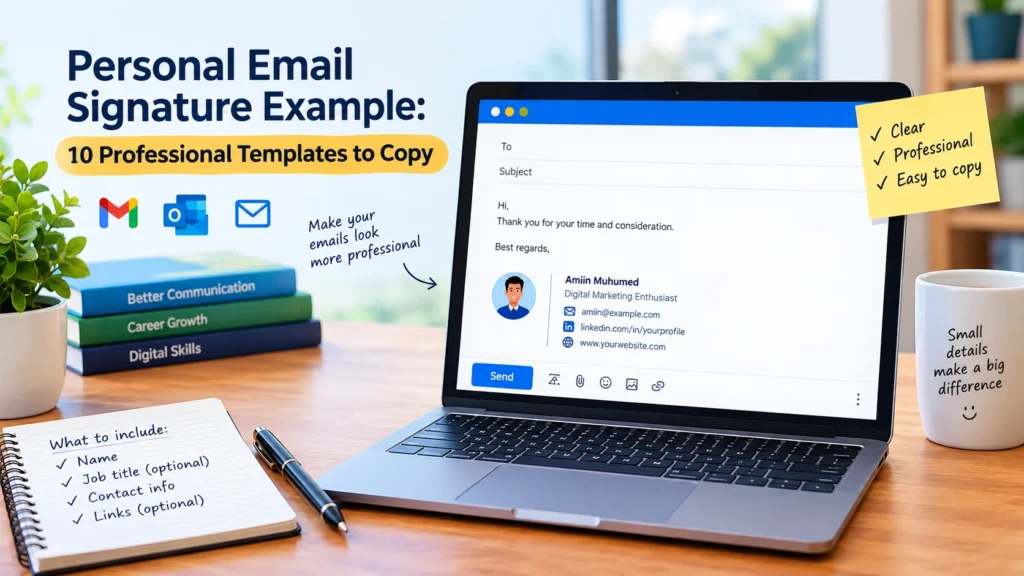
A well-written email signature may take up only a few lines, but those lines can make a meaningful difference in how people perceive your communication. Whether you are contacting a potential employer, emailing a university lecturer, introducing yourself to a new client, or building professional relationships online, a clear signature helps recipients identify you and find the information they need without searching through your message.
The good news? You do not need an elaborate design, expensive software, or advanced technical knowledge to create one. In most situations, your full name, a relevant professional title, and one useful contact link are enough. Simplicity often works better than a signature crowded with unnecessary details.
In this guide, you will discover a personal email signature example for ten different situations, learn which details deserve a place in your signature, and explore practical ways to create one that looks professional without becoming distracting. You will also find useful tips for avoiding common mistakes and keeping your contact information accurate.
Table of Contents
What Is a Personal Email Signature?
A personal email signature is a short block of text placed at the end of an email. It usually identifies the sender and may include additional information, such as a professional role, phone number, website, portfolio, or social media profile.
Think of it as a compact introduction that accompanies your message. Instead of explaining who you are every time you contact someone, you can provide essential information in a consistent format.
For example:
Example:
Amiin Muhumed
Digital Marketing Enthusiast
Email: amiin@example.com
LinkedIn: linkedin.com/in/example
This signature gives the recipient a name, a general idea of the sender’s interests, and a way to find additional information. It remains short enough to read at a glance.
A personal email signature differs from a business email signature primarily in its purpose and level of detail. Business signatures may include an organization’s name, office address, department, or branding requirements. Personal signatures, by contrast, can be adapted to the individual and the situation.
There is no single format everyone must follow. The right choice depends on how you use email, whom you contact, and what information would genuinely help the recipient.
10 Personal Email Signature Examples You Can Copy
Not every email requires the same signature. A student contacting a lecturer has different needs from a freelancer approaching a potential client, while a job seeker may benefit from including a portfolio or professional profile.
The following templates provide practical starting points. Replace the sample details with your own information, remove anything irrelevant, and choose the format that best suits your circumstances.
1. Simple Personal Email Signature Example
Sometimes, less really is more.
If you mainly send everyday emails or prefer a clean, uncomplicated appearance, a basic signature can do the job perfectly well. You do not need a professional title, several social media links, or a decorative design to make your communication look organized.
Template:
Your Full Name
Email: yourname@example.com
Example:
Amiin Muhumed
amiin@example.com
This format works particularly well when your email already contains everything else the recipient needs to know. It identifies you without adding unnecessary information to the conversation.
Best for: Personal correspondence, everyday communication, and anyone who prefers a minimalist approach.
2. Professional Personal Email Signature Example
When your emails involve colleagues, recruiters, clients, or other professional contacts, a slightly more detailed signature can provide useful context.
The objective is not to make yourself look impressive through a long list of credentials. Instead, give recipients enough information to understand your professional background and contact you when necessary.
Template:
Your Full Name
Your Professional Title
Phone: Your Phone Number
LinkedIn: Your Profile Link
Example:
Amiin Muhumed
Digital Marketing Specialist
Phone: +252 XXX XXX XXX
LinkedIn: linkedin.com/in/yourprofile
Your title should accurately describe your current role, skills, or professional experience. If you are still learning, for example, “Digital Marketing Learner” or “Aspiring Content Writer” may communicate your position more honestly than a title suggesting experience you have not yet gained.
Accuracy matters. A straightforward signature that reflects your real background is more useful than one that exaggerates your qualifications.
Best for: Professional correspondence, networking, and communication with potential employers.
3. Personal Email Signature Example for Students
Students frequently use email to ask lecturers questions, request course information, apply for scholarships, and communicate with academic departments. In these situations, identifying yourself clearly can help the recipient understand your message more quickly.
A student signature does not need to resemble a corporate email footer. A name, field of study, and educational institution are usually sufficient.
Template:
Your Full Name
Student, Your Field of Study
Your School or University
Email: yourname@example.com
Example:
Amiin Muhumed
Student, Business Administration
Your University Name
amiin@example.com
Including your institution can be helpful when contacting someone who needs to understand your academic background. However, it is not necessary for every message, and you should consider whether sharing that information is appropriate.
Keep the format simple, particularly when emailing instructors or university administrators who receive many messages each day.
Best for: Academic communication, scholarship inquiries, course-related questions, and contacting instructors.
4. Personal Email Signature Example for Job Seekers
When looking for employment, small details can support a professional first impression. A clear signature makes it easier for recruiters to identify you, revisit your contact information, and explore relevant examples of your work.
A portfolio or LinkedIn profile can be particularly valuable when it demonstrates skills that relate directly to the position you want.
Template:
Your Full Name
Aspiring [Job Title]
Phone: Your Phone Number
LinkedIn: Your LinkedIn URL
Portfolio: Your Portfolio URL
Example:
Amiin Muhumed
Aspiring Content Writer
Portfolio: yourwebsite.com
LinkedIn: linkedin.com/in/yourprofile
You do not have to include every line. If you have a portfolio containing relevant writing samples, design projects, or other examples of your abilities, consider including it. If you do not have one yet, your name and an appropriate professional profile may be enough.
Avoid turning your signature into a second résumé. Lengthy career objectives, motivational slogans, and unrelated social media accounts can distract from the information that matters most.
Best for: Job applications, recruiter correspondence, and professional networking.
5. Personal Email Signature Example for Freelancers
For freelancers, email is more than a communication channel. It can be an important part of managing client relationships, discussing projects, presenting services, and maintaining a professional reputation.
A carefully chosen signature reinforces your identity without making every message feel like a sales pitch.
Template:
Your Full Name
Freelance [Your Service]
Portfolio: Your Website
Email: yourname@example.com
Example:
Amiin Muhumed
Freelance Content Writer
Portfolio: amiinexample.com
Email: amiin@example.com
Replace the sample website with your actual portfolio or professional page. If you have not built a website yet, do not let that stop you from creating a signature. Your name and the service you provide can be sufficient.
It is also worth being selective about your professional title. Rather than listing every skill you hope to develop, focus on the services you currently offer and can reasonably deliver.
A concise signature helps potential clients understand what you do. Your email itself can explain the details of a particular service or project.
Best for: Freelancers, independent professionals, consultants, writers, designers, and other service providers.
6. Personal Email Signature Example for Networking
Networking often begins with a brief email: perhaps you are following up after an online event, introducing yourself to someone in your industry, or asking a professional contact for advice.
In these situations, a compact signature is usually more effective than a detailed block of personal information.
Template:
Your Full Name
Your Professional Field
LinkedIn: Your Profile Link
Example:
Amiin Muhumed
Digital Marketing
LinkedIn: linkedin.com/in/yourprofile
This format gives the recipient a simple way to learn more about you. If they want to explore your professional background, they can follow the link rather than asking you to provide additional information immediately.
Remember, though, that a signature cannot replace a thoughtful introduction. Your message should explain why you are reaching out, what prompted the connection, and whether you are requesting anything specific.
Best for: Professional introductions, industry events, follow-up messages, and connecting with people in your field.
7. Personal Email Signature Example for Content Creators
Bloggers, digital publishers, and content creators often maintain an online presence across several platforms. Including one or two relevant links in an email signature can help recipients discover their work without overwhelming the message.
The key is choosing links that match the purpose of your communication.
Template:
Your Full Name
Blogger | Content Creator
Website: Your Website
Instagram or LinkedIn: Your Profile
Example:
Amiin Muhumed
Blogger | Digital Content Creator
Website: amiinexample.com
LinkedIn: linkedin.com/in/yourprofile
A website may be useful when contacting a potential publishing partner, while a professional portfolio could be more appropriate when discussing freelance opportunities. The most useful link depends on what the recipient needs to see.
You do not need to include every platform where you have an account. A signature containing links to five or six social networks can quickly become cluttered, especially on mobile devices.
Choose quality and relevance over quantity.
Best for: Bloggers, online publishers, content creators, and people developing a professional online presence.
8. Personal Email Signature Example for Gmail
Gmail allows users to create reusable signatures that can be inserted automatically into new messages and, depending on their settings, replies and forwarded emails.
This feature is useful if you send emails regularly and want your contact details to remain consistent.
Template:
Best regards,
Your Full Name
Your Professional Title
Your Website or LinkedIn Profile
Example:
Best regards,
Amiin Muhumed
Digital Marketing Enthusiast
Website: amiinexample.com
You can create and customize this signature through Gmail’s settings. Depending on your preferences, you can also choose when it appears and which signature to use for different types of messages.
For current setup instructions, visit the official Gmail Help Center.
Before using the signature regularly, send yourself a test email. Confirm that the text is readable, links work correctly, and the signature appears where you expect it to.
Best for: Gmail users who want a consistent sign-off and reusable contact information.
9. Personal Email Signature Example for Outlook
Outlook users can also create reusable signatures for personal and professional correspondence. If you use Outlook for several purposes, maintaining separate signatures can help you adapt your communication to different audiences.
Template:
Kind regards,
Your Full Name
Your Job Title or Area of Study
Phone: Your Phone Number
LinkedIn: Your Profile Link
Example:
Kind regards,
Amiin Muhumed
Content Writing and Digital Marketing
LinkedIn: linkedin.com/in/yourprofile
You can customize the details to match your needs. For example, a professional signature might include your job title and LinkedIn profile, while a personal version could contain only your name.
The exact setup process varies depending on whether you use Outlook on the web, the new Outlook application, or a desktop version.
For platform-specific guidance, consult the official Microsoft Support website.
Best for: Outlook users who regularly send professional emails and want a consistent format.
10. Minimalist Personal Email Signature Example
A minimalist signature takes the idea of simplicity one step further. It includes only the information necessary to identify you or provide useful context.
There is no need to fill every available line.
Template:
Your Full Name | Your Professional Field
Your Website
Example:
Amiin Muhumed | Digital Marketing
amiinexample.com
For informal messages, even your name alone may be enough, particularly when the recipient already knows you.
Minimalism is not about making your signature look fashionable. It is about removing distractions so that the information that remains is easy to understand.
A simple layout can also be easier to maintain and less likely to become awkward on a smaller screen.
Best for: People who prefer clean formatting, concise communication, and an uncluttered appearance.
What Should You Include in a Personal Email Signature?
Once you have explored different templates, the next question is straightforward: which details actually belong in your own signature?
The answer depends on your circumstances. A student, freelancer, job seeker, and someone sending everyday personal emails will not necessarily need the same information.
Start with the essentials, then add details only when they serve a clear purpose.
1. Your Full Name
Your name is usually the most important part of an email signature. It identifies the sender and helps recipients remember who they are communicating with.
Use the name you normally use in your correspondence. Avoid unnecessary decorative symbols, complicated fonts, or unusual formatting that makes it harder to read.
2. Your Professional Title or Role
A title can provide helpful context, especially when contacting someone for the first time.
Depending on your situation, you might use:
- Student
- Freelance Graphic Designer
- Digital Marketing Specialist
- Content Writer
- Small Business Owner
Choose a title that reflects your actual role, experience, or professional direction. If you are still developing your skills, an honest description of your current position is perfectly acceptable.
3. Your Contact Information
A phone number can make it easier for people to reach you outside email. However, including one is optional.
Before adding it, consider who will receive your messages and whether direct phone contact is necessary. For some professionals, a number is useful; for others, an email address is sufficient.
Protecting your privacy should be part of the decision.
4. Your Website or Portfolio
A website or portfolio gives recipients an opportunity to learn more about your work. This can be particularly useful for freelancers, content creators, job seekers, and professionals who want to demonstrate their abilities.
Make sure the link opens the intended page and that the page contains relevant, current information. A broken link or outdated portfolio can create confusion rather than helping you make a good impression.
If you do not have a website, leave this section out. There is no need to add a link merely to make your signature appear more complete.
5. Relevant Professional Profiles
A LinkedIn profile or another professional account may be worth including if it supports the purpose of your communication.
Before adding a profile link, review the page. Is your information current? Does it reflect the professional identity you want to present? Will the recipient find something useful there?
If the answer is yes, include it. Otherwise, a simpler signature may be the better option.
6. A Short Sign-Off
Phrases such as “Best regards,” “Kind regards,” and “Thank you” can help your message end politely.
However, a sign-off and an email signature are not exactly the same thing. The sign-off belongs to the message itself, while your signature usually contains reusable identifying or contact information beneath it.
For example:
Thank you for your time.
Best regards,
Amiin Muhumed
Digital Marketing Enthusiast
Keeping these elements distinct makes it easier to write naturally while maintaining a consistent signature.
How to Create a Personal Email Signature Step by Step
Creating an effective email signature is a straightforward process. You do not need graphic design experience or specialized software. A carefully written block of text is enough for most situations.
Follow these steps to get started.
Step 1: Decide What You Need
First, consider how you use email.
Are you applying for jobs? Communicating with clients? Contacting lecturers? Or sending personal messages to friends and family?
Your answer determines which details are useful. A job seeker might benefit from a LinkedIn profile and portfolio, whereas someone using email mainly for personal communication may need only a name.
Start with your purpose, not the design.
Step 2: Write a Short Draft
Write your name first. Then add a professional role or one relevant link if it helps the recipient understand who you are.
A practical starting point looks like this:
Your Full Name
Your Role or Field
Your Website or Professional Profile
Read the draft carefully. Does every line provide useful information? If a detail adds no value, remove it.
A good signature is not a biography. It is a brief introduction.
Step 3: Keep the Formatting Simple
Choose readable text, consistent spacing, and a logical order. Your name should be easy to identify, and your contact details should not be buried beneath decorative elements.
Avoid excessive colors, unusual fonts, oversized images, and complicated layouts. These features may display differently across email applications, and some recipients may have images disabled.
Plain text is an excellent starting point because it is lightweight, easy to read, and simple to update.
Step 4: Add the Signature to Your Email Account
Once you are satisfied with the wording, configure your email service to insert it automatically when appropriate.
In Gmail, open Settings and locate the signature section. Create your signature, select when it should appear, and save your changes.
In Outlook, open the relevant settings and look for the signature options. The process differs depending on which version or application you use.
For the most accurate instructions, consult your provider’s official support documentation. This is especially helpful when interface layouts change.
Step 5: Send a Test Email
Do not assume everything works simply because the signature looks correct in the editor. Send yourself a test message first.
Check the following:
- Your name and contact details are correct.
- Every link opens the intended page.
- The text remains readable on a computer and phone.
- The signature does not appear unnecessarily many times in replies.
- Any image or logo displays correctly.
- The overall layout remains simple and easy to scan.
A brief test can reveal small problems before they reach clients, recruiters, or other important contacts.
Personal Email Signature vs. Business Email Signature
Personal and business email signatures share the same basic function: they identify the sender and provide useful information. Their differences usually relate to the audience, purpose, and amount of organizational detail required.
| Feature | Personal Email Signature | Business Email Signature |
|---|---|---|
| Main purpose | Identify yourself and support communication | Represent a professional role or organization |
| Name | Usually included | Usually included |
| Job title | Optional | Often useful |
| Company details | Usually unnecessary | May be important |
| Phone number | Optional | Depends on the role |
| Website or profile | Optional | Often relevant |
| Logo | Usually unnecessary | Optional, depending on company guidelines |
| Overall style | Simple and flexible | May follow company branding requirements |
Neither format needs to be complicated. A personal signature can look professional without company branding, while a business signature can remain concise even when certain organizational details are required.
The right choice depends on the recipient, the nature of your message, and any requirements set by your employer or organization.
Common Email Signature Mistakes to Avoid
Even a carefully prepared signature can become less effective when it contains unnecessary information, outdated links, or distracting design elements.
Fortunately, most problems are easy to prevent.
Including Too Much Information
It can be tempting to include everything: a long biography, several phone numbers, multiple websites, every social media account, and an inspirational quotation.
Resist that temptation.
A signature should help recipients identify you and find relevant information. If it becomes a long block of text, the important details are harder to notice. Choose a few useful elements and leave the rest out.
Using an Unprofessional Email Address
If you use email for job applications, freelance opportunities, or professional networking, an address based on your name is generally a sensible choice.
For example, amiin.muhumed@example.com is easier to associate with an individual than an address containing confusing nicknames or unnecessary characters. This is an illustrative example, not a real contact address.
You do not necessarily need a custom domain. A clear, appropriate email address is a practical place to start.
Adding Broken Links
A website or professional profile that no longer works can frustrate recipients and undermine the usefulness of your signature.
Test every link before adding it. Then review your signature occasionally, especially after changing your website, updating a portfolio, or modifying a professional profile.
Remove links that are outdated or no longer relevant.
Using Large Images or Complicated Designs
A colorful signature with a large logo might look attractive in an editor, but the result can vary across email applications and devices. Images may not load automatically, and complicated layouts can be difficult to read on smaller screens.
If you choose to use an image or logo, keep it reasonably small. Most importantly, ensure your name and contact information remain readable even when the image is unavailable.
Sharing Sensitive Personal Information
Your email signature does not need to contain your home address, identification number, birth date, or other sensitive information.
Consider privacy before publishing personal contact details, particularly when emailing people you do not know. A phone number or social media profile should be included only when there is a practical reason to share it.
More information does not automatically make a signature more professional.
Forgetting to Update Your Signature
Your professional role may change. You might launch a new website, complete your studies, or switch to a different phone number.
When these changes occur, review your signature and update the relevant details. An outdated title or broken portfolio link can create unnecessary confusion.
A quick review every few months, or whenever your circumstances change, is a useful habit.
Tips for Making Your Personal Email Signature More Professional
A polished signature does not require a complex design. In most cases, a few sensible choices will produce a better result than adding more elements.
Keep these practical tips in mind:
- Keep it concise. Aim for a few useful lines rather than a long block of information.
- Use consistent formatting. Make your name and contact details easy to distinguish.
- Choose relevant links. Include websites and profiles that support your communication goals.
- Prioritize readability. Use clear text and avoid excessively small fonts.
- Consider mobile users. Check that your signature remains readable on smaller screens.
- Respect your privacy. Share only the information recipients genuinely need.
- Separate personal and professional communication when appropriate. Different signatures can help you communicate naturally with different audiences.
- Review your links regularly. Remove outdated information and check that your contact details remain correct.
One final point is worth remembering: your signature supports your email; it does not replace the quality of the message itself. A clear subject line, a thoughtful explanation, correct spelling, and a polite tone still matter more than decorative formatting.
Frequently Asked Questions
1. What Is a Good Personal Email Signature Example?
A good personal email signature example is short, readable, and relevant to the recipient. For someone developing a career in digital marketing, a simple format might look like this:
Amiin Muhumed
Digital Marketing Enthusiast
LinkedIn: linkedin.com/in/yourprofile
You can remove the title or link if it does not serve a purpose. The best signature is the one that fits your situation.
2. Should I Include My Phone Number in My Personal Email Signature?
You can include your phone number if you want recipients to contact you by phone. However, it is optional.
If you regularly communicate with clients or professional contacts who may need to reach you quickly, including it may be useful. If you mainly send personal emails or communicate with unfamiliar recipients, consider whether sharing your number is necessary.
3. How Long Should a Personal Email Signature Be?
There is no universal length requirement. For most people, a few short lines are enough to provide a name, professional role, and relevant contact information.
The goal is to make your signature useful without allowing it to distract from your message. Include what matters and remove what does not.
4. Can I Use the Same Email Signature for Gmail and Outlook?
Yes. You can generally use the same basic signature text in both Gmail and Outlook.
However, you may need to configure it separately in each account. Formatting options, automatic insertion settings, and the setup process can vary depending on the application and device.
After adding the signature, send a test email to make sure it appears as expected.
5. Is an Email Signature Necessary for Personal Emails?
No. An email signature is optional for ordinary personal communication.
It becomes more useful when you regularly contact employers, clients, academic institutions, professional networks, or people who may need your contact information. For a quick message to a friend, your name alone—or no reusable signature at all—may be perfectly appropriate.
Conclusion
A personal email signature is a small but useful part of clear communication. It helps recipients recognize you, understand your professional background when relevant, and find the information they need to contact you again.
The most effective signature is not necessarily the longest or most visually impressive. It is the one that provides the right details without unnecessary clutter.
Start with your name. Add a professional title, phone number, portfolio, or profile link only when it serves a clear purpose. Whether you are a student, job seeker, freelancer, blogger, or established professional, choose a personal email signature example that reflects your circumstances rather than copying every detail from someone else’s format.
Once your signature is ready, test it on different devices, confirm that your links work, and update it when your information changes. With a little attention, you can create a simple, professional signature that makes your emails more consistent and easier to navigate.
Want More Helpful Tips? Visit Our Website Now! AmiinMarketer.com