
Email marketing remains one of the most practical ways for businesses, creators, organizations, and online stores to maintain direct communication with people who have willingly chosen to hear from them. Yet behind every polished newsletter or carefully timed promotional message sits a system doing considerably more work than simply pressing “Send.”
That system is email marketing software.
Modern email marketing platforms bring many of the moving parts of email communication into a single environment. Depending on the service, you may be able to collect subscribers, organize contacts, design campaigns, automate follow-ups, personalize messages, divide audiences into meaningful segments, run A/B tests, monitor performance, and connect your email system with other business tools.
And that creates a problem of its own: choice.
There are countless platforms available, but the platform with the longest feature list is not automatically the right one. A small business, an online store, a newsletter publisher, and a large organization can have completely different priorities.
This guide explains what email marketing software is, how it works, which features deserve attention, where these platforms can fall short, and how to choose an option that actually matches your goals.
Table of Contents
What Is Email Marketing Software?
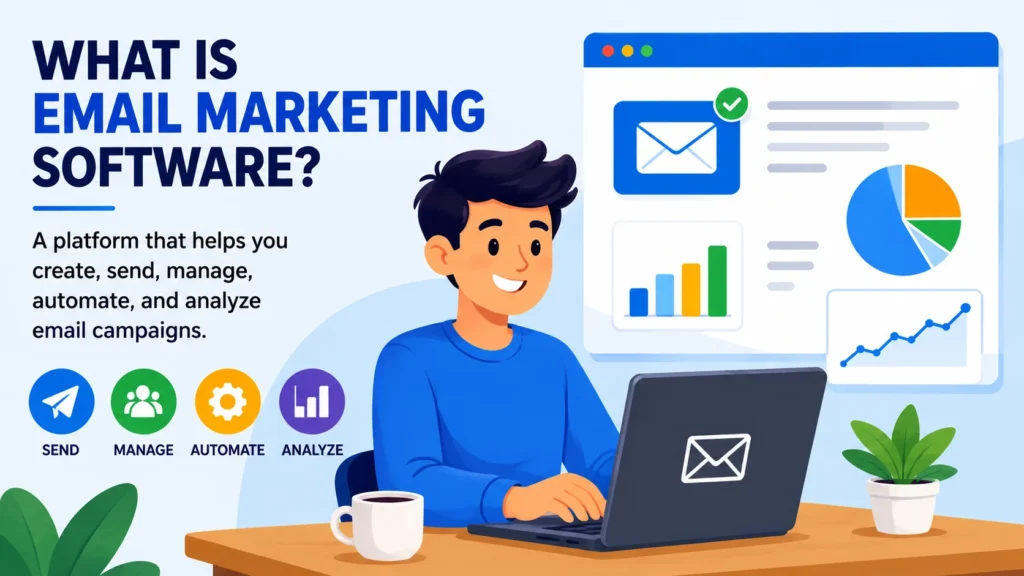
Email marketing software is a digital platform designed to help businesses and organizations create, send, manage, automate, and analyze email campaigns.
Without dedicated software, managing a growing subscriber base can quickly become messy. With the right platform, many of those repetitive tasks can be handled from one central system, allowing marketers to communicate with a much larger audience without treating every email as a separate manual task.
For example, a business might use email marketing software to:
- Send a weekly newsletter
- Welcome new subscribers
- Promote a new product or service
- Share educational content
- Send abandoned-cart reminders
- Segment subscribers according to their interests
- Automate follow-up emails
- Track campaign performance
The exact capabilities vary from one platform to another. That distinction matters.
Instead of choosing a tool simply because it advertises dozens of features, evaluate whether those features solve problems your business actually has.
How Does Email Marketing Software Work?
Although email platforms differ in appearance, pricing, and sophistication, the underlying process is often surprisingly similar.
You build an audience. Organize it. Create a message. Send or schedule it. Then study what happened.
Here is how that process typically works.
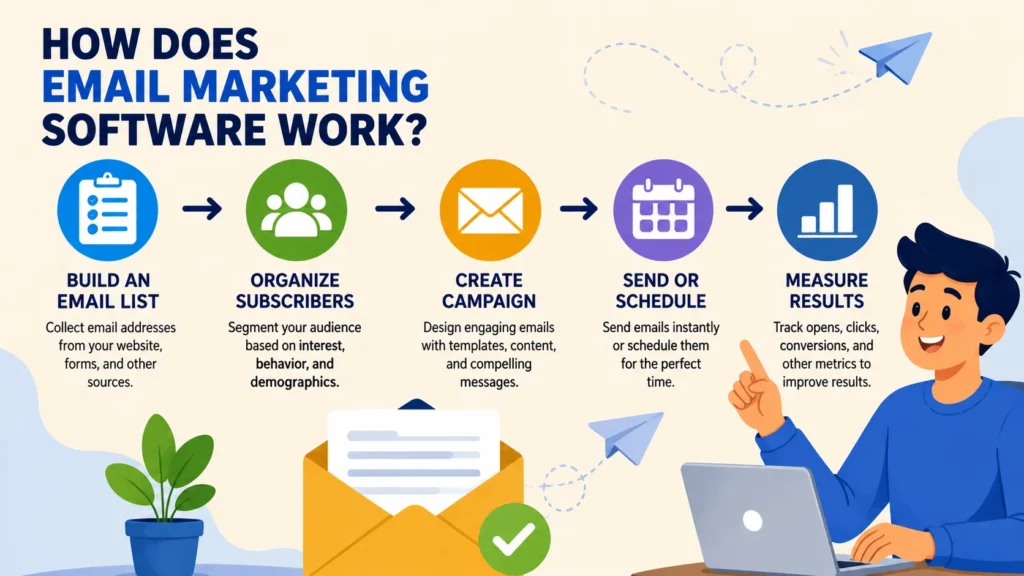
1. Build an Email List
Everything begins with an audience.
Most businesses collect email addresses through permission-based methods such as website signup forms, newsletter boxes, landing pages, or other subscription mechanisms. The goal is not merely to accumulate addresses; it is to build an audience that has genuinely agreed to receive your communications.
Quality matters.
A smaller list filled with people who are interested in your content can be far more useful than a massive database containing inactive, irrelevant, or unwilling recipients.
2. Organize Subscribers
Once people subscribe, the next challenge is keeping their information organized.
Email marketing platforms can provide tools for managing subscriber data through:
- Lists
- Tags
- Segments
- Custom fields
- Subscriber groups
This organization allows marketers to move beyond the idea that every subscriber should receive exactly the same message.
For example, an online store might distinguish between customers who have already purchased, people who have subscribed but never bought anything, and subscribers who have shown interest in a particular category.
The result can be a more relevant communication strategy.
3. Create an Email Campaign
Most modern platforms include an email editor that lets users build campaigns without manually coding every message.
Depending on the software, you may be able to add:
- Text
- Images
- Buttons
- Links
- Headings
- Product information
- Social media links
Many services also provide customizable templates. These can reduce design work and help businesses maintain a consistent visual identity across campaigns.
For teams with technical expertise, HTML editing may provide additional control.
4. Send or Schedule the Email
Once the campaign is ready, you can generally send it immediately or schedule it for a future date.
Scheduling is particularly useful when campaigns need to be prepared in advance, coordinated with product launches, or delivered according to the time zones of different audiences.
Timing becomes much easier to manage when the platform handles the delivery process for you.
5. Measure Performance
Sending an email is not the end of the process.
It is the beginning of the learning process.
After a campaign goes out, email marketing software can provide performance data such as:
- Delivery rate
- Open rate
- Click-through rate
- Bounce rate
- Unsubscribe rate
- Conversions, where supported
These metrics can reveal how subscribers interacted with a campaign and where potential improvements may exist.
However, numbers need context. A high open rate, for instance, does not automatically mean that people purchased a product or completed your desired action.
Key Features to Look for in Email Marketing Software
The “best” platform is rarely the one with the biggest feature list.
In practice, the better choice is usually the platform that gives you the capabilities you need without burying your workflow under unnecessary complexity.
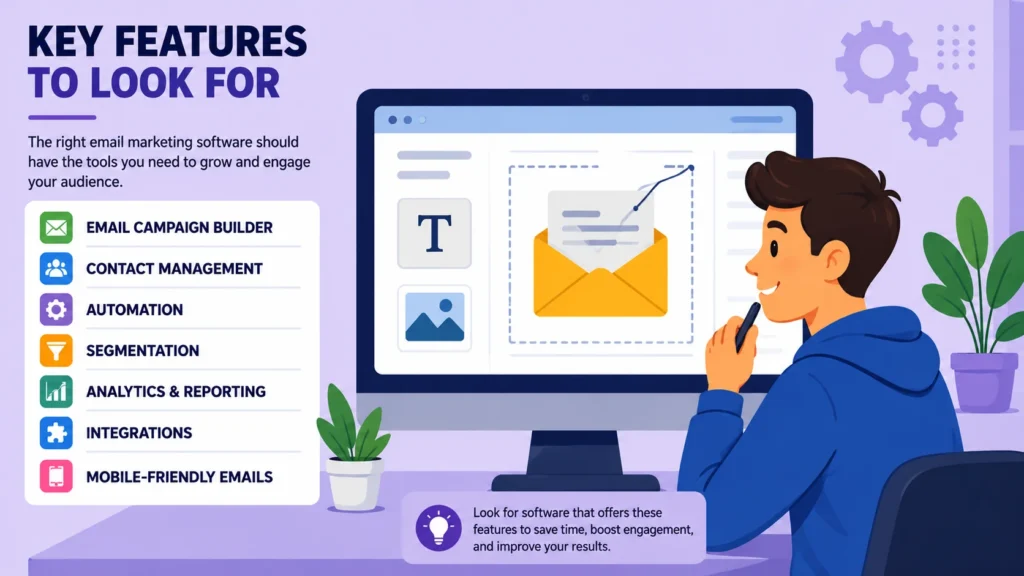
Email Campaign Builder
A campaign builder should make it reasonably straightforward to create professional-looking emails.
Look for features such as responsive layouts, useful formatting controls, reusable templates, and an editing workflow that does not feel unnecessarily complicated.
If your team understands HTML, access to the underlying code can also be valuable.
Contact Management
Contact management sits at the heart of an email marketing system.
The platform should make it easy to add, remove, organize, and manage subscribers while respecting their communication preferences.
Useful capabilities may include:
- Tags
- Custom fields
- Audience segmentation
- Contact activity history
Good contact management creates the foundation for more targeted campaigns later.
Email Automation
Automation allows emails to be triggered automatically when specific conditions are met.
Consider a basic welcome sequence:
- A visitor subscribes.
- The platform sends a welcome email.
- A second email arrives after a defined period.
- Another message is triggered according to the subscriber’s interaction.
Instead of repeatedly performing the same tasks by hand, the marketer creates the workflow once and lets the system handle the repetitive execution.
That saves time—and, when thoughtfully designed, can help subscribers receive relevant messages at appropriate stages.
Segmentation
Segmentation means dividing your audience into groups according to characteristics, interests, or behavior.
Possible segments include:
- New subscribers
- Existing customers
- Subscribers interested in a particular topic
- Highly engaged subscribers
- Inactive subscribers
Why does this matter?
Because relevance matters.
A subscriber interested in one topic may have little interest in another. Sending everyone the exact same message can therefore waste opportunities to communicate more effectively.
Analytics and Reporting
Analytics help answer a basic but important question:
Is the campaign doing what it was supposed to do?
A useful reporting dashboard should make important information relatively easy to understand and compare.
Still, metrics should never be viewed in isolation. An email can generate opens without producing sales. Another campaign might receive fewer clicks but generate more meaningful conversions.
The numbers tell you what happened. Interpretation helps explain why.
Integrations
Your email marketing platform rarely operates completely on its own.
Depending on your business, you may want it to connect with:
- WordPress
- E-commerce platforms
- Customer relationship management systems
- Analytics tools
- Forms
- Landing-page builders
- Payment or subscription systems
Before choosing a platform, check whether it works with the tools already embedded in your workflow.
An impressive email platform becomes considerably less useful if connecting it to your existing systems requires unnecessary technical work.
Mobile-Friendly Emails
Email does not live on desktop computers alone.
Many subscribers read messages on mobile devices, which makes responsive design an important consideration. Your emails should remain readable, usable, and visually coherent across different screen sizes.
Before sending important campaigns, preview them carefully.
A layout that looks perfect in one environment can behave very differently on another device.
Benefits of Using Email Marketing Software
The value of email marketing software extends beyond sending messages faster. A capable platform can simplify audience management, reduce repetitive work, and provide information that would otherwise be difficult to collect.
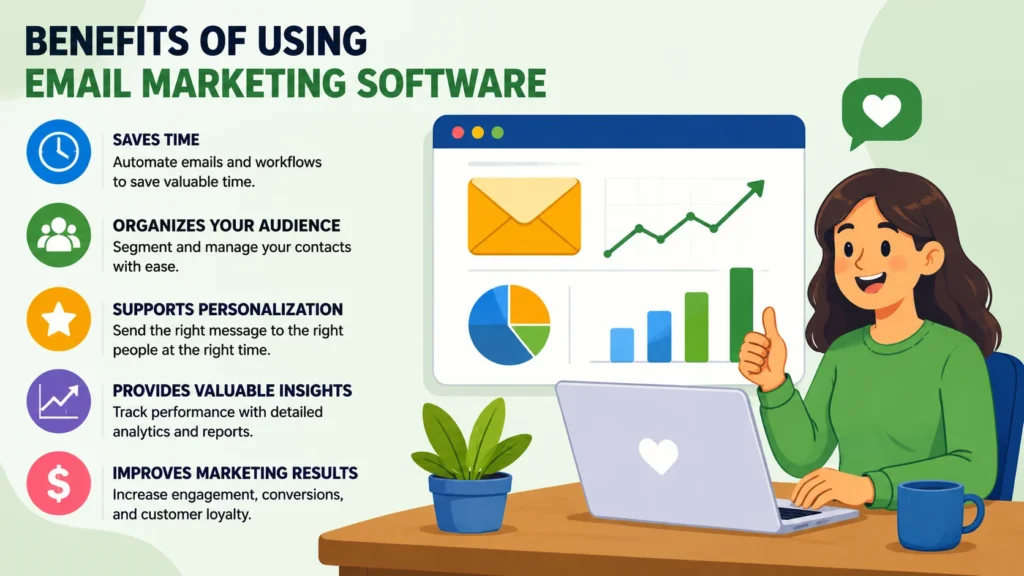
It Saves Time
Manual email management becomes increasingly difficult as your audience grows.
Templates, automation, scheduling, and reusable workflows can eliminate many repetitive tasks, giving marketers more time to focus on strategy and content.
It Helps Organize Your Audience
Subscriber information scattered across spreadsheets, forms, and separate systems can become difficult to maintain.
A dedicated platform provides a centralized environment where contacts can be stored, organized, and managed more systematically.
It Supports Personalization
Personalization can range from something as simple as addressing a subscriber by name to creating completely different campaigns for different audience groups.
The more relevant the message feels, the more closely it can align with the recipient’s interests or relationship with the business.
It Makes Testing Easier
Some platforms provide A/B testing, allowing marketers to compare different versions of an email.
For instance, you might test two subject lines and compare their engagement.
But testing should be treated as a learning process—not as a guarantee that one variation will always outperform another.
What works for one audience may fail with another.
It Provides Campaign Data
Without measurement, email marketing becomes largely guesswork.
Analytics can help reveal patterns, highlight subscriber behavior, and provide evidence that can inform future campaigns.
Over time, those observations can become more valuable than any single campaign result.
Limitations of Email Marketing Software
Email marketing software is powerful, but it is not magic.
A platform can improve the mechanics of marketing. It cannot compensate for a weak strategy, irrelevant content, or poor audience targeting.
Costs Can Increase With Your Audience
Many platforms use pricing models based on factors such as contact count, email volume, available features, or a combination of these.
A service that appears inexpensive when you have a small audience may become considerably more expensive as your subscriber base expands.
For that reason, do not look only at the entry-level price. Consider the likely cost of growth.
Always review the provider’s current pricing structure before committing.
Deliverability Requires Attention
Choosing a reputable email platform does not guarantee that every message will land in the inbox.
Deliverability can be influenced by factors including sender reputation, subscriber engagement, authentication, email content, and list quality.
Businesses should follow the provider’s requirements and comply with applicable email regulations.
Too Many Features Can Create Complexity
More features do not always mean more value.
A platform packed with advanced functionality may be excellent for a large organization with sophisticated workflows, yet unnecessarily difficult for a small business that only needs newsletters, basic automation, and contact management.
Sometimes, simpler really is better.
Poor Content Still Produces Poor Campaigns
Software can send your message.
It cannot make an unhelpful message valuable.
If subscribers repeatedly receive irrelevant, repetitive, or overly promotional emails, engagement can decline and unsubscribes may increase.
The tool supports the strategy. It does not replace it.
How to Choose the Right Email Marketing Software
Choosing an email platform becomes much easier when you begin with your requirements instead of starting with a list of software brands.
Step 1: Define Your Goal
Start by identifying what you actually want the platform to accomplish.
Your primary objective might be to:
- Build a newsletter
- Generate leads
- Promote products
- Educate an audience
- Automate customer communication
- Manage e-commerce campaigns
Your objective should determine which features deserve priority.
A newsletter publisher and an online store may both need email marketing software, but they may need very different capabilities.
Step 2: Estimate Your Audience Size
Determine approximately how many subscribers you have today and how quickly you expect that number to grow.
Then investigate how each platform calculates its pricing.
Do not judge a service only by its starting price. Think ahead.
A plan that fits 1,000 contacts may look attractive today, but what happens when you reach 10,000?
Step 3: Identify Essential Features
Separate what you need from what you simply want.
Must-have features
- Email builder
- Contact management
- Basic analytics
- Automation
- Segmentation
Nice-to-have features
- Advanced automation
- A/B testing
- Landing pages
- Additional integrations
- Advanced reporting
This simple distinction can prevent you from paying for functionality that rarely contributes to your actual workflow.
Step 4: Check Ease of Use
Technical power means little if your team finds the platform frustrating to operate.
Look at the actual workflow:
How easy is it to create a campaign? Import contacts? Build an automation? Understand the reports?
If a free plan or trial is available, use it.
Hands-on experience can reveal usability problems that a feature comparison table will never show.
Step 5: Review Integrations
Your email platform needs to fit into the rest of your technology stack.
If your website uses WordPress, for example, investigate whether the email service offers an appropriate integration or connection method.
The same principle applies to your CRM, e-commerce platform, analytics tools, forms, and other important systems.
Step 6: Compare Pricing Carefully
Compare platforms using equivalent criteria rather than looking only at the headline price.
Consider:
- Number of contacts
- Monthly email volume
- Automation availability
- Number of users
- Available integrations
- Reporting features
- Support options
- Additional charges
Pricing and plan features can change over time, so check the provider’s official pricing information before making a final decision.
Email Marketing Software vs. Email Service Provider
The terms email marketing software and email service provider are sometimes used interchangeably, although they can describe somewhat different concepts depending on the context.
Email marketing software generally emphasizes the tools marketers use to create campaigns, manage subscribers, automate communication, segment audiences, and analyze performance.
An email service provider can refer more broadly to the service and infrastructure involved in delivering emails.
For many modern platforms, these capabilities exist within the same service. As a result, the distinction is not especially important for most everyday users.
What matters more is understanding what the platform actually provides.
Email Marketing Software for Small Businesses
Small businesses often need to strike a careful balance between cost, simplicity, and functionality.
A practical starting point is to prioritize:
- Easy campaign creation
- Contact management
- Basic automation
- Audience segmentation
- Reliable reporting
- Reasonable pricing as the list grows
There is no universal “best” platform for every small business.
A local service provider, consultant, online store, and content publisher can have completely different email marketing requirements.
For example, an e-commerce business may place greater importance on customer behavior, store integrations, and purchase-related automation. A newsletter publisher, by contrast, may care much more about writing, subscriber management, and audience growth.
The right platform follows the business model—not the other way around.
Email Marketing Software for E-Commerce
Online stores often require more sophisticated email workflows because communication can be connected to customer actions and purchasing behavior.
Common use cases include:
- Welcome emails
- Order-related communication
- Product recommendations
- Abandoned-cart campaigns
- Customer re-engagement
- Promotional campaigns
For e-commerce businesses, integrations and automation deserve particular attention. So do customer data, reporting capabilities, available triggers, and the platform’s ability to communicate effectively with the store itself.
A disconnected email system can create unnecessary friction.
An integrated one can turn customer activity into timely communication.
Email Marketing Best Practices
Selecting the right software is important, but the platform alone will not determine whether your email strategy succeeds.
The way you build your list, write your messages, segment your audience, and manage your sending practices matters just as much.
Get Permission Before Sending Marketing Emails
Build your audience through legitimate, permission-based methods.
Avoid purchasing random email lists or sending marketing messages to people who never agreed to receive them.
A healthy email list begins with consent.
Make Unsubscribing Easy
Subscribers should have a clear and straightforward way to stop receiving marketing emails.
That is not merely a technical detail. It gives recipients control over their inbox and helps maintain a healthier mailing list.
Send Useful Content
Before pressing send, ask yourself:
“Why would the recipient find this useful?”
The answer might be an educational article, a useful resource, product information, an important update, or a relevant offer.
If you cannot identify the value, the email may not be ready.
Keep Your Message Focused
An email containing too many unrelated ideas can quickly become difficult to follow.
A clear subject line, focused message, and relevant call to action generally create a cleaner reading experience.
One email does not need to accomplish everything.
Keep Your List Clean
Regularly review inactive or invalid contacts according to your platform’s policies and your business requirements.
Maintaining a cleaner database can simplify audience management and reduce unnecessary sending.
Test Before Sending
Before launching an important campaign, review:
- Subject line
- Links
- Spelling
- Images
- Personalization
- Mobile appearance
- Call-to-action buttons
Small mistakes can create surprisingly large problems for the reader.
A final review is worth the few extra minutes.
Popular Types of Email Marketing Platforms
Rather than searching immediately for one supposedly perfect platform, it helps to understand the major categories available.
All-in-One Email Marketing Platforms
These platforms generally combine campaign creation, contact management, automation, analytics, and other marketing functions within one system.
They can be useful for businesses that want several capabilities without stitching together numerous separate tools.
Newsletter-Focused Platforms
Newsletter-focused services are typically designed around publishing content and building relationships with subscribers.
They may place greater emphasis on writing, audience growth, and newsletter management than on complex marketing automation.
E-Commerce Email Platforms
These platforms place more emphasis on online stores, purchasing behavior, product communication, customer data, and automated customer journeys.
Their value often depends heavily on how well they connect with an e-commerce system.
Advanced Marketing Automation Platforms
These systems can provide sophisticated workflows, detailed segmentation, customer data management, and extensive integrations.
They can be appropriate for organizations with complex marketing processes. But there is a trade-off: greater flexibility often means more configuration, learning, and ongoing management.
What Should You Avoid When Choosing Email Marketing Software?
Choosing an email platform based solely on the number of features can be an expensive mistake.
A better decision considers both your current needs and where your business is likely to go next.
Also avoid:
- Choosing solely because of the cheapest introductory price
- Ignoring future subscriber growth
- Overlooking integration requirements
- Assuming automation will fix weak content
- Buying an unnecessarily complicated platform
- Failing to read usage limits
- Ignoring unsubscribe and consent requirements
- Choosing without testing the user interface
The ideal platform should fit your current workflow while leaving enough room for sensible growth.
Frequently Asked Questions
1. What is email marketing software used for?
Email marketing software is used to create, send, schedule, automate, and analyze email campaigns. It can also help businesses manage subscribers, build audience segments, and organize marketing workflows from a central platform.
2. Is email marketing software necessary for a small business?
Not always. However, it can become increasingly useful as an audience grows.
A dedicated platform can simplify subscriber management, campaign creation, automation, and reporting compared with handling these processes manually.
3. How much does email marketing software cost?
Pricing varies considerably between providers.
Some platforms offer free plans with limitations, while paid plans may depend on subscriber numbers, email volume, features, or other factors.
Because pricing structures can change, check the provider’s current pricing before selecting a plan.
4. Can email marketing software automate campaigns?
Yes. Many platforms support automated workflows.
For example, a business can create a welcome sequence that begins when someone subscribes. The available triggers, conditions, and workflow complexity depend on the platform.
5. What is the best email marketing software?
There is no single platform that is best for every business.
The right choice depends on factors such as audience size, budget, marketing goals, required integrations, automation needs, and technical experience.
Instead of asking which platform is universally the best, ask which platform is the best fit for your specific workflow.
Conclusion
Email marketing software can make managing an email audience dramatically easier. It brings campaign creation, subscriber management, automation, scheduling, segmentation, and performance analysis into a more organized workflow.
But software is only one part of the equation.
Successful email marketing also depends on permission-based list building, useful content, thoughtful segmentation, responsible sending practices, and a willingness to learn from campaign results.
When comparing platforms, start with your goals. Then examine the features that support those goals, followed by ease of use, integrations, pricing, scalability, and reporting.
The platform with the most features is not necessarily the smartest choice.
The better choice is the one that fits your workflow, serves your audience effectively, supports your growth, and gives you the capabilities you will genuinely use.
Looking for the right marketing tools? Explore expert reviews, comparisons, and guides at AmiinMarketer.com.