
Introduction
Finding the best digital asset management platforms for enterprise marketing teams becomes far more complicated once a content library grows beyond a manageable collection of folders and files. Thousands—or even millions—of images, videos, presentations, documents, logos, campaign materials, and creative assets can quickly become difficult to organize, search, approve, and distribute.
A well-chosen DAM can bring order to that complexity. It gives marketing teams a centralized environment for managing digital content while improving collaboration, strengthening brand governance, simplifying asset discovery, and making approved materials easier to share across departments, regions, agencies, and marketing channels.
But choosing the right platform is not simply a matter of counting features.
Enterprise teams need to consider how effectively a DAM handles AI-powered search, workflows, collaboration, security, permissions, integrations, scalability, analytics, pricing, implementation, and ongoing support. A platform may look impressive on paper yet fall short if it cannot integrate with existing systems, support global teams, or deliver an experience employees actually want to use.
In this guide, we examine the key capabilities to consider when comparing the best digital asset management platforms for enterprise marketing teams and explain what matters most when selecting a solution that can support both today’s content operation and tomorrow’s growth.
Table of Contents
Overall Features & DAM Capabilities
When assessing the best digital asset management platforms for enterprise marketing teams, the natural starting point is the platform’s core DAM capabilities. At enterprise scale, a DAM cannot function as little more than a sophisticated file cabinet. It needs to provide a centralized environment where teams can store, organize, search, update, review, approve, and distribute digital content without constantly moving between disconnected systems.
That distinction becomes increasingly important as an organization’s content library expands. Marketing departments may manage everything from product photography and campaign videos to presentations, design files, audio, logos, documents, templates, and other brand materials. Without a structured system, these assets can quickly become scattered across shared drives, cloud folders, email conversations, and individual devices.
A capable enterprise DAM should therefore provide a combination of storage, organization, discovery, governance, and distribution features, including:
- Centralized asset storage: Brings marketing and creative files into a structured, accessible repository instead of leaving them fragmented across multiple storage locations.
- Metadata and taxonomy: Allows teams to attach keywords, campaign details, product information, usage rights, regions, and other descriptive data to assets.
- Advanced search and filtering: Enables users to locate files using keywords, asset types, campaigns, dates, creators, tags, and other criteria.
- Version control: Keeps previous versions connected to the original asset while making the latest approved version easy to identify.
- Asset previews: Allows users to inspect images, videos, documents, and other files without downloading every item.
- Bulk upload and management: Simplifies the ingestion and organization of large quantities of content.
- Approval and workflow support: Moves assets through review, approval, publishing, and other stages without depending on lengthy email chains.
- Permissions and access controls: Gives administrators control over who can view, edit, download, approve, or share specific content.
- Rights management: Keeps licensing details, expiration dates, copyright information, and usage restrictions connected to relevant assets.
- Asset distribution: Makes approved content easier to deliver to employees, agencies, partners, regional teams, and other stakeholders.
The difference between basic cloud storage and an enterprise-grade DAM becomes obvious once the content library reaches substantial scale. A global marketing organization may have thousands, hundreds of thousands, or even millions of assets spread across brands, markets, campaigns, and channels. The platform must remain searchable and manageable as that repository grows.
When comparing vendors, however, avoid simply tallying feature counts. Ten disconnected capabilities do not necessarily create a better platform than five that work together seamlessly. The strongest enterprise DAM solutions connect storage, metadata, search, versioning, permissions, workflows, and distribution into one coherent content-management process.
Search, AI & Asset Discovery
For enterprise marketing teams, storing an asset is only half the challenge. The other half is finding it when it actually matters. Once a content library grows into thousands—or potentially millions—of files, conventional folders and filename-based searches quickly become restrictive. That is why the best digital asset management platforms for enterprise marketing teams increasingly place sophisticated search and discovery capabilities at the center of the user experience.
Modern DAM platforms are also using artificial intelligence to make large repositories more intelligent. Rather than relying entirely on employees to describe and tag every file manually, AI can analyze images, videos, documents, and other content to generate searchable metadata, descriptions, classifications, and tags.
That can dramatically reduce the organizational burden. More importantly, it can make previously difficult-to-find content discoverable.
AI-Powered Search
Traditional DAM search typically depends on filenames, folders, keywords, and manually created metadata. AI-powered discovery expands that approach by considering the meaning and context of an asset.
Depending on the platform, users may be able to search with natural-language descriptions, visual characteristics, metadata, or related concepts. A marketer might not remember the exact filename of a campaign image—and shouldn’t have to. Instead, they could search for an image associated with a particular product launch, audience, campaign theme, or visual concept.
Semantic search can be especially useful here. Rather than requiring an exact keyword match, it can identify assets that are conceptually related to the search query even when the wording differs from the metadata attached to the original file.
Automatic Tagging and Metadata
AI-assisted tagging can further reduce the manual work involved in organizing a large content repository. When an image or video enters the DAM, the system may analyze its contents and automatically suggest relevant tags, descriptions, categories, or other metadata.
Some platforms also use optical character recognition (OCR) to identify text contained within images and documents. That means information that was previously locked inside a visual file can become searchable.
For enterprise teams managing enormous archives, this can be a major efficiency gain. Still, automation should not replace governance. AI-generated metadata needs to operate within a carefully designed taxonomy, particularly when assets carry important branding, legal, regional, or licensing requirements.
Visual and Multimodal Discovery
The evolution of DAM search is moving beyond text. Visual search allows users to discover content based on appearance, while multimodal capabilities can make different forms of content—including images, video, audio, and text—easier to explore.
Similarity search can be particularly useful when marketers already have one relevant asset in front of them. Instead of starting a new keyword search, they can use that asset to locate visually related images, alternate versions, product photography, or other creative variations.
This encourages content reuse. Rather than commissioning new creative simply because an existing asset is difficult to locate, teams can uncover material they already own.
What to Compare
When evaluating the best digital asset management platforms for enterprise marketing teams, pay close attention to capabilities such as:
- AI-powered and semantic search
- Automatic tagging and metadata generation
- Natural-language search
- Advanced filters and faceted navigation
- OCR and text recognition
- Visual and similarity search
- Video and audio discovery
- Search by campaign, product, region, or content type
- Related-asset recommendations
- Permission-aware search results
- Custom taxonomy and metadata structures
A sophisticated search engine is valuable, but intelligence alone does not solve asset-management problems. The underlying taxonomy, metadata quality, permissions, and governance model still determine whether users can trust what they find.
The most effective enterprise DAM platforms bring these elements together: intelligent discovery on the front end, disciplined organization underneath, and enough governance to ensure that the asset users find is not only relevant but also approved and safe to use.
Workflow & Collaboration
For enterprise marketing teams, a DAM should never be reduced to a place where files simply sit after they have been uploaded. Its real value emerges when it helps people create, review, approve, organize, and distribute digital assets through a structured workflow.
That matters because enterprise content rarely belongs to one person or even one department. A single campaign might involve designers, marketers, brand managers, legal teams, regional stakeholders, external agencies, and senior approvers. Without a shared process, feedback becomes fragmented, ownership gets blurred, and teams can waste considerable time figuring out which version is actually ready for use.
When evaluating the best digital asset management platforms for enterprise marketing teams, look for collaboration tools that keep conversations and decisions connected to the assets themselves. Instead of passing files through endless email threads or collecting feedback across disconnected applications, teams should be able to review content, request revisions, approve files, and monitor progress from within the DAM.
Review and Approval Workflows
A capable DAM should support configurable approval processes that reflect the organization’s actual content requirements. Not every asset needs the same level of scrutiny.
A social media graphic, for instance, might require creative and brand approval. A regulated campaign could involve additional legal, compliance, and regional reviews before anything is released.
The platform should make it immediately clear:
- Who owns the next step
- Which assets are awaiting approval
- What changes have been requested
- Which version is currently being reviewed
- Whether an asset has been approved, rejected, or archived
Automated routing and notifications can remove much of the administrative chasing that slows down content teams. Instead of asking reviewers for updates manually, the system can notify the right person when an asset reaches their stage.
Version Control and Feedback
Few things create confusion faster than multiple versions of the same marketing asset circulating simultaneously.
A campaign image may exist as a draft, revised draft, regional adaptation, final version, and final-approved version. Without reliable version control, someone can easily download an outdated file and use it in a live campaign.
Strong DAM platforms keep versions connected to the original asset while preserving relevant comments, annotations, and approval history. This creates a clear record of what changed, who reviewed it, and which version ultimately received approval.
That historical context can be invaluable months later when teams need to understand why an asset changed or verify which version was authorized for distribution.
Collaboration Across Teams
Enterprise marketing is inherently cross-functional. Creative teams produce content. Marketing teams deploy it. Brand teams protect consistency. Legal and compliance teams may provide final clearance. Regional teams often adapt materials for local markets.
A DAM with collaboration capabilities gives these groups a shared workspace rather than forcing each team to maintain its own version of the process.
Everyone can see the current status, understand what has already been completed, and identify what needs to happen next. The result is less duplicated work, fewer fragmented comments, and considerably less uncertainty about ownership.
Workflow Automation
Automation becomes increasingly valuable as content volume rises. A DAM can assign reviewers, generate notifications, move assets between workflow stages, and trigger subsequent actions when approvals are completed.
For example, a campaign asset could follow a structured path:
Draft → Creative Review → Brand Approval → Legal Approval → Approved → Distribution
Once configured, that process can operate with far less manual coordination.
For enterprise organizations, however, flexibility matters. Different brands, regions, campaigns, and asset types often require different approval structures. A rigid workflow may create more friction than it removes, so configurable workflows should be a priority when comparing platforms.
What to Compare
When assessing workflow and collaboration capabilities, look for:
- Configurable approval workflows
- Online proofing and annotations
- Asset-level comments and feedback
- Version control and approval history
- Automated notifications and task assignments
- Role-based workflow permissions
- Internal and external collaboration
- Custom workflows for different asset types
- Integrations with creative and marketing applications
- Workflow reporting and status tracking
The strongest platforms connect collaboration directly to the asset lifecycle. Teams should be able to move from briefing and creation through review, approval, distribution, and eventual archiving without losing the context surrounding the content.
That continuity is what turns a DAM from a storage repository into an operational hub for enterprise content.
Brand Management & Governance
For enterprise marketing teams, digital asset management is about far more than keeping files neatly organized. It is also about ensuring that people across the organization are working with the correct assets, current guidelines, and approved brand materials.
That challenge becomes considerably more complex when an organization operates across multiple brands, countries, departments, agencies, and marketing channels. Without centralized governance, outdated logos, unapproved imagery, inconsistent templates, and old campaign materials can remain in circulation long after they should have been retired.
When assessing the best digital asset management platforms for enterprise marketing teams, brand governance should therefore be treated as a core capability rather than an optional feature. A well-designed DAM can become the organization’s central source of truth for approved logos, photography, videos, templates, guidelines, campaign materials, and other branded content.
Centralized Brand Guidelines
Brand guidelines are only useful when people can actually find and follow them.
A strong enterprise DAM should provide a central location where employees, agencies, and partners can access current information about logos, typography, colors, messaging, templates, imagery, and other brand standards.
This eliminates the familiar problem of teams working from old PDFs or documents buried inside shared folders. Everyone can refer to the same source, reducing the likelihood of inconsistent branding across markets and channels.
Approved Assets and Version Control
Governance also depends on making asset status immediately understandable.
Users should be able to distinguish between draft content, assets under review, approved materials, and retired or obsolete files. Clear status indicators reduce ambiguity and help prevent an outdated asset from accidentally becoming part of a live campaign.
Version control is particularly important here. A company may update its logo, product photography, campaign templates, or messaging several times over the course of a year. If older versions remain easily accessible without clear context, they can continue appearing in presentations, advertisements, websites, and partner materials.
A DAM can establish defined asset states while maintaining the history behind each version.
Permissions and Access Control
Not every user needs access to every asset.
Enterprise organizations commonly work with employees, contractors, agencies, distributors, regional teams, and other external stakeholders, each with different responsibilities. Role-based permissions allow administrators to determine who can view, upload, edit, approve, download, or distribute particular content.
For example, a regional marketing team might need access to localized campaign materials without having permission to modify global brand guidelines. An external agency may only require access to a curated collection of approved assets.
Granular permissions make these distinctions possible without unnecessarily exposing the entire content library.
Brand Consistency Across Markets
Global organizations face a delicate balancing act. Regional teams need enough flexibility to adapt campaigns to local audiences, yet those adaptations still need to remain aligned with the broader brand identity.
A capable DAM can support both requirements by combining centralized standards with controlled regional access and customization.
This creates a more practical governance model: global teams establish the boundaries, while local teams work efficiently within them.
What to Compare
When comparing brand management and governance capabilities, look for:
- Centralized brand guidelines
- Approved asset libraries
- Version control
- Role-based permissions
- Regional and team-level access controls
- Approval and publishing rules
- Asset lifecycle management
- Audit trails and activity tracking
- Secure access for agencies and external partners
- Support for multiple brands and regions
- Controlled templates and brand assets
The strongest platforms make governance part of everyday marketing rather than turning it into a separate administrative exercise. When approved content is easy to locate, outdated versions are clearly controlled, and users receive the appropriate level of access, teams can move quickly without sacrificing consistency.
That combination—freedom to create, with enough control to protect the brand—is one of the defining characteristics of a mature enterprise DAM strategy.
Digital Rights & Compliance
For enterprise marketing teams, finding an asset is not the same thing as having the right to use it. A photograph, video, piece of music, logo, or other creative file may come with licensing conditions, copyright restrictions, geographic limitations, channel-specific rules, or an expiration date.
That makes digital rights and compliance a critical consideration when evaluating the best digital asset management platforms for enterprise marketing teams.
A capable DAM should keep this information attached to the asset itself. Users should be able to understand not only what a file contains, but also where, when, and under what conditions it can be used. Relevant information may include license type, copyright ownership, permitted regions, approved channels, expiration dates, and specific usage restrictions.
Usage Rights and Licensing
Enterprise marketing departments frequently work with stock photography, licensed video, talent photography, partner content, agency-created materials, and other assets that carry contractual conditions.
Those conditions can vary considerably from one asset to another.
A DAM should make the relevant licensing information easy to locate instead of forcing marketers to search through spreadsheets, contracts, emails, or separate documentation before every campaign.
By storing rights-related metadata alongside the asset, teams can make more informed decisions before content is downloaded or distributed. It also reduces the likelihood of someone unintentionally using an asset outside the terms of its license.
Expiration Dates and Alerts
Some content has a limited lifespan. A stock photograph might be licensed for a specific period. A campaign featuring a public figure may have an agreed usage window. A promotional video may only be approved for a particular season.
Expiration management therefore deserves close attention.
The DAM should allow administrators to record expiration dates and notify relevant users before an asset becomes restricted. More advanced platforms may automatically change the asset’s status, limit access, move it into an archive, or initiate a review workflow once the usage period ends.
Automation is especially useful for large organizations because manually monitoring thousands of licensing dates is both inefficient and prone to human error.
Regional and Channel Restrictions
An asset may be perfectly acceptable for one market but prohibited in another. Similarly, content might be licensed for use on a website but not in paid advertising, print materials, social media, or broadcast campaigns.
These distinctions can become difficult to manage when an organization operates globally.
When comparing DAM platforms, check whether the system can record geographic, audience, campaign, and channel-specific restrictions—and, importantly, whether those restrictions are visible to users before they distribute or download an asset.
Compliance and Audit Trails
Rights management should not exist in isolation. It should connect with permissions, approvals, workflows, and activity tracking.
Audit trails can provide visibility into who accessed, modified, shared, or distributed an asset. That information can help organizations investigate potential compliance issues and support internal governance requirements.
The objective is broader than simply storing licensing information. A well-designed DAM should help enforce rights throughout the asset lifecycle, from initial upload and review to distribution, expiration, and archival.
What to Compare
When evaluating digital rights and compliance capabilities, look for:
- License and copyright tracking
- Asset expiration dates
- Automated expiration notifications
- Geographic and regional restrictions
- Channel-specific usage rules
- Model and talent release information
- Approval and compliance workflows
- Role-based access controls
- Watermarking for restricted content
- Audit trails and usage history
- Automatic archiving or access restrictions
- Rights information stored within asset metadata
The strongest platforms make compliance part of normal content operations rather than an additional task marketers have to remember.
Instead of expecting employees to check licensing documents before every campaign, the DAM can surface relevant restrictions directly within the asset workflow. That approach helps teams work faster while reducing the risk of using expired, unlicensed, or otherwise restricted content.
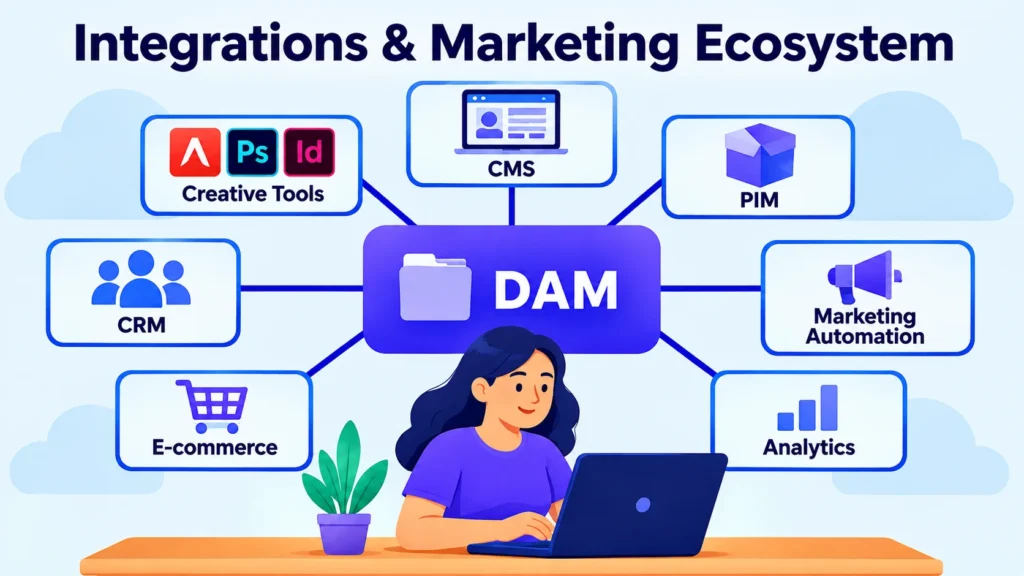
Integrations & Marketing Ecosystem
A DAM becomes considerably more valuable when it works seamlessly with the systems an enterprise marketing team already relies on. The goal is not to introduce another isolated content repository. Ideally, the DAM becomes a central source of approved images, videos, documents, templates, and other marketing assets that can flow into the wider technology ecosystem.
For that reason, integration capabilities deserve serious attention when comparing the best digital asset management platforms for enterprise marketing teams. The right platform should allow assets and their associated metadata to move reliably between content creation, publishing, product management, customer engagement, e-commerce, and analytics systems.
CMS Integrations
Connecting a DAM with a content management system (CMS) can significantly simplify website production.
Instead of downloading an image from the DAM, saving it locally, and uploading it again into the CMS, marketers may be able to search the centralized library and insert approved assets directly into digital experiences.
That seemingly small improvement can remove unnecessary duplication. More importantly, it helps ensure that websites and other digital properties use current, approved versions of marketing content.
Creative Tool Integrations
Creative teams often spend much of their working day inside applications such as Adobe Creative Cloud and other design environments. Requiring designers to constantly leave those tools to locate or upload assets can introduce unnecessary friction.
DAM integrations can allow creative professionals to search for existing content, retrieve approved files, and contribute new work without repeatedly switching between systems.
For example, Adobe provides Asset Link for connecting Experience Manager Assets with Creative Cloud applications such as Photoshop, Illustrator, and InDesign.
For enterprise teams, this kind of connection can create a smoother path between creative production and marketing distribution, while also supporting better version control and asset governance.
PIM, CRM and Marketing Automation
The DAM may also need to communicate with Product Information Management (PIM), customer relationship management (CRM), and marketing automation platforms.
A PIM integration can associate product information with corresponding images, videos, manuals, and other product content. CRM and marketing automation connections, meanwhile, can help teams incorporate approved assets into campaigns, landing pages, customer communications, and other marketing activities.
This becomes especially useful for organizations with extensive product catalogs or complex multi-channel campaigns. The more content a company produces, the more valuable reliable system-to-system connections become.
APIs and Custom Integrations
Pre-built connectors can cover common use cases, but enterprise technology environments are rarely identical.
Some organizations rely on proprietary applications, custom portals, internal data platforms, or specialized workflows that require a more flexible integration approach. Open APIs give developers the ability to connect the DAM with systems that may not have a native connector.
When evaluating platforms, consider support for REST APIs, webhooks, SDKs, integration marketplaces, and middleware or integration platforms. These capabilities can make the DAM easier to extend as the organization’s technology landscape evolves.
What to Compare
When assessing integrations and the broader marketing ecosystem, look for:
- CMS integrations
- Adobe Creative Cloud and other creative-tool integrations
- PIM and product-content integrations
- CRM integrations
- Marketing automation connections
- Social media and publishing integrations
- Project and collaboration tools
- E-commerce platforms
- Analytics and reporting integrations
- Pre-built connectors
- Open APIs and webhooks
- Integration marketplaces
- Metadata synchronization
- Support for custom integrations
However, the number of integrations tells only part of the story. Integration quality matters just as much as integration quantity.
A useful connection should reliably transfer assets and metadata, preserve relevant permissions and version information, and reduce repetitive downloading, uploading, and manual data entry.
For enterprise marketing teams, the ideal DAM should fit naturally into the existing technology stack. Employees should not have to redesign their entire workflow simply to accommodate the asset-management system. Instead, the DAM should quietly connect the different parts of the marketing operation and make content easier to move from creation to publication.
Scalability & Enterprise Performance
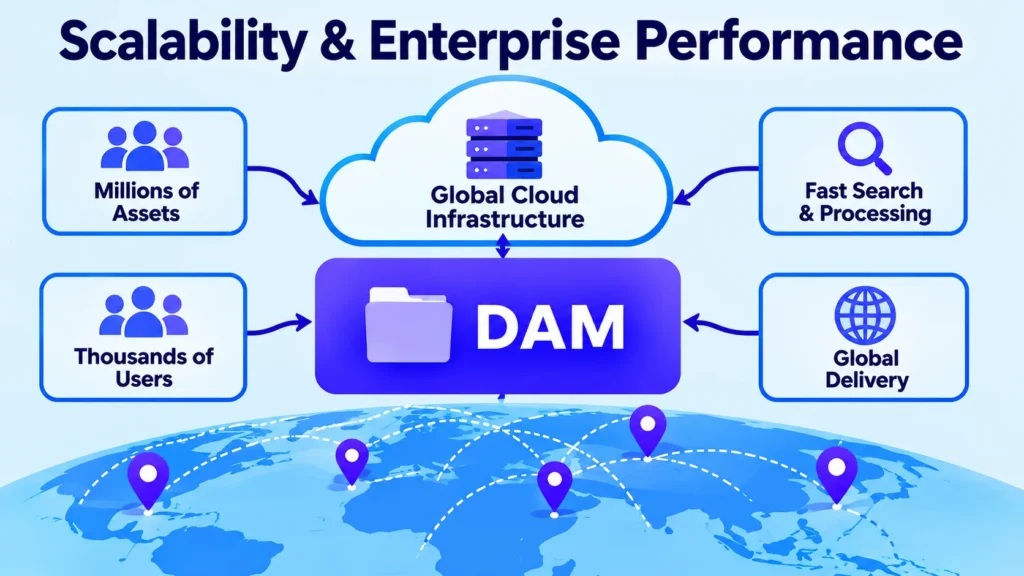
For enterprise marketing teams, a DAM must be capable of growing alongside the organization without becoming slower, harder to manage, or increasingly restrictive. A platform that performs perfectly with several thousand assets may behave very differently once the repository contains millions of files, extensive video libraries, multiple regions, and hundreds or thousands of users.
That is why scalability should be a major consideration when comparing the best digital asset management platforms for enterprise marketing teams. Storage capacity alone is not enough. A genuinely scalable system must continue handling larger files, heavier search activity, more users, greater workflow volume, and increased API traffic without creating unacceptable performance bottlenecks.
Asset Volume and Storage
Enterprise content libraries can expand surprisingly quickly. New campaigns, product launches, regional adaptations, photography, videos, presentations, design files, and multiple asset versions all contribute to repository growth.
The DAM should accommodate that expansion without making content increasingly difficult to locate or manage.
Look for platforms that support large repositories, flexible storage models, efficient archiving, and dependable access to high-resolution files. Enterprise-grade systems can support extremely substantial libraries, including millions of assets and many terabytes of content, but the important question is whether the platform can support your expected growth while maintaining a practical user experience.
Performance Under Heavy Usage
Scalability is also about what happens when demand suddenly increases.
A major product launch, seasonal campaign, or global content release can generate a sharp increase in uploads, searches, downloads, previews, and workflow activity. The DAM needs to remain responsive when those demands arrive simultaneously.
Important performance areas include:
- Search and browsing speed
- Asset upload and ingestion
- Thumbnail and preview generation
- Video and large-file processing
- Download performance
- Workflow execution
- API response times
- Performance during peak traffic
Performance can depend on several underlying factors, including file size, indexing, processing workloads, storage architecture, infrastructure, and the number of concurrent users.
Global Teams and Concurrent Users
Enterprise organizations often operate across multiple countries, departments, brands, and time zones. Users may need access to the same DAM around the clock, sometimes from very different geographic locations.
A scalable platform should support a large and diverse user base without turning permissions, search, or administration into a bottleneck.
Cloud architecture, caching, content delivery networks (CDNs), and geographically distributed infrastructure can help improve asset delivery for users in different locations. When evaluating a platform, consider not only how many users it can technically accommodate, but also how well it performs under realistic concurrent usage.
Scalability of Search and Workflows
As the repository grows, search and workflow operations can become increasingly demanding.
Poor metadata structures, inefficient indexing, and excessive workflow processing may introduce delays that were not noticeable when the library was smaller. A scalable DAM should therefore maintain efficient discovery while supporting advanced metadata, filters, AI-powered search, and large-scale approval processes.
Automated and asynchronous processing can also help. Resource-intensive tasks can run in the background rather than slowing down everyday activities such as searching, browsing, or downloading assets.
What to Compare
When evaluating scalability and enterprise performance, look for:
- Support for millions of assets
- Flexible and scalable storage
- Large-file and high-resolution video support
- High concurrent-user capacity
- Fast search and browsing
- Efficient bulk uploads
- Scalable asset processing
- Reliable global delivery
- CDN and caching capabilities
- Scalable APIs and integrations
- Performance monitoring
- High availability and reliability
- Archiving and storage-optimization options
Do not take a vendor’s claim of being “enterprise-ready” at face value. Ask how the platform performs with your expected asset volume, file sizes, number of users, API traffic, and peak campaign activity.
Ideally, evaluate performance against realistic future requirements rather than today’s numbers alone.
For the best digital asset management platforms for enterprise marketing teams, scalability ultimately means preserving a fast, dependable experience as content operations become larger and more complicated. The DAM should support growth—not become another obstacle the marketing team has to work around.
Security, Permissions & Administration
As an enterprise DAM becomes the central repository for more valuable content, security becomes increasingly difficult to treat as an afterthought. Marketing libraries can contain unreleased product campaigns, confidential creative work, licensed materials, internal documents, and other assets that should not be freely accessible to everyone.
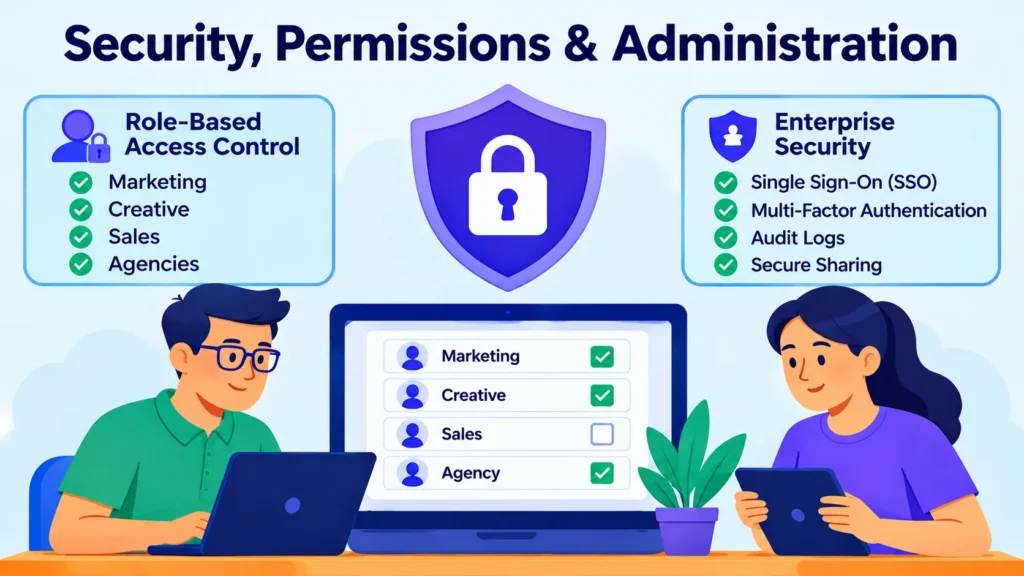
When comparing the best digital asset management platforms for enterprise marketing teams, therefore, basic password protection is nowhere near enough. Organizations need a layered security model that controls access, authenticates users, monitors activity, and allows administrators to manage permissions at scale.
Role-Based Access Control
Role-based access control (RBAC) allows organizations to assign permissions according to a user’s responsibilities rather than configuring every account individually.
A designer might need permission to upload and edit creative files. A regional marketer may only need to search and download approved assets. An external agency could require access to a specific collection but have no reason to see the wider asset library.
Granular permissions make these distinctions possible.
For larger organizations, access can often be structured around departments, teams, brands, regions, folders, collections, or individual asset types. This provides administrators with greater control without forcing them to manage permissions manually for every employee.
Single Sign-On and Authentication
Enterprise organizations should also consider support for Single Sign-On (SSO), particularly SAML-based authentication.
SSO allows employees to access the DAM through the organization’s existing identity provider instead of maintaining separate login credentials. This simplifies the user experience while giving IT teams a centralized way to manage authentication.
Multi-factor authentication can provide another layer of protection, while automated provisioning and deprovisioning can help ensure that access is granted—and removed—when appropriate.
User and Group Administration
Managing users efficiently becomes essential once a DAM is deployed across a large organization.
Administrators should be able to create accounts, assign users to groups, modify roles, revoke access, and manage permissions from a centralized administration interface. Group-based permissions are especially useful because one policy can apply to many users simultaneously.
That reduces repetitive administration and makes it easier to maintain consistent access policies as departments expand, reorganize, or change responsibilities.
Audit Logs and Activity Tracking
A strong audit trail gives administrators visibility into what is happening inside the DAM.
Depending on the platform, activity records may include logins, uploads, downloads, asset sharing, permission changes, edits, and other significant actions. This information can help organizations investigate suspicious behavior, understand how content is being accessed, and support internal compliance requirements.
For enterprise environments, that visibility can be just as important as the underlying access controls.
Secure Sharing
Marketing teams frequently need to work with agencies, freelancers, distributors, publishers, retailers, and other external partners. Simply sending unrestricted file-sharing links can create unnecessary security and governance risks.
Enterprise DAM platforms should provide controlled sharing mechanisms instead.
Useful features may include:
- Expiring links
- Password protection
- Download restrictions
- Watermarks
- Authentication requirements
- Permission-based access
- Restricted collections
- External-user controls
These tools allow organizations to collaborate externally without giving partners unrestricted access to the entire content repository.
What to Compare
When evaluating security, permissions, and administration, look for:
- Role-based access control
- Granular user and group permissions
- SSO and SAML support
- Multi-factor authentication
- Centralized user administration
- Automated user provisioning and deprovisioning
- Folder and collection-level permissions
- Secure external sharing
- Expiring access links
- Download controls
- Watermarking
- Audit logs and activity tracking
- Encryption in transit and at rest
- Security and compliance certifications
- Data residency options where required
The strongest enterprise DAM platforms combine robust security with a sensible user experience. Security controls should protect sensitive content without making authorized users fight their way through unnecessary restrictions every time they need an asset.
For the best digital asset management platforms for enterprise marketing teams, administration is therefore just as important as security itself. IT and DAM administrators need enough control to manage a complex environment, while marketers, creatives, agencies, and partners should still be able to access the content they are authorized to use with minimal friction.
Ease of Use & User Adoption
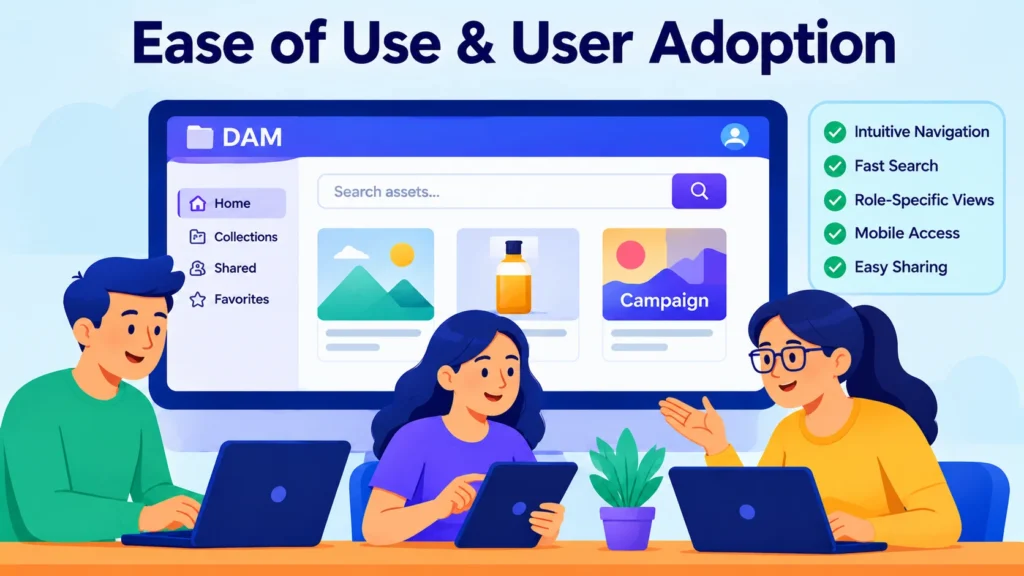
A DAM can offer an impressive collection of features and still fail to deliver meaningful value if employees do not actually use it. For enterprise marketing teams, usability is therefore more than a matter of interface design. It directly affects adoption, productivity, and the long-term return on the platform investment.
When evaluating the best digital asset management platforms for enterprise marketing teams, look for a system that feels intuitive to people with very different responsibilities. Designers, marketers, sales representatives, executives, agencies, and external partners may all use the same DAM, but they rarely need the same tools or level of functionality.
A well-designed platform should accommodate those differences without making everyday tasks unnecessarily complicated.
Simple Navigation and Search
Users should know where to begin almost immediately after entering the platform.
A clear dashboard, prominent search functionality, logical navigation, useful filters, organized collections, and quick previews can dramatically reduce the time required to locate an asset.
Consider a simple scenario: a marketer needs an approved campaign image. Ideally, they should be able to search for it, filter the results, preview the available versions, confirm its approval status, and download or share the correct file without navigating through a maze of folders and menus.
Every unnecessary step creates friction. Across thousands of users, those small frustrations can become a significant productivity cost.
User-Friendly Experiences for Different Teams
Enterprise DAM platforms serve audiences with very different levels of technical knowledge.
A designer may need advanced tools for managing versions, metadata, and creative files. A sales representative, on the other hand, might only need to locate an approved product image and download it for a presentation.
The best platforms can accommodate these differences through role-specific experiences, portals, workspaces, and permissions. Users see the content and functionality relevant to their responsibilities rather than being confronted with every feature the system offers.
That simplicity can make a substantial difference to adoption.
Onboarding and Training
Even an intuitive platform needs an effective onboarding process.
Training should focus on the tasks users actually perform rather than overwhelming them with every available feature on day one.
For example, new marketing users may need to understand searching, downloading, creating collections, and sharing assets. Administrators and power users will require deeper knowledge of metadata structures, permissions, workflows, governance, and system configuration.
Documentation, knowledge bases, internal DAM champions, and ongoing training can reinforce those skills long after the initial implementation.
Adoption and Engagement
User adoption is one of the clearest indicators of whether a DAM is becoming part of an organization’s everyday workflow.
If employees continue storing files on personal drives, requesting assets through email, or asking colleagues to send files manually, the platform may not be meeting their needs—even if its technical feature set looks impressive.
Organizations can monitor adoption through metrics such as:
- Login activity
- Searches
- Downloads
- Uploads
- Shared assets
- Collection usage
- Activity by department or region
These signals can reveal where users are struggling and where additional training, interface improvements, or workflow changes may be necessary.
What to Compare
When evaluating ease of use and user adoption, look for:
- Intuitive navigation
- Fast and simple asset search
- Clear dashboards and workspaces
- Easy previews and downloads
- Role-specific user experiences
- Self-service access for approved users
- Mobile or responsive access where needed
- Simple sharing and collaboration
- Straightforward onboarding
- Training and documentation resources
- User feedback and support options
- Adoption and usage analytics
- Customizable portals or interfaces
The best DAM is not necessarily the platform with the longest feature list. It is the one that allows different groups to accomplish their everyday tasks without unnecessary friction.
A powerful system that employees avoid is ultimately less valuable than a slightly simpler platform that becomes a natural part of their daily workflow. For enterprise marketing teams, adoption is where technical capability turns into business value.
Asset Distribution & Content Delivery
Getting an asset approved is not the end of the process. For enterprise marketing teams, the next challenge is making sure that the right people can access the right content, in the right format, at the right time.
That makes distribution and content delivery an important consideration when comparing the best digital asset management platforms for enterprise marketing teams.
A capable DAM should make approved content simple to share while preserving control over permissions, versions, and usage rights. Instead of creating duplicate libraries for every department or partner, modern platforms can support secure links, branded portals, embedded assets, APIs, integrations, and content delivery networks (CDNs).
Branded Portals and Self-Service Access
Branded portals allow organizations to give specific audiences access to carefully selected collections without exposing the entire DAM.
This can be particularly useful for agencies, distributors, retailers, press teams, regional marketers, sales representatives, and other external stakeholders.
Rather than answering the same questions repeatedly—“Where is the latest logo?” or “Can you send me the approved product images?”—teams can direct users to a self-service portal where the relevant content is already organized and available.
Some platforms can also keep these portals synchronized with the original DAM assets. When an approved asset is updated, the shared version can reflect that change, reducing the risk of distributing outdated content.
Secure Sharing and Access Controls
Enterprise distribution needs to strike a careful balance between accessibility and control.
A DAM should allow administrators to determine who can access an asset, how long they can access it, and what actions they are permitted to perform.
Useful controls may include:
- Password-protected or authenticated access
- Expiring links
- Download restrictions
- Role-based permissions
- Public or private portals
- Regional access controls
- Watermarks
- Usage tracking
These controls become especially important when organizations share licensed or commercially sensitive assets with agencies, distributors, media organizations, and other external partners.
Multi-Channel Content Delivery
Marketing content rarely lives in one place.
The same approved image or video might appear on a corporate website, e-commerce store, social media channel, email campaign, mobile application, sales portal, and partner website.
DAM integrations and delivery capabilities can help organizations reuse a centralized master asset across these destinations instead of maintaining multiple disconnected copies.
Some platforms also provide APIs, embed codes, and other delivery mechanisms that allow content to be pulled directly into the environments where it is needed.
CDN and Performance
For organizations delivering substantial volumes of images, videos, and other media online, delivery speed matters.
A content delivery network (CDN) distributes content through geographically distributed infrastructure, allowing users in different locations to retrieve assets from locations closer to them. This can reduce latency and improve the experience for global teams, partners, and customers.
When comparing DAM platforms, determine whether CDN delivery is built into the service, provided through a partner, or available through an external integration.
Distribution Analytics
Distribution becomes more useful when organizations can see what happens after content leaves the DAM.
Analytics may reveal which assets are downloaded most frequently, which collections receive the most attention, which users or groups access particular content, and how shared materials are being consumed.
These insights can help marketing teams identify high-value assets, improve content organization, and decide which materials deserve greater visibility.
What to Compare
When evaluating asset distribution and content delivery, look for:
- Branded asset portals
- Secure sharing links
- Self-service access
- Role-based distribution
- Expiring links and access controls
- Download and format options
- CDN delivery
- Embed codes
- API-based content delivery
- CMS and e-commerce integrations
- Multi-channel publishing support
- Regional distribution controls
- Distribution and download analytics
- Automatic updates to shared assets
The strongest DAM platforms make distribution a natural extension of asset management rather than another disconnected file-sharing process.
Ideally, teams should be able to approve an asset once, make it available to the appropriate audiences, and retain visibility and control over how that content is accessed.
For the best digital asset management platforms for enterprise marketing teams, this can translate into faster distribution, fewer duplicate files, stronger brand consistency, and considerably less time spent manually moving content between departments and partners.
Analytics & Reporting
A capable DAM should do more than store, organize, and distribute digital content. It should also provide insight into what happens to that content after it enters the system.
For enterprise marketing teams, analytics can reveal which assets are being used, what users are searching for, which content generates the most downloads, and where the organization may be wasting time or resources. That makes reporting an important factor when comparing the best digital asset management platforms for enterprise marketing teams.
The most useful platforms go beyond basic storage statistics. They provide visibility into asset activity, searches, downloads, shares, collections, user behavior, and distribution.
Asset Usage and Performance
Asset-level analytics can show how frequently individual images, videos, presentations, documents, and other files are viewed, downloaded, shared, or otherwise accessed.
This information can help marketing teams identify their most valuable content—and spot assets that are effectively disappearing into the library without being used.
Imagine an organization with hundreds of product images but only a small percentage receiving regular downloads. That pattern might indicate a metadata problem, poor search visibility, outdated content, or simply a lack of awareness that those assets exist.
Analytics can turn that uncertainty into something measurable.
Search and User Behavior
Search data can reveal what users are trying to find, including searches that repeatedly produce poor or incomplete results.
That information can expose content gaps, weak metadata, inconsistent terminology, or assets that are difficult to discover. In other words, search analytics can show not only what users found, but also where the DAM is failing to meet their expectations.
User activity reports provide another useful perspective. Administrators can see which departments or regions are actively using the system, how frequently assets are downloaded, and which collections receive the most engagement.
These insights can guide training, taxonomy improvements, interface changes, and broader adoption strategies.
Content and Distribution Insights
Enterprise organizations often distribute assets through multiple channels, including portals, shared collections, websites, embeds, APIs, and external partners.
Ideally, DAM analytics should provide visibility across these distribution methods rather than limiting reporting to activity inside the core platform.
For example, understanding which assets are being accessed through a partner portal can help marketing teams determine whether that content is genuinely useful to external audiences. Similarly, high download activity for a particular collection may indicate that it should receive greater visibility or more frequent updates.
Measuring DAM ROI
Analytics can also help organizations demonstrate whether their DAM investment is producing measurable value.
Metrics such as asset reuse, downloads, search activity, user adoption, content distribution, and workflow activity can provide evidence of how the platform is supporting marketing operations.
More advanced analysis may reveal opportunities to reduce unnecessary content production. If existing assets are being reused successfully, teams may be able to avoid commissioning new creative simply because older content was difficult to locate.
That is where DAM analytics moves beyond reporting activity and begins informing business decisions.
Custom Reports and Data Export
Different stakeholders need different information.
A DAM administrator may care about user activity and storage. A marketing manager may want asset-performance trends. An executive may be more interested in adoption, efficiency, and ROI. Compliance teams may need detailed activity records.
Custom filters, date ranges, user breakdowns, asset-level reporting, and export functionality can make the platform’s analytics useful across these different audiences.
Some enterprise DAMs also provide APIs that allow reporting data to flow into business intelligence platforms or other analytical systems, giving organizations the opportunity to combine DAM activity with broader marketing metrics.
What to Compare
When evaluating analytics and reporting, look for:
- Asset views and downloads
- Asset sharing statistics
- Search-term analytics
- User and team activity
- Collection and portal analytics
- Asset performance by date range
- Content distribution data
- Usage by region or channel
- Storage and asset-count reports
- Custom reports and filters
- Export options such as CSV
- Audit and activity reports
- API access for analytics data
- Metrics that support DAM ROI measurement
The strongest platforms turn routine DAM activity into useful operational intelligence.
Instead of simply knowing how many files are stored, marketing leaders can understand which assets are being used, who is using them, where content is being distributed, and where the content operation needs improvement.
That makes analytics far more than a reporting add-on. For enterprise marketing teams, it can become a practical tool for improving content strategy, user adoption, asset reuse, and overall DAM performance.
Pricing & Total Cost of Ownership
Pricing naturally plays a major role when comparing the best digital asset management platforms for enterprise marketing teams, but the advertised subscription price tells only part of the story. For an enterprise organization, the true investment can also include implementation, migration, integrations, storage, training, support, and future expansion.
Enterprise DAM pricing varies considerably. Some vendors structure costs around users, while others factor in storage, asset volume, modules, portals, bandwidth, or usage-based services such as AI and media processing. Many enterprise providers also rely on custom quotes rather than publishing a straightforward monthly price.
Common DAM Pricing Models
Most enterprise DAM platforms use subscription-based pricing, but the underlying pricing structure can differ significantly.
A vendor may charge primarily according to the number of users. Another might base pricing on storage capacity, asset volume, functionality, external portals, or usage. Some platforms combine several of these factors.
This is why comparing headline prices can be misleading.
Two platforms with similar annual subscription costs may have very different limits around users, storage, integrations, portals, AI functionality, or advanced features. Before comparing quotes, establish exactly what each package includes—and what happens when you exceed those limits.
What Drives DAM Costs?
Several factors can influence the final cost of an enterprise DAM:
- Number and type of users
- Storage capacity and asset volume
- Video and other large-file requirements
- Advanced AI and search capabilities
- Portals and external users
- Integrations and API consumption
- Workflow and automation features
- Analytics and reporting
- Security and enterprise authentication
- Premium support
For large organizations, storage and user growth deserve particular attention. A platform that appears affordable at the beginning may become considerably more expensive if costs rise sharply as the content library or user base expands.
Implementation and Migration Costs
The software subscription is only one component of the initial investment.
Enterprise organizations may need assistance with asset migration, metadata cleanup, taxonomy development, permissions, workflow configuration, integrations, and user onboarding.
Migration can become particularly expensive when an existing library contains years of duplicated, outdated, poorly named, or inconsistently tagged content. Simply moving every file into the new DAM does not solve those underlying problems.
A realistic budget should therefore account for the work required to prepare the content environment before migration begins.
Understanding Total Cost of Ownership
Total cost of ownership (TCO) provides a more useful picture than the first-year subscription price because it considers the broader financial commitment over time.
A practical DAM TCO model can be summarized as:
TCO = Subscription + Implementation + Migration + Integrations + Storage/Delivery + Training + Ongoing Support
Potential savings should also be considered.
A well-implemented DAM can reduce duplicate creative production, unnecessary storage tools, manual asset searches, inefficient distribution processes, and the risk associated with outdated or incorrectly licensed content.
For enterprise planning, comparing projected costs over three to five years can provide a much clearer view of long-term value—particularly when user numbers, storage requirements, and content volumes are expected to increase.
Watch for Additional Costs
Before signing an enterprise contract, ask vendors to clearly identify which services and capabilities are included in the quoted price.
Additional charges may apply to:
- Extra storage
- Premium modules
- Advanced analytics
- AI usage
- API consumption
- Additional portals
- Implementation services
- Training
- Premium support
- Higher usage levels
It is also worth requesting growth scenarios. Ask vendors to estimate the cost of your expected requirements today and again three years into the future.
That comparison can reveal whether a platform remains financially predictable as your marketing operation expands.
What to Compare
When evaluating pricing and total cost of ownership, compare:
- Annual or monthly subscription cost
- User and administrator limits
- Storage and asset limits
- Additional storage pricing
- AI and usage-based charges
- Portal and external-user costs
- Integration and API fees
- Implementation costs
- Migration and metadata-cleanup costs
- Training and onboarding
- Premium support
- Contract and renewal terms
- Expected three- to five-year TCO
- Potential savings and ROI
The lowest-priced platform is not automatically the most economical choice.
For enterprise marketing teams, predictability, scalability, functionality, and long-term value often matter more than the cheapest initial quote. A more expensive DAM may ultimately produce better economics if it reduces manual work, improves asset reuse, strengthens governance, and integrates effectively with the systems the organization already uses.
When comparing the best digital asset management platforms for enterprise marketing teams, ask every vendor for a complete cost breakdown rather than relying on headline subscription pricing. Understanding the full financial picture upfront makes it much easier to avoid unpleasant surprises as the organization grows.
Implementation, Migration & Customer Support
Selecting one of the best digital asset management platforms for enterprise marketing teams is only the beginning. The real test starts when the platform has to be introduced into the organization, connected to existing systems, populated with years of content, and adopted by people with different responsibilities.
A technically impressive DAM can still disappoint if implementation is rushed, migration is poorly planned, or users receive little support after launch. Conversely, a carefully managed rollout can turn the platform into a central part of the organization’s content operation.
Implementation Process
Enterprise DAM implementation involves considerably more than configuring software.
Organizations typically need to define business requirements, establish metadata and taxonomy structures, configure permissions, build approval workflows, connect integrations, migrate assets, and prepare users for the new environment.
Before configuration begins, identify the teams that will rely on the DAM and document how they currently work. Marketing, creative, IT, legal, sales, and regional teams may have completely different priorities.
Capturing those requirements early can prevent costly changes later.
A phased implementation can also reduce risk. Rather than moving every department and every asset into the platform simultaneously, organizations can begin with a high-value use case, test the configuration with a smaller user group, identify weaknesses, and gradually expand the rollout.
Asset Migration
Migration is often one of the most challenging stages of a DAM implementation.
Enterprise organizations may have years of content spread across legacy DAM platforms, shared drives, cloud-storage services, personal folders, and other repositories. Filenames may be inconsistent, metadata incomplete, duplicates abundant, and licensing information difficult to verify.
Moving everything without first assessing the existing library simply transfers old problems into a new system.
A stronger approach begins with an asset audit. Determine which content should be migrated, which files can be archived or deleted, which assets require metadata cleanup, and which need rights or licensing information verified.
Important migration considerations include:
- Asset inventory and duplicate removal
- Metadata and taxonomy mapping
- File and format compatibility
- Rights and licensing information
- Folder and collection structures
- Version history where supported
- User permissions
- Asset relationships and renditions
- Migration testing and validation
- Backup and rollback planning
A test migration is particularly valuable. Moving a smaller sample of content first can reveal problems with metadata mapping, permissions, previews, file compatibility, and integrations before those issues affect the entire repository.
Training and User Onboarding
A successful implementation does not end when the migration is complete.
Employees still need to understand how the DAM fits into their daily work. Training should be tailored to individual roles rather than delivering the same technical information to everyone.
For example, marketers may primarily need to learn how to search, preview, download, organize, and share approved assets. Administrators, meanwhile, may require much deeper knowledge of metadata, permissions, workflows, taxonomy, and system configuration.
Ongoing documentation, tutorials, internal DAM champions, and refresher training can help maintain adoption long after the initial launch.
Customer Support and Ongoing Success
Vendor support matters well beyond implementation day.
Enterprise teams may eventually need assistance with troubleshooting, configuration, integrations, metadata structures, permissions, workflow changes, user administration, and platform optimization. As the organization evolves, so will its DAM requirements.
When comparing vendors, examine the support model carefully. Consider available support channels, response times, documentation quality, onboarding services, customer success programs, and whether dedicated support is included in the contract or requires an additional fee.
Some vendors also provide managed services for activities such as administration, metadata management, migration, and ongoing platform optimization.
That kind of support can become especially valuable as new departments are added, workflows change, integrations expand, or the organization’s content strategy evolves.
What to Compare
When evaluating implementation, migration, and customer support, look for:
- Dedicated implementation assistance
- Clear implementation methodology
- Migration planning and services
- Metadata mapping and cleanup
- Migration testing and validation
- Integration support
- User onboarding and training
- Administrator training
- Knowledge base and documentation
- Email, chat, or phone support
- Customer success management
- Service-level agreements (SLAs)
- Ongoing optimization services
- Managed administration options
The strongest DAM vendors view implementation as the beginning of an ongoing relationship rather than a simple software installation.
For enterprise marketing teams, that distinction matters. A platform can be technically available yet poorly adopted, badly organized, or difficult to maintain. Effective migration, training, governance, and long-term support are what transform the software into a genuinely useful content-management system.
When comparing the best digital asset management platforms for enterprise marketing teams, evaluate the vendor’s implementation methodology and support capabilities alongside the software itself. A platform with an impressive feature set can still underperform if the organization is left to navigate migration, training, governance, and optimization without adequate support.
Conclusion
Choosing among the best digital asset management platforms for enterprise marketing teams is ultimately about finding the right balance between functionality, usability, security, scalability, integrations, and long-term cost.
The right DAM should make it easier to organize, discover, approve, protect, distribute, and measure digital assets without adding unnecessary complexity to everyday marketing workflows.
Before making a decision, consider your asset volume, number of users, existing technology stack, governance requirements, migration needs, and future growth. A platform that works well today should also be capable of supporting your organization as its content operation becomes larger and more sophisticated.
Ultimately, the best DAM is not simply the one with the longest feature list. It is the platform that helps your marketing team work more efficiently, maintain brand consistency, reduce content waste, and get greater value from every digital asset.
Discover the best marketing tools, reviews, and guides at AmiinMarketer.com.